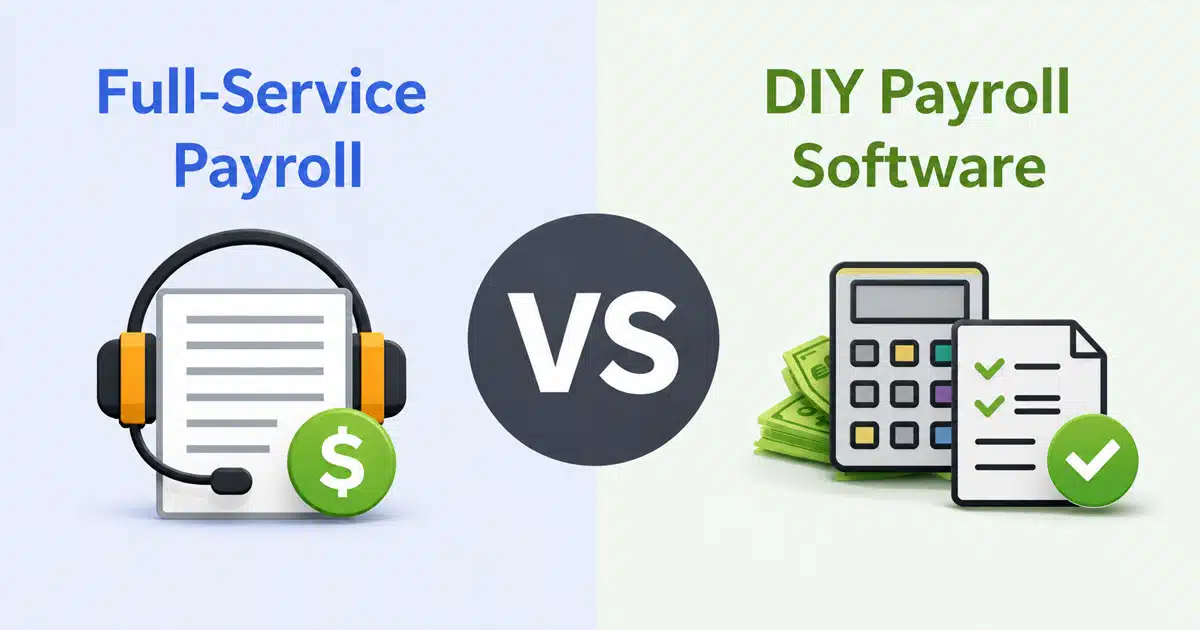
Full-service payroll vs DIY payroll software is a critical decision for business owners managing payroll operations. When comparing payroll software vs full-service payroll, the choice depends on control, compliance, and available resources.
Many payroll services offer automation, but full-service payroll providers go further by managing tax filing and helping businesses file taxes accurately. DIY payroll software gives direct control but requires careful handling of compliance and calculations. For small businesses and growing teams, selecting the best payroll services means balancing cost, efficiency, and risk.
Some solutions also include hr support, helping streamline employee management alongside payroll tasks, especially when powered by integrated HR software for small and medium businesses. Understanding these differences helps business owners choose a payroll approach that aligns with operational needs, reduces errors, and supports long-term growth.
What Is Full-Service Payroll Software
Full-service payroll refers to a comprehensive outsourcing arrangement where a third party provider manages the entire payroll process for your business. This includes calculating wages, overtime, and deductions, withholding and remitting payroll taxes at federal, state, and local levels, filing required quarterly and annual forms, handling direct deposit, distributing pay stubs, and preparing year-end documents like W-2s and 1099s.
Full service payroll providers like ADP, Paychex, Gusto, and OnPay absorb regulatory changes and offer economies of scale that small business owners typically cannot achieve independently. These payroll service providers maintain teams of specialists who track tax laws, manage compliance burden, and often include accuracy guarantee coverage that protects businesses from penalties resulting from provider errors.
The evolution of cloud computing has transformed payroll services, enabling providers to offer automatic updates for tax regulations, support for multi-state employees, benefits administration, and employee self service portals. Many payroll companies now bundle HR software and other workforce management tools alongside core payroll processing.
What Is DIY Payroll Software
DIY payroll software provides tools and platforms that enable business owners to handle payroll largely in-house. The employer or their payroll specialist enters hours, sets pay schedules, calculates taxes using the software automation, files forms, and initiates payments without outsourcing payroll to an external provider.
Modern DIY payroll solutions include automated tax rate tables, direct deposit capabilities, detailed reports, time tracking integrations, and self service employee access, leveraging payroll automation software benefits to reduce manual calculations. However, ultimate responsibility for data accuracy, meeting deadlines, handling updates, and correcting payroll mistakes rests entirely with the business.
Small businesses with internal capacity who prefer direct control and lower recurring costs typically gravitate toward DIY options. Recent trends show more robust DIY tools featuring real-time tax updates, integrations with accounting software like QuickBooks Payroll, mobile access, and support for contractor payments, with many options marketed as simple payroll software for small businesses. The key distinction remains that while these software solutions simplify payroll tasks, they do not shift compliance risks or payroll responsibilities away from the business owner.
Full-Service Payroll Vs DIY Payroll Software: Key Differences
The fundamental difference between these approaches centers on outsourcing versus self-management.
Full service payroll means trusting a provider to execute the complete payroll lifecycle, manage tax compliance, handle tax filing deadlines, and correct errors. You review and approve rather than build and execute. DIY payroll means using software to simplify processing payroll but owning every decision, data entry task, review process, and remediation effort.
Both can achieve accurate results, but with substantially different trade-offs. Understanding what payroll processing involves for growing businesses helps clarify these differences. Full service solutions typically carry higher monetary costs per employee each month but lower internal time demands and reduced financial risks from compliance failures. DIY payroll offers lower fixed costs but requires significant time investment from internal staff and creates more exposure to penalties if employment taxes are miscalculated or deadlines missed.
Context matters significantly in this decision. The number of employees, state diversity, complexity of wages including hourly, salary, contractors, and bonuses, benefits deductions, pay frequency, and remote work arrangements all influence which approach delivers better value for your specific situation.
Cost Structure And Pricing Models
Understanding the true cost of each payroll solution requires looking beyond subscription fees to include hidden expenses and opportunity costs that affect your total investment, especially when evaluating different payroll processing software for business payroll options.
Cost Factor | Full-Service Payroll | DIY Payroll Software |
|---|---|---|
Monthly Base Fee | $39-$200+ | $20-$50 |
Per-Employee Fee | $4-$15 per employee | $4-$8 per employee |
Tax Filing | Usually included | Often extra |
Year-End Processing | Sometimes extra | Usually included |
Error Correction | Provider handles | Business responsibility |
Penalty Coverage | Often included | Not available |
Internal Labor | Minimal | Significant |
Full-Service Payroll Costs
Recent 2026 data indicates that base monthly fees for full service providers range from approximately $39 to $200 or more depending on business size and service level, with per-employee fees typically between $4 and $15 monthly. For a business with 10 employees, this might translate to $150 to $300 per month, while organizations with 50 or more employees face considerably higher totals depending on selected features.
Additional costs may apply for tax guarantee or penalty coverage beyond standard protection, extra fees for year-end W-2 and 1099 filings, multi-state tax registration assistance, off-cycle payroll runs, or corrections. Some payroll providers bundle these services while others charge separately.
Pricing scales predictably with growth since per-employee fees add up consistently, and additional states or tax jurisdictions increase administrative complexity. This predictability, combined with reduced internal resource demands, represents a key advantage for business owners who value budget stability and want to focus on core business activities.
DIY Payroll Software Costs
DIY payroll software often costs less in fixed terms. Software subscriptions typically start at $20 to $50 monthly for small business tiers, plus per-employee add-ons. Some providers offer even lower entry points for businesses willing to handle more tax filing responsibilities independently.
Hidden costs for DIY payroll are substantial and frequently overlooked. Internal labor hours for data entry, training staff in payroll tax law, software maintenance, and correcting errors can consume significant resources. As outlined in common payroll mistakes businesses must avoid in 2026, the average payroll error correction costs approximately $291 per instance, while average penalties for tax misfiling run about $850 among small businesses.
Additionally, if your business grows to need a dedicated payroll specialist, average salary costs approximately $65,000 annually. Unexpected expenses from compliance failures or from switching payroll system providers can further erode initial cost savings, making dedicated payroll compliance software to avoid costly mistakes increasingly attractive. DIY tools may also charge extra for features like automated tax filing, multi-state compliance support, or wage garnishments processing.
Time Investment And Management Requirements
The time required to run payroll effectively differs dramatically between these approaches, affecting everything from daily operations to long-term workforce management planning.
Time Factor | Full-Service Payroll | DIY Payroll Software |
|---|---|---|
Weekly Time | 1-2 hours for review | 3-8 hours processing |
Initial Setup | Provider-guided | Self-directed |
Learning Curve | Minimal | Moderate to steep |
Tax Filing Management | Provider handles | Owner responsibility |
Error Correction | Provider handles | Manual resolution |
Scaling Impact | Time stays stable | Time increases with size |
Full-Service Payroll Time Commitment
Using full-service payroll typically demands minimal ongoing weekly time. The employer generally supplies or approves timesheets, communicates employee status changes, and reviews payroll summaries before processing. The provider handles everything else.
Initial setup and onboarding may take a few hours to several days depending on employee count, number of states involved, and benefit schemes requiring configuration. As business complexity increases with multi-state operations, contractors, and fringe benefit deductions, full service providers deliver greater value because they supply expertise and automated updates that would otherwise require significant internal investment.
Time savings can be substantial. Case studies show organizations handling 40 to 60 employees that switched to full-service payroll with automation achieved savings equivalent to one full-time employee. These gains mirror the advantages described in modern automated payroll software features and benefits. Review time remains necessary, but the bulk of compliance monitoring, tax filing, and error correction shifts to the provider rather than consuming internal resources needed for other business priorities.
DIY Payroll Software Time Commitment
DIY payroll requires maintaining a regular schedule of time consuming tasks including collecting employee data such as hours, overtime, and leaves, entering and verifying information, calculating payroll, computing deductions and payroll taxes, creating paychecks or initiating direct deposit, preparing filings, remitting employment taxes, and producing reports.
The learning curve can be steep. Training on software functionality, understanding tax tables, and comprehending withholding rules or overtime laws according to various labor laws requires investment upfront and ongoing attention as regulations change.
As employee count increases or operations expand across multiple states with various local taxes, remote work arrangements, and benefits programs, time per payroll cycle grows proportionally. Error corrections or missed deadlines consume additional unplanned hours. Integration with other systems for time tracking, human resources management, or benefits administration can help but requires setup and ongoing maintenance, especially when adopting modern cloud HR software for modern teams. Compared to full-service, internal time cost is much higher and scales directly with business complexity.
Compliance And Tax Management
Tax compliance represents one of the highest-stakes aspects of payroll management, where errors create direct financial risks and potential legal consequences.
Compliance Factor | Full-Service Payroll | DIY Payroll Software |
|---|---|---|
Tax Law Updates | Automatic | Requires monitoring |
Filing Responsibility | Provider | Business owner |
Penalty Protection | Often included | Not available |
Multi-State Support | Built-in expertise | Requires research |
Audit Support | Provider assists | Self-managed |
Error Rate | Under 1% | 10-20% without automation |
Full-Service Payroll Compliance
Full service providers typically include features to handle compliance across federal, state, and local layers. This encompasses automatic tax withholdings updates, automatic filings for social security, unemployment insurance, and income taxes, calculation of employment taxes, state registration assistance, and monitoring of labor laws including minimum wage, overtime, and pay frequency requirements.
Many full-service plans include a tax guarantee or penalty protection. If the provider makes an error in tax withholdings or filings, they absorb penalties or help correct mistakes at no additional cost. They also maintain teams of payroll experts who track legislative changes, provide audit trails, and offer support if external examination occurs.
Market research indicates businesses outsourcing payroll report greater accuracy and reduced compliance risks. One study found error rates on manual payroll runs approach 10 to 20 percent, while automated full service solutions reduce errors to well under 1 percent in most cases. For business owners who want compliance assurance without becoming tax specialists themselves, full-service offers substantial peace of mind.
DIY Payroll Software Compliance
In a DIY context, compliance burden remains entirely with the business. Software may provide automatic rate updates, reminders for tax filing deadlines, basic reporting requirements, and validation checks. However, if users fail to apply necessary overrides, misclassify workers, miss local law changes, or ignore regulatory updates, errors can lead to significant penalties.
Error rates remain meaningful concerns. Research indicates nearly one in six businesses experienced legal, regulatory, or compliance issues due to payroll mistakes over a single year. The average correction cost per error is approximately $291, while average penalties for tax misfiling run about $850 among small businesses. For larger employers, cumulative costs of repeating payroll errors can approach $900,000 annually.
Software features help through automated calculations, validation checks, and audit trails, but staying compliant ultimately requires vigilance and internal review, supported by regular payroll audit strategies to ensure accuracy and compliance. Business owners must invest time understanding employment regulations, monitoring changes, and verifying that their payroll system correctly handles all applicable tax laws and reporting requirements.
Control And Customization Levels
The degree of direct control over payroll processes varies significantly between these approaches, affecting operational flexibility and responsiveness to business needs.
Control Factor | Full-Service Payroll | DIY Payroll Software |
|---|---|---|
Processing Schedule | Provider-determined | Fully flexible |
Custom Reports | Limited options | Extensive options |
Immediate Changes | Support ticket required | Real-time possible |
Workflow Design | Standardized | Customizable |
Data Access | Through portal | Direct access |
Integration Control | Provider-managed | Self-configured |
Full-Service Payroll Control
Businesses using full-service payroll give considerable trust to their provider. While they retain control over pay schedules, approvals, payroll data entry oversight, and changes in benefit deductions, many operational details are managed through the provider’s established processes.
If special or immediate adjustments are needed such as off-cycle paychecks, bonus payments, or urgent corrections, there may be less flexibility or longer lead times compared to handling matters internally. Customization is supported through parameters and add-on services, but businesses typically conform to provider standardized workflows and interfaces.
Communication requirements vary by provider. Some offer real-time chat support while others require scheduled calls or support ticket submissions. For businesses prioritizing consistency over flexibility, this trade-off often proves acceptable. The reduced employee dissatisfaction from reliable, accurate payroll generally outweighs minor inconveniences in making special requests.
DIY Payroll Software Control
With DIY software, the business retains complete control. You choose exactly when payroll is processed, what deductions or bonuses are included, how to handle special scenarios, which reports are generated, and when filings are submitted. Integration with your own HR software or accounting software proceeds according to your preferences and timeline.
Custom workflows and process adjustments are more accessible when you control all aspects of payroll management. Flexibility to respond immediately to changes in local pay requirements, urgent bonuses, or employee classification issues does not require going through external vendor support queues or service level agreements.
However, that flexibility comes with responsibility. Incorrect customizations can lead to costly mistakes. Successful DIY payroll requires disciplined internal policies, knowledgeable staff, and consistent attention to detail, along with a clear understanding of modern payroll software features, automation, and more. Real-time adjustments, corrections, and unique pay situations are easier to address when you have the capacity and expertise to handle them properly.
Business Size And Scaling Considerations
Business size, growth trajectory, geographical spread, and operational complexity significantly influence which payroll solution delivers optimal value at different stages.
| Business Characteristic | Better Fit |
|---|---|
| Under 10 employees, single state | DIY payroll |
| 10-25 employees, single state | Either option |
| 25+ employees | Full-service |
| Multi-state operations | Full-service |
| Frequent contractor payments | Full-service |
| Complex benefits deductions | Full-service |
| Tight budget, simple payroll | DIY payroll |
| Rapid growth expected | Full-service |
As employee count increases past 20 to 30, adding complexity through multi-state employees, variable pay structures, or contractor mix, the cost of DIY in terms of both time and risk rises substantially. Full-service becomes more practical as the true labor costs of maintaining accurate payroll exceed subscription savings.
Critical transition points occur when remote or multi-state employees join requiring additional tax registrations and compliance with various local laws, when payroll frequency or schedules differ by employee group, when benefits deductions become large or complex, or when internal labor costs plus error risk probability begin exceeding full-service costs. Businesses planning significant growth or foreseeing complexity soon may benefit from starting with full-service early to avoid painful transition and accumulated errors.
Full-Service Payroll Vs DIY Payroll Software: Which Should You Choose
The right payroll service depends on your specific business priorities, resources, and operational circumstances rather than any universal best answer.
Choose full-service payroll if you want minimal involvement in day-to-day processing, maximum legal protection through compliance support and penalty coverage, reduced staff burden, and consistent payroll run accuracy. This approach suits business owners who prefer focusing on core business activities rather than becoming payroll experts, especially those operating across multiple states or managing complex compensation structures.
Choose DIY payroll software if you have a tight budget, possess or can develop in-house payroll capability, maintain relatively simple payroll needs, and value direct control over every aspect of processing payroll. This approach works well for small businesses with straightforward operations who prefer hands-on management and can dedicate consistent time to payroll responsibilities.
Both options can succeed when properly matched to business requirements. The key lies in honestly assessing your current complexity, future growth trajectory, available internal resources, risk tolerance, and how much value you place on time savings versus cost savings. Neither solution is inherently superior. The right payroll solution is the one that aligns with your operational reality and business goals.
Why Choose Payrun For Payroll Processing
Payrun delivers payroll processing that combines the control benefits of DIY software with the compliance assurance typically associated with full-service solutions. The platform is designed specifically for small business payroll needs, offering intuitive interfaces that reduce the learning curve while maintaining the flexibility that growing businesses require, making it one of the best HR software options for small businesses.
The system handles tax withholdings, direct deposit, and reporting requirements through automation that reduces manual data entry and minimizes payroll mistakes. Built-in compliance support helps businesses stay current with changing tax regulations without requiring dedicated payroll specialist expertise on staff.
Payrun integrates with popular accounting software and time tracking tools, creating streamlined workflows that connect payroll data with your existing business systems while showcasing Payrun's innovative HR features. Employee self service portals give your team access to pay stubs and tax documents without adding administrative burden to your workload.
For businesses seeking cost savings without sacrificing accuracy or compliance, Payrun provides a balanced approach that scales as your business grows. The platform supports contractor payments, handles employment taxes across multiple jurisdictions, and maintains the detailed records needed for audit readiness, particularly for fast-growing teams that need dedicated HR and payroll software for SaaS and software businesses.
For organizations that also want to centralize HR, time, and leave tracking, Payrun functions as an all-in-one HR platform with a modern employee record management system for HR teams that replaces disconnected tools and simplifies HR by consolidating workflows, including support for remote team management with cloud HR tools. Behind the product, Payrun positions itself as a trustworthy partner in HR management focused on long-term customer success.
Frequently Asked Questions
Which Businesses Benefit Most From Full-Service Payroll
Businesses with 25 or more employees, multi-state operations, complex benefits administration, or significant contractor relationships typically benefit most from full service payroll. Organizations experiencing rapid growth, those in heavily regulated industries, and business owners who want to minimize time spent on payroll management also find full-service solutions deliver substantial value through reduced compliance risks and time savings.
Is DIY Payroll Software Suitable For Scaling Businesses
DIY payroll software can work for scaling businesses, but transition points exist where the approach becomes impractical. As employee counts grow past 20 to 30, multi-state complexity emerges, or payroll frequency varies by employee group, the time investment and error risk often outweigh cost savings. Businesses with clear growth trajectories may benefit from adopting full-service earlier to avoid transition challenges during rapid expansion periods.
How Does Payroll Choice Affect Compliance Risk
Full-service payroll significantly reduces compliance risk through automatic tax law updates, professional oversight, and penalty protection coverage that absorbs costs when provider errors occur. DIY payroll places complete compliance responsibility on the business owner, with error rates on manual processes reaching 10 to 20 percent compared to under 1 percent for automated full-service solutions. The average penalty for tax misfiling is approximately $850 for small businesses.
Can Businesses Switch From DIY To Full-Service Payroll Easily
Switching from DIY to full-service payroll requires planning and preparation but is manageable with proper execution. Key challenges include data migration, transferring year-to-date records accurately, state registration updates, and coordinating timing to avoid gaps in tax filings. Many full service providers offer onboarding assistance, but businesses should plan the transition during lower-activity periods and verify all historical payroll data transfers correctly before processing their first payroll run with the new provider.
What Factors Should Influence Payroll Decision-Making
Primary factors include employee count, number of states or local tax jurisdictions, payroll frequency and complexity, benefits deduction requirements, internal staff availability and expertise, budget constraints, risk tolerance, and growth trajectory. Secondary considerations include desire for control versus convenience, quality of available vendor support, integration requirements with existing HR software and accounting software, and the internal value placed on time saved versus direct cost savings.