Payroll regulations are the rules that tell employers how to pay employees, withhold taxes, and report earnings to government agencies. These rules come from federal, state, and local governments. They cover wages, hours employees work, payroll taxes, benefits, and payroll records.
Why does this matter? About 67% of U.S. workers live paycheck to paycheck. Even one late or incorrect payroll can push employees to look for another job. For businesses, mistakes lead to fines, audits, and damaged trust with your team.
Federal rules apply nationwide. But state and local regulations can be stricter. California, New York, and other states often require more than the federal minimum. Multi-state employers face extra challenges. They must track different rules for each location where employees work. This article walks through what payroll regulations are, why they matter, and how to maintain compliance in 2026.
What Are Payroll Regulations
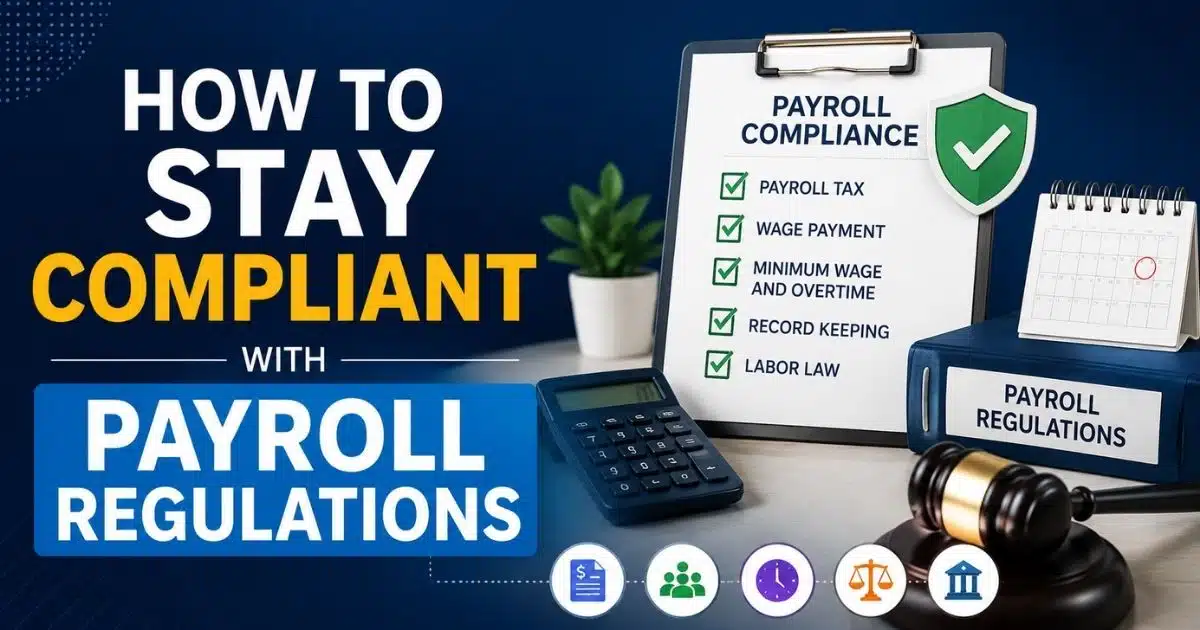
Payroll compliance means following all the laws and rules about paying employees correctly. This includes calculating wages, withholding the right taxes, paying on time, and keeping accurate records. Payroll regulations cover federal laws, state laws, and sometimes city or county rules too.
The core of payroll regulations involves several key areas. These include minimum wage, overtime pay, tax withholding, employee classifications, and benefits contributions. Each area has its own set of rules. Breaking any of them can lead to costly penalties and legal battles.
In the U.S., around 180 federal employment laws exist. But most payroll departments deal daily with just a handful. The big ones are the Fair Labor Standards Act, the Federal Insurance Contributions Act, and the Federal Unemployment Tax Act. These set the floor for how employers must treat employee wages and payroll taxes.
Why Payroll Compliance Important For Businesses

Payroll regulations shape how companies pay employees, manage payroll taxes, and follow employment laws. Strong payroll compliance protects businesses from legal penalties, costly errors, and long term operational risks.
Legal Risks Of Non Compliance
When companies fail to follow payroll regulations and payroll laws, they face serious legal risks. These can include lawsuits from employees, investigations by government agencies, and costly legal battles tied to employment laws and federal legislation.
Misclassifying workers as independent contractors instead of employees remains a common violation of payroll compliance rules. Businesses must verify employee classifications carefully to avoid tax liability, unpaid overtime pay disputes, and wage claims. Errors in employee classifications often violate the Fair Labor Standards Act (FLSA) and equal pay act, especially when wage discrimination or unequal pay occurs.
Nonexempt employees and non exempt employees must receive overtime pay when hours employees exceed federal minimum wage standards set under wage laws and minimum wage laws. The act establishes minimum wage requirements and protects child labor standards and youth employment standards. Failing to meet federal laws, state laws, and local regulations often leads to legal penalties, unpaid overtime disputes, and investigations into payroll records.
Financial Penalties And Fines
The financial impact of poor payroll compliance adds up quickly. Late payroll taxes, federal income tax, income tax, social security tax, and medicare tax deposits trigger costly penalties and interest. IRS penalties tied to federal insurance contributions act, federal insurance contributions, and fica taxes increase tax liability significantly.
Employers must also manage unemployment tax act futa obligations under the federal unemployment tax act. Changes in unemployment tax rates and state unemployment programs further complicate payroll processes. Errors in tax calculations, employer contributions, and additional medicare tax reporting often result in compliance audit failures and delayed tax filings.
Mistakes in payroll management, payroll system configuration, or manual data entry can lead to incorrect employee wages, taxes, and inaccurate payroll records. These issues increase risk for private sector companies operating across federal state and local jurisdictions.
Impact On Employee Trust And Satisfaction
Payroll mistakes directly affect employee trust. When companies fail to pay employees correctly, dissatisfaction rises quickly. Employees expect accurate wage calculations, proper prevailing wages, and consistent payroll processes aligned with current labor laws.
Problems with maintaining payroll compliance can lead to delayed payments, incorrect social security and medicare deductions, and missing unemployment benefits eligibility. Such issues harm employee data accuracy and reduce confidence in payroll departments and hr professionals responsible for payroll management.
Accurate payroll software and reliable payroll systems help organizations maintain compliance, ensure compliance with tax regulations, and reduce the risk of recurring payroll errors. This supports consistent pay cycles and improves employee satisfaction.
Effect On Business Reputation
Payroll violations often become public, especially when linked to federal legislation enforcement or government agencies investigations. Companies that fail to follow laws and regulations risk reputation damage that affects business growth and hiring success.
A history of payroll noncompliance, unpaid overtime, or higher minimum wage violations can disqualify organizations from contracts requiring strict payroll compliance means. Maintaining strong payroll processes, secure employee data handling, and accurate payroll management practices helps businesses avoid costly penalties and protect their reputation.
Key Payroll Regulations Every Company Must Know

Understanding payroll regulations helps businesses follow wage laws, manage payroll taxes accurately, and avoid legal risks. Clear knowledge of compliance requirements supports consistent payroll processes and protects both employers and employees.
Wage And Hour Laws
The fair labor standards act sets the foundation for wage and hour rules in the U.S. It establishes minimum wage at $7.25 per hour at the federal level. This rate has not changed since 2009. But over 30 states now require a higher minimum wage.
The labor standards act flsa also sets overtime rules. Nonexempt employees earn time and a half for hours employees work beyond 40 in a workweek. That means a worker earning $20 per hour gets $30 for each overtime hour.
State minimum wage laws often go further. California raised its exempt salary threshold to $70,304 annually for 2026. Washington, New York, and other states have scheduled increases through 2026. Employers must pay the higher rate when federal and state laws differ.
The flsa also includes child labor standards. It restricts work hours and types of jobs for workers under 18. Youth employment standards vary by age and school schedule.
Tax Withholding Requirements
Employers must withhold federal income tax from each paycheck based on the employee’s W-4 form. The IRS Publication 15-T provides withholding tables. These tables update almost every year.
For 2026, the One Big Beautiful Bill Act brings new withholding tables. These add deductions for qualified tips and overtime. Employees with those earnings need updated W-4 forms. Payroll systems must switch to the new tables before the first 2026 paycheck.
Federal income tax brackets range from 10% to 37%. The IRS adjusts brackets and standard deductions annually for inflation. Payroll teams must review updates before each calendar year begins.
State income tax withholding adds complexity. About 41 states tax wage income. Each has its own withholding tables and forms. Employers must register and withhold in every state where employees work.
Employee Classification Rules
Proper employee classifications prevent major compliance problems. The distinction between employee and independent contractor affects taxes withheld, overtime pay, benefits eligibility, and more.
The IRS and Department of Labor look at several factors. Who controls how the work gets done? Who provides tools and equipment? Is the relationship permanent or project-based? Getting this wrong exposes employers to years of back taxes and penalties.
Exempt versus non exempt status also matters. Just paying someone a salary does not make them exempt from overtime. The job must meet specific duties tests. A manager title means nothing if the person spends most time doing hourly work.
Employers should verify employee classifications regularly. Document control factors. Use IRS Form SS-8 when status is unclear. Periodic job description reviews catch changes before they become problems.
Overtime And Minimum Wage Standards
Overtime pay rules protect workers from excessive hours without compensation. The flsa requires time and a half pay after 40 hours in a workweek for nonexempt employees. Some states add daily overtime requirements.
California requires overtime after 8 hours in a single day. It also mandates double time after 12 hours. Employers operating there must track daily hours, not just weekly totals.
Prevailing wages apply to certain government contracts. The Davis-Bacon Act and Service Contract Act require contractors to pay rates set by the Department of Labor. These often exceed standard minimum wage.
Accurate wage calculations require good timekeeping. Manual data entry creates errors. Automated time tracking reduces mistakes and supports compliance audit requirements.
Statutory Benefits And Contributions
The federal insurance contributions act requires employer contributions to social security and medicare. The combined rate is 15.3%. Employers pay 6.2% for social security tax and 1.45% for medicare tax. Employees pay matching amounts through taxes withheld from their paychecks.
The social security wage base rises each year. For 2025, it was $176,100. For 2026, it jumps to $184,500. Earnings above the cap are not subject to social security tax. But there is no cap on medicare tax. And employees earning over $200,000 pay an additional medicare tax of 0.9%.
The federal unemployment tax act requires employers to pay FUTA tax. The rate is 6.0% on the first $7,000 of each employee’s annual wages. Most employers receive a credit up to 5.4%, reducing the effective rate to 0.6%.
The unemployment tax act futa funds state unemployment programs and unemployment benefits. State unemployment taxes (SUTA) add to employer costs. Rates vary by state, industry, and experience rating.
Common Payroll Compliance Challenges

Many organizations struggle with changing payroll laws, complex tax regulations, and manual errors. These challenges increase compliance risks and make maintaining accurate payroll records and processes more difficult over time.
Frequent Changes In Payroll Laws
Payroll laws change constantly. The IRS updates withholding tables, wage bases, and deposit thresholds every year. State legislatures pass new laws each session. Keeping up requires ongoing attention.
California alone passed over a dozen employment-related bills in 2025 that take effect in 2026. These include changes to pay data reporting, exempt salary thresholds, and paid leave rules. Similar updates happen in other states.
Electronic filing rules tightened in 2025. Employers filing 10 or more forms like W-2s or 1099s must now file electronically. That threshold dropped from 250 forms. Missing this change triggers penalties.
The SECURE 2.0 Act added retirement plan requirements effective January 2025. Employers with 11 or more workers starting new 401(k) plans must auto-enroll new hires. Contribution limits rose to $24,500 for 2026. Payroll systems need to support these features.
Manual Payroll Errors
Manual data entry creates mistakes. Transposed numbers, missed hours, wrong pay rates. These errors add up. About 40% of small businesses face payroll issues each year. Many stem from manual processes.
Common mistakes include using outdated tax tables. If a payroll system does not update for the 2026 Social Security wage base of $184,500, it may withhold too much from high earners. This triggers IRS notices and refund requirements.
Miscalculating overtime causes problems too. State rules differ from federal rules. Daily versus weekly overtime. Different rates for different situations. Without proper systems, errors happen.
Poor documentation compounds manual errors. When records are incomplete, employers cannot defend themselves in audits. Gaps in time records, missing W-4 forms, or unsigned I-9 documents create liability.
Managing Multi Location Compliance
Multi-state employers face the biggest challenges. Each state has different rules for minimum wage, overtime, paid leave, and tax withholding. Following one set of rules is manageable. Following 10 or 20 sets is complex.
Federal state and local requirements sometimes conflict. When they do, employers must follow the rule that benefits the employee most. This means tracking multiple standards and applying them correctly.
Remote work added new complications. Employees working from home in different states trigger registration and withholding requirements. An employee who relocates creates new obligations in their new state.
The Multistate Payroll Guide helps employers track rules across jurisdictions. But the sheer volume of updates makes it hard to stay current without good systems and regular reviews.
Handling Employee Data Accurately
Accurate employee data is the foundation of payroll compliance. Wrong Social Security numbers cause tax filing rejections. Incorrect addresses affect state tax withholding. Outdated bank details delay payments.
Onboarding checklists help. Verify IDs and tax documents. Confirm pay rates and benefits elections. Double-check Social Security numbers and direct deposit details. Update records when employees get raises, change addresses, or take leaves.
The org performing security verification must ensure data integrity. Security service practices protect sensitive information from unauthorized access. Data breaches create legal exposure and harm employee trust.
Privacy rules grow stricter each year. California expanded pay data reporting requirements for 2026. Employers with 100 or more workers must submit annual reports breaking down pay by race, ethnicity, sex, and job category.
Complex Tax Calculations
Tax calculations involve multiple variables. Federal income tax depends on filing status, allowances, and wage amount. FICA taxes have caps and thresholds. State taxes vary by jurisdiction.
The additional medicare tax adds complexity. Employers must withhold the extra 0.9% on wages over $200,000 for an employee. This applies regardless of filing status. Getting this wrong creates tax liability for the employer.
Eligible employees may qualify for pre-tax deductions. Health insurance, retirement contributions, and flexible spending accounts reduce taxable wages. Each type follows different rules for federal and state taxes.
SUTA rates change based on claims experience. An employer with layoffs may see rates increase. Annual rate notices from states affect payroll budgeting. Missing an update means incorrect withholding.
How To Stay Compliant With Payroll Regulations

Staying compliant requires updated knowledge of payroll laws, accurate record keeping, and reliable payroll processes. Consistent monitoring and internal controls help businesses reduce risks and maintain regulatory compliance.
Regular Monitoring Of Legal Updates
Staying compliant starts with knowing what changed. Subscribe to updates from the IRS, Department of Labor, and state agencies. Review Publication 15 and Publication 15-T before each calendar year.
Create a calendar for key dates. W-2 filing deadlines, quarterly 941 deposits, annual Form 940, state wage reports. Missing deadlines triggers penalties that compound quickly.
Assign responsibility for tracking changes. HR professionals or payroll staff should monitor current labor laws in every jurisdiction where you operate. Monthly check-ins catch updates before they cause problems.
Industry associations and payroll vendors often summarize changes. Use these resources to supplement official sources. But always verify against government publications for accuracy.
Maintaining Accurate Payroll Records
FLSA requires employers to keep detailed records for three or more years. This includes hours worked, pay rates, overtime, deductions, and pay period dates. IRS rules require keeping tax records for at least four years.
Essential documents include time records, W-4 forms, I-9 forms, pay stubs, and tax deposit confirmations. Organize these systematically. Make them easy to find if an auditor asks.
Digital storage helps. Cloud-based systems provide searchable archives. They protect against loss from fire or hardware failure. They also make multi-location compliance easier.
Regular audits of employee data catch errors before they compound. Compare names and Social Security numbers against official records. Verify addresses and withholding elections are current.
Standardizing Payroll Processes
Written procedures reduce errors. Document each step of the payroll process from data collection through payment and filing. Train everyone who touches payroll on the same procedures.
Standardization helps when staff changes. New team members follow documented steps instead of guessing. Consistent processes produce consistent results.
Checklists work well. Create lists for each pay cycle, quarter-end, and year-end. Include state-specific items for each jurisdiction. Review and update lists when laws change.
Payroll management improves when everyone follows the same playbook. Exceptions and shortcuts create gaps. Stick to the process even when time is tight.
Conducting Internal Payroll Audits
Internal audits catch mistakes before regulators find them. A light review should happen every pay cycle using your checklist. Deeper reviews should happen quarterly or annually.
Sample timecards to verify hours match what was paid. Check that pay rates match what was agreed. Confirm overtime was calculated correctly for nonexempt employees.
Review employee classifications periodically. Jobs change over time. Someone hired as nonexempt may have taken on duties that change their status. Or vice versa.
A compliance audit should cover tax filings, deposit timing, and record keeping. Compare what was filed to source documents. Identify and correct discrepancies promptly.
Training Payroll And HR Teams
Training prevents problems. Cover topics like overtime approvals, meal break rules, and timecard procedures. Focus on practical scenarios, not legal theory.
Front-line supervisors often cause payroll issues without realizing it. They change schedules or approve off-the-clock work. They do not think about compliance implications. Short training sessions fix this.
The Department of Labor and IRS offer free educational resources. Webinars, guides, and FAQs cover common questions. Use these low-cost options to build basic knowledge.
Annual refreshers keep skills current. When laws change, update training materials. Test understanding with simple quizzes or scenario discussions.
Best Practices For Payroll Compliance Management
Effective payroll compliance depends on clear policies, accurate data management, regular audits, and standardized payroll workflows. These practices help organizations minimize errors and maintain long term compliance stability.
Using Automated Payroll Systems
Modern payroll software automates tax calculations, wage calculations, and filing deadlines. It reduces manual data entry errors. It updates automatically when tax rates change.
Key features to look for include automatic tax table updates, electronic deposit of payroll taxes, self-service for employees, and compliance alerts. Multi-state functionality matters for employers with workers in multiple locations.
Automation frees payroll staff for higher-value work. Instead of calculating taxes by hand, they review reports and handle exceptions. Quality goes up while effort goes down.
A payroll system that flags missing data prevents downstream problems. If an employee lacks a W-4 on file, the system alerts payroll before processing. These catches avoid costly penalties.
Documenting Payroll Policies Clearly
Written policies set expectations. Employees know when they get paid, how to report time, and where to direct questions. Managers know their responsibilities for approving time and handling exceptions.
Policy documents should cover pay employees schedules, overtime procedures, expense reimbursement, and time-off rules. Keep language simple. Avoid jargon that confuses readers.
Update policies when laws change. If your state adopts new paid sick leave rules, revise your handbook. Communicate changes to employees before they take effect.
Store policies where everyone can access them. Employee handbooks, intranet sites, or HR systems work well. New hires should receive and acknowledge policies during onboarding.
Setting Compliance Checklists
Checklists turn complex processes into manageable steps. New hire setup, each payroll run, quarter-end filings, and year-end forms all benefit from checklists.
Customize by state based on where employees work. California has different requirements than Texas. New York City differs from upstate New York. One-size-fits-all does not work for multi-location employers.
Review checklists annually. Add new requirements from recent laws and regulations. Remove items that no longer apply. Keep them current and relevant.
Print or digital formats both work. What matters is consistent use. Every payroll run should follow the same checklist. This catches skipped steps before they become problems.
Ensuring Data Security And Privacy
Payroll data includes Social Security numbers, bank account details, and salary information. Protecting this data is essential. Breaches create legal exposure and damage trust.
Limit access to payroll systems. Only authorized personnel should view or change data. Use role-based permissions to control what each user can see.
Encrypt data in transit and at rest. Use secure connections for transmitting tax filings. Back up data regularly and test restore procedures.
Train staff on security verification procedures. Phishing attacks target payroll departments. An email asking to change direct deposit details should trigger verification calls to the employee.
Partnering With Compliance Experts
External advisors add expertise. Employment attorneys, CPA firms, and payroll service providers bring specialized knowledge. They stay current on laws so you do not have to.
Use experts when entering new states or countries. Employment laws vary dramatically. Getting advice upfront prevents expensive mistakes later.
Annual reviews with outside counsel or accountants catch gaps. They bring fresh eyes to your processes. They identify issues your internal team might miss.
Cost-benefit analysis usually favors expert partnerships. The expense of occasional consulting is far less than costly legal battles or penalty assessments.
Role Of Payroll Software In Regulatory Compliance
Payroll software supports compliance by automating tax calculations, storing payroll records securely, and reducing manual errors. It helps businesses manage payroll processes accurately across multiple regulatory requirements.
Automated Tax Calculations
Payroll software handles tax calculations automatically. It applies current rates for federal income tax, social security tax, medicare tax, and state taxes. No manual lookups or spreadsheets required.
When the IRS updates withholding tables, good software updates too. This ensures correct withholding from the first paycheck of each year. Employers using outdated tables face underwithholding penalties.
The software calculates based on employee W-4 data and current earnings. It handles year-to-date tracking for items like Social Security wage caps. When an employee hits the cap, withholding stops automatically.
Complex scenarios like the additional medicare tax become manageable. The software tracks cumulative wages and applies the extra 0.9% when earnings exceed $200,000. Employers do not need to remember the threshold.
Real Time Compliance Updates
Leading payroll solutions monitor legislative changes and push updates automatically. When California raises its exempt threshold, the software adjusts. When a new state paid leave program launches, the system incorporates it.
Real-time updates matter because laws change frequently. Waiting for manual updates creates gaps. Automated updates close those gaps before paychecks go out.
Compliance alerts notify administrators of action items. A new state registration requirement triggers an alert. An upcoming filing deadline generates a reminder. These prompts prevent missed obligations.
Updates extend to tax filings too. When IRS changes form requirements or electronic filing thresholds, the software adapts. Employers stay compliant without tracking every change themselves.
Centralized Employee Data Management
Payroll software centralizes employee data in one system. Personal information, tax forms, pay rates, deductions, and direct deposit details all live together. This eliminates scattered spreadsheets and paper files.
Centralization improves accuracy. Changes made once apply everywhere. No more updating three different files when someone gets a raise. The single source of truth prevents discrepancies.
Self-service features let employees update their own information. Address changes, W-4 updates, and bank details get entered directly. This reduces administrative burden and improves data accuracy.
Centralized data supports compliance reporting. When a state requires pay data disclosures, the software generates reports automatically. No manual compilation needed.
Reporting And Audit Support
Built-in reporting simplifies compliance. Standard reports show tax filings, payroll registers, and wage summaries. Custom reports address specific questions or audit requests.
Audit trails track who changed what and when. If a pay rate was modified, the system shows who did it and the original value. This supports internal controls and external audits.
Year-end reporting becomes efficient. W-2 generation, 1099 preparation, and tax reconciliation happen within the system. Electronic filing meets IRS requirements without additional steps.
Historical data remains accessible. When an auditor asks for records from three years ago, the system retrieves them quickly. No searching through boxes or old backup tapes.
How Payrun Helps Businesses Stay Compliant With Payroll Regulations
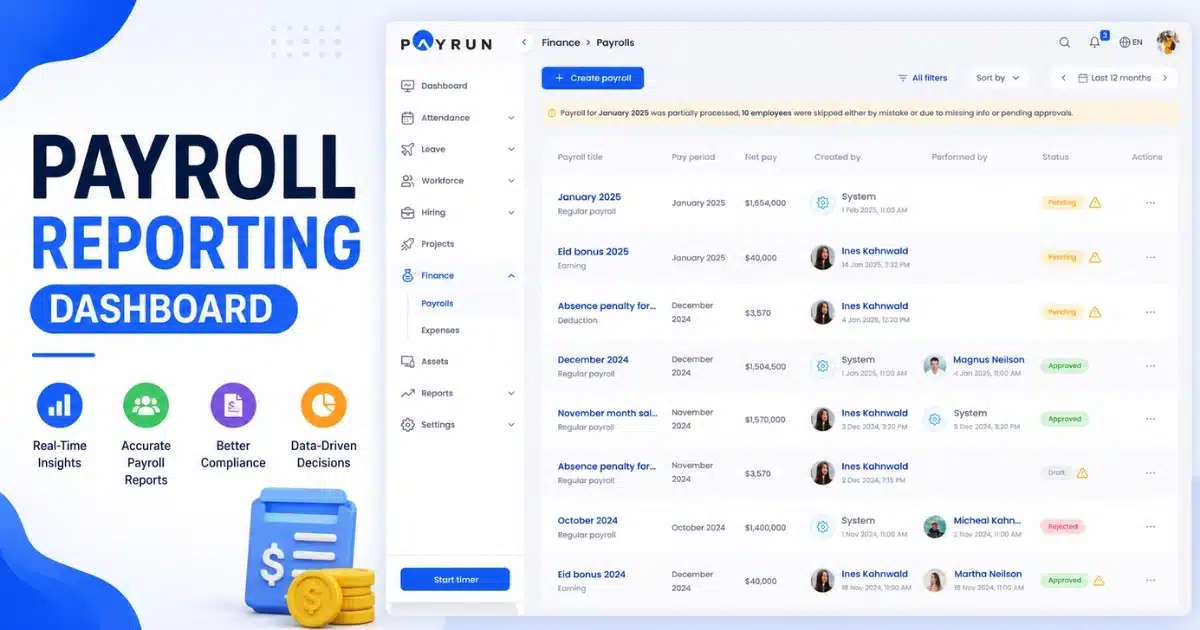
Payrun simplifies payroll compliance through automated calculations, secure employee data management, and built in compliance updates. Its tools help businesses manage payroll processes accurately and reduce regulatory risks.
Automated Compliance Updates
Payrun automatically incorporates changes to tax rates, wage bases, and filing requirements. When the Social Security wage base rises to $184,500 for 2026, Payrun updates accordingly. No manual intervention needed.
This automation reduces risk. Payroll teams do not need to track every IRS bulletin or state legislative session. Payrun does the monitoring and applies changes before they affect paychecks.
Notifications keep administrators informed. When significant changes occur, Payrun explains what changed and what it means. This transparency builds confidence that compliance is maintained.
Accurate Payroll Calculations
Payrun calculates wages, taxes, and deductions correctly every time. It applies current rates for fica taxes, federal and state income tax, and statutory contributions. Complex scenarios like overtime and shift differentials are handled automatically.
The system tracks year-to-date earnings for items with caps or thresholds. Social Security tax stops at the wage base. Additional medicare tax starts above $200,000. Payrun manages these transitions seamlessly.
Accuracy extends to pay employees on the expected dates. Payrun processes payroll reliably, ensuring workers receive correct pay when they expect it. This builds trust and reduces turnover.
Secure Employee Data Handling
Payrun protects sensitive employee data with robust security measures. Encryption safeguards data in transit and at rest. Access controls limit who can view or modify information.
Role-based permissions ensure appropriate access levels. Administrators see everything. Managers see their team. Employees access only their own information. This protects privacy while enabling self-service.
Data backup and recovery procedures protect against loss. Regular backups ensure business continuity. Tested recovery processes mean operations continue even if problems occur.
Built-In Reporting And Audit Tools
Payrun includes comprehensive reporting capabilities. Standard reports cover payroll summaries, tax filings, and wage breakdowns. Custom reports address specific needs.
Audit support features track changes and maintain history. When auditors request documentation, Payrun retrieves it quickly. Detailed records support compliance audit responses.
Year-end processes streamline W-2 generation and tax reconciliation. Electronic filing capabilities meet current IRS requirements. Employers complete year-end efficiently without external tools.
Scalable Payroll Management Features
Payrun grows with your business. Adding employees or locations does not require new systems. The platform handles increasing complexity as companies expand.
Multi-state support addresses varying requirements. Different minimum wage laws, tax rates, and filing obligations are managed within one system. Employers maintain compliance across jurisdictions.
As regulations evolve, Payrun evolves too. New features address emerging requirements. Businesses using Payrun stay ahead of changes instead of scrambling to catch up.
FAQ
How Often Do Payroll Regulations Change?
Payroll regulations can change several times a year at the federal, state, and local levels. Updates may affect payroll tax, wage rates, reporting requirements, and minimum wage and overtime rules. Because each payroll law can vary by jurisdiction, employers need to review updates regularly to maintain compliance and ensure accurate processing of payroll.
What Happens If A Company Violates Payroll Regulations?
Violating a payroll law can result in fines, penalties, audits, and legal action. If an employee's wages are underpaid or delayed, the amount owed must be paid along with any applicable damages. In serious cases, violations of labor law related to wage payment or overtime can lead to government investigations and reputational damage.
Which Records Are Required For Payroll Compliance?
Most regulations require businesses to maintain records related to payroll calculations and employment details. The law requires employers to keep information such as the number of hours worked, pay rates, tax withholdings, payroll tax filings, and employee's wages. Documentation showing the regular rate of pay and overtime calculations should also be retained.
Can Small Businesses Manage Payroll Compliance Without Software?
Yes, but it can be challenging. Small businesses can manage compliance manually, though employers need to track wage payment, taxes, and labor requirements accurately. An employer must ensure that part time and full-time workers receive correct pay, that minimum wage and overtime requirements are met, and that payroll processing follows all applicable regulations.
How Long Should Payroll Records Be Stored?
Record-retention requirements vary by jurisdiction, but many employers keep payroll records for several years. The law requires businesses to preserve documents related to payroll tax, employee's wages, the number of hours worked, and overtime calculations. Keeping records of business days worked, wage rates, and compliance activities can help support audits and demonstrate adherence to labor law requirements.