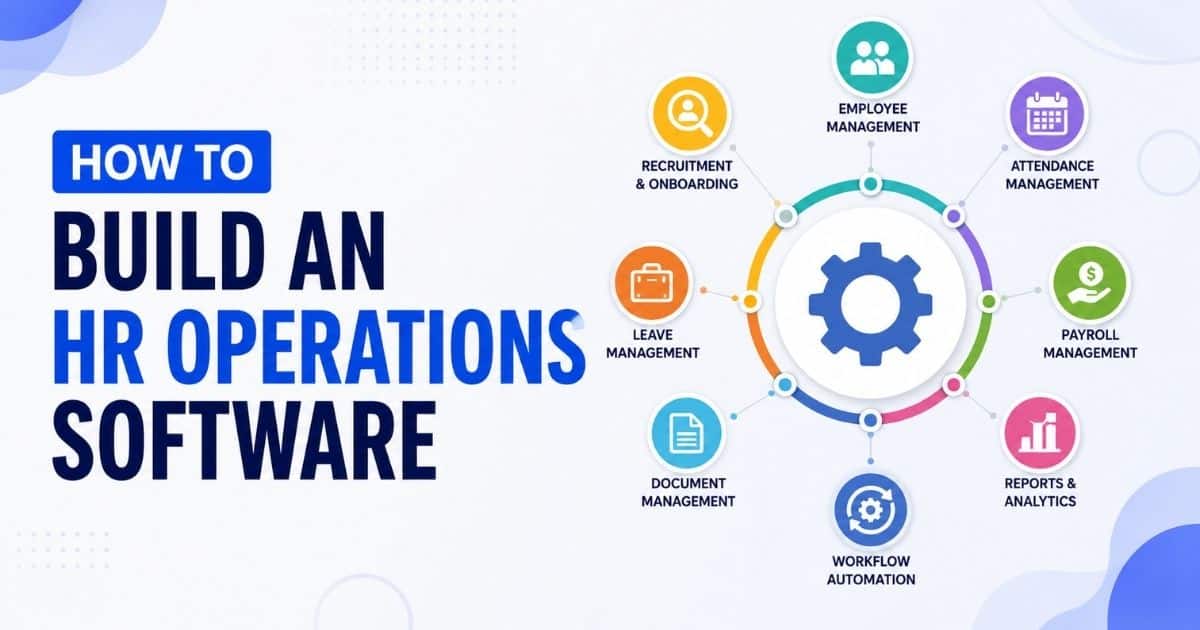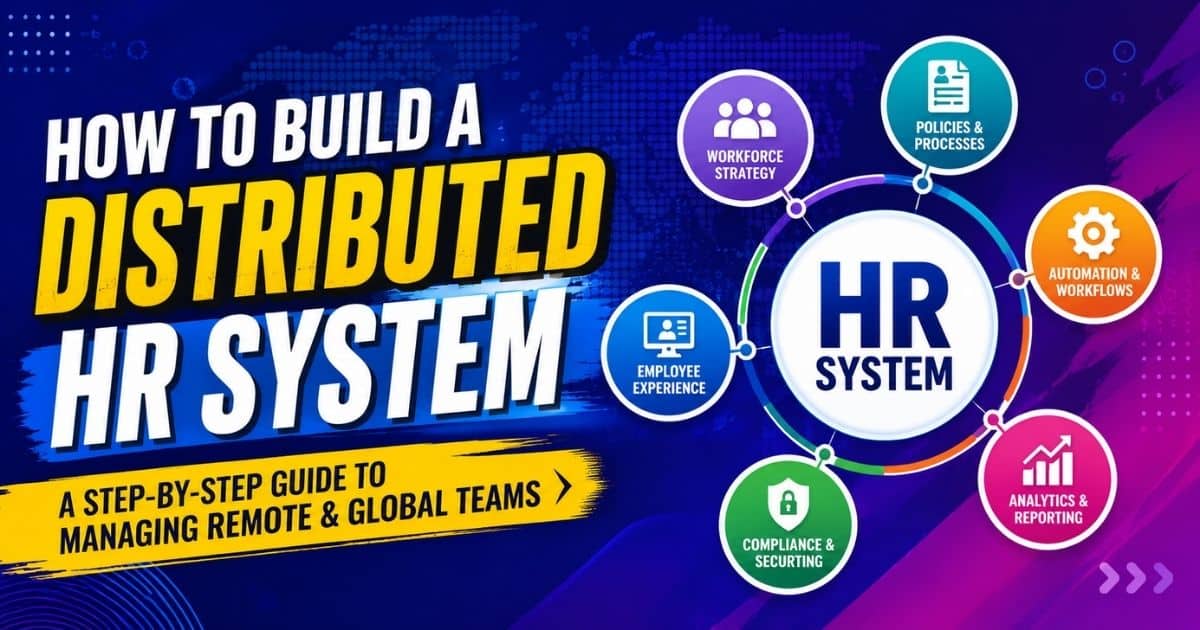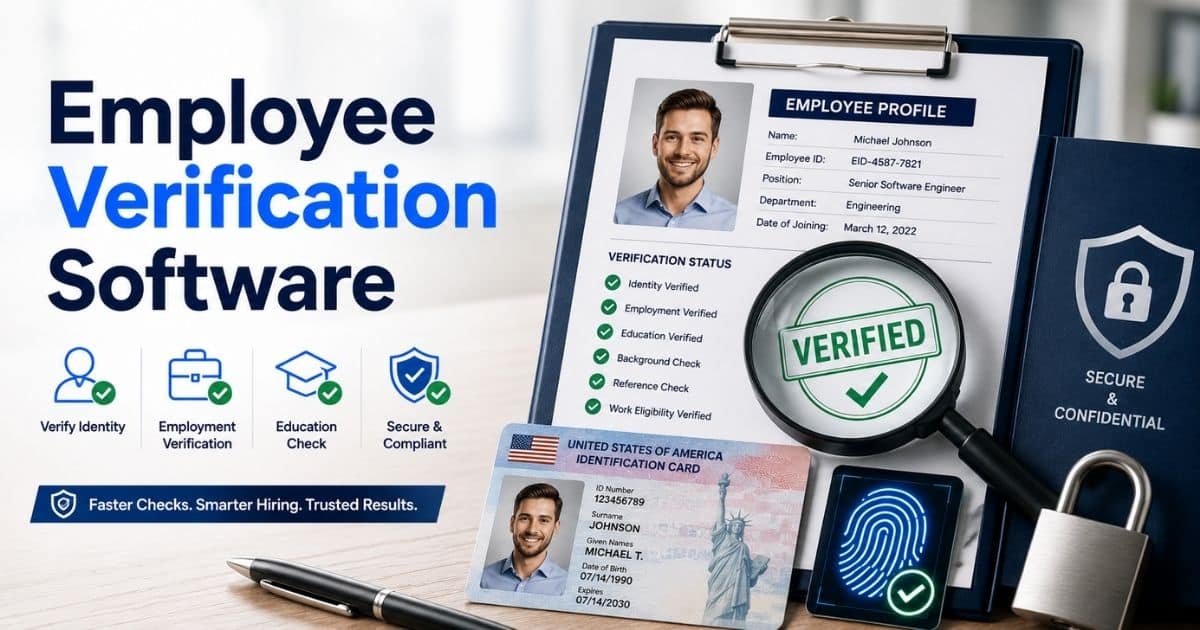
Employee management today involves much more than tracking attendance or storing basic employee data. HR teams need fast, reliable, and connected systems that simplify every stage of the employee lifecycle, from onboarding and development to performance reviews and payroll. Employee management software brings these processes together in a single platform, helping HR leaders work more efficiently, reduce manual tasks, and support a highly engaged workforce. For growing businesses, it provides the structure, automation, and insights needed to manage people at scale while maintaining accuracy and compliance. This guide explains how employee management systems work, the features that matter most, and why they have become essential for organizations that want to build a productive and people-first workplace.
What Is Employee Management Software?
Employee management software is a digital platform designed to help organizations manage their workforce more efficiently by centralizing key HR processes. It replaces manual tasks and disconnected tools with a single system that supports everyday human resources operations such as tracking employee data, monitoring attendance, managing documents, and overseeing performance. A modern employee management system also enhances visibility across the business, allowing managers to access accurate information quickly and make informed decisions. By streamlining repetitive work and creating a structured workflow, it helps HR teams stay organized, maintain compliance, and improve overall productivity. For businesses of any size, this type of software delivers a dependable foundation for managing employees throughout their entire journey.
Why Modern HR Teams Need Employee Management Software
Modern HR teams handle more responsibilities than ever, and outdated tools cannot keep up with today’s expectations. Employee management software helps create clarity, improves efficiency, and strengthens engagement across the entire organization. It supports faster decisions and reduces administrative strain.
Centralized HR Processes
Many HR teams still rely on scattered spreadsheets and manual steps that slow down daily operations. A centralized employee management system brings all essential HR processes into one place so teams can access information instantly. With structured workflows, HR professionals avoid duplication, minimize errors, and maintain consistent records across onboarding, attendance, performance, and policy management. This unified approach helps organizations operate with more control and less friction.
Better Use of Company Resources
Manual HR work can consume significant company resources. Hours spent searching for information, updating documents, or fixing small mistakes add up quickly. Employee management software reduces these inefficiencies by automating routine tasks and standardizing data entry. HR teams can redirect their time toward strategic initiatives such as employee development, culture building, and long-term planning. This shift creates more value for the organization without expanding headcount or budget.
Stronger Employee Engagement
Employees want easy access to their information and timely responses from HR. A modern employee management platform makes this possible by offering self-service features where employees can update personal details, request leave, review schedules, or monitor progress. When information is clear and accessible, employees feel more satisfied and connected to the organization. This transparency strengthens engagement and fosters a more trusting environment between HR teams and the workforce.
Real-Time HR Insights
Using disconnected tools often leads to outdated or incomplete data, which makes decision-making difficult. Employee management software provides real-time insights that help HR teams track attendance, monitor performance, identify staffing gaps, and assess workforce trends. Accurate data allows hiring managers and team leaders to plan better, respond quickly to challenges, and maintain operational continuity. With the right information available at any moment, HR teams can stay proactive instead of reacting to problems late.
More Efficient HR Operations
Repetitive manual work slows down HR operations and increases the risk of inconsistencies. Automation within an employee management system streamlines tasks such as attendance calculation, document updates, notifications, and approvals. This reduces unnecessary follow-ups and frees HR professionals from routine administrative work. Teams can focus on problem-solving, people management, and initiatives that directly impact organizational performance. Automation also ensures processes run the same way every time, which improves reliability across the company.
Scalable HR Systems For Growing Businesses
As organizations grow, the complexity of HR operations increases. Processes that work for a small team break down when dozens or hundreds of new employees join. A scalable employee management system provides the stability and structure needed to support expansion. Whether a business is hiring rapidly, opening new locations, or adding new job roles, HR teams can maintain consistency through a centralized system. Clear workflows, standardized documents, and unified policies help the organization scale without losing control or accuracy.
Core Features Of Effective Employee Management Systems
Modern HR teams need tools that simplify daily work, support employees, and provide clear, actionable insights. An effective employee management system offers features that reduce manual effort, improve accuracy, and create a smoother experience for everyone across the organization.
Scheduling Tools
A strong scheduling feature helps HR teams and managers organize shifts, assign tasks, and coordinate team activities without confusion. With a clear view of employee availability, workload, and planned absences, scheduling becomes far more accurate and efficient. This reduces conflicts, prevents overstaffing or understaffing, and keeps daily operations running smoothly. Employees also benefit from a transparent schedule they can access anytime, which supports better planning and work-life balance.
Leave Management
Handling leave requests through spreadsheets or messages often leads to delays and mistakes. A well-designed employee management system simplifies leave management by providing a structured request and approval process. Employees can submit requests instantly, and managers receive notifications to review and approve them. The system automatically tracks remaining leave balances, updates records, and ensures compliance with company policies. This visibility helps HR teams maintain fairness and accuracy while minimizing administrative work.
Performance Reviews
Performance reviews become far more effective when supported by clear workflows, consistent documentation, and accessible data. An employee management system offers tools to record goals, track achievements, and gather feedback throughout the year. This helps managers evaluate employees based on real information rather than memory or scattered notes. Employees also gain a better understanding of their progress, strengths, and opportunities for development. With structured performance management, HR teams can support growth while maintaining transparent and fair evaluation processes.
Insight Dashboards
Actionable insights play a major role in helping HR teams make better decisions. Insight dashboards provide a clear view of important workforce data such as attendance trends, leave patterns, performance metrics, and staffing requirements. These visuals help HR leaders spot issues early, understand team behavior, and plan with confidence. Instead of relying on guesswork, HR teams can use real data to guide decisions, optimize resources, and support strategic initiatives across the organization.
Automation Capabilities
Automation is one of the most powerful features in an employee management system. It removes repetitive manual work and ensures processes run consistently. Tasks like attendance calculation, document updates, notifications, and workflow routing happen automatically, which saves time and reduces the risk of human error. Automation also improves communication by sending reminders and updates to employees and managers at the right time. HR teams can focus on meaningful work such as employee development and organizational planning instead of routine administrative tasks.
Support and Accessibility
Reliable support and easy accessibility are essential for any HR system to succeed. A high-quality employee management platform offers user-friendly navigation, mobile access, and responsive customer support to help teams resolve issues quickly. When employees can access their information, submit requests, and review updates without difficulty, overall satisfaction improves. HR teams benefit from reduced support calls and fewer manual interventions. The system becomes a trusted tool across the organization, empowering teams to work confidently and efficiently.
Digital Employee Onboarding: Complete Process
A strong onboarding journey helps new employees feel confident, informed, and supported from the moment they accept the job. A digital onboarding system makes this process faster, more organized, and more connected for HR teams, hiring managers, and candidates.
Pre-Joining Preparation
Digital onboarding allows HR teams to prepare everything a new employee needs before their first day. This creates a structured experience and reduces confusion.
Key activities include:
- Sending offer letters and job contracts
- Sharing company policies and compliance documents
- Collecting employee data, personal details, and required IDs
- Requesting uploads through secure access points
- Setting up tools, equipment, and platform access for new employees
This helps candidates complete tasks at their own pace and ensures accuracy before onboarding begins.
Centralized Onboarding Checklists
A digital system creates a clear onboarding checklist that keeps HR teams, managers, and employees aligned.
A typical checklist includes:
- Profile creation inside the employee management system
- Completion of tax, banking, and payroll details
- Reviewing human resources guidelines
- Scheduling introductions with the team
- Access to knowledge base materials
- First-week agenda and company resources
Everything stays in one platform, which improves clarity and saves time.
Hiring Manager Coordination
Hiring managers play an important role in helping new employees adjust. Digital onboarding gives them real-time visibility into each step.
Managers can:
- See onboarding progress instantly
- Assign early tasks and role expectations
- Share job responsibilities and training modules
- Prepare team introductions and communication channels
- Ensure access to favorite tools and apps required for the role
This coordination creates a more confident and productive start.
Connected Onboarding Experience
A central onboarding platform helps new employees connect with their team and understand how the organization works. Through a single platform, they can access:
- Team profiles and contact information
- Company values, culture, and human capital management guidelines
- Job workflows, expectations, and internal processes
- Knowledge base articles to improve learning
- Tools needed to perform their tasks
This connected experience reduces confusion and builds early morale.
Faster Role Integration
Digital onboarding helps employees step into their job responsibilities quickly and confidently. They gain access to:
- First-week tasks and training paths
- Actionable insights about their role
- Step-by-step instructions for initial projects
- Clear expectations from HR teams and managers
- Important company resources needed for daily work
The clarity provided by the system encourages a smooth transition and stronger early engagement.
Better Experience For HR And New Employees
Digital onboarding improves operations for both HR teams and new hires by reducing manual work and increasing accuracy.
Key benefits include:
- Less administrative effort for HR
- Smoother handling of employee data
- Faster access to job-related tools and systems
- More organized workflows for growing businesses
- Better communication between HR, hiring managers, and employees
- A professional and supportive first impression for candidates
By simplifying the entire process, digital onboarding ensures that new employees feel prepared, connected, and ready to contribute.
Employee Lifecycle Management: Framework, Stages, And Best Practices
Employee lifecycle management covers every stage of an employee’s journey within a company, from the moment they apply to the day they exit. A clear lifecycle framework helps HR teams create positive experiences, support employee development, and strengthen long-term retention. When each stage is managed with structure and transparency, employees feel more supported, teams stay aligned, and organizations benefit from better productivity and engagement.
Understanding The Employee Lifecycle Framework
The employee lifecycle includes several key stages that shape how employees grow, contribute, and progress within the organization. These stages typically include attraction, onboarding, development, performance management, retention, and eventual offboarding. When HR teams understand each stage clearly, they can design processes that give employees the support they need at the right time. This structured approach improves consistency and ensures a positive experience across the entire company.
Key Stages Of The Employee Lifecycle
Each stage plays an important role in employee satisfaction and success.
Core stages include:
- Attraction and Recruitment where the company presents itself as a great place to work
- Onboarding where new hires learn about their role and company culture
- Employee Development where skills are built through training and learning
- Performance Management where progress is measured and feedback is shared
- Retention where the company supports long-term engagement
- Offboarding where leaving employees transition smoothly
Managing these stages thoughtfully creates strong relationships between employees and the organization.
Role Of Employee Development
Employee development is one of the most important factors in long-term success. When employees see that their skills, career goals, and growth matter, they stay motivated and loyal. HR teams can support development through training programs, mentorships, workshops, certifications, and regular check-ins. This helps employees take on new tasks confidently and build a clear path for advancement. Strong development practices also help the company cultivate future leaders and improve overall performance.
Tracking Employee Progress
Tracking progress ensures employees remain aligned with expectations and company goals. A modern employee management system makes it easy to monitor milestones, skills gained, completed tasks, and overall performance. Clear visibility helps HR teams and managers identify areas where employees are excelling or need additional support. When progress is tracked consistently, employees feel guided, valued, and aware of how they are contributing to the company’s success.
Importance of Continuous Feedback
Continuous feedback builds trust, strengthens communication, and helps employees make improvements in real time. Rather than waiting for annual reviews, HR teams and managers can share quick, actionable feedback throughout the year. This includes recognizing achievements, correcting issues early, and providing guidance on new tasks. Employees feel more confident when they receive regular insights into their performance, and the company benefits from smoother workflows and fewer misunderstandings.
Best Practices For Effective Lifecycle Management
To build a strong employee lifecycle, HR teams should:
- Maintain clear communication during every stage
- Support employees with learning and development opportunities
- Use tools to track performance, progress, and goals
- Recognize achievements to boost morale and retention
- Offer consistent feedback that helps employees grow
- Provide structure during onboarding and offboarding
By following these best practices, HR teams can build a workplace where employees feel supported, engaged, and motivated throughout their journey.
How To Manage Employee Records Securely
Managing employee records securely is essential for protecting employee data, maintaining compliance, and building trust across the organization. HR teams handle large amounts of sensitive information, and without proper systems, the risk of data loss, unauthorized access, or compliance issues increases significantly. A secure approach ensures that records remain accurate, protected, and accessible only to the right people.
Clear Data Organization
Secure management begins with organizing employee data in a structured way. Storing documents, personal details, contracts, and performance records in a centralized system prevents confusion and reduces the chances of misplaced files. When data is easy to locate and properly categorized, HR teams gain better control and ensure information remains accurate over time.
Controlled Access Permissions
Access control is one of the most important parts of employee record security. HR teams should set role-based permissions that allow only authorized individuals to view, update, or manage sensitive information. Managers may need access to performance details, while payroll staff require financial data. By assigning permissions carefully, the company prevents unauthorized access and maintains strong data protection.
Compliance With Legal Requirements
Every organization must manage employee data in line with local labor laws, company policies, and compliance standards. This often includes storing documents for specific periods, protecting sensitive information, and ensuring that records are updated regularly. A reliable HR system helps maintain compliance by keeping logs, timestamps, and historical versions of data, which reduces risks and supports audit requirements.
Secure Data Storage
The way employee records are stored plays a major role in overall security. Digital storage with encryption protects documents from unauthorized use, loss, or cyber threats. Cloud-based HR systems often include built-in security features such as encrypted backups, secure servers, and multi-layer protection. These methods ensure that data remains safe even in unexpected situations.
Employee Knowledge And Awareness
HR teams must ensure employees understand how their data is handled and what security measures are in place. Clear communication builds trust and reduces concerns about misuse. It is also important to train staff on security practices, such as identifying suspicious activity, using secure passwords, and avoiding unauthorized sharing of documents. Higher knowledge leads to fewer risks and stronger overall protection.
Regular Security Reviews
Security is not a one-time task. Regular reviews help HR teams identify weaknesses, update outdated processes, and strengthen protection. These reviews may include auditing access logs, testing system controls, updating compliance requirements, and verifying that employee data is stored correctly. Continuous evaluation ensures that the organization remains prepared for new risks and stays aligned with the latest security practices.
Custom Roles And Designations In HRMS
Custom roles and designations in an HRMS give organizations the flexibility to define clear responsibilities for every position. Instead of relying on generic role structures, HR teams can tailor access levels, permissions, and responsibilities based on how the organization actually operates. This helps managers work more efficiently and ensures employees interact with the system in a secure and structured way.
A strong HRMS allows HR teams to create roles that match the employer’s hierarchy, from entry-level employees to department heads. Each role can be assigned specific permissions within the system, such as viewing records, approving requests, or managing team activities. This prevents unnecessary access to sensitive information while ensuring that the right people have the tools they need to work effectively.
Custom designations also help managers supervise their teams more clearly. When responsibilities are defined properly, misunderstandings decrease and employees know exactly what is expected from their role in the organization. HR teams can update or expand designations as the company grows, making the system flexible and scalable.
For the employer, custom roles improve operational control. For employees, they provide clarity and a more streamlined experience. With tailored permissions and well-defined responsibilities, organizations can maintain structure, support accurate workflows, and create a secure environment for managing HR processes.
Employee Data Migration Best Practices For A Smooth Transition
Migrating employee data from one system to another is a critical process for any organization adopting a new HR solution. A well-planned migration ensures accuracy, minimizes risks, saves time, and helps teams maintain full operational continuity. When handled properly, the transition strengthens data integrity and gives HR teams a reliable foundation for future workflows.
Clear Understanding Of Existing Employee Data
The migration process begins with a full understanding of the current employee data stored across spreadsheets, legacy systems, or paper files. HR teams should categorize data by type, purpose, and accuracy. This includes personal details, job history, payroll information, leave balances, performance records, and compliance documents. Knowing what data exists and how it is structured helps the organization avoid errors and unnecessary complications.
Data Cleanup Before Migration
Before moving anything into the new system, companies should clean and standardize their data. This step removes outdated information, duplicate entries, inconsistent formats, or irrelevant records. A clean dataset prevents errors in the new solution and ensures the HR system operates smoothly. Data cleanup not only saves time later but also reduces migration-related expenses caused by fixing issues after the transfer.
Selecting the Right Migration Method
The success of data migration depends on choosing the right transfer method. Some organizations prefer manual import for small datasets, while others need automated migration for large volumes of employee data. Many modern HR platforms offer guided tools or built-in migration assistants that simplify the process. Selecting the method that matches the organization’s size, system complexity, and timeline ensures a controlled and risk-free transition.
Creating a Step-by-Step Migration Process
A structured migration process ensures everything moves smoothly and in the right order. HR teams should outline phases such as data preparation, test transfers, validation, and final migration. Running test imports helps identify formatting issues, missing records, or field mismatches before the final move. Documenting each step also helps the organization build a knowledge base for future migrations, reducing confusion and making the process repeatable.
Validation and Testing After Migration
Once the data is transferred, validation becomes essential. HR teams must verify fields, check reports, and confirm that employee data appears correctly across the system. This includes reviewing payroll details, attendance history, designations, and personal information. With proper testing, HR teams can identify errors early and make adjustments quickly. Validation protects the organization from compliance risks and ensures the new system is fully functional.
Training and Familiarity With the New Solution
For the migration to be successful, employees and HR teams must understand how to use the new system. Proper training ensures that staff feel confident navigating features, accessing records, and updating information correctly. Offering guides, videos, or a knowledge base within the HR solution helps teams learn at their own pace. When everyone understands how the system works, fewer mistakes occur, daily operations run smoothly, and the transition becomes cost-effective.
Payrun’s Employee Module: A Detailed Overview
Payrun is a unified HR and employee management system designed to help organizations manage essential workforce operations from a single platform. It brings together employee records, attendance, leave, hiring workflows, and payroll-related features in one app, making daily HR tasks faster and more organized for growing teams.
Core Features For Employee Management
The employee module allows HR teams to store and manage all employee information in one place. This includes personal profiles, job details, attendance history, leave balances, and employment records. The system helps HR teams maintain accurate data, track tasks, monitor progress, and ensure compliance without relying on multiple tools or manual documents.
Attendance And Time Tracking
Payrun offers a built-in attendance and time tracking feature that lets employees clock in, log hours, and maintain timesheets digitally. HR teams and managers can review attendance summaries, identify gaps, and ensure proper recordkeeping. This provides accurate insights into work patterns and supports better planning and performance evaluations.
Leave Request Management
The platform supports structured leave management. Employees can submit leave requests online, while managers and HR can review, approve, or decline them quickly. Leave balances update automatically, giving both employees and HR a real-time view of available days. This reduces manual calculations and improves transparency across the organization.
Hiring And Onboarding Support
Payrun includes tools for job posting, applicant tracking, and managing candidate progress. HR teams can track applicants, review submissions, and move new hires through onboarding steps within the same system. This eliminates the need for third-party hiring tools and helps employers maintain a smooth recruitment workflow.
Payroll And Compensation Tools
The employee module connects directly with Payrun’s payroll capabilities. HR teams can run payroll within the same platform that stores employee records, ensuring accuracy and eliminating double entry. This integration simplifies monthly payroll cycles and reduces the risk of errors caused by using separate systems.
Mobile And Accessibility Features
Payrun provides a mobile app that employees can use to submit leave requests, log attendance, and access important information anytime. This improves accessibility and ensures HR processes remain efficient, even when employees are away from their desks. The app supports flexible work environments and keeps teams connected.
Premium Features And Plans
Payrun offers multiple pricing tiers, including options with premium features for organizations that need advanced tools. Companies can choose the plan that fits their size and requirements, with the option to be billed annually for added convenience. Higher-tier features support more complex HR needs and help businesses scale smoothly.
Payrun’s employee module brings HR, attendance, onboarding, and payroll tasks together in one app, allowing HR teams to work more efficiently and maintain an accurate, organized view of their entire workforce.
HR Software VS Spreadsheets: Key Comparison
Many organizations start with spreadsheets to manage employee information, but as operations grow, the limitations become clear. HR software offers structure, automation, and accuracy that spreadsheets simply cannot match. Understanding the differences helps small businesses and growing businesses choose the right approach for long-term efficiency and reduced costs.
Accuracy And Error Prevention
Spreadsheets are prone to human errors, especially when multiple team members update files manually. One wrong formula or misplaced edit can derail entire records. HR systems remove manual updates and automate calculations, significantly reducing the risk of errors. Automated validation tools ensure data stays accurate, consistent, and easy to track.
Eliminating Double Entry
With spreadsheets, HR teams often perform double entry because information must be copied across multiple sheets or shared manually between departments. This increases workload and creates more chances for mistakes. HR software keeps everything in a single centralized database, eliminating duplicate work and maintaining a unified record for each employee.
Cost Efficiency Over Time
Spreadsheets may seem inexpensive at first, but they come with hidden costs: time lost correcting mistakes, inconsistencies during audits, and inefficiencies that grow as the team expands. HR systems reduce long-term costs by automating tasks, improving accuracy, and supporting smoother workflows. For growing businesses, the return on investment becomes clear as daily operations become faster and more reliable.
Better Scalability
Spreadsheets struggle when the employee count increases. Managing leave, attendance, payroll details, and performance data becomes overwhelming. HR systems are designed to scale, allowing companies to add new employees, departments, and processes without losing control. This makes them ideal for businesses planning to expand.
Improved Collaboration
Sharing spreadsheets across teams creates version conflicts and confusion about which file is up to date. HR systems enable real-time collaboration, allowing HR teams and managers to view or update information instantly. Role-based access ensures only the right people can see sensitive data, which improves transparency without compromising privacy.
Compliance and Audit Readiness
Spreadsheets are not reliable for managing compliance requirements. HR software includes structured logs, automated documentation, and built-in compliance tools that keep the company prepared for audits. This reduces compliance risks and ensures employee data is documented properly.
Data Security
Spreadsheets often lack essential security controls. They may be stored on personal devices or shared through unsecured channels. HR systems provide encrypted storage, restricted access, and secure backups to protect employee data. This strengthens security and reduces the risk of unauthorized access.
Final Perspective
While spreadsheets may work for very small teams, growing businesses benefit significantly from dedicated HR software. Reduced errors, fewer costs, stronger security, and better scalability give HR systems a clear advantage for long-term workforce management.
How Employee Management Software Improves Productivity And Compliance
Employee management software helps companies work faster, stay organized, and maintain full compliance without adding extra workload to HR teams. By combining automation, real-time data, and structured workflows, it becomes a reliable system that boosts productivity and reduces operational risks. Organizations gain valuable insights into employee activity, policies remain consistent, and teams work with far greater clarity.
Streamlined Daily Operations
Manual HR work slows teams down and creates unnecessary friction. Employee management software automates repetitive tasks such as attendance tracking, leave approvals, document updates, and shift scheduling. This automation eliminates time-consuming activities and allows teams to focus on more strategic work. As a result, HR teams experience smoother workflows, faster decision-making, and fewer delays across the company.
Better Use Of Company Resources
When tasks are automated and data is stored in one system, companies reduce costs tied to paperwork, corrections, and manual errors. Instead of spending time fixing inconsistencies or collecting information from different sources, HR teams can access everything instantly. This efficient use of resources helps the company avoid wasted hours and improves overall productivity at every level.
Real-Time Access To Valuable Insights
Employee management software provides real-time dashboards that show attendance trends, performance indicators, leave patterns, and team activity. These valuable insights help HR teams and managers make informed decisions quickly. Whether identifying productivity gaps, planning staffing needs, or reviewing employee performance, having up-to-date information ensures the company acts proactively rather than reacting too late.
Automated Compliance Management
Compliance is a major responsibility for any organization. Employee data, working hours, documentation, and policies must align with legal requirements. Software makes this easier by keeping records accurate, timestamped, and securely stored. Automated reminders ensure HR teams submit reports on time, update employee files, and follow proper procedures. This reduces compliance risks and builds confidence during audits.
Standardized Policies and Procedures
With employee management software, processes such as onboarding, performance reviews, and leave management follow consistent rules. Standardized workflows reduce confusion and ensure employees across all departments are treated fairly. This consistency also strengthens compliance because policies remain uniform and easy to verify.
Reduction Of Manual Errors
Manual processes often lead to errors in data entry, attendance records, or payroll inputs. These mistakes create risk and increase costs for the company. Automation helps eliminate common errors by validating entries, updating records instantly, and ensuring accurate calculations. This not only improves productivity but also reduces financial losses tied to manual corrections.
Faster Internal Communication
Employee management software centralizes communication between HR teams, managers, and employees. Notifications, approvals, and updates move through the system automatically, reducing delays and misunderstandings. This faster communication results in better coordination, fewer bottlenecks, and smoother daily operations across the entire organization.
A More Productive, Compliant Workforce
By integrating automation, structured workflows, and secure recordkeeping, employee management software helps companies increase productivity while maintaining strong compliance. Teams work with more confidence, processes run smoothly, and the company reduces costs that come from inefficiencies or regulatory mistakes.
Security, Privacy, And Data Protection Requirements For HR Teams
HR teams handle some of the most sensitive data within an organization, including personal details, payroll information, identification documents, and employment history. Protecting this information is not only a legal requirement but also essential for maintaining trust. Strong security and privacy practices ensure that employee data remains safe, confidential, and compliant with industry standards.
Strong Data Security Controls
Ensuring data security starts with implementing robust technical controls. HR systems must use secure storage, encryption, and role-based access to protect employee information. Password policies, multi-factor authentication, and secure network configurations help prevent unauthorized access. When these measures are in place, sensitive HR data remains protected at every level of the organization.
Clear Privacy Policies
Employees need transparency regarding how their information is collected, stored, and used. HR teams must maintain clear privacy policies that explain data handling practices in simple terms. These policies should outline what information is collected, who can access it, how long it will be kept, and how employees can request updates or corrections. Clear communication builds trust and supports a privacy-first culture across the organization.
Compliance With Industry Standards
Organizations must align their HR processes with local labor laws and global industry standards. These may include record retention rules, employee rights, secure documentation requirements, and audit guidelines. Following these standards reduces legal risks and ensures that HR teams maintain complete, accurate, and verifiable records. Compliance also demonstrates that the company takes data protection seriously.
Secure Data Storage And Backups
Data protection requires more than secure access; it also depends on reliable storage and backup practices. HR teams should use secure digital systems that store data in encrypted formats and maintain regular backups. Whether backups are stored in the cloud or on secure servers, they help the organization recover quickly from technical failures, data loss, or system outages. This ensures continuity and stability.
Controlled Access Within the Organization
HR data should only be accessible to authorized individuals who need it for specific tasks. Role-based access controls restrict information based on job responsibilities, ensuring managers, HR specialists, and payroll teams only see what is necessary. This prevents internal misuse, protects sensitive details, and reduces the risk of accidental exposure.
Continuous Monitoring and Improvement
Security and privacy requirements evolve with new threats and industry expectations. HR teams must regularly review systems, update policies, perform audits, and test their data protection practices. Continuous monitoring ensures that vulnerabilities are identified and resolved quickly. Staying proactive keeps the organization aligned with industry standards and prevents security lapses.
Employee Awareness and Training
Data protection is not just the responsibility of HR systems; employees must also be aware of best practices. Regular training sessions help staff understand how to handle sensitive information, recognize potential threats, and follow privacy guidelines. Informed employees strengthen the organization’s overall security posture.
How To Choose the Right Employee Management Software For Your Organization
Selecting the right employee management software can significantly improve how your organization manages people, processes, and daily HR operations. The ideal solution should align with your current needs while offering room for growth as your team expands. Whether you run a small business or manage growing businesses with multiple departments, choosing the right platform requires a clear understanding of features, benefits, and long-term support.
Identify Your Business Size And Needs
Start by assessing whether your organization is a small business with basic HR requirements or a growing company that needs a more advanced setup. Smaller teams may focus on simple attendance tracking and employee records, while larger companies require more structured workflows, automated compliance tools, and stronger reporting capabilities. Understanding your size and complexity helps narrow down the right level of functionality.
Compare Essential Features
Employee management software should offer the features your HR team uses daily. Look for essentials such as attendance tracking, leave management, employee records, document storage, task management, performance tools, and onboarding workflows. The more aligned these features are with your operations, the more value the software will bring. Strong features reduce manual tasks, minimize errors, and create smooth workflows.
Evaluate the Benefits For Your Team
Beyond features, focus on benefits. The right system should make HR work easier, support employees, and improve overall operational efficiency. A good platform will reduce administrative workload, simplify approvals, and enhance data accuracy. It should also help employees with easy access to their information, better communication, and faster support when needed.
Check Integration Options With Favorite Tools
Modern HR teams rely on multiple apps to run daily operations. Make sure the employee management software integrates smoothly with your favorite tools such as project management apps, payroll systems, communication tools, or single sign-on providers. Integrated systems eliminate double work, reduce errors, and improve collaboration across departments.
Consider Support And Ease Of Use
Reliable customer support is essential, especially during setup and onboarding. Choose a solution that offers responsive assistance and clear documentation. Ease of use is equally important. HR teams and employees should be able to navigate the platform without confusion. A user-friendly interface saves time, improves adoption, and reduces the need for training.
Ensure The Solution Can Scale
As your organization grows, your HR needs will expand too. Choose software that can scale with the company, support more users, and offer advanced capabilities when required. Growing businesses benefit from systems that remain efficient even as processes become more complex.
Evaluate Pricing and Long-Term Value
Look for software that fits your budget while providing strong value. Instead of selecting the cheapest option, consider how much time and effort the software can save your HR team. Transparent pricing plans, especially options billed annually, help you plan costs and avoid surprises.
Implementation Roadmap For Employee Management Systems
A clear implementation roadmap ensures your employee management system is introduced smoothly, supports daily operations, and helps your team manage tasks, scheduling, and HR processes with confidence.
Step 1: Assess Current Processes
Start by reviewing how your organization currently manages HR tasks such as attendance, records, leave requests, and scheduling. Identify gaps, repeated work, and areas where teams struggle. This assessment gives you a clear baseline and helps you understand what the new system must solve. It also allows your team to outline priorities and expectations before implementation begins.
Step 2: Define Implementation Goals
Once your current operations are mapped, document goals for the new system. These may include improving accuracy, reducing manual work, streamlining communication, or strengthening compliance. Clear goals guide the entire process and help the team measure success. At this stage, assign responsibilities so everyone understands their role in the transition.
Step 3: Prepare Data And HR Information
Before moving to the new system, organize and clean your employee data. This includes personal information, job details, payroll information, leave balances, attendance sheets, and documents. Ensuring clean data helps the new platform run efficiently and prevents issues during migration. Preparing data in advance saves time and reduces confusion later in the process.
Step 4: Configure The System
Next, set up the system according to your organization’s structure. This includes adding departments, user roles, permissions, work schedules, and approval workflows. Configure features such as attendance rules, leave policies, and task management tools to match existing operations. Proper configuration ensures the system supports your team exactly as needed.
Step 5: Train The Team
Training is crucial for a successful launch. HR teams, managers, and employees should understand how to use the system for their daily tasks. Offer step-by-step guides, walkthroughs, or short training sessions so everyone becomes comfortable. When the team knows how to navigate the system, adoption becomes faster and smoother.
Step 6: Run A Pilot Phase
Before full deployment, run a controlled pilot with a small group. This helps identify unexpected issues and gives your team a chance to refine processes. During the pilot, collect feedback from users, test workflows, and adjust system settings where needed. A strong pilot builds confidence for a full rollout.
Step 7: Launch And Monitor
Once the pilot is successful, launch the system across the entire organization. Monitor how teams use it during the first few weeks and provide support where necessary. Check for errors, workflow challenges, or missing information. Continue gathering feedback to make improvements that keep operations running smoothly.
Step 8: Improve And Optimize
Implementation does not end at launch. Regularly review system usage, team performance, and operational outcomes. Make adjustments to scheduling setups, task assignments, approval workflows, or permissions as your organization evolves. Ongoing optimization ensures the system remains a valuable service that supports both daily operations and long-term growth.
Common Challenges HR Teams Face And How Software Solves Them
HR teams handle a wide range of responsibilities, and managing everything manually often leads to delays, errors, and unnecessary stress. Employee management software helps streamline HR processes, improves accuracy, and ensures teams can work with clarity and consistency across the organization.
Difficulty Tracking Attendance
Manually tracking attendance through spreadsheets or physical registers often leads to inconsistencies, missing entries, and confusion during audits. Employee management software provides a structured attendance system where employees clock in digitally, and HR teams can easily track attendance patterns, late entries, and absences. This eliminates guesswork and provides clean, reliable attendance data.
Errors In Leave Requests
Leave requests handled through messages or paper forms easily get lost or overlooked. Software centralizes all leave requests in one place, allows employees to submit requests instantly, and lets managers approve or decline them with clear visibility of remaining balances. Automated updates ensure that leave data stays accurate without manual edits.
Complications In Payroll
Payroll becomes complicated when attendance, leave, and employee records are scattered across different systems. Mistakes in calculations or outdated information create frustration for both HR and employees. Employee management software connects payroll with attendance and leave data, ensuring that hours worked, approved leaves, and deductions are calculated correctly. This reduces errors and prevents payroll delays.
Manual Handling Of Employee Requests
HR teams receive constant questions and requests about leave balances, attendance summaries, salary slips, and personal details. Handling these manually slows down operations. With software, employees can access their information anytime, submit requests directly through the platform, and receive updates instantly. This reduces HR workload and speeds up response times.
Lack of Visibility In HR Processes
When processes are spread across different files, tools, or communication channels, HR teams lose visibility into what is complete, pending, or outdated. Employee management software provides centralized dashboards and clear workflows that help HR teams monitor every step, from onboarding to payroll. This improves transparency and ensures nothing slips through the cracks.
Inconsistent Or Delayed Updates
HR processes require continuous updates, whether it is employee data, policy changes, attendance rules, or payroll adjustments. Manual updates often lead to outdated records or slow communication. A digital HR system ensures all updates are applied instantly and visible across the platform. Automated notifications keep employees and managers informed without relying on manual follow-ups.
Difficulty Managing Compliance
Compliance becomes complicated when documentation is scattered or missing. HR teams may struggle to keep track of required records, employee documents, and policy acknowledgments. Software organizes all compliance-related information securely, stores records with timestamps, and ensures that HR teams have complete documentation when needed for audits.
Overloaded HR Teams
As a company grows, the number of employees, requests, and tasks increases. Without the right tools, HR teams become overwhelmed. Employee management software reduces manual work, organizes approvals, automates routine tasks, and helps HR teams manage operations efficiently even as the workforce expands.
Future Trends Of Employee Management Technology
Employee management technology is evolving rapidly as organizations look for smarter, faster, and more intuitive ways to support their workforce. Innovations are transforming the future of HR, making processes more efficient, personalized, and data-driven. Modern platforms now combine automation, analytics, and AI-powered tools to help HR teams manage people with greater accuracy and insight.
Rise Of AI-Powered HR Systems
AI-powered platforms are becoming central to the future of HR. These systems can analyze employee behavior, detect trends, and recommend actions that improve performance and engagement. AI helps HR teams make better decisions by predicting issues before they occur, such as burnout risks or retention challenges. This leads to more proactive human capital management and a smoother employee experience.
Increased Automation Across HR Processes
Automation continues to reshape employee management by reducing repetitive tasks and administrative work. Attendance tracking, leave approvals, document updates, and onboarding steps can now run automatically, allowing HR teams to focus on strategy instead of paperwork. Automation improves accuracy, removes delays, and ensures consistent compliance across the organization.
Smarter Human Capital Management Tools
Human capital management tools are becoming more intelligent, offering deeper insights into workforce strengths, performance gaps, and development opportunities. These tools help companies create personalized learning paths, track progress over time, and support career growth. With richer analytics, HR leaders can design better development programs that align with company goals.
Hyper-Personalized Employee Experiences
Future HR systems will deliver more personalized experiences for employees. From customized onboarding journeys to tailored performance feedback, employees will receive the support they need based on their role, skills, and goals. AI powered recommendations will guide managers on how to motivate employees, track achievements, and improve communication.
Seamless Integration With Business Tools
Employee management technology is moving toward deeper integration with everyday business tools. HR platforms will connect effortlessly with communication systems, project management apps, payroll solutions, and scheduling tools. This unified ecosystem removes double work, ensures accurate data flow, and strengthens collaboration across teams.
Stronger Focus On Data Privacy and Compliance
As HR systems collect more data, organizations will place stronger emphasis on privacy and compliance. Future platforms will feature advanced security controls, automated compliance checks, and reliable audit trails. This ensures employee information remains protected and organizations meet industry standards without manual effort.
Predictive Workforce Planning
Advanced analytics will help companies forecast staffing needs, identify skills shortages, and plan future hiring. Predictive insights allow HR teams to build stronger talent pipelines, respond to organizational changes quickly, and maintain a balanced, productive workforce.
As AI powered tools, automation, and integrated systems continue shaping the future of HR, organizations will gain smarter ways to manage employees, support development, and drive long-term business success.
How Payrun Helps HR Teams Work Faster, Stay Organized, And Manage Employees With Confidence
Payrun brings all core HR tasks into one platform so teams can manage employees smoothly without dealing with scattered tools or manual processes. It centralizes employee data, attendance, leave requests, onboarding steps, and payroll information, allowing HR teams to work faster and with fewer errors. Automation reduces repetitive tasks, improves accuracy, and keeps operations running consistently as the company grows. Managers can track attendance, approve requests, assign tasks, and access real-time insights in seconds. Employees benefit from a simple self-service app where they can handle their own information and requests. With secure data storage, compliance support, and scalable features, Payrun delivers a complete solution for managing a modern, efficient, and productive workforce.
FAQs
What Is Employee Management Software?
Employee management software is a digital system that helps organizations manage employee information, attendance, leave, onboarding, performance, and HR processes from one centralized platform.
Is Employee Management Software Suitable For Small Businesses?
Yes. Small businesses benefit from reduced manual work, better organization, and clearer HR workflows. Most platforms also offer affordable plans that scale as the business grows.
How Does Employee Management Software Improve Productivity?
It automates repetitive HR tasks, centralizes data, simplifies approvals, and provides real-time insights that help HR teams and managers make faster and more accurate decisions.
Can Employee Management Software Help With Compliance?
Yes. These systems securely store employee data, track documentation, maintain audit trails, and ensure HR processes follow company policies and legal requirements.
Does Employee Management Software Integrate With Other Tools?
Most modern platforms integrate with payroll systems, communication tools, scheduling apps, and other favorite tools to eliminate double entry and keep data consistent.
How Secure Is Employee Data In HR Systems?
Employee data is stored using strong security measures such as encryption, controlled access, secure backups, and compliance with industry standards to protect sensitive information.
What Features Should I Look For In An Employee Management System?
Look for essential features such as attendance tracking, leave management, onboarding tools, document storage, performance features, automation, and mobile access to support both HR teams and employees.