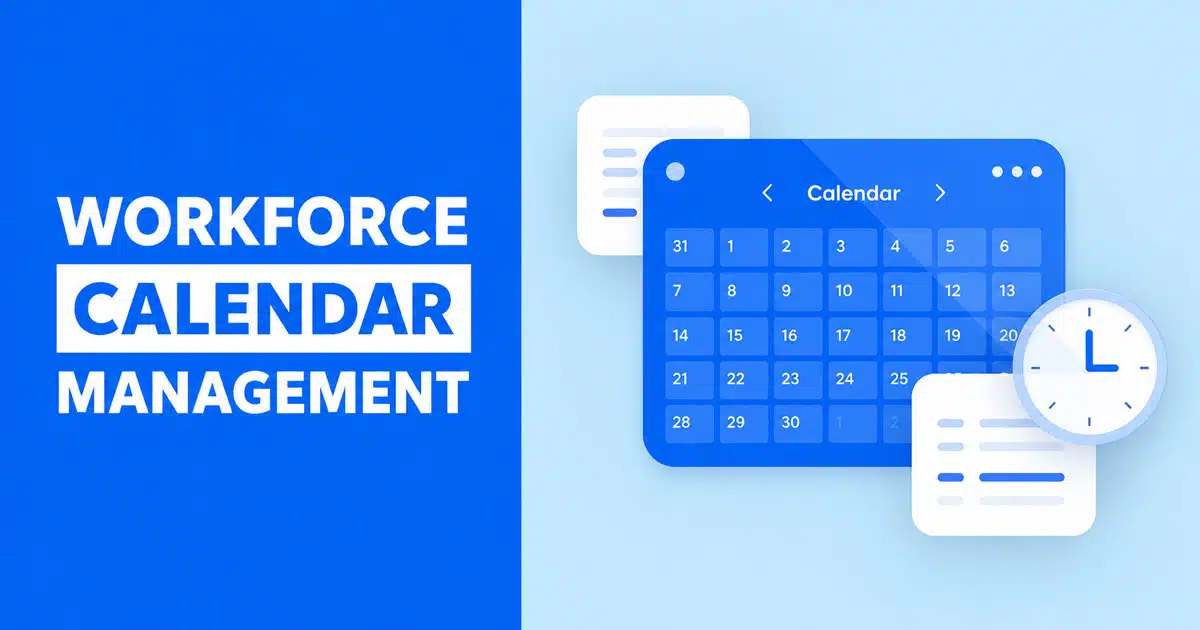
Workforce calendar management helps teams stay organized, coordinated, and fully aware of who is available at any moment. When schedules, leave requests, shifts, and team commitments live in one shared system, planning becomes far easier for everyone. Managers can assign work confidently, teams avoid confusion, and daily operations run with fewer interruptions.
It also helps prevent overlaps, reduces staffing gaps, and creates a smoother flow across departments. For flexible, hybrid, or growing teams, a clear workforce calendar brings structure to busy workdays and keeps everyone aligned. With the right tools in place, organizations manage time more effectively and make better decisions that support productivity and long-term success.
What Is Workforce Calendar Management
Workforce calendar management is the practice of organizing all work related time blocks into a single, shared calendar. This includes shifts, availability windows, time off, public holidays, and team capacity. Unlike basic scheduling that only assigns start and end times, a workforce calendar gives managers and employees a complete picture of who is working when, where gaps might exist, and how the team is distributed across days or weeks.
For growing teams, this approach brings structure to what can otherwise become scattered and confusing. It connects employee scheduling with real availability, supports better labor forecasting, and helps the company adapt to changing business needs. The goal is simple: make it easy to see, plan, and adjust work schedules without constant back and forth.
Why Workforce Calendar Management Is Important
When teams lack a clear view of their schedules, problems stack up quickly. Managers spend extra hours fixing conflicts. Employees feel uncertain about their shifts. Coverage gaps lead to missed tasks and frustrated customers. A centralized workforce calendar solves these issues by creating visibility that everyone can rely on.
Clear Team Visibility
A shared calendar means every team member knows exactly when they are expected to work. Managers can see who is available at a glance, and frontline workers no longer need to dig through emails or messages to find their shifts. This transparency builds trust and reduces confusion across the workplace.
When teams operate across multiple locations, visibility becomes even more important. A centralized calendar ensures that staff in different offices or time zones are aligned. Everyone works from the same source of truth, which prevents miscommunication and keeps operations running smoothly.
Better Daily Planning
With a reliable calendar in place, managers can plan each day with confidence. They know which employees are on shift, who might be on leave, and where extra support may be needed. This makes it easier to assign tasks, handle incoming requests, and respond to unexpected changes.
Daily planning also improves when employees have access to their own schedules through a mobile device or mobile app. They can check their upcoming shifts, request time adjustments, and stay informed without waiting for updates from human resources. This kind of self service access speeds up communication and keeps everyone on the same page.
Fewer Schedule Conflicts
Scheduling conflicts happen when two or more employees are assigned to the same slot, or when someone is scheduled during approved time off. These mistakes create frustration and often require last-minute changes. A well-managed workforce calendar catches these issues early through conflict detection and clear availability tracking.
By managing worker preferences and time off requests in one place, teams can avoid double bookings and ensure fair shift distribution. This protects employee experience and reduces the stress that comes from constant schedule changes.
Stronger Staffing Control
Knowing your team’s capacity at any given moment is essential for controlling labor costs and meeting service demands. A workforce calendar helps managers see where they might be overstaffed or understaffed, allowing them to adjust before problems arise.
This level of control also supports better labor forecasting. With historical data and real time updates, you can predict when demand will be highest and schedule accordingly. The result is fewer overtime surprises and more efficient use of your workforce.
Improved Team Confidence
When employees trust that their schedules are accurate and fair, they feel more engaged at work. Predictable shifts allow them to plan their personal lives, which contributes to higher employee satisfaction and stronger retention over time.
A transparent calendar also signals that the company values its workers. It shows a commitment to organized operations and respect for individual availability. This kind of workplace culture attracts talent and keeps teams motivated.
The Difference Between Scheduling And Workforce Calendar Management
Many teams use basic scheduling software to assign shifts. This works for simple setups, but it often falls short as teams grow or face more complex demands. Understanding the difference between scheduling and workforce calendar management helps you choose the right approach for your business.
Daily Tasks View
Basic scheduling focuses on assigning who works which shift. It answers the question of when someone starts and ends their workday. Workforce calendar management goes further by showing what happens during those hours. This includes meetings, training sessions, project time, and breaks.
A daily tasks view lets managers see not just who is on shift, but what they are doing. This level of detail helps with resource allocation and ensures that scheduled appointments and other commitments are accounted for in the planning process.
Broader Team Picture
Workforce calendar management provides a broader view of team capacity. It includes data on availability, pending time off requests, and historical patterns. This context helps managers build schedules that reflect real conditions rather than assumptions.
For example, if several team members have approved leave during the same week, a workforce calendar will surface that gap early. Basic scheduling tools might not flag this until it becomes a coverage problem. The broader picture supports proactive planning.
Centralized Time Records
A workforce calendar centralizes time and attendance data in one system. This makes it easier to track time, review attendance patterns, and identify trends like frequent late arrivals or missed shifts. With all records in one place, managers can act on accurate information.
Centralized records also simplify payroll processing. When attendance data flows directly into payroll systems, there is less room for error. Pay rates are applied correctly, and employees receive accurate compensation without disputes.
Connected Workflows
Modern workforce management software connects calendars with other tools like HR platforms, payroll systems, and communication apps. This integration ensures that schedule changes are reflected everywhere they need to be.
For example, when an employee swaps a shift, the updated information can automatically appear in their personal calendar, the team roster, and the payroll system. These connected workflows reduce manual updates and keep data consistent across the organization.
Smarter Resource Control
With a full calendar view, managers gain smarter control over how resources are used. They can balance workloads, prevent burnout, and ensure that new jobs or tasks are assigned to the right people. This is especially valuable for teams handling customer facing work or time sensitive projects.
Resource control also supports better sales and service outcomes. When you schedule the right people at the right time, you improve responsiveness and build stronger relationships with customers.
Core Goals Of Effective Workforce Calendar Management
A strong workforce calendar strategy is built around clear goals. These goals guide how you design schedules, manage availability, and measure success. Without them, calendar management becomes a reactive task rather than a strategic advantage.
Accurate Team Availability
One of the primary goals is maintaining accurate availability data. This means knowing who can work, when they prefer to work, and what constraints might affect their schedule. Availability should be updated regularly and reflect real conditions.
Accurate availability prevents scheduling conflicts and ensures that managers can build schedules quickly. It also respects worker preferences, which contributes to a better employee experience.
Balanced Workloads
Another goal is distributing work fairly across the team. This includes balancing the number of shifts each person works, avoiding back to back long days, and ensuring that weekend or holiday duties rotate equitably.
Balanced workloads reduce burnout and support retention. When employees feel that their time is respected, they are more likely to stay engaged and committed to their jobs.
Fair Time Distribution
Fair time distribution means giving all team members reasonable access to desirable shifts, time off, and growth opportunities. This is especially important in larger teams or those with multiple locations.
A transparent calendar makes fairness visible. Everyone can see how shifts are assigned, which builds trust and reduces complaints about favoritism or inconsistency.
Real Time Clarity
Workforce calendars should reflect real time conditions. This means updating quickly when someone calls in sick, swaps a shift, or has their availability change. Real time clarity helps managers respond to disruptions without scrambling.
Notifications play a key role here. When changes happen, the right people should be informed immediately. This keeps the team aligned and prevents confusion during busy periods.
Strong Operational Flow
Ultimately, the goal of workforce calendar management is to support strong operational efficiency. This means having the right coverage at the right time, minimizing idle time, and ensuring that labor needs are met without excessive overtime.
When calendars are well managed, teams can focus on their work instead of worrying about logistics. This creates a more productive and confident workplace.
How Centralized Schedules Improve Team Alignment
Centralized schedules bring teams together by providing a single source of truth for all scheduling information. This alignment is especially valuable for companies managing workers across departments, regions, or time zones.
One Shared View
A centralized calendar gives everyone access to the same information. Managers, team leads, and employees all see the same shifts, time off, and coverage plans. This eliminates the confusion that comes from maintaining separate calendars or spreadsheets.
One shared view also simplifies communication. Instead of asking who is working tomorrow, anyone can check the calendar and get an immediate answer. This saves time and reduces unnecessary back and forth.
Transparent Work Plans
Transparency in work plans helps teams understand how their schedules fit into broader business needs. When employees see how their shifts connect to peak hours, product launches, or customer demand, they feel more aligned with company goals.
Transparent planning also supports accountability. When everyone knows what is expected, there are fewer excuses and more ownership over individual performance.
Faster Team Updates
Centralized systems make it easier to push updates to the entire team at once. Whether it is a shift change, a new policy, or an urgent staffing need, managers can communicate quickly and ensure that no one is left out.
Shift confirmations and other notifications can be sent automatically, reducing the time managers spend on follow up. This frees them to focus on higher value tasks.
Fewer Misunderstandings
Misunderstandings happen when people work from different information. Centralized schedules reduce this risk by keeping everyone aligned. When there is one calendar that everyone trusts, disputes about who was supposed to work become rare.
This clarity also helps with managing remote or hybrid teams. Without a physical office to walk into, digital calendars become the primary way people stay connected to their schedules.
Better Cross Team Sync
For companies with multiple departments or locations, cross team sync is essential. A centralized workforce calendar helps coordinate handoffs, ensure coverage during transitions, and prevent gaps that affect customers.
This is especially useful for teams that handle customers across time zones. By syncing calendars, you can ensure that support or sales coverage is continuous, even as one team ends their day and another begins.
How To Manage Time Off, Holidays, And Absences With Precision
Time off management is a critical part of any workforce calendar strategy. Poorly handled leave requests lead to understaffing, frustrated employees, and compliance risks. A precise approach ensures that absences are planned, tracked, and communicated clearly.
Clear Leave Rules
Start by defining clear rules for how time off is requested and approved. This includes how much notice is required, who approves requests, and how conflicts are resolved. Clear rules reduce ambiguity and set expectations for everyone.
When employees know the process, they are more likely to submit requests on time. This gives managers the lead time they need to adjust schedules and fill gaps.
Accurate Holiday Mapping
Different regions have different public holidays. A workforce calendar should reflect these variations accurately. For example, teams in the US might be off on July 4, while teams in Europe observe May 1.
Accurate holiday mapping prevents scheduling mistakes and ensures that coverage plans account for regional differences. This is especially important for companies operating across multiple locations.
Real Absence Insights
Tracking absences over time reveals patterns that can inform future planning. For example, if sick leave spikes during certain seasons, you can prepare by building extra capacity into your schedules.
Real absence insights also help identify potential issues. High absence rates in a specific team might signal burnout or morale problems that need attention.
Fast Request Handling
Employees should be able to request time through a simple, accessible system. Whether they use a mobile app or a desktop tool, the process should be user friendly and quick.
Fast request handling benefits managers too. When requests come in through a central system, they can be reviewed and approved efficiently. This reduces delays and keeps the calendar accurate.
Balanced Team Capacity
Time off approvals should consider overall team capacity. Approving too many requests for the same week can leave the team short staffed. A good calendar system will flag potential capacity issues before they become problems.
Balancing team capacity ensures that business needs are met without unfairly denying employee requests. This balance is key to maintaining both operational efficiency and employee satisfaction.
Automated Calendar Features That Save Time And Reduce Errors
Automation is one of the biggest advantages of modern workforce management software. By automating repetitive tasks, teams can reduce errors, save time, and focus on more strategic work.
Instant Conflict Alerts
Automated conflict detection catches scheduling problems before they happen. If a manager tries to schedule someone during approved time off or creates an overlapping shift, the system flags the issue immediately.
Instant conflict alerts prevent the frustration of last minute changes and protect employees from being double booked. This feature is especially valuable during busy periods when mistakes are more likely.
Smart Leave Approvals
Smart leave approval workflows route time off requests to the right managers based on predefined rules. They can also check team capacity and flag requests that might create coverage gaps.
This automation speeds up the approval process and ensures that decisions are consistent. Employees get faster responses, and managers spend less time on administrative tasks.
Auto Updates Everywhere
When a schedule changes, automated systems can push updates to all connected tools. This includes personal calendars, team rosters, and payroll systems. Auto updates ensure that everyone is working from the same information.
This feature reduces the risk of missed updates and keeps data synchronized across the organization. It also eliminates the need for manual data entry, which is a common source of errors.
Helpful Reminders
Automated reminders help employees and managers stay on top of upcoming shifts, pending requests, and important deadlines. These notifications can be delivered through email, mobile app, or other channels.
Helpful reminders reduce no-shows and late arrivals. They also prompt employees to submit time off requests early, giving managers more time to plan.
Seamless Integrations
The best scheduling software integrates with HR, payroll, and communication tools. These integrations create connected workflows that reduce manual effort and improve accuracy.
For example, when attendance data flows directly into payroll, there is no need to re enter hours or reconcile discrepancies. Seamless integrations make the entire HR operation more efficient.
Best Practices For Building A Workforce Calendar Strategy
Building a strong workforce calendar strategy takes planning and discipline. These best practices help teams get started and maintain momentum over time.
Define Team Needs
Start by understanding your team’s specific needs. How many employees do you have? What shifts do they work? Are there seasonal peaks or quiet periods? Answering these questions helps you design a calendar that fits your business.
Consider labor needs across different roles and departments. A one size fits all approach rarely works. Tailor your calendar structure to reflect the unique demands of each team.
Set Clear Policies
Clear policies provide the foundation for consistent calendar management. This includes rules for requesting time off, swapping shifts, and handling conflicts. Document these policies and share them with the entire team.
Policies should also address compliance requirements. Different regions have different labor rules around maximum hours, rest periods, and overtime. Make sure your calendar respects these rules to avoid legal issues.
Keep Data Updated
A workforce calendar is only as good as the data behind it. Make it a habit to update availability, approve pending requests, and remove employees who have left the company. Stale data leads to scheduling mistakes.
Encourage employees to keep their own availability current. When everyone contributes to data accuracy, the calendar becomes a reliable tool for the entire organization.
Use Easy Tools
Adopt tools that are user friendly and accessible. If the calendar system is difficult to use, people will avoid it. Look for solutions that offer mobile access, intuitive interfaces, and helpful automation.
Easy tools also support adoption. When employees can check their schedules from a mobile device or submit requests in a few clicks, they are more likely to engage with the system.
Review Patterns Often
Schedule reviews should happen regularly. Look at patterns in attendance, overtime, and time off. Identify what is working and where improvements can be made.
Quarterly reviews are a good starting point. Use data from your workforce management software to inform decisions and adjust your strategy as the business evolves.
How Workforce Calendars Support Operational Efficiency
A well managed workforce calendar is a driver of operational efficiency. It helps teams meet demand without wasting resources, supports better coordination, and keeps the business running smoothly.
Better Shift Coverage
Good calendar management ensures that every shift has the right number of employees. This prevents understaffing during busy periods and overstaffing during slow times. The result is a more efficient use of labor.
Better shift coverage also improves customer outcomes. When the right people are available at the right time, response times improve and service quality goes up.
Faster Team Coordination
Centralized calendars speed up coordination between team members and departments. Everyone knows who is working, what they are doing, and how to reach them. This reduces delays and keeps projects moving.
Faster coordination is especially valuable during unexpected changes. When someone calls in sick or a new job comes in, managers can quickly identify available staff and reassign work.
Lower Staffing Gaps
Staffing gaps create problems for customers and stress for employees. A proactive calendar strategy identifies potential gaps before they become emergencies. This gives managers time to find solutions.
By tracking patterns in attendance and time off, you can anticipate when gaps are likely and plan accordingly. This reduces the need for last-minute scrambling.
Improved Work Rhythm
Predictable schedules help employees establish a healthy work rhythm. They know when to expect busy periods and when they can take breaks. This predictability supports productivity and reduces burnout.
Improved work rhythm also benefits the business. Teams that operate with a consistent cadence are more reliable and easier to manage.
Reliable Capacity Planning
With accurate calendar data, managers can plan capacity with confidence. They know how many hours are available each week, where extra support might be needed, and how to allocate resources for upcoming projects.
Reliable capacity planning supports growth. As the business takes on new jobs or expands to new markets, the calendar provides a foundation for scaling operations.
How Payrun Enhances Workforce Calendar Management For Teams
Payrun is designed to help small and growing businesses manage their workforce with confidence. Its features support the kind of calendar management that reduces manual effort and improves visibility.
Centralized Employee Data
Payrun keeps all employee information in one place. This includes profiles, roles, and availability. When managers need to build schedules or check capacity, they have everything they need in a single system.
Centralized data also supports accurate payroll. When attendance records are connected to employee profiles, pay calculations are more reliable.
Streamlined Leave Management
Payrun simplifies leave management with clear approval workflows and team-level visibility. Managers can see pending requests, check team capacity, and approve time off without switching between tools.
Employees benefit too. They can submit requests quickly and track status in real time. This transparency improves the employee experience and reduces follow-up questions.
Clear Timeline Views
Payrun’s timeline and timesheet features provide calendar views that support informed decision-making. Managers can see activity summaries, track hours, and identify patterns that affect scheduling.
These views make it easier to adapt to changing conditions. When you can see the full picture, you can make better decisions about how to allocate resources.
Dependable HR Support
Payrun is built to be a dependable partner for HR operations. It helps teams manage people, processes, and growth with clarity. From hiring to payroll to scheduling, Payrun brings structure to the workplace.
For businesses looking to improve workforce calendar management, Payrun offers a practical solution that grows with your needs.
FAQ
How does workforce calendar management help control labor costs?
Workforce calendar management helps control labor costs by providing visibility into staffing levels and preventing overstaffing or excessive overtime. When managers can see coverage in real time, they can adjust schedules to match actual demand. This reduces wasted labor hours and keeps budgets in check.
Can small businesses benefit from workforce calendar management software?
Yes, small businesses often see significant benefits from workforce management software. Even with a small team, centralized calendars reduce confusion, save time on manual scheduling, and improve employee satisfaction. Many solutions are designed to be affordable and user friendly for growing companies.
How do workforce calendars handle employees across multiple time zones?
Modern workforce calendars can display schedules in local time for each employee while maintaining a unified view for managers. This makes it easier to coordinate coverage across regions and ensure that there are no gaps in service. Time zone support is especially valuable for remote or distributed teams.
What should I look for in employee scheduling software?
Look for software that offers user friendly interfaces, mobile access, automation features like conflict alerts and smart approvals, and integrations with HR and payroll systems. The best solutions also provide clear visibility into team capacity and support self service features for employees.
How often should we review our workforce calendar strategy?
A quarterly review is a good starting point. Use data from your scheduling software to identify patterns, measure performance against goals, and adjust your approach. Regular reviews help ensure that your calendar strategy continues to meet business needs as your team evolves.