HR Data Migration Strategy: A Step-by-Step Guide for 2026
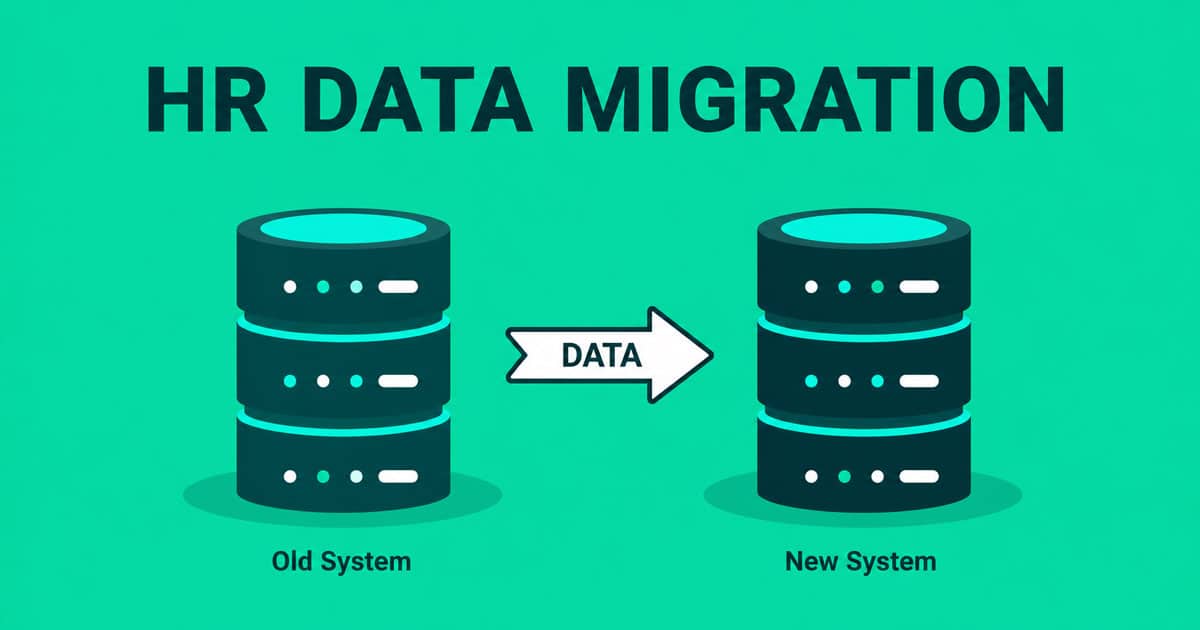
Table of Contents
HR data migration projects face the most important challenges. Studies show 60% of them run into delays or exceed budgets because of mistakes that could be avoided. Organizations can transform their operations by combining employee information from multiple sources into one system. However, transferring HR data remains one of the toughest parts of system transitions.
Poor data migration can create problems like system outages, data loss, and reporting errors. These issues become critical since 80% of companies now move their workloads back to on-premise or private cloud systems due to security risks. We know these hurdles well, and that's why we created this detailed HR data migration strategy guide. Our guide walks you through each step - from building an effective HR data migration checklist to choosing the right tools that fit your software transition needs.

What Is HR Data Migration
Moving employee data between systems isn't a simple task. HR data migration is crucial for organizations that want to improve their human resources operations and strategic capabilities. Research shows that organizations must accept validation and reconciliation as key parts of their HR data strategy. Data integration remains the biggest worry that keeps HR managers up at night.
HR data migration does more than just move information around. It supports vital business functions and creates growth opportunities. HR leaders feel very confident about their employee data's accuracy. Yet only 6 percent use fully automated solutions to update employee records. This shows a big gap between what people think and what's actually happening in data management.
Why successful HR data migration is business-critical:
- Enhanced accessibility and organization - New systems help HR teams find and manage employee information better through strong search and categorization features
- Simplified processes - HR teams can focus on strategic priorities by cutting down manual data management tasks
- Data accuracy and reliability - Migration cleans up old or wrong information, which helps HR make decisions based on current, accurate data
- Regulatory compliance - Good migration creates systems that follow data privacy rules, crucial for handling sensitive employee information
Cloud-based HR systems offer advanced reporting that explains workforce trends, performance metrics, and employee engagement levels. These analytics help organizations make smart decisions about planning and developing talent.
Essential Steps Of HR Data Migration
HR data migration requires a structured, end-to-end approach to avoid costly errors, data loss, and operational disruption. These seven essential steps provide a clear framework to plan, execute, and validate HR data migration while ensuring accuracy, security, compliance, and long-term system performance across the entire employee lifecycle.
Step 1: Start With A Clear HR Data Migration Strategy
A detailed migration plan serves as your first step to achieving successful HR data migration. Studies reveal that all but one of these projects face delays or budget overruns. These issues stem from mistakes we could have avoided during planning and execution. Let me help you build strong foundations to keep your project on track.
Define Your Migration Goals: You need clear success metrics for your organization before exploring technical aspects of HR data migration. Start with specific objectives that align with your business goals. These objectives will guide your decisions throughout the process.
Your migration goals should address:
- Data scope - Define which countries, legal entities, employee types, and data components are included
- Quality standards - Set expectations for data accuracy and completeness
- System requirements - List specific formats and fields needed in the new system
- Compliance needs - Document regulatory requirements you need to maintain
Build A Cross-Functional Team: HR data migration needs more than technical skills. You need insights from multiple disciplines to develop adaptable solutions. Your team should include people from different business units who know how their departments use data.
Create A Realistic Timeline: Many teams don't allocate enough time for HR data migration. Small to midsize businesses might finish in months. Large enterprises should expect 12 months or more. Organizations with huge data volumes or multiple legacy systems might take two to three years.
Your timeline should include:
- Preliminary data migration study phase
- Data extraction and preparation time
- Mock migrations for testing
- Training periods for team members
- Extra time for unexpected challenges
Step 2: Audit And Clean Your Existing HR Data
Most HR implementations don't fail because of poor technology choices. The biggest problem lies in something boardrooms rarely discuss: decades of messy data piling up. Let me show you this significant step that decides whether your new system becomes a valuable asset or just an expensive data warehouse.
Identify Duplicates And Inconsistencies: Duplicate employee records aren't just an administrative headache; they grow into serious compliance and payroll problems. These duplicates usually come from:
- Inconsistent name entries - Spelling errors, nicknames, or different last names
- Seasonal confusion - The same employee returns but gets treated as a new hire
- Language barriers - Office staff might not understand the information workers provide
- Multiple location hiring - Staff at one location doesn't know about previous hiring elsewhere
Standardize Formats Across Fields: Moving from one HR system to another reveals differences in data storage. Some systems only accept numbers, while others take alphanumeric data. Data from multiple sources often uses different naming conventions, like status codes 'FT' versus 'full-time'.
Your organization needs clear rules to maintain high data standards. Setting the right format for dates (mm/dd/yyyy or dd/mm/yy) or locations (New York or NY) helps you group and analyze data accurately.
Use an HR Data Migration Checklist: An HR data migration checklist makes the process smoother and keeps all important data intact. Start by asking these questions about each data field:
- Do we use this data?
- Do we capture this data?
- Can we capture this data in the future?
- Do we really need this data?
Document all transformation rules and matching logic carefully. HR automation handles most cases quickly, but human oversight helps with unusual situations and preserves business intent.
Step 3: Map And Transform Data For The New System
The next big challenge in your migration trip, after cleaning HR data, is field mapping. Many organizations don't deal very well with this stage, where they must define how information from legacy systems will translate to their new platform. Data shows that one in four employers face electronic data interchange errors during benefits setup. This makes mapping a vital part of the process.
Understand Field Mapping Requirements: Field mapping creates the blueprint for your entire HR data migration process. You need to match each field from your source system to its corresponding destination in the new platform. TechRepublic lists five significant steps that make data mapping work: identifying transferable data, establishing data flow between systems, transforming data formats, testing/deploying the mapped data, and maintaining maps over time.
Start your mapping exercise early in checklist development. Document every field in your current system and its target counterpart in your new HRIS. These critical elements need special attention:
- Name fields (parsing requirements, suffixes, prefixes)
- Address formats (especially when you have international employees)
- Date conventions (MM/DD/YYYY vs. DD/MM/YYYY)
- Phone numbers and email structures
Handle Custom Fields and Legacy Formats: Custom fields create unique challenges during migration. Legacy HR systems often contain specialized fields without direct equivalents in modern platforms. You have three options to think about before creating new custom fields:
Use Data Transformation Tools: Data transformation changes information from source formats to destination formats through various technical processes. This step standardizes your HR data to ensure consistency, accurate analysis, and proper modeling. Your systems and goals will determine which transformation approach works best:
- Scripting - Python or SQL extraction and transformation provides flexibility, but needs technical expertise
- ETL (Extract, Transform, Load) - This common method handles everything from collection to storage
- Cloud-based ETL tools - These user-friendly options work well for non-technical users
The right data mapping tools make transformation easier with built-in features that convert complex formats accurately. This reduces time spent and minimizes potential errors. Organizations with employees in multiple locations must account for variations in eligibility and plan design. The mapping should automatically assign staff to correct plans based on state or country requirements.
Step 4: Plan For Dual Maintenance Period
Data migration in HR data comes with a unique challenge that rarely gets discussed - managing data that exists in two places at once. This "dual maintenance" phase happens when you upload your data to the new system weeks or even months before going live. Your business keeps running during this time. People join, leave, switch departments, and get promotions.
Track Changes in Both Systems: The dual maintenance period brings a big risk. Changes in your legacy system might not show up in your new platform, which leads to serious problems when you go live. Many teams focus too much on the first data upload and miss these ongoing changes.
A detailed strategy will help you manage this better. You need:
- Clear documentation that shows which system is the "source of truth" for each type of data during transition
- Regular sync schedules (daily or weekly) based on how often your personnel changes
- Automated or semi-automated processes to capture changes in the legacy system
Set A Cut-Off Date for Final Sync: A cut-off date marks the last point when actions, transactions, or data submissions count in your current migration cycle. This date plays a vital role in keeping your migration process accurate and organized.
Your cut-off date sets the deadline for processing all HR information - work hours, benefits changes, and deductions in the final data transfer. While this sounds simple, many teams struggle to communicate this deadline well.
Picture drawing a line in the sand. After crossing it, new changes must wait for post-migration updates. Setting this date needs a careful balance of:
- Current operational needs
- System configuration timelines
- Training schedules for the new system
- Technical requirements for final data validation
Assign Roles for Data Reconciliation: Data reconciliation needs dedicated team members watching over it. Clear responsibilities for tracking and managing updates during dual maintenance will help your migration succeed.
These team members should:
- Keep a central log of all changes
- Check regularly to ensure systems stay in sync
- Fix any differences found in validation reports
- Complete the final check before launch
Give specific people responsibility for different types of changes - new hires, departures, and pay adjustments. This focused approach makes sure nothing gets missed during this critical phase.
Step 5: Test And Validate The Migration
Testing protects your hr data migration trip. Many employers face problems when they set up benefits on their platforms because of setup issues like inaccurate payroll deductions. A strict testing protocol catches these errors before they affect your employee management and business operations.
Run Multiple Test Migrations: Several test migrations with larger data sets help you learn about potential issues. These repeated tests establish migration procedures and show error patterns before they reach your production environment.
Conduct Payroll and Benefits Testing: Payroll parallel testing means running old and new systems together to match outputs. This proves that eligibility, deductions, and benefit selections work the same in both environments. The core validation points include:
- Spot-checking employee records for accuracy
- Running payroll simulations to check calculations
- Checking PTO balances and accruals
- Reviewing reporting structures for the correct hierarchy
A good payroll test shows that payroll deductions match benefit choices, eligibility, and dependent data move correctly, coverage dates follow company policy, and enrollment and billing data flow smoothly across HR systems. The test results help maintain data quality for future reference.
Perform User Acceptance Testing: UAT stands as the final check where business users review the system in a controlled environment before it goes live. This vital phase looks at business use cases instead of technical performance.
Business users need a dedicated environment with the right integrations and business data plus the latest solution. The core team members get security roles to run test cases that represent significant business process steps.
Step 6: Secure Your Data And Stay Compliant
Security must be your top priority during any HR data migration. HR systems store your organization's most sensitive information, from Social Security numbers and banking details to health records and performance evaluations. Let's get into the significant security measures you need during your migration process.
Encrypt Data In Transit And At Rest: You need encryption at two critical stages to protect sensitive employee information. First, data at rest (stored on servers, drives, or backups) needs encryption, it works like a locked safe that stays protected even if someone gets physical access to storage devices. Second, data in transit needs encryption as it moves between systems, think of it as your "armored car" that protects information during transfer.
The encryption setup should:
- Use 128-bit encryption at a minimum to meet current industry standards
- Include Transport Layer Security (TLS) for web-based HR systems
- Apply Secure Sockets Layer (SSL) connections for employee access to company networks
- Verify that both your old and new HR platforms support encryption at rest and in transit
This means unauthorized parties cannot read the contents even if they intercept the data.
Limit Access To Sensitive Files: Strict access control adds another vital security layer. The "Principle of Least Privilege" means everyone gets access only to the minimum data they need for their specific role. This approach requires you to:
- Restrict non-HR staff access to business-essential information only
- Create segmented electronic and physical barriers around HR data
- Set up strong password policies with regular changes
- Have clear procedures to revoke access when employees leave or transfer
Ensure GDPR and CCPA Compliance: Regulatory compliance brings new challenges to HR data migration security. The California Consumer Privacy Act (CCPA) gives employees the right to know what data you have, delete it, and opt out of its sale. GDPR requires data minimization; you can only collect what's necessary for specific purposes.
Your migration needs to:
- Give employees complete privacy notices before collecting information
- Track consent for data processing with clear withdrawal options
- Set up formal Data Processing Agreements with vendors who access employee data
- Keep audit logs of all data access and changes
- Have a data breach response plan ready within 72 hours
Your security measures should adapt based on your organization's location since different regions have different requirements.
Step 7: Prepare For Go-Live And Post-Migration Support
Your HR data migration trip is entering its final phase, which needs careful preparation for system launch and support. The transition from implementation to optimization comes after months of planning, data cleaning, and testing. A successful final step will help your HR data migration create lasting value instead of becoming just another technical exercise that doesn't meet business needs.
Train HR Teams On The New System: A well-trained workforce leads to high adoption rates of your new HR system. Companies that invest in complete training see up to 40% higher employee adoption rates. The core team needs hands-on training for system configuration and daily operations. Your broader employee base needs these available resources:
- Video tutorials explaining key features
- User manuals for common workflows
- Post-launch refresher sessions that address new challenges
Set Up Support Channels: Multiple support options should handle the questions that will come during the transition. The post-migration phase sees a peak in support requests right after launch. Your dedicated helpdesks need clear escalation paths and response time agreements. Knowledge bases should document common issues so users can solve problems themselves.
Monitor System Performance: System health tracking maintains data accuracy after implementation. Guardian suggests monitoring key indicators like file-transmission success rates, error reports, and employee support requests. User feedback helps identify process improvements over time.
Benefits Of HR Data Migration
HR data migration delivers long-term value beyond system replacement. A well-planned data migration process improves data accuracy, strengthens data security, and ensures a smooth transition to a new HR system. When executed correctly, HR data migration helps human resources teams modernize operations, protect sensitive employee data, and maintain data integrity across the entire migration process.
Improved Data Accuracy And Data Quality
HR data migration improves data accuracy by addressing issues that build up in a legacy system over time. Existing data often contains duplicate records, outdated employee records, and inconsistent data fields. A structured data audit and data cleaning phase helps HR teams validate data before data transfer begins.
The HR data migration process standardizes data structures across payroll records, candidate data, and employee data. Clear data mapping rules ensure data quality and help HR professionals rely on migrated data for reporting, payroll processing, and daily HR operations.
Stronger Data Security And Regulatory Compliance
HR data migration strengthens data security when supported by a clear data migration plan and modern data migration tools. Old systems often lack advanced protections, which increases exposure to data breaches and unauthorized data access. A successful data migration introduces encryption, access controls, and audit logs across the migration process.
Sensitive employee data, such as payroll data and personal identifiers, stays protected during moving data to a new HR system. Compliance requirements under data protection regulations become easier to manage while maintaining data integrity throughout the HR data migration journey.
Centralized Employee Data And Better Visibility
HR data migration consolidates employee data from multiple sources into a single HR system. Disconnected HR software creates fragmented employee records and inconsistent current data. Fully migrating data into one platform eliminates silos and improves visibility across HR operations.
Centralized employee records allow HR team members to access critical data quickly without reconciling multiple systems. Payroll records, benefits data, and performance details align within consistent data fields, which supports faster and more reliable decision-making.
Higher Efficiency Across HR Operations
A structured HR data migration process improves efficiency across core HR processes. Data migration tools automate data validation, data mapping, and test migration activities. This automation reduces system downtime and minimizes manual intervention during the data migration project.
HR teams spend less time fixing errors and more time supporting strategic initiatives. Clean migrated data simplifies payroll cycles, onboarding workflows, and employee updates. Operational efficiency increases across the entire process, which supports a smooth transition to the new system.
Reduced Risk Of Data Loss And Errors
HR data migration reduces the risk of data loss through controlled data transfer and repeated data validation checks. Legacy systems often store critical data without proper verification. A successful migration includes test migration cycles to identify gaps before final cutover.
HR teams validate data to ensure payroll records, employee data, and sensitive information remain accurate after migration. Maintaining data integrity protects payroll accuracy and prevents costly post migration corrections that can disrupt HR operations.
Long-Term Scalability And System Readiness
HR data migration prepares organizations for future growth by modernizing HR technology foundations. A new HR system supports evolving data types, expanded data scope, and future compliance needs. Clean data structures reduce complexity during future upgrades.
A strong HRIS migration plan ensures the HR department avoids repeated data cleansing efforts. Long-term scalability represents one of the most significant advantages of HR data migration, enabling sustainable HR operations and ongoing support for business growth.
How PayRun Helps Businesses With HR Data Migration
The right partner makes all the difference in managing complex HR data migration. PayRun simplifies this experience by connecting core HR functions on a single platform. HR teams now work from one system that supports the entire employee lifecycle instead of juggling payroll, onboarding, and employee records across multiple tools.
Data preparation stands as PayRun's core strength - a crucial element for successful migration. PayRun helps organizations review, clean, and standardize employee data, personal details, and historical records before system transfer. This preparation enhances data accuracy while safeguarding employees' sensitive information.
PayRun brings structure to an organization's workforce management. The system keeps employee records, roles, payroll details, and HR workflows in one place, which reduces tool fragmentation. Teams can understand developments quickly without searching for information. You can enjoy these key features at a suitable price.
FAQs
What Are The Key Steps In HR Data Migration?
The key steps include creating a clear migration strategy, auditing and cleaning existing data, mapping and transforming data for the new system, planning for dual maintenance, testing and validating the migration, securing data and ensuring compliance, and preparing for go-live and post-migration support.
How Long Does An HR Data Migration Typically Take?
The duration varies depending on the organization's size and complexity. Small to midsize businesses might complete migration in a few months, while larger enterprises can expect to spend 12 months or longer. Companies with massive data volumes or multiple legacy systems may need up to two to three years.
What Are Common Challenges In HR Data Migration?
Common challenges include dealing with duplicate records, inconsistent data formats, custom fields in legacy systems, ensuring data security and compliance, and managing the dual maintenance period when data exists in both old and new systems simultaneously.
How Can Organizations Ensure Data Security During Migration?
Organizations can ensure data security by encrypting data both in transit and at rest, limiting access to sensitive files, implementing strong password policies, and ensuring compliance. It's also crucial to have a data breach response plan in place.
What Should Be Done After The HR Data Migration Is Complete?
After migration, organizations should continue monitoring system performance, gather user feedback to identify process improvements, provide ongoing training and support, and fine-tune workflows. It's also important to keep running reconciliation checks and ensure that processes like reporting and analytics are functioning as expected.
How Do Organizations Decide What HR Data To Migrate?
Organizations should migrate only data that is accurate, relevant, and legally required. This typically includes active employee records, compliance-related documents, payroll history, and essential reporting data. Obsolete, redundant, or low-value historical data should be archived rather than migrated to reduce risk and complexity.
Can HR Data Migration Affect Day-to-day HR Operations?
HR data migration can temporarily impact daily operations if not planned carefully. To minimize disruption, organizations often schedule migrations during low-activity periods, maintain clear communication with stakeholders, and use phased or parallel migrations so HR teams can continue working without interruptions.