Free HR Software for Small Business: 8 Tools With a Real Free Plan
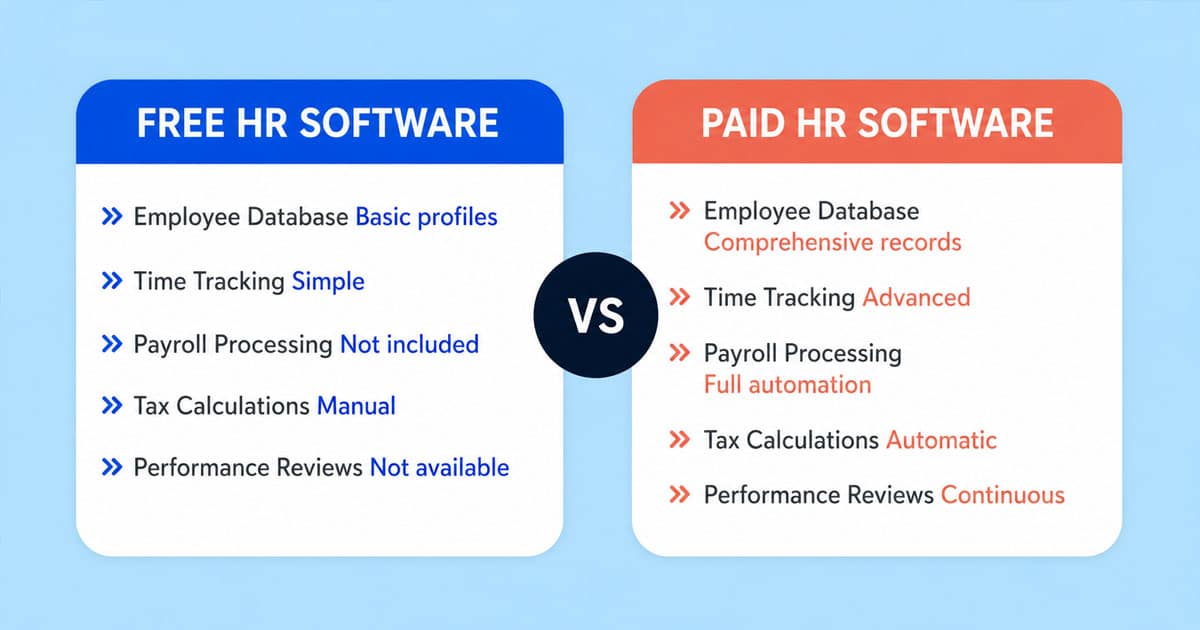
Table of Contents
Updated October 2026. Prices and plan limits were checked on each vendor's own pricing page on 26 October 2026. Payrun is our product; see "How we chose these tools" for how we handled that.
Free HR software is an HR tool with a plan you can use indefinitely without paying, usually with a limit on users, features or locations. For a small business, a good free plan can replace the spreadsheets and email threads used for employee records, time off and attendance until the team grows.
Many lists of "free HR software" mix in tools that only offer a free trial. This guide includes only tools whose free plan we confirmed on the vendor's own pricing page. For each one we list who it suits, what the free plan includes, where it stops and what the first paid plan costs.

Free HR software at a glance
Tool | Free plan limit | What the free plan covers | Payroll on free plan? | First paid step (checked 26 Oct 2026) |
|---|---|---|---|---|
Payrun | Up to 5 users | Employee profiles, attendance, timesheets, leave, expenses, hiring (1 job), projects, assets | No (Pro plan and above) | Starter $4.95/user/month billed annually ($8.25 monthly) |
Zoho People | 5 users | Employee database, time off | No | Paid plan prices vary by region; check Zoho's pricing page |
Connecteam | Up to 10 users | Operations, communications and HR hubs, with feature limits | No (no payroll integration on free) | Basic $29/month for the first 30 users per hub, billed annually ($35 monthly) |
Homebase | 1 location, up to 10 employees | Basic scheduling and time tracking | Paid add-on | Essentials $30/location/month |
OrangeHRM Starter | No cap stated | Open-source HR: records, leave, time, recruitment, performance | No | OrangeHRM Advanced, price on request |
Odoo | Unlimited users, one app | Any one Odoo app (for example Employees or Time Off) | No | Standard $24.90/user/month billed yearly (discounted; list $31.10) |
hr.my | Unlimited employees | Leave, expense claims, attendance, payroll processing | Yes (check country support) | None listed |
MintHCM | No cap stated | Open-source HR: recruitment, onboarding, time, leave, offboarding | No | Paid implementation help on request |
Prices are in US dollars as shown on each vendor's site and can change. Check the vendor's page before you sign up.
Sources: Payrun pricing, Zoho People pricing, Connecteam pricing, Homebase pricing, OrangeHRM, Odoo pricing, hr.my, MintHCM.
How we chose these tools
We started from the tools that appear in the top search results and the best-known roundups for free HR software, then kept only those with a permanent free plan shown on the vendor's own pricing page on 26 October 2026. Tools that offer only a free trial were left out, as were tools whose free plan doesn't include HR features.
Payrun is our own product. We include it because it has a free plan that fits this use case, and we list its limits next to what it does well. We don't take payment for placement on this list.
Left out after checking:
- Factorial and Sesame HR show paid plans and trials but no permanent free plan.
- Bitrix24 has a free plan, but its pricing page lists no HR tools on it, and the user limit shown on the plan card conflicts with the FAQ.
- Freshteam no longer appears on Freshworks' HR pricing page.
The 8 free HR tools in detail
1. Payrun: free HR basics for teams of up to 5
Payrun is an HR and payroll platform for small businesses. The free plan covers the day-to-day HR work of a very small team: employee profiles, departments and work shifts; clock-in and clock-out time tracking, timesheets and attendance approval; leave requests, approvals, a shared leave calendar, company holidays and a leave policy with entitlements and accruals; expense tracking and approval; hiring with one active job listing, a job board and a careers page; two projects with Kanban and list views; and asset tracking. Chat and email support is included on every plan. There's a web app plus iOS and Android apps.
Where the free plan stops: it's capped at 5 users. Uploading employee documents (contracts, IDs, certificates) and custom employment statuses start on Starter. Payroll is on the Pro and Ultimate plans only, and Payrun does not file payroll taxes, so you'd still file with your accountant or tax agency. Slack, Microsoft Teams, Xero and Jira integrations are on Pro and above.
Upgrade cost: Starter $4.95 per user per month billed annually ($8.25 monthly), up to 20 users. Pro, which adds payroll, is $9.95 billed annually ($16.58 monthly). Every paid plan has a 14-day free trial with no credit card required.
Best for: teams of up to 5 that want records, attendance and leave in one place now, with payroll available in the same system later. See Payrun pricing.
2. Zoho People: free employee database and time off
Zoho People is the HR app in Zoho's business suite. Its free edition is "forever free for 5 users" and includes two modules: the employee database and time-off management.
Where the free plan stops: attendance, performance and the wider HR modules are on paid plans. Five users is a hard ceiling, so it suits very small teams only.
Upgrade cost: Zoho's pricing page loads plan prices by region, and they weren't shown when we checked. Look up the current price for your country before you plan to upgrade.
Best for: businesses already using other Zoho apps that need a simple staff directory and leave tracker.
3. Connecteam: the most generous free plan for deskless teams
Connecteam is built for teams that work away from a desk, such as field service, retail, cleaning and construction. Its Small Business Plan is free for up to 10 users and includes all three hubs: Operations (time clock, scheduling, forms, tasks), Communications (chat, updates, employee directory) and HR & Skills (time off, documents, onboarding, hiring, courses, recognition).
Where the free plan stops: there's one time clock and one schedule, onboarding is limited to 2 packs, and e-sign is limited to 10 documents. Payroll integration, SSO, two-factor authentication and API access aren't included.
Upgrade cost: Basic is $29 per month for the first 30 users per hub, billed annually ($35 monthly), then $0.50 to $1.00 per extra user depending on the hub.
Best for: hourly and mobile teams of up to 10 that need scheduling and a time clock as much as HR records.
4. Homebase: free scheduling and time clock for one location
Homebase focuses on shift-based businesses such as restaurants and shops. Its Basic plan is $0 for one location with up to 10 employees and covers basic scheduling, basic time tracking and point-of-sale integration.
Where the free plan stops: it covers one location and 10 employees, and it isn't a full HR system: there's no employee records or leave management module in the free plan's feature list. Payroll is a paid add-on.
Upgrade cost: Essentials is $30 per location per month with unlimited employees. The payroll add-on is $49 per month plus $6 per employee paid, with the first 6 months free as a current promotion.
Best for: single-location shift businesses whose main need is the rota and timesheets.
5. OrangeHRM Starter: free, open-source HR you host yourself
OrangeHRM Starter is the free, open-source edition of OrangeHRM. OrangeHRM describes it as "completely free & open-source HR software". It covers HR administration, employee records, leave, time tracking, recruitment and performance reviews, and it can be downloaded and hosted on your own server. OrangeHRM also lists a cloud option for Starter.
Where the free plan stops: self-hosting means you're responsible for the server, updates, backups and security. Support is through the community forum. The paid OrangeHRM Advanced product adds more modules and vendor support.
Upgrade cost: OrangeHRM Advanced has a 30-day free trial; its price is on request.
Best for: businesses with someone technical in-house who want a full HR feature set without a licence fee.
6. Odoo: one app free for unlimited users
Odoo is a suite of business apps. Its One App Free plan lets you use any single Odoo app, plus the apps it depends on, for unlimited users, hosted on Odoo Online. For HR, that could be Employees or Time Off.
Where the free plan stops: it's one app. Adding a second app (for example Payroll, Recruitment or Appraisals) moves you to a paid plan for every user.
Upgrade cost: the Standard plan, which includes all apps, is $24.90 per user per month billed yearly, shown as a discount from a list price of $31.10; monthly billing is $31.10.
Best for: teams that need one HR function for many users, or that plan to run other parts of the business on Odoo.
7. hr.my: free HR and payroll with no employee limit
hr.my says it is "free, forever" with unlimited employees. Its site lists leave management, expense claims, attendance with a time clock and payroll processing (monthly, semi-monthly, weekly and bi-weekly pay periods) as free. It says it is "crowdfunded by the user community" rather than selling paid plans.
Where the free plan stops: the site doesn't say which countries' payroll rules or tax calculations it supports, so check that before using it for payroll. With no paid tier, there's no option to buy extra support.
Upgrade cost: none listed.
Best for: cost-sensitive teams that want leave, claims and attendance free, and can confirm the payroll fits their country.
8. MintHCM: free, open-source "soft HR"
MintHCM is free and open-source HR software with no licence fees; its FAQ says "the only cost is your own server upkeep". It covers recruitment, onboarding, time management, leave, offboarding and analytics. It doesn't include payroll.
Where the free plan stops: you host and maintain it yourself, and support comes from the community or a paid implementation partner.
Upgrade cost: there's no paid plan; the company offers paid implementation services on request.
Best for: businesses that want recruitment and onboarding workflows and have the technical skills to self-host.
Also worth knowing: Jorani is a free, open-source tool for leave and overtime requests only. It's an option if leave tracking is the only thing you need.
What free HR plans usually leave out
Free plans are designed to get small teams started, so they share some common limits. Check these before you commit.
- User or location caps. Most free plans stop at 5 or 10 users or one location. Count everyone who needs a login, including managers.
- Payroll. Only one tool on this list includes payroll in its free plan. Most put payroll on a higher plan or sell it as an add-on, and many don't file payroll taxes for you.
- Document storage. Storing contracts and ID documents is often a paid feature or limited by storage space.
- Integrations. Connections to accounting software, Slack or Microsoft Teams are usually on paid plans.
- Security controls. Single sign-on, two-factor authentication and API access are often excluded from free plans. If you store sensitive employee data, check what protects it.
- Support. Free plans may rely on help centres or community forums instead of direct support. Open-source tools rely on the community unless you pay a partner.
- Self-hosting costs. "Free" open-source software still needs a server, updates, backups and someone to maintain it. Count that time and hosting cost.
- Data export. Check that you can export your employee data if you switch tools later.
Hosted free plan or open source?
There are two kinds of free HR software, and they suit different businesses.
Hosted free plan (Payrun, Zoho People, Connecteam, Homebase, Odoo, hr.my) | Open source (OrangeHRM Starter, MintHCM, Jorani) | |
|---|---|---|
Setup | Sign up and start | Install on a server (or use a hosted option if offered) |
Limits | User, feature or location caps | Usually no user cap |
Maintenance | Vendor handles updates and security | You handle updates, backups and security |
Support | Vendor help centre, sometimes chat or email | Community forum or paid partner |
Best for | Teams without IT staff | Teams with technical skills that want control |
How to choose free HR software for your business
- List your must-haves. Decide whether you need employee records, time off, attendance, scheduling, hiring or payroll now, not in two years.
- Count users. Include employees, managers and admins who need access, and compare that number with each free plan's cap.
- Check what happens when you grow. Look at the first paid plan's price and whether it's charged per user, per location or as a flat fee.
- Check payroll separately. If you'll need payroll, see whether it's in the same tool, an add-on or a separate product, and who files payroll taxes.
- Look at data protection. Check where data is stored, who can see what, and whether two-factor authentication is available.
- Test with real data. Add a few employees, request time off and approve it before you roll it out to the team.
When to move from a free plan to a paid one
A free plan stops being enough when:
- you reach the user or location cap;
- you need payroll in the same system as attendance and leave;
- you need to store employee documents or set different leave policies for different teams;
- you need integrations with your accounting or chat tools;
- you need security features such as single sign-on or two-factor authentication; or
- the time spent on workarounds costs more than the subscription.
When you get there, compare the first paid plan of the tool you're using with alternatives. Our guide to HR software pricing explains the common pricing models, and our guide to HR software for small teams covers paid options.
UK businesses
The hosted tools above can be used by UK businesses, but check payroll carefully. None of the free plans on this list mentions UK payroll submissions to HMRC on its pricing page, so plan to use HMRC-recognised payroll software or an accountant for payroll, and check where each tool stores employee data.
Try Payrun's free plan
Payrun's free plan covers employee profiles, attendance, timesheets, leave, expenses and hiring for up to 5 users, with no time limit. If you need payroll or more users, every paid plan has a 14-day trial with no credit card. See plans and start free.