Small and mid-sized businesses face constant challenges with payroll tax rules. From PAYE requirements and National Insurance contributions to pension auto-enrolment and multi-state or multi-country tax regimes, the complexity grows with every new employee or location. Manual processes using spreadsheets lead to costly mistakes. A 2025 Paychex study found that payroll tax software significantly reduces the risk of manual miscalculations, which affect roughly 40% of small businesses annually, with errors costing an average of $845 per incident.
Payroll tax software replaces these error-prone methods with automated payroll workflows and compliance updates. Core capabilities include real time tax calculations, direct deposit, automated submissions to government agencies, and digital payslips. Payrun, an all-in-one HR payroll platform, processes over 1 million payslips monthly for more than 5,000 clients. The rest of this article explains how these tools work, what to look for in the best payroll software, and why an integrated HR and payroll system matters for growing teams.
How Payroll Tax Software Improves Payroll Efficiency
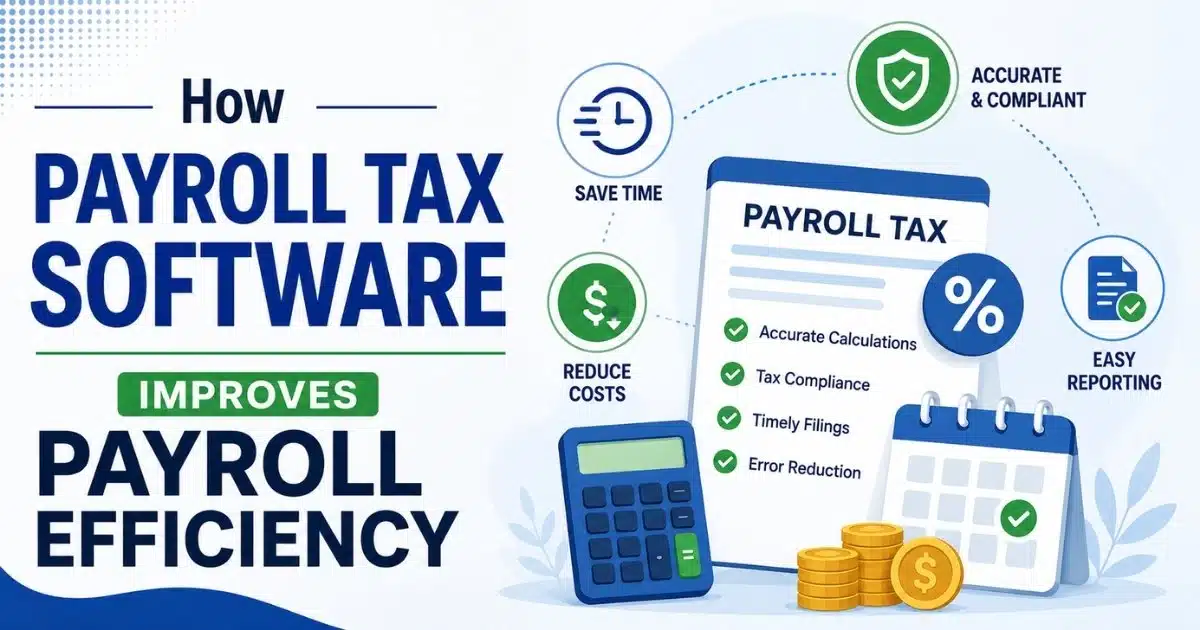
This section forms the core of the article, detailing the main ways payroll tax software improves payroll speed, accuracy, and compliance. Using payroll software can save businesses significant time, allowing them to focus on core activities instead of manual payroll processing, which can be tedious and time-consuming. Seven focused subsections cover automation, compliance, integrations, reporting, payments, employee self-service, and scalability, mirroring the core capabilities of automated payroll software features and benefits.
Automation Of Complex Tax Calculations
Payroll tax software automatically calculates income tax, social security or National Insurance, and local levies for each pay run based on current tax tables, illustrating the benefits of payroll automation software for faster and accurate payroll processing. Payroll software automates the calculation of wages, taxes, and deductions, significantly reducing the time spent on payroll administration. When variables like salary changes, overtime, or bonuses are entered, the system recalculates gross-to-net pay instantly using formulas that account for progressive tax brackets and employer contributions.
The efficiency gains are substantial. According to an ADP 2026 Small Business Report, automated payroll reduces processing from 10-20 hours to under an hour per run. Automated payroll software is designed to minimize errors in calculations, ensuring that wages, taxes, and deductions are computed accurately and efficiently. Payroll software can automatically calculate and file payroll taxes, helping businesses stay compliant with federal and state regulations.
Payrun keeps tax rules and thresholds current, so finance teams do not have to manually track each change, aligning with broader payroll software features, automation, and compliance capabilities. This eliminates costly rounding errors and misapplied rates that previously required amended returns and form corrections costing $300 or more each.
Improvement Of Regulatory Compliance
Payroll tax software helps businesses remain compliant with national and regional payroll legislation. The software simplifies compliance by automatically updating tax laws, generating forms like W-2s and 1099s, and reducing errors. Built-in checks validate statutory deductions, benefits, minimum wage rules (federal $7.25, states up to $17.50 in California), holiday pay under Working Time Regulations, and reporting deadlines.
Payroll software helps ensure compliance with various federal and state payroll laws, automatically updating with the latest tax rates and regulations to prevent costly errors, as outlined in a dedicated payroll compliance guide for small businesses. Automatic reminders and workflow prompts ensure employers submit payroll returns and contributions on time. Payrun supports compliance for different worker types, including full-time employees, part-time staff, and contractors, with configurable profiles for each.
The financial impact of improved compliance is clear, and dedicated payroll compliance software to avoid costly mistakes further reduces risk for growing businesses. IRS penalties average $845 per 941 error, while HMRC imposes £100 to £3,000 for late filing. By enabling businesses to file taxes correctly, automated systems dramatically lower the risk of penalties, audits, and interest charges.
Integration With Accounting Software
Connecting payroll tax software to accounting software like Xero, QuickBooks, or Sage dramatically improves efficiency, especially when part of a broader payroll management system that centralises data and workflows. Most payroll providers integrate with accounting software, allowing for seamless data synchronization between payroll and accounting systems. Journal entries for wages, employer taxes, and benefits are posted automatically to the general ledger after each pay run.
Integrating payroll software with other business systems can streamline processes by automatically syncing payroll data, such as wages and taxes, into accounting programs. This integration eliminates dual entry and cuts month-end reconciliation from eight hours to zero. Payroll software can integrate with time and expense tracking programs, which helps reduce the time needed for payroll preparation and minimizes errors.
A small business syncing payroll expenses weekly gains real-time profit and loss visibility, allowing them to spot cost overruns immediately by relying on payroll processing software for business payroll rather than manual spreadsheets. Payrun offers native Xero and Sage integrations plus CSV and Excel exports, handling multi-currency conversions for the 20% of users with international operations.
Acceleration Of Payment Processing
Online payroll systems streamline the process to pay employees and remit taxes to government agencies via direct deposit or bank transfers. Automated payment files reduce manual banking uploads and eliminate the need to key every net pay amount into online banking interfaces.
Payroll tax software groups tax liabilities, social security payments, and pension contributions into scheduled payments aligned with local banking cut-off times. Payrun supports BACS for UK direct credits with two-day settlement and aligns with CHAPS cut-offs at 3pm GMT, helping companies avoid late deposits.
Faster processing supports flexible pay frequencies. Whether teams run payroll weekly, bi weekly, or monthly, the system handles each pay period with consistent accuracy. A 2026 OnPay report found that 70% of firms now use instant payment options for employee wages.
Enhancement Of Payroll Reporting And Analytics
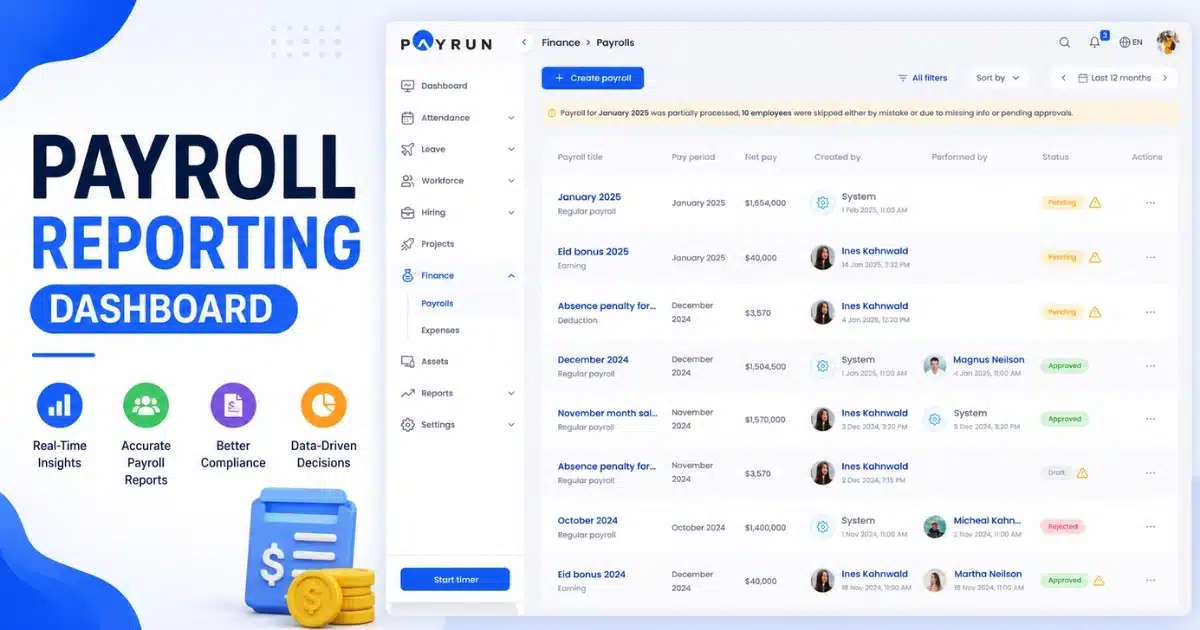
Modern payroll tax software provides dashboards and reports on tax liability, employer costs, and employee earnings, supporting more informed payroll processing for growing businesses. Automated payroll reports provide real-time insights into business finances, helping owners make informed decisions based on cash flow and balance sheets. HR and finance leaders can break down costs by department, location, or cost centre to support budgeting decisions.
Pre-built reports include year-to-date tax summaries, benefits costs, and overtime analysis. Payrun enables export of payroll tax reports for auditors and accountants at quarter-end and year-end, with users rating analytics 4.7 out of 5 on G2 for budgeting accuracy.
Better visibility into payroll taxes helps businesses forecast cash flow more accurately. When employers know exactly what their tax liabilities will be each month, they can plan expenditures and maintain healthier financial positions.
Reduction Of Administrative Work Through Employee Self Service
Employee self-service portals allow staff to view payslips, update addresses, and manage bank details without HR intervention, and a modern employee self service portal for HR can further reduce routine queries. Many payroll systems offer features for managing employee paid time off, including tracking sick and vacation time. Employees can access year-end forms and tax summaries online instead of submitting requests to payroll teams.
This self-service approach reduces email traffic, data entry, and manual updates that previously slowed down payroll cycles. Payrun’s self-service features increase transparency and reduce basic payroll queries by up to 60%, according to Paychex data, while accurate employee payroll records in the system support compliant tax filings.
Fewer administrative tasks free HR and payroll specialists to focus on higher-value strategic work. Instead of answering routine questions about payslips or tax codes, teams can concentrate on workforce planning, employee engagement, and compliance management.
Support For Scalable Business Payroll Operations
Payroll tax software scales as headcount grows, supporting multiple locations, entities, and complex pay structures including multiple pay rates, which is particularly valuable in HR and payroll software for SaaS and software businesses. Adding salaried employees, contractors, cost centres, and benefits schemes can be handled via configuration instead of custom spreadsheets.
A technology firm expanding to five EU countries can use one platform to keep payroll and tax processes consistent, similar to how HR software for small and medium businesses supports multi-site operations. Payrun handles different pay schedules, job types, and benefit plans, supporting over 100 pay elements including shift allowances and commissions.
Scalability ensures long-term efficiency. Companies that choose scalable software early avoid disruptive system migrations as they grow. The cloud architecture handles anywhere from 1 to 10,000 or more employees via multi-tenant databases, adding locations and tax profiles as needed.
Key Features That Drive Payroll Tax Efficiency
When evaluating the best payroll software for tax efficiency, certain features stand out as essential, many of which align with standard payroll software features, automation, and more. Key features often include automated tax filing, compliance management, and employee benefits support. The following subsections outline must-have capabilities that distinguish effective payroll service providers from basic solutions.
Automated Tax Filing And Payment Workflows
The payroll system prepares, files, and submits payroll tax returns electronically to the relevant authorities. Many payroll tax software solutions include automated federal, state, and local tax filings in their base plans. Scheduled workflows handle monthly, quarterly, and annual filings with status tracking inside the dashboard.
Payrun generates the required summaries and remittance information to accompany payments, automatically calculating due dates so teams do not need calendar reminders. Most payroll tax software providers offer full-service options that guarantee on-time filing and may include no-penalty accuracy guarantees. This automation reduces missed deadlines and late-payment penalties.
Support For Multiple Tax Jurisdictions
Businesses with employees in more than one state, region, or country need payroll tax software that handles different rules simultaneously. The system assigns correct tax profiles based on employee location, work location, and tax residency.
Local requirements like regional income taxes or city payroll taxes can be configured within the software. Payrun helps central teams manage compliance across multiple jurisdictions from one login, preventing the maintenance of separate spreadsheets per region. This capability is especially valuable for remote work arrangements that trigger nexus rules.
Management Of Benefits And Health Insurance Deductions
Integrated payroll tax software manages deductions for health insurance, pensions, and other employee benefits, and a robust payroll management system ensures these flows stay accurate over time. Benefits administration features map pre-tax benefits (like 401k contributions up to $23,500 in 2026 or HSAs) and post-tax deductions so tax calculations remain accurate for each employee.
Payrun aligns benefits deductions with local regulations, integrating with pension providers like NEST and calculating employer NIC relief. This benefits management capability reduces manual reconciliation with benefits providers while improving both net pay accuracy and employer cost tracking.
Comprehensive Audit Trails And Change Logs
Detailed audit trails for tax rates, employee records, and pay changes are essential for compliance and internal controls, and disciplined employee payroll records management underpins those controls. Digital systems automatically store payroll and employment tax records for four years, fulfilling legal requirements and aiding accessibility during audits.
Payroll tax software records who changed what, when, and why, including IP or device details, especially when combined with employee role management software for secure HR and payroll. Payrun keeps a history of payroll runs, adjustments, reversals, and re-issues for each period. This level of traceability builds confidence in the accuracy of payroll data and simplifies responding to questions from tax authorities.
Robust Security And Access Controls
Payroll data is highly sensitive, requiring encryption, secure hosting, and strong access management that can be reinforced with employee role management software. Role-based permissions limit access to specific functions such as running payroll, approving payments, or viewing tax reports.
Payrun uses modern security practices including AES-256 encryption and SOC 2 Type II compliance to protect employee personal data and financial information, functioning as a secure employee record management system for modern HR teams. Secure integrations and single sign-on options support larger teams, while compliance with GDPR and privacy regulations protects both employers and employees.
Comparison Of Payroll Tax Software And Manual Payroll Processes

Manual payroll relies on spreadsheets, calculators, and paper forms, in contrast to the streamlined benefits of payroll automation software available today. Payroll calculations are prone to human error, which can lead to significant financial consequences for businesses if not managed accurately. Modern online payroll systems address these challenges through automation and validation, similar to the automated payroll software features and benefits promoted by leading providers. The comparison below covers time, accuracy, compliance risk, and long-term cost.
Differences In Time And Resource Requirements
A small business owner spending several days per month on manual payroll can reduce that to under an hour with software. Transitioning from manual to automated payroll can save small businesses over 80 hours per year in administrative work. Manual re-keying of hours, tax rates, and benefit deductions multiplies workload as headcount grows.
Payroll tax software reduces reliance on one or two key people who understand complex spreadsheets. Payrun’s workflows allow multiple authorised users to collaborate on payroll without version-control issues, and the valuable time saved can be redeployed to analysis, planning, and growing the business.
Impact On Accuracy And Error Rates
Common manual errors include mis-typed rates, missed benefit deductions, and incorrect tax bands. According to AICPA research, manual processes carry approximately a 23% error rate. Built-in validation rules and warnings in payroll tax software catch inconsistencies before payroll is finalised, reducing human error substantially.
The downstream impact of errors includes employee trust issues, re-runs of payroll, and amended tax filings. Payrun uses up-to-date tax rules to avoid outdated calculations embedded in old spreadsheets. Higher accuracy directly improves overall payroll efficiency.
Compliance Risk And Penalty Exposure
Manual tracking of changing payroll tax rules and deadlines increases the risk of late or incorrect filings. Payroll software can help avoid costly penalties associated with late tax payments and filings, which can accumulate quickly and significantly impact a business’s finances.
IRS penalties for late or incorrect deposits can range from 2% to 15% of the unpaid amount. Missing payroll tax payments or filings can result in significant penalties, including a 2% penalty for being 1-5 days late, escalating to 15% if more than 10 days late. Errors in payroll calculations can result in unpaid payroll taxes, interest, and underpayment penalties, which can accumulate quickly and impact a business’s financial health.
Payrun alerts users to key submission dates, helping them file taxes on time and avoid these accumulating costs.
Total Cost Of Ownership Over Several Years
While manual payroll appears free, hidden costs accumulate through errors, penalties, and staff time. Research from Forrester suggests manual hidden costs reach $15,000 per year for many businesses, with software providing ROI within six months.
The cost of payroll software can be offset by the time savings it provides. For example, if payroll takes three hours a month and the software costs $57, the effective hourly rate for doing payroll manually would be $19, which may be less than the value of the business owner’s time. Payrun’s transparent pricing and lack of long term contracts make it easier to calculate true cost, with affordable payroll subscriptions often costing less than a few hours of specialist time per month.
Scalability For Growing Teams And New Locations
Manual processes become unmanageable when a business hires more employees or opens locations. Each new jurisdiction adds different tax rules and reporting obligations that strain spreadsheet-based approaches.
Payroll tax software like Payrun can add new clients, employees, locations, and pay elements without redesigning spreadsheets. Features such as templates, batch updates, and reusable settings support controlled growth. Choosing scalable software early avoids disruptive system migrations later.
Role Of Payroll Tax Software In Broader HR And Finance Operations
Payroll tax software does not operate in isolation; many organisations now simplify HR by replacing disconnected tools with unified platforms. It connects HR, benefits administration, and accounting workflows to improve decision-making, simplify audits, and support employee experience initiatives within an all-in-one HR platform like Payrun. The following sections explore how integrated systems benefit the entire organization.
Connection With Core HR Services
Payroll tax software links with HR records for job titles, salary bands, start dates, and leave records. Changes in HR data such as promotions or location moves automatically update payroll tax calculations for the affected employees.
Payrun functions as an all-in-one HR and payroll system, reducing data silos between departments and surfacing innovative HR features for management. Integrated hr services improve accuracy for statutory benefits and entitlements while supporting compliance with employment regulations, reflecting Payrun’s role as a trustworthy partner in HR management.
Support For Workforce Planning And Budgeting
Finance and HR teams use payroll tax data to forecast headcount costs for future quarters and fiscal years. Accurate modelling requires visibility into gross pay, employer taxes, and benefits per role.
Payrun’s reporting enables export of historical payroll data to budgeting tools for scenario planning, which also helps teams evaluate HR software pricing and total costs against expected ROI. Planning the cost of a new team, including federal tax and benefits, becomes straightforward with access to comprehensive payroll data. Better planning leads to more sustainable growth decisions.
Improvement Of Employee Experience
Timely and accurate pay is a core part of employee satisfaction and trust in an employer. Online payroll and self-service access reduce anxiety about pay, tax codes, and year-end forms.
Payrun provides clear digital payslips and histories that employees can access anytime. Smooth payroll processes free HR teams to focus on engagement and development rather than fixing errors, while a consistent experience across locations matters particularly for distributed teams.
Collaboration Between HR And Finance Teams
Shared access to payroll data helps HR and finance coordinate on hiring plans, pay reviews, and cost controls. Modern payroll tax software allows controlled access by department with clear responsibilities.
Payrun’s cloud-based access lets both teams work with up-to-date information without exchanging spreadsheets via email. When HR proposes a salary change, finance immediately sees the tax impact in the payroll system. This collaboration speeds up decision-making and reduces miscommunication.
Readiness For Audits And Due Diligence
Clean, well-structured payroll tax data simplifies external audits and investor due diligence. Payroll tax software generates standard reports and documentation that auditors expect.
Payrun stores historical records for multiple years, aiding retrospective reviews. Quick access to reports on tax payments, liabilities, and wages speeds up audit processes. Reliable payroll data increases confidence for lenders and potential buyers in acquisition scenarios.
Criteria For Choosing Effective Payroll Tax Software
Selecting the right payroll tax solution requires matching features to specific business needs. Common payroll tax software providers for small businesses include QuickBooks Payroll, Gusto, and ADP, among others. The criteria below help readers build a checklist for comparing options and finding the best payroll software for their situation.
Alignment With Business Payroll Requirements
Map current and anticipated payroll needs including pay frequencies, benefits, and multiple entities. Assess whether a solution supports contractors, part-time workers, and salaried employees with different calculating wages requirements.
Payrun caters to a range of industries and organizational sizes with configurable settings, making it one of the best HR software options for small businesses. Evaluate support for specific reporting or compliance obligations relevant to your sector, and choose a close fit to reduce manual workarounds.
Ease Of Setup And Everyday Use
Easy setup, including data import, onboarding templates, and guided configuration, is crucial for fast adoption. A clean interface and logical workflows reduce training time for HR and finance staff.
Payrun’s easy setup process helps businesses get to their first live payroll quickly, often within a week. Look for intuitive dashboards, clear menus, and embedded help content. Usability directly influences long-term satisfaction with the software.
Scalability And Future-Proofing
Evaluate how the software will handle additional employees, new locations, and more complex benefit structures. Growing companies should consider international expansion and multi-currency needs.
Payrun is designed to support organizations as they scale without major system changes, particularly in fast-growing environments that benefit from HR and payroll software for SaaS and software companies. Check product roadmaps and update policies to ensure the solution evolves with regulations and technology.
Quality Of Customer Support And Training
Responsive, knowledgeable support is critical when dealing with payroll tax questions and deadlines. Desirable support channels include live support via chat, email, and phone, plus online knowledge bases.
Payrun provides specialist payroll experts to help teams use the platform effectively. Verify support availability around peak periods like year-end and major regulatory changes.
Pricing Structure And Contract Flexibility
Transparent pricing should include core features like unlimited payroll runs, automated filings, and self-service without additional fees or extra cost surprises. Understand per-employee fees, additional cost for add-ons, and implementation charges.
Payrun offers affordable payroll with no additional charge for essential features and no rigid long term contracts, giving businesses flexibility. Calculate monthly and annual costs at current and projected headcounts to understand true money spent.
Why Payrun Is A Strong Choice For Payroll Tax Efficiency
Payrun helps businesses process payroll faster while reducing manual work and unnecessary complexity. Unlike some providers that charge additional fees, extra cost, or require long term contracts, Payrun offers transparent pricing built for growing companies. Businesses can manage small business payroll, unemployment tax, direct deposits, and payroll reporting from one streamlined payroll system.
The platform also supports time tracking, mobile apps, and integrations with tools like QuickBooks Online for smoother payroll operations. Companies in the payroll space use Payrun to save time, reduce payroll errors, and avoid the additional cost often associated with full service payroll providers. Flexible workflows and automation features help payroll experts process payroll efficiently without overwhelming administrative tasks.
Frequently Asked Questions
Can I Switch To Payroll Tax Software In The Middle Of A Tax Year?
Switching mid-year is common and supported by most platforms. The key requirement is importing year-to-date figures for pay, tax, and benefits into the new payroll system. Payrun supports historical data migration so tax summaries and filings remain accurate for the full year. Planning the switch around a month-end or quarter-end simplifies reconciliation and ensures continuity of reports.
How Does Payroll Tax Software Handle Back Pay And Corrections?
Modern systems allow users to run adjustment payrolls that recalculate tax and social contributions for previous periods. Payrun keeps a full record of original and corrected runs, updating reports so filings and employee records stay consistent. This approach is far more efficient than manually recalculating corrections in spreadsheets and creating amended forms.
What Happens If Tax Rules Change During The Year?
Reputable payroll tax software updates tax tables and thresholds centrally so every new pay run uses the latest rules. Payrun monitors regulatory updates from the IRS, HMRC, and other government agencies, applying changes in the platform without requiring manual reconfiguration. Users receive notices about significant updates that may affect payroll amounts.
How Long Does Implementation Of Payroll Tax Software Typically Take?
Implementation ranges from a few days for small companies to several weeks for larger organizations with complex requirements. Key stages include data gathering, configuration, parallel runs, and go-live. Payrun’s easy setup tools and support team help shorten implementation timelines, with most businesses completing setup within one week.
Can Payroll Tax Software Help With Contractor Payments And Compliance?
Many platforms, including Payrun, support separate workflows for contractors with appropriate tax treatment and reporting. The software distinguishes between employees and contractors, applying correct deductions or gross payments as required and generating reports like 1099-NEC for US operations or CIS for UK construction industry contractors. Using one system for both groups improves oversight of total labour spend and reporting accuracy.