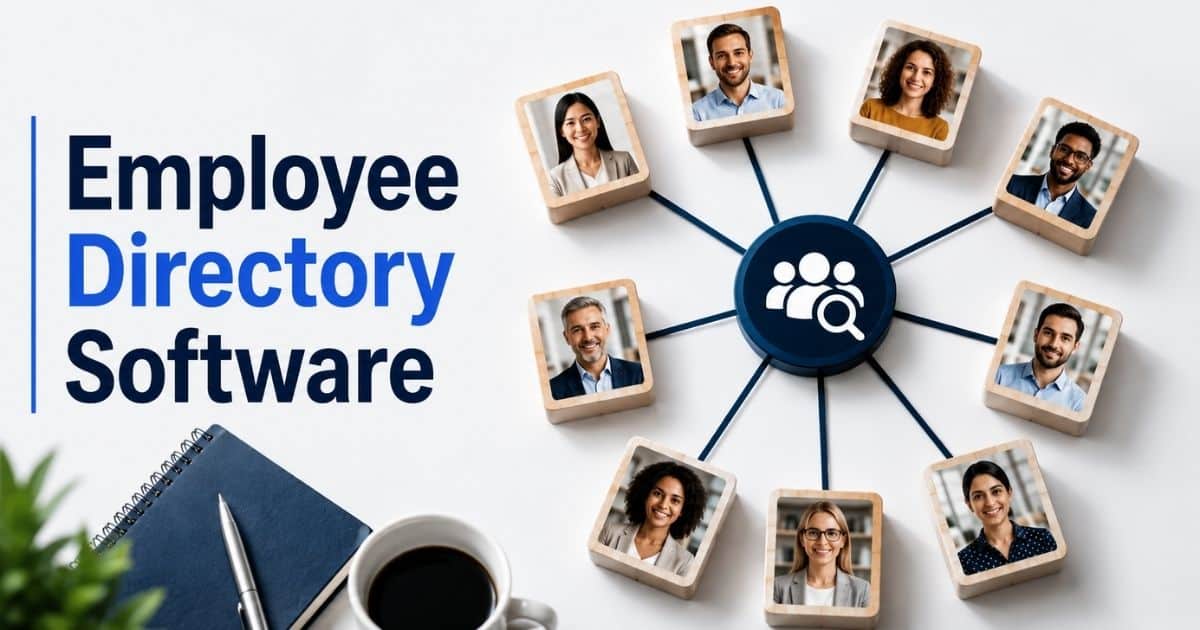
Finding the right person in a growing company should be simple. Yet many employees still waste time searching through emails, spreadsheets, chat messages, and outdated contact lists just to find a colleague. As teams expand across departments, locations, and remote work environments, employee information often becomes scattered and difficult to access.
Employee directory software solves that problem by bringing employee information into one searchable and centralized location. Employees can quickly find colleagues, understand reporting structures, identify team responsibilities, and connect with the right people when they need help.
Modern employee directory software goes far beyond basic contact lists. Rich employee profiles, smart search features, real-time updates, and interactive org charts help organizations improve communication, strengthen collaboration, and create a more connected workplace. For HR and operations teams, it has become an important tool for managing employee information efficiently while supporting a better employee experience.
What Is An Employee Directory Software
Employee directory software is a centralized platform that helps businesses store, manage, and access employee information from one place. A modern employee directory does much more than list names and contact details. It creates a searchable directory where employees can quickly find the right person, view job titles, understand reporting structures, and access essential details about team members across the entire organization.
A great employee directory software includes detailed employee profiles, customizable profiles, flexible search functionality, interactive org charts, and mobile access. Many directory tools also connect with HR systems, Microsoft Teams, Microsoft 365, and other systems to keep employee data accurate and accessible. Automated updates, employee self-service options, and role-based access controls help protect sensitive employee information while reducing work for HR teams.
Today, employee directory software plays an important role in employee engagement, collaboration, and organizational transparency. Whether used as a directory app, staff directory, or employee directory app, the right employee directory software helps distributed teams stay up to date, improve communication, and better understand the organizational structure through clear organization charts and reporting lines.
Why Employees Waste Time Looking For The Right Person
Many employees spend more time searching for people than they realize. A growing company creates more departments, reporting lines, and communication channels. Without a searchable directory, simple questions often turn into long searches. Employee directory software helps reduce that friction and improves collaboration across teams.
Employee Information Is Scattered Everywhere
Employee information often lives in emails, spreadsheets, chat tools, and separate HR systems. Team members may not know where to look when they need contact information or employee data.
A centralized employee directory solves that problem. Employees can access employee profiles, job titles, reporting relationships, and contact details from one place. A single source of truth helps teams work faster and avoid unnecessary delays.
Company Structures Become Hard To Understand
Growth brings complexity. New departments, managers, and reporting structures appear over time. Many everyday employees struggle to understand the organizational hierarchy and who handles specific responsibilities.
A modern employee directory with an org chart and interactive org charts makes the company structure easier to understand. Employees can see reporting lines, organizational charts, and team relationships without asking HR teams for help.
Remote Teams Miss Important Connections
Remote teams and distributed teams do not have the advantage of face-to-face interactions. Employees may know a name but not know the right person to contact.
A directory app with detailed employee profiles helps bridge that gap. Employees can view skills, responsibilities, departments, and contact information job details. Mobile access also helps remote workers stay connected no matter where they work.
Outdated Records Create Confusion
Employee records change often. Promotions, department transfers, and new hires happen throughout the year. Old spreadsheets and manual staff directory systems quickly become outdated.
Real-time updates and automated updates keep a directory system accurate. Employees can trust the information they see. Regular updates also reduce the workload for HR administrators and improve the overall employee experience.
Poor Visibility Slows Collaboration
Cross-functional projects require employees to work with people outside their immediate teams. Without visibility into the entire organization, collaboration becomes difficult.
Employee directory software enhances collaboration by providing organizational context. Rich employee profiles, people search tools, and org chart visibility make it easier to identify the right experts. Research shows employee directory software can improve productivity and efficiency by up to 30% by helping employees find information and colleagues faster.
What Happens When Employee Information Lives In Multiple Places
Employee information should be easy to find and trust. Yet many businesses store employee data across spreadsheets, emails, chat tools, and separate HR systems. As teams grow, scattered information creates confusion, delays, and unnecessary work for employees and HR teams alike.
Information Gets Lost Across Systems
Many companies use multiple tools to manage employee records. Contact information may live in one system, while reporting structures and job titles sit somewhere else. Employees often switch between platforms just to find basic details.
A centralized employee directory brings everything together. Team members can access employee profiles, contact details, and organizational charts from one place. Less time spent searching means more time focused on meaningful work.
Outdated Records Lead To Mistakes
Employee information changes regularly. Promotions, department transfers, and new hires happen throughout the year. Manual updates often fail to keep pace with those changes.
Automated updates help a directory stays accurate without creating extra work for HR administrators. Real-time updates ensure employees always see current information. Accurate records reduce confusion and help teams communicate with confidence.
Communication Breaks Down Between Teams
Different departments often use different tools and processes. Without a centralized platform, employees may struggle to find the right person or understand who owns a specific task.
A searchable directory improves enhanced communication across the entire organization. Employees can quickly identify team members, reporting relationships, and department contacts. Better visibility helps break down communication silos and supports stronger collaboration between teams.
HR Teams Face More Administrative Work
Manual staff directory management takes time. HR teams often spend hours answering questions about employee information, reporting lines, and contact details.
Employee self-service features reduce that burden. Employees can update customizable profiles, contact information, and essential details on their own through an employee self-service portal. Automated updates reduce administrative burdens on HR teams while keeping HR data accurate and accessible.
Trust In Company Data Starts To Decline
Employees need confidence in the information they use every day. Old records and inconsistent employee data make people question whether information is reliable.
A centralized employee directory improves organizational transparency and data security. Role-based access controls protect sensitive employee information while giving employees access to the details they need, similar to broader employee role management software for HR and payroll. Research shows centralized directories improve communication and collaboration across teams while reducing miscommunication risks through accurate and accessible information.
Employee Directory Software As A Single Source Of Truth For Teams
Employees rely on accurate information to do their jobs well. Problems start when employee data is scattered across different tools and files. A centralized employee directory creates one trusted source for employee information. Teams can quickly find people, understand roles, and work together more effectively.
One Place For Employee Information
Many businesses store employee records in multiple systems. Contact information, job titles, and reporting relationships often sit in separate locations. Employees spend valuable time jumping between platforms.
A centralized platform brings all employee information together. Team members can access employee profiles, contact details, and reporting structures from one searchable directory. Easy access to accurate information helps employees make faster decisions and improves the employee experience.
Better Visibility Across Teams
Employees often know what their own team does. Challenges appear when they need help from another department. Lack of visibility can slow projects and create communication gaps.
A modern employee directory provides organizational context. Employees can view reporting lines, departments, and team members across the entire organization. Interactive org charts and organization chart views help employees understand organizational structure and identify the right person for a task.
Stronger Connections In Hybrid Workplaces
Remote teams and hybrid workforces need better visibility than traditional office teams. Employees cannot simply walk across the office to ask a question or find an expert, which is why many organizations turn to HRM software to manage remote workforce needs.
Employee directory software enhances connections in hybrid workforces through mobile access and searchable employee profiles. Mobile-friendly directory software allows employees to access information from anywhere. Rich profiles also make it easier to build relationships with colleagues across locations and departments.
Accurate Data Without Extra Work
Employee data changes frequently. New hires join. Employees change departments. Managers take on new responsibilities. Manual updates often struggle to keep pace.
Automated updates help ensure the directory stays accurate. Many employee directory tools connect with HR systems and other systems to sync employee information automatically. Automated data management reduces errors while lowering administrative work for HR teams and HR administrators.
Greater Trust And Transparency
Employees work better when they understand how the company operates. Clear visibility into reporting structures and organizational hierarchy creates trust and accountability across teams.
A centralized employee directory supports organizational transparency through detailed employee profiles, organizational charts, and clear reporting relationships. Role-based access controls protect sensitive employee information while allowing employees to access relevant data. Organizations that improve transparency and collaboration often see stronger communication, faster decision-making, and productivity gains of up to 30%.
Key Features Of Employee Directory Software
Not all employee directory software offers the same experience. Some only store basic contact information, while others help teams collaborate, connect, and stay informed. The best solutions combine accurate employee data, easy search, strong security, and seamless access to information across the organization.
Rich Employee Profiles
Employee profiles should do more than display a name and phone number. Team members often need quick access to job titles, departments, skills, reporting structures, and contact details.
Detailed employee profiles help employees understand who does what across the company. Customizable employee profiles also allow organizations to include essential details that matter most to their teams. Rich profiles improve employee engagement and make it easier to connect with the right person when support or expertise is needed.
Smart Search Tools
A large workforce can make people search difficult. Employees should not spend time scrolling through long lists to find someone. Fast search functionality makes a huge difference.
Modern employee directory software includes searchable directory features that allow users to search by name, department, location, job titles, skills, or reporting relationships. Some modern employee directory solutions now include AI-powered search capabilities that help employees find relevant colleagues faster. Better search tools support productivity and improve the overall employee experience.
Interactive Org Charts
Employees need visibility into the company structure. Questions about reporting lines and team ownership often create confusion, especially in larger organizations.
Interactive org charts provide a visual way to understand organizational hierarchy. Employees can view reporting structures, reporting relationships, and organizational charts without contacting HR teams. Org chart visibility helps employees understand organizational structure while creating greater organizational transparency across the entire organization.
Automated Data Updates
Employee information changes constantly. New hires, promotions, and department changes can quickly make records outdated. Manual updates often struggle to keep pace.
Automated updates keep employee information current and accurate. Many directory systems connect directly with HR systems and other systems to sync employee records automatically. Automated updates also reduce administrative burdens on HR administrators and help ensure the directory stays accurate at all times.
Security And Access Controls
Employee directories contain sensitive employee information that requires protection. Organizations need a balance between accessibility and data security.
Role-based access controls help protect sensitive employee information while ensuring employees only access relevant data. Access controls also help organizations meet privacy and compliance requirements. Strong security features protect sensitive data and build trust in the directory software. As businesses continue investing in HR technology, secure employee information management remains a top priority for HR teams and leadership.
How Different Teams Use Employee Directory Software Every Day
Employee directory software is not just for HR teams. Almost every department uses employee information in some way. A centralized employee directory helps people find colleagues, understand responsibilities, and collaborate more effectively across the organization.
HR Teams Manage Employee Data Faster
HR teams handle large amounts of employee data every day. Employee records, contact information, reporting structures, and job titles must stay accurate and accessible.
A modern HR platform with a centralized employee directory makes that work easier. Automated updates and employee self service features reduce manual tasks. HR administrators spend less time answering routine questions and more time focusing on strategic HR workflows. Accurate employee information also improves compliance and data quality across the organization when it forms part of an integrated HR management system rather than a standalone tool.
Managers Understand Team Structures Better
Managers often need quick access to reporting lines and organizational hierarchy. Questions about team ownership and reporting relationships can slow decisions when information is difficult to find.
Interactive org charts and organizational charts provide a clear view of the company structure. Managers can see reporting structures, organizational hierarchy, and team connections in seconds. Better visibility helps leaders allocate work, identify gaps, and support stronger collaboration across departments.
Remote Employees Stay Connected
Remote teams face unique communication challenges. Employees may not know who to contact when they need support from another department or location.
A mobile app or employee directory app helps remote employees stay up to date. Mobile access allows team members to find employee profiles, contact details, and reporting structures from anywhere, especially when powered by cloud HR tools built for remote teams. Rich employee profiles also help remote workers build stronger relationships across distributed teams.
New Hires Find Answers Quickly
New employees often spend their first weeks learning the company structure. Finding the right person for questions can feel overwhelming in a large organization.
A searchable directory helps new hires understand organizational structure faster. Detailed employee profiles, organization chart views, and reporting relationships provide useful context. Employee directories also streamline onboarding by helping new team members identify key contacts and understand how the business operates.
Project Teams Collaborate Across Departments
Many projects require support from multiple departments. Employees often need expertise from people they have never met before. Without visibility, collaboration becomes slower and less effective.
Employee directory tools facilitate cross-functional collaboration through people search, org chart visibility, and detailed employee profiles. Employees can quickly locate subject matter experts and key decision-makers. Research shows employee directory software enhances collaboration and can improve efficiency by up to 30% by helping teams connect faster and work with greater organizational context.
Employee Directory Software Vs Spreadsheets And Shared Contact Lists
Many businesses start with spreadsheets or shared contact lists to store employee information. That approach may work for a small team, but problems appear as the company grows. Employee directory software provides a centralized platform that keeps employee data accurate, searchable, secure, and accessible across the entire organization.
Feature | Employee Directory Software | Spreadsheets & Shared Contact Lists |
|---|---|---|
Employee Information | Centralized employee directory with real-time employee information | Employee information scattered across multiple files |
Search Functionality | Advanced people search with filters for job titles, departments, and skills | Manual searching through rows and tabs |
Employee Profiles | Detailed employee profiles with contact details, reporting relationships, and customizable profiles | Basic contact information only |
Org Chart Visibility | Interactive org charts and organization chart views | No visual company structure |
Data Accuracy | Automated updates help the directory stays accurate | High risk of outdated employee records |
Employee Self Service | Employees can update their own information | HR teams must manually update records |
Collaboration | Supports collaboration tools and enhanced communication across teams | Limited support for cross-functional collaboration |
Mobile Access | Employee directory app and mobile app access from anywhere | Often difficult to access on mobile devices |
Security | Role-based access controls protect sensitive employee information | Limited controls for sensitive data |
Reporting Structures | Clear reporting lines and organizational hierarchy | Difficult to track reporting structures |
Integrations | Connects with HR systems, Microsoft Teams, Microsoft 365, and other systems | Usually isolated from business tools |
Reporting Capabilities | Built-in reporting capabilities and workforce insights | Manual reporting and data analysis |
Scalability | Supports growing teams and distributed teams | Becomes difficult to manage at scale |
User Experience | User-friendly interface designed for everyday employees | Often cluttered and difficult to navigate |
Administrative Effort | Automated workflows reduce HR workload | Heavy manual maintenance for HR administrators |
A spreadsheet can store names and phone numbers. Employee directory software goes much further. It enables employees to find the right person, understand the company structure, access accurate employee data, and collaborate more effectively across the organization, highlighting the broader advantages of HR software vs Excel for growing teams. As businesses grow, the gap between a simple contact list and a modern directory system becomes impossible to ignore.
Signs Your Business Has Outgrown Manual Employee Directories
A manual staff directory may work for a small company. Problems appear as headcount grows and teams become more connected. Employee information becomes harder to manage, and employees spend more time searching than working. Several warning signs can show it is time for a better solution.
Employees Ask The Same Questions Repeatedly
Employees often need contact information, reporting relationships, or department details. Without a searchable directory, they rely on HR teams or managers to find answers. The same questions appear again and again.
A centralized employee directory gives employees instant access to employee profiles and essential details. Team members can find the right person on their own. Employee self service reduces interruptions and allows HR teams to focus on more important HR workflows.
Employee Information Changes Too Often
Growing businesses experience frequent changes. New hires join. Departments expand. Employees move into new roles and job titles. Manual records quickly become outdated.
A directory system should keep pace with those changes. Automated updates help ensure employee information remains current and accurate. Real-time synchronization with HR systems also helps the directory stays accurate while reducing administrative work for HR administrators.
Team Structures Become Difficult To Follow
Complex reporting structures create confusion. Employees may struggle to understand reporting lines, department ownership, and organizational hierarchy. Lack of visibility often slows communication and decision-making.
Interactive org charts and organizational charts solve that challenge. Employees can quickly understand organizational structure and company structure without requesting help. Better org chart visibility improves organizational transparency and helps employees work more confidently across the entire organization.
Remote Work Creates Communication Gaps
Remote teams and distributed teams rely heavily on digital communication. Employees cannot always walk over to a colleague's desk for help. Finding the right contact becomes more difficult.
A modern employee directory with mobile access and a mobile app helps employees stay connected. Team members can access contact information, employee profiles, and reporting structures from anywhere. Better accessibility improves employee experience and supports stronger collaboration across locations.
HR Spends Too Much Time On Directory Updates
Manual updates create extra work for HR teams. Every change to employee records requires attention. As the workforce grows, that process becomes difficult to maintain.
A modern employee directory software automates many of these tasks. Automated updates, customizable employee profiles, and integrations with other systems reduce administrative effort. Industry trends also show that nearly 50% of HR leaders expect budget growth for HR technology, while more than half are investing in AI automation tools to improve efficiency and reduce manual workloads. Organizations that continue relying on spreadsheets often struggle to keep pace with those changes.
What Makes A Great Employee Directory Experience
A successful employee directory software should feel simple, helpful, and reliable. Employees should find the information they need within seconds. A great experience reduces frustration, improves communication, and encourages employees to use the directory software every day.
Fast And Accurate Search
Employees often need quick answers. Long searches waste time and reduce productivity. A searchable directory should help employees find the right person without effort.
Strong search functionality allows people search by name, job titles, department, skills, location, or reporting relationships. Modern employee directory software often includes AI-powered search capabilities that make employee information easier to discover. Fast search results improve employee experience and help employees stay productive throughout the day.
Rich Employee Profiles
Basic contact information is no longer enough. Employees need context when they connect with colleagues across departments and locations.
Detailed employee profiles should include contact details, job titles, reporting lines, skills, team information, and other essential details. Customizable employee profiles allow organizations to tailor profile content to their needs. Rich profiles also support employee engagement by helping team members understand roles and expertise across the company.
Simple And Friendly Design
Employees will not use a tool that feels difficult or confusing. A user friendly interface encourages adoption and makes employee information easier to access.
A clean user interface helps employees navigate employee profiles, organization charts, and directory tools with ease. Everyday employees should be able to use the directory app without training or technical support. Better usability often leads to stronger adoption and more consistent use across the entire organization.
Access From Anywhere
Modern workplaces are no longer limited to a single office. Remote teams, field workers, and distributed teams need access to employee information wherever they work.
A mobile app and employee directory app provide mobile access to important information on any device. Employees can find contact information, reporting structures, and team members while away from their desks. Mobile accessibility helps employees stay up to date and supports enhanced communication across the workforce.
Trustworthy And Secure Information
Employees need confidence in the information they use. Outdated records and weak security can quickly reduce trust in a directory system.
A great employee directory software combines automated updates, data security, and role-based access controls. Secure access controls help protect sensitive employee information while ensuring employees can access relevant data, similar to dedicated employee role management software used in HR and payroll environments. Automated synchronization with HR data and HR systems helps the directory stays accurate, improves organizational transparency, and creates a trusted source of information for the entire organization.
Questions To Ask Before Choosing Employee Directory Software
Choosing employee directory software is not just about features. The right solution should support your people, processes, and future growth plans. Asking the right questions before investing can help you avoid costly mistakes and find software that delivers long-term value, particularly for small and medium businesses adopting HR software.
Can Employees Find Information Quickly?
Employees use a directory software to find answers fast. A complicated search experience creates frustration and lowers adoption rates. Employees should not spend extra time searching for basic employee information.
Look for strong search functionality and people search capabilities. The best employee directory software allows employees to search by department, skills, job titles, locations, and reporting relationships. Fast search tools help employees find the right person quickly and improve the overall employee experience.
Does The Software Support Company Growth?
A small business may have simple needs today. Growth can change that quickly. More employees, departments, and reporting structures create new challenges over time.
The right employee directory software should scale with your workforce. A centralized employee directory should support distributed teams, remote teams, and complex organizational hierarchy. Flexible reporting capabilities and support for a growing company structure can help avoid switching systems later.
Will It Connect With Existing Systems?
Employee information often comes from multiple sources. Manual updates become difficult when data lives across separate platforms.
A modern employee directory should connect with HR systems, Microsoft Teams, Microsoft 365, payroll software, and other systems. Integrations help keep employee data accurate and reduce duplicate work. Automated synchronization also helps ensure the directory stays accurate without creating extra work for HR teams, especially when paired with cloud HR software built for modern teams.
How Strong Are Security Controls?
Employee directories contain valuable information. Organizations must protect sensitive employee information while still giving employees access to relevant data.
Role-based access controls are essential. Security settings should help protect sensitive data and limit access where necessary. Strong data security practices help organizations maintain compliance while building trust among employees and leadership teams.
Does The Pricing Match The Value?
Price always matters, but value matters more. A low-cost solution may lack important features that employees need every day, especially for small businesses choosing HR software.
Review the pricing model carefully. Compare key features such as customizable employee profiles, interactive org charts, mobile app access, collaboration tools, reporting capabilities, and employee self-service options. The best employee directory software balances cost, usability, scalability, and long-term business value. Organizations that invest in the right solution often see stronger collaboration, improved employee engagement, and greater operational efficiency over time.
How Payrun Helps Businesses Build A Centralized Employee Directory
Payrun helps businesses create a centralized employee directory where employee information is organized, accurate, and easy to access, acting as a trustworthy partner in HR management for growing companies. Instead of managing scattered spreadsheets or a basic staff directory, companies can store employee records in a modern record management system, contact information, reporting structures, and HR data in one place. A centralized platform makes it easier for employees to find the right person, understand team relationships, and stay connected across the organization.
As a modern HR platform, Payrun supports detailed employee profiles, customizable profiles, employee self-service, and secure role-based access controls to protect sensitive employee information as part of a complete HR management system. The platform also integrates with HR systems and can work alongside tools such as Microsoft Teams and Microsoft 365. A user-friendly interface, mobile app access, reporting capabilities, and built-in collaboration tools help employees stay productive wherever they work, backed by innovative HR features designed to streamline daily tasks.
For businesses looking for the best employee directory software, Payrun offers the key features needed to support growing teams while delivering a great employee directory software experience through a scalable directory system and flexible pricing model as part of its all-in-one HR platform.
FAQs
Can Employee Directory Software Help Improve Workplace Culture?
Yes. A centralized employee directory helps employees learn more about team members, departments, and reporting relationships. Better visibility across the organization supports employee engagement, strengthens connections, and creates a stronger sense of community among employees.
Is Employee Directory Software Suitable For Small Businesses?
Yes. Small businesses can benefit from employee directory software just as much as large organizations. A searchable directory helps employees find contact information quickly, keeps employee records organized, and supports growth as the company structure becomes more complex.
Can Employee Directory Software Support Employee Recognition Programs?
Yes. Rich employee profiles can highlight achievements, skills, certifications, and work experience. Better visibility into employee contributions helps managers and team members recognize accomplishments while supporting a more positive employee experience.
What Is The Difference Between An Employee Directory And An Org Chart?
An employee directory focuses on employee information such as contact details, job titles, and employee profiles. An org chart provides a visual view of reporting structures, reporting lines, and the organizational hierarchy. Many modern employee directory software solutions combine both features.
How Long Does It Take To Implement Employee Directory Software?
Implementation time depends on employee data quality, integrations, and company size. Businesses with clean HR data and connected HR systems can often launch a directory system much faster than organizations that rely on multiple spreadsheets and manual records.