Best 5 HR Management System Software In 2026
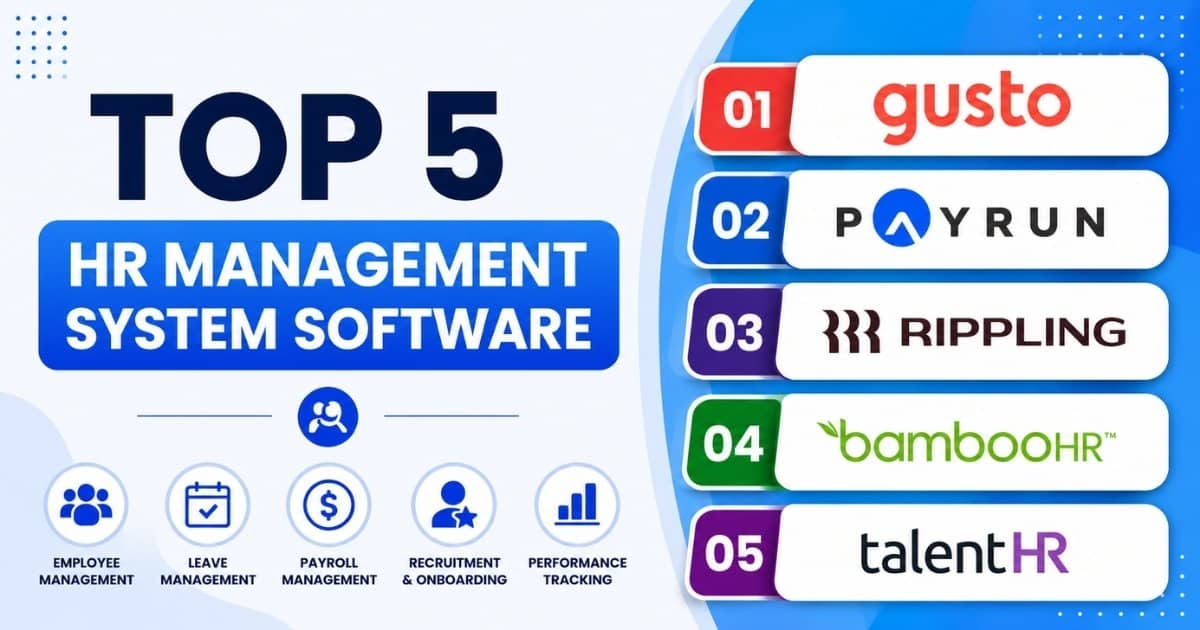
Table of Contents
Choosing hr management system software is no longer just an HR technology decision. It affects payroll accuracy, employee satisfaction, compliance support, workforce planning, and how quickly managers can make data-driven decisions. The right human resource management system can replace scattered spreadsheets, reduce administrative tasks, and give HR teams a secure database of employee data.
In this guide, we review five strong HR management software options for 2026: Gusto, Payrun, Rippling, BambooHR, and TalentHR. The goal is not to name one universal winner, but to help you match each HR system to your business processes, geography, and growth plans.
This guide compares five external platforms side by side as an independent buying reference. If you want a closer look at how Payrun itself is built for smaller teams, including a full feature and pricing breakdown, see our dedicated guide on HR software for small businesses.

What Is HR Management System Software
HR management system software is a cloud-based platform that centralizes employee data, payroll, time tracking, benefits administration, employee onboarding, performance management, compliance documents, and other core hr functions. It is also called HRIS, HRMS software, human resource management software, human resources software, or human capital management, depending on the vendor and feature depth.
An HR Management System (HRMS) centralizes employee data and automates daily workforce tasks, transforming human resources into a strategic business driver. HR software systems unify administration, recruitment, payroll, training, employee engagement, performance management, and other essential HR functions, providing a centralized view of the company and a secure database of employee data.
Through the 2010s, many companies still relied on spreadsheets, shared folders, emails, and paper files. By the early 2020s, cloud based HRMS became mainstream because it helped businesses reduce manual work, improve compliance, and provide remote access. One industry reference notes that 68% of US mid-sized businesses had moved core payroll and HRIS capabilities to cloud HR suites by 2022, reflecting a clear shift away from manual systems.
Best HR Management System Software Platforms Of 2026
The platforms below were reviewed for usability, breadth of hr functions, employee engagement impact, compliance support, data security, and fit by business size. This is not a strict best-to-worst ranking. Each solution has a different strength, so the right shortlist depends on your region, workforce model, and budget.
How We Evaluated These Platforms
Each platform was assessed against the same five criteria, using vendor documentation, published pricing pages, and third-party review data from sources such as G2:
- Breadth of core HR functions, including payroll, leave, hiring, and employee records.
- Ease of use for HR admins, managers, and employees, based on published user reviews.
- Compliance and data security posture, including certifications where publicly disclosed.
- Transparent, publicly available pricing versus quote-only pricing.
- Fit by business size, from early-stage teams to mid-market organizations.
1. Gusto

Gusto launched in 2012 as ZenPayroll and grew into a popular hr software platform for US small businesses. As of April 2026, Gusto says it serves more than 500,000 small businesses, and in May 2026 it announced more than $1 billion in trailing twelve-month revenue, according to Gusto company news.
Key HR Management Features:
- Automated US payroll with federal, state, and local tax filings.
- Employee self-service portal for pay stubs, W-2s, 1099s, and direct deposit details.
- Time tracking, time off requests, overtime support, and mobile timesheet approvals.
- Employee benefits options including health insurance, workers’ compensation, and 401(k) support.
- Hiring and onboarding workflows with offer letters, e-signatures, and new hire forms.
Pros: Gusto is user-friendly for founders and non-specialist admins who need to manage payroll without a complex enterprise setup. It has transparent pricing tiers, integrates with accounting tools such as QuickBooks and Xero, and provides strong US payroll compliance for small businesses.
Best For: Gusto is best for US-based small businesses under roughly 200 employees that need reliable payroll and essential HR functions without complex global features.
2. Payrun

Payrun is a modern cloud-based HR management platform for small and midsize businesses that want payroll, employee management, leave, timesheets, expenses, hiring, and administrative controls in one system. It helps growing teams reduce manual work while keeping payroll and HR data organized.
Key HR Management Features:
- Payroll management with centralized payroll processing, employee payslip access, and streamlined salary administration.
- Employee management with employee records, profile management, document storage, and workforce administration tools.
- Leave management with leave requests, approval workflows, holiday tracking, and team-wide visibility.
- Timeline and productivity tracking with activity monitoring, work timelines, and productivity insights for better workforce oversight.
- Hiring and recruitment tools that support candidate management, recruitment workflows, and employee onboarding processes.
- Expense tracking and reimbursement features that simplify expense submissions, approvals, and reimbursement management.
- Asset management capabilities for tracking company-owned equipment, assignments, and asset records.
- AI resume screening that helps teams evaluate applications faster and identify qualified candidates more efficiently.
Pros: Payrun is built for practical HR tasks rather than unnecessary complexity. Its clean interface supports HR teams, employees, and managers with clear workflows for payroll, leave, expenses, hiring, and employee records. Role-based access helps protect sensitive hr data, while cloud access helps small and growing businesses save time and improve visibility.
Best For: Payrun is best for growing companies that want one platform to manage payroll, HR records, timesheets, leave, expenses, hiring, and employee experience without stitching together multiple systems, especially small businesses that need HR software designed for their size.
3. Rippling

Rippling was founded in 2016 and connects HR, IT, and finance workflows in one system. It is widely used by tech-forward companies that need automation across employees, apps, payroll, devices, and global operations.
Key HR Management Features:
- Automated onboarding with app provisioning, permissions, and device management.
- Global payroll support in more than 50 countries through native payroll capabilities.
- Custom workflows for approvals, notifications, policies, and HR transactions.
- Centralized employee data with role-based permissions and localized fields.
- Analytics dashboards for headcount, workforce costs, expenses, and finance reporting.
Pros: Rippling is strong where HR, IT, and finance processes overlap. Its automation can reduce duplicated data entry, improve access controls, and support distributed teams. Rippling also publishes security credentials including SOC 1, SOC 2, ISO 27001, ISO 27018, ISO 42001, and CSA STAR Level 2 on its security page.
Best For: Rippling is best for mid-sized companies and fast-growing startups that want one connected system for HR, IT asset management, and some finance processes.
4. BambooHR

BambooHR was founded in 2008 and is a long-established HR management software platform for small and mid-sized companies. It is known for a user-friendly interface, employee experience tools, performance reviews, and strong core employee data management.
Key HR Management Features:
- Centralized employee records, documents, profile updates, and custom fields.
- Time-off management with accruals, approvals, calendars, and policy tracking.
- Performance management with reviews, feedback, check-ins, and goal-setting.
- Hiring process tools including applicant tracking, offer letters, and onboarding tasks.
- Employee self-service for personal updates, documents, and HR requests.
Pros: BambooHR is easy for hr teams and employees to adopt, especially when the priority is people data, performance tracking, and employee participation. It offers many integrations with payroll, benefits, accounting, and identity tools. Buyers should verify payroll coverage and add-on pricing because native payroll is primarily US-focused.
Best For: BambooHR is best for small to mid-sized companies that want a straightforward HR system focused on employee records, performance management, and employee engagement, with the option to connect external payroll systems.
5. TalentHR

TalentHR is a cloud-based human resources software solution for small teams and growing businesses. It focuses on lightweight employee data, time off, basic performance tracking, hiring, onboarding, and simple HR administration.
Key HR Management Features:
- Employee profiles, document storage, org charts, and flexible exports.
- Leave and attendance requests with approvals and visibility.
- Basic performance review workflows with custom questions and review cycles.
- Hiring tools with careers pages, applicant tracking, and collaborative screening.
- Employee self-service for profile updates, requests, and document access.
Pros: TalentHR is simple to set up and easy for non-HR users to understand. It offers good value for small teams that need a central HR database without paying for advanced features they will not use yet. Its API and third-party tools such as Zapier and Make can support more integrations.
Best For: TalentHR is best for early-stage companies and small teams that primarily need a central HR database and basic HR automation before moving to broader suites.
Summary Comparison Of The Top HR Management Platforms
Gusto is strongest for US payroll simplicity. Payrun is strong for unified payroll, employee data, leave, timesheets, expenses, hiring, and HR management in a practical cloud platform. Rippling is strongest for cross-functional automation, global payroll, and device management. BambooHR is strongest for employee experience and performance reviews. TalentHR is strongest for lightweight core HR at a manageable cost.
| Platform | Starting Price | Overall Rating | Best For |
|---|---|---|---|
| Gusto | $49/mo + $6/employee/mo | 4.8/5 | US payroll simplicity for small teams |
| Payrun | Free – $199/mo (flat tiers) | 4.8/5 | Unified payroll, HR, leave, and hiring in one platform |
| Rippling | From $8/employee/mo (module-based) | 4.7/5 | Cross-functional HR, IT, and finance automation |
| BambooHR | From $10/employee/mo (~$250/mo minimum) | 4.5/5 | Employee experience and performance reviews |
| TalentHR | Free (up to 10 users) / $4 per user/mo Premium | 4.6/5 | Lightweight core HR for early-stage teams |
For companies under 100 employees, Payrun will fit well depending on geography and payroll needs. For 100 to 500 employees, BambooHR and Rippling become more relevant when reporting, permissions, integrations, and workflow depth matter. For large enterprises or large organizations with global compliance needs, Rippling or a broader HCM platform may be more appropriate. Buyers comparing ADP Workforce, Workday, or other tools should still use the same criteria: fit, compliance, usability, data security, and total cost.
All five platforms offer cloud based hr software and employee self-service, but they differ in global payroll, workforce analytics, advanced features, integrations, and IT automation. Shortlist two or three vendors, run live demos, and test real scenarios such as payroll correction, leave approval, report creation, and onboarding.
Honorable Mentions
Two other platforms are frequently shortlisted alongside the five above, depending on company size and budget.
- Paycor: Best for growing mid-market businesses that need deeper reporting. Pricing is quote-based, with third-party estimates around $99 to $299 per month plus $6 to $16 per employee per month. G2 rating: 3.9/5.
- Zoho People: Best for budget-conscious small teams, especially those already using other Zoho products. Pricing is tiered and available on request. G2 rating: 4.4/5.
Key HR Management Features To Look For In 2026

HR management software in 2026 should support the full employee lifecycle while protecting sensitive employee data. A strong human resource management system must protect sensitive data while tracking changing labor laws, ensuring compliance and data security as a top priority for cloud-based HR platforms.
Core HR Functions And Employee Data Management
Strong employee data management is the foundation of every reliable hr system. The platform should store employee records, contracts, compensation details, documents, leave balances, job history, and role changes in one system. The right HR software solution can help optimize processes by automating manual tasks, organizing employee records, and building data-driven reports, which enhances overall efficiency.
Look for role-based permissions, audit logs, configurable fields, document expiry alerts, and secure access for HR, finance, managers, and employees. Modern HR platforms should also make employee onboarding and offboarding consistent, especially when teams work across locations.
Payroll, Benefits, And Compliance Automation
Payroll and benefits processing in HRMS automatically calculates wages, deductions, bonuses, and benefits, reducing data re-keying and payroll errors. Modern HR software uses automation to streamline essential HR processes, such as payroll processing, compliance tracking, and onboarding, which can significantly reduce administrative work and improve accuracy across tax filings and regulatory compliance tracking.
Automating repetitive data-entry steps minimizes compliance risks with automatic audit trails and updated processes to meet changing laws. A good payroll and attendance module should track employee attendance, overtime, time off, and statutory leave rules, then connect approved data to payroll. Digitally tracking time and attendance handles leave requests and enhances employee experience by fostering transparency and autonomy.
Employee Engagement And Employee Experience Tools
Employee engagement is not only about surveys. It depends on how easily employees access information, request leave, view payslips, update details, and participate in feedback cycles. ESS features empower employees to take responsibility for their job, skill development, and career planning, enhancing their engagement and productivity.
Performance and goal management modules establish feedback loops, schedules reviews, and track skill development targets. Good employee management software and experience tools make HR transactions clear, reduce confusion, and improve employee satisfaction because employees no longer wait for HR to complete every small request manually.
Reporting, Analytics, And Decision Support
HR teams are now expected to provide valuable insights, not just complete administrative tasks. People analytics in HRMS generates interactive dashboards monitoring key workplace trends like turnover rates and training progression. Advanced workforce analytics in HRMS and broader HR automation help leaders identify talent gaps and make informed strategic decisions.
A Gartner study found that one of the top priorities of HR leaders is using AI to evolve the HR operating model, projected to drive 29% of AI productivity improvement. Modern AI tools in HR can analyze patterns, make predictions, and deliver recommendations across the entire employee lifecycle. AI is transforming HR functions by automating manual tasks, optimizing processes, and enabling better workforce planning and strategic decision-making.
Modern HR software uses agentic AI to handle manual work, such as payroll automation that flags errors instantly, and smart employee self-service portals to reduce HR tickets, far beyond what traditional HR tracking in spreadsheets can offer. Buyers should still ask how machine learning models are trained, what data is used, and whether reports can be exported securely through pre built reports or custom dashboards.
Security, Privacy, And Integration Capabilities
HR systems store salary data, identification numbers, contracts, performance records, and employee benefits information. Baseline expectations include encryption in transit and at rest, role-based access, single sign-on options, regular testing, audit logs, and clear incident response policies.
Integration matters because fragmented tools create duplicated data and errors. Your hr suite should connect with payroll, accounting, identity management, time tracking, collaboration software, and other tools where needed so you can replace disconnected HR tools with one platform. Open APIs, native connectors, and clear documentation help companies solve problems without custom development.
How To Choose The Right HR Management Software For Your Business

The ideal HRMS depends on the organization’s size, growth trajectory, and geographic distribution. The best choice is the system that fits how your business operates now and where it is likely to be in three years.
Business Size And HR Complexity
Under 50 employees, most companies need payroll accuracy, employee records, leave management, and simple compliance support. From 50 to 250 employees, HR processes become more complex, so workflow automation, permissions, reporting, and manager self service matter more, especially when selecting HR software for small and medium-sized businesses. Above 250 employees, companies often need advanced workforce planning, financial forecasting, compliance controls, and stronger integrations.
Organizations hiring strictly remote, cross-border talent need platforms that manage international legalities without local entities. Large enterprises may need enterprise HCM suites, while SaaS-focused small businesses may look for HR and payroll software tailored to software teams, and other small businesses usually benefit from focused systems that avoid unnecessary complexity.
Must-Have Versus Nice-To-Have Features
Start by separating day-one requirements from future needs. Payroll, employee data, leave, time tracking, compliance records, and employee self service are usually must-haves, and many teams outgrow spreadsheet-based payroll management quickly. Performance management, advanced analytics, learning, global payroll, and AI recommendations may be important later.
A field-service company may prioritize employee attendance and timesheets. A remote software company may prioritize contractor payments, access management, and global compliance. The point is to connect every feature to a real business result.
User Experience For HR Teams And Employees
Most hr software fails when employees avoid using it. During demos, ask vendors to show a new hire setup, a leave request, a payslip view, a manager approval, and a report export. Include HR, finance, managers, and frontline employees in testing.
A user friendly employee self service portal reduces HR tickets and helps employees keep their own records accurate, especially for remote teams using cloud HR tools. Poor usability increases manual support, lowers employee participation, and weakens the quality of hr data.
Pricing Models, Contracts, And Support
Most HR vendors use per-employee-per-month pricing, base platform fees, add-ons, or annual contracts. Basic HRIS tools may start under $10 per employee per month, while a full hr suite with payroll, benefits, analytics, and advanced modules can exceed $30 to $40 per employee per month.
Look beyond the subscription price. Review implementation fees, training, support response times, data export rights, cancellation terms, uptime commitments, and the cost of adding modules later. Transparent pricing is helpful, but total cost also includes admin effort and change management.
Implementation And Change Management
Small businesses can often launch core HR and payroll in weeks. More complex rollouts with integrations, permissions, locations, and historical data may take several months. Assign an internal owner, involve HR, finance, IT, and operations, and clean data before migration.
A phased rollout usually works best: launch payroll and core HR first, then add performance reviews, engagement tools, analytics, or more integrations after employees are comfortable.
Benefits Of Cloud Based HR Management Software For Modern Teams

Cloud based HR management software became the default choice because it reduces infrastructure costs, supports remote access, and allows vendors to deliver updates without heavy IT projects. Cloud-based HR solutions significantly reduce the number of employees needed to deploy, manage, and support HR systems, leading to reduced HR costs and increased operational efficiency.
Lower Total Cost Of Ownership For HR Functions
Cloud subscriptions replace server costs, manual upgrades, and heavy internal IT maintenance. Vendors handle hosting, backups, and updates, while HR teams focus on higher-value work.
HRMS improves operational efficiency by reducing administrative burdens, allowing HR teams to focus on growth strategies. As outlined in modern personnel management software guides, for many small businesses, the biggest saving is not only software cost, but the time saved in payroll, leave tracking, onboarding, and routine HR tasks.
Faster Access To Innovation And Regulatory Updates
Cloud vendors can release product improvements, compliance updates, and workflow enhancements regularly. This matters when payroll rules, leave requirements, and reporting expectations change.
Modern HR software uses automation to keep processes consistent, reduce errors, and help teams respond faster to regulatory changes, illustrating many of the benefits of HR automation. Release notes and admin controls help businesses adopt updates at a controlled pace.
Support For Remote, Hybrid, And Global Workforces
Remote and hybrid teams need browser-based and mobile access. Cloud HR products let employees access policies, update records, review payslips, submit leave, and check timesheets from anywhere, making it easier to manage remote teams with cloud HR tools.
Some platforms support multi-country payroll, while others focus on specific regions. Companies expecting international growth should confirm supported countries, currencies, compliance workflows, and local legal responsibilities before signing, and evaluate whether a cloud HRMS or traditional HR software is the better fit for their expansion plans.
Improved Data Security And Business Continuity
Reputable cloud HR providers invest in encryption, backups, monitoring, redundancy, access controls, and incident response processes. This can exceed what many small and mid-sized firms can maintain internally.
Centralized controls also reduce the risk of sensitive data being stored in email attachments, spreadsheets, or local drives. Strong permissions and audit trails make compliance reviews easier.
Scalability And Integration With Other Business Systems
Cloud HR platforms can grow from small teams to hundreds of employees without hardware changes. More integrations with accounting, identity, collaboration, expenses, and time tools help streamline business processes, which is especially valuable for SaaS and software companies using HR and payroll software.
Advanced HR software solutions enable better workforce planning, financial forecasting, and strategic decision-making, which are crucial for organizational growth and adaptability. Modern tools, including leading timesheet apps for employees, enable better workforce planning, financial forecasting, and strategic decision-making by automating manual tasks and organizing employee records, which enhances overall efficiency.
Why Payrun Stands Out For HR Management In 2026
Payrun is a strong choice for organizations that want payroll, core HR, leave, timesheets, expenses, hiring, employee management, and employee self service in one streamlined platform. It focuses on practical hr tasks that growing businesses handle every week.
Payrun helps centralize payroll data, employee records, leave approvals, timesheet activity, expense claims, hiring pipelines, and onboarding information. That means HR teams can reduce manual work, employees access the information they need, and managers gain clearer visibility across people operations thanks to Payrun's innovative HR features.
In real scenarios, Payrun can support recurring pay cycles, employee access to payslips, leave approvals, team holiday visibility, timesheet summaries, expense reimbursement workflows, recruitment pipelines, and detailed employee profiles. This helps businesses save time while keeping HR processes accurate and easier to manage.
For growing companies that do not want long implementation projects or disconnected tools, Payrun’s cloud-first approach supports faster adoption and continuous improvement. If your business wants a clear, reliable way to manage payroll and HR in one place, Payrun is worth exploring through a demo and by understanding Payrun as your HR partner alongside a review of your current HR workflows.
Frequently Asked Questions
How Long Does It Typically Take To Implement A New HR Management System?
Small companies adopting core HR and payroll can often go live in a few weeks. Mid-sized organizations with multiple modules, integrations, and historical data may need several months. The main phases are discovery, configuration, data migration, testing, and training. Data quality and stakeholder availability often affect the timeline more than the software itself.
How Can Businesses Measure Return On Investment From HR Management Software?
Track payroll processing hours, error correction rates, hiring cycle time, leave request turnaround, support tickets, and employee engagement scores before and after implementation. Many platforms provide reporting that helps compare these metrics over 12 to 24 months. The most reliable ROI comes from measuring saved time, reduced risk, and better business results together.
What Should Companies Ask Vendors About Data Ownership And Portability?
Companies should confirm that they retain ownership of employee data and can export it in common formats such as CSV or through APIs. It is also important to ask whether bulk exports cost extra. Before signing, review how long data is retained after cancellation, how deletion requests work, and how the vendor protects data during transition.
How Do HR Management Systems Integrate With Existing Payroll Or Accounting Tools?
Some platforms offer native integrations, while others use APIs or third-party connectors. Native integrations are usually faster to configure for common accounting, payroll, identity, or collaboration tools and can help you simplify HR by replacing disconnected tools. Before choosing software, map your existing systems and ask each vendor which integrations are supported today, which require setup work, and which may need custom configuration.
How Can Small Businesses Avoid Overbuying Features They Do Not Need?
Small businesses should start with payroll, employee records, leave, timesheets, and employee self service before buying every advanced module. This keeps setup focused and helps teams adopt the system faster. A modular platform is useful because the business can add performance management, analytics, or other advanced features later when there is a clear need, especially if they already use a robust employee record management system.