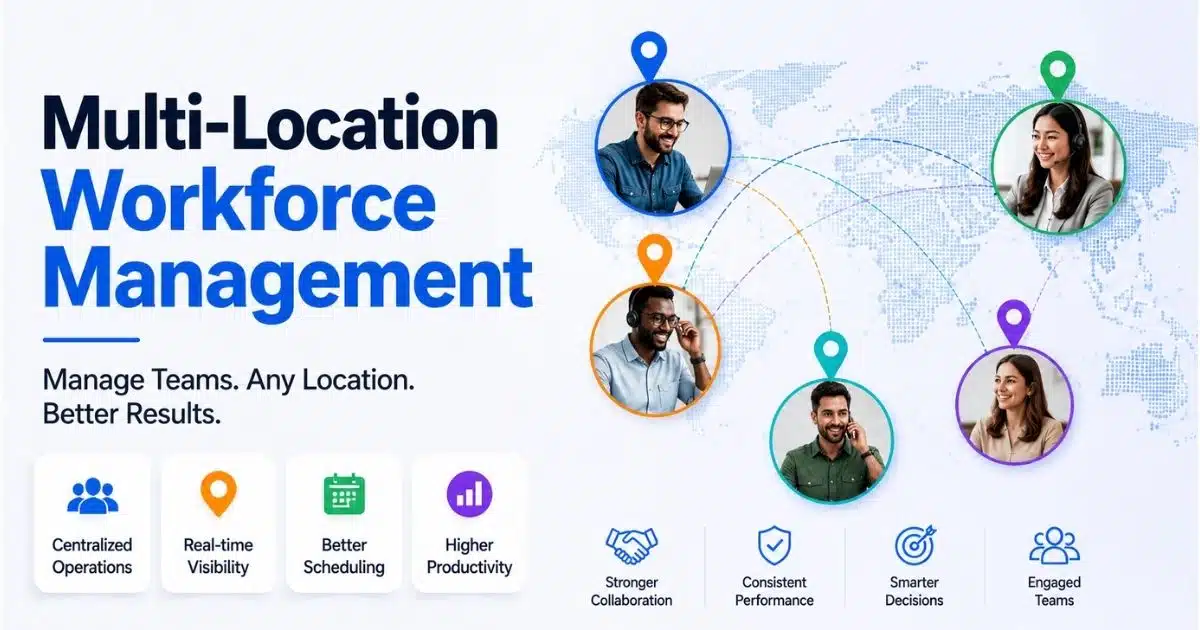
A business with more than one branch, store, clinic, warehouse, or regional office quickly faces a problem that one location rarely exposes: people, rules, schedules, and payroll data stop moving in the same direction. A retailer operating 12 locations in 2026 may need to schedule employees around different footfall patterns, city wage rates, holiday rules, manager preferences, and employee availability. When rotas live in spreadsheets, time clocks are disconnected, and managers rely on calls or noticeboards, payroll errors increase, labor costs rise, and peak-hour coverage becomes uncertain. By 2025, most growing companies had adopted some form of workforce management or employee scheduling software, and industry surveys report that 88% of businesses have implemented workforce management software. This guide explains how to design a practical multi-location workforce management system for your own business.
What Is Multi-Location Workforce Management
Multi-location workforce management refers to the structured approach of managing human resources across organizations that operate in multiple locations, entities, or business units. In practical terms, it is the coordinated control of staffing, schedules, attendance tracking, working hours, labor budgets, payroll inputs, and compliance across different locations.
It covers on-site teams, distributed workforce models, remote employees, hybrid staff, floating workers, and employees work patterns that span different branches. A location employee may have a home site, but still support another site when demand rises. The system must show where the work happened, which rules applied, and how that time should flow into payroll.
The goal is not rigid sameness. To ensure consistent productivity, policies must be universally applied while respecting local nuances. Strong multi location workforce management helps a company enforce fundamental company values universally while adapting local shift lengths to match distinct market demands, local labor laws, and cultural expectations.
Key Challenges In Multi-Location Workforce Management
Managing employees across multiple locations requires a strategic, system-driven approach rather than relying on fragmented operational practices to ensure consistency, visibility, and control across distributed teams. The key challenges often appear gradually as companies expand, but they quickly affect business operations, employee engagement, payroll accuracy, and compliance.
Operational Complexity Across Different Locations
Each site may have different working hours, labor conditions, or operational needs, requiring HR to balance global policy standardization with local adaptability. A business that opened three new locations between 2022 and 2025 may suddenly need to track hundreds of shifts each week across multiple sites, with different skills, roles, and demand curves at each location.
Without centralized scheduling and accurate time tracking, managers cannot easily see who is working where. One busy site may be understaffed while another has unused capacity. This is where managing multiple locations effectively depends on real time data, not memory, calls, or disconnected spreadsheets.
Compliance With Different Rules And Labor Laws
Navigating compliance across multiple locations can be tricky, especially if done manually, as different regions may have varying labor laws and regulations. Different states, cities, or countries may apply different rules for minimum wage, break rules, overtime rules, split shifts, public holidays, and fair workweek rules.
Failing to comply with local labor laws regarding employee hours, breaks, and overtime can lead to hefty fines and operational disruptions for multi-location businesses. For example, Axios reported that 19 U.S. states raised minimum wages effective January 1, 2026, which means a multi location business must update wage logic quickly across different sites.
Limited Visibility Into Labor Costs
Limited real-time visibility across operations can hinder decision-making in multi-location workforce management, as data silos make it difficult to monitor attendance and productivity holistically. If a retailer with 10 stores only sees overtime after payroll closes, leaders cannot correct staffing levels during the month.
An effective system should compare labor costs with sales, appointments, orders, or production volumes by site and time period. This gives managers actionable insights and supports more informed decisions before overspend becomes permanent.
Communication Gaps And Employee Engagement
Employees at different locations can feel disconnected from head office and from each other. Last-minute shift changes shared through phone calls, printed schedules, or separate chat threads create missed shifts, confusion, and lower employee engagement.
Clear communication between central management and site-specific managers is key to successful multi-location scheduling, as it minimizes misunderstandings and ensures smooth operations. Leaders should increase their communication frequency and utilize multiple interaction formats to keep remote employees connected to company goals.
Fragmented Business Systems And Data Silos
One of the most common issues in multi-location organizations is fragmented employee data stored across different systems, which creates inconsistencies, delays in reporting, and a high risk of data duplication. HR may store employee records in one system, finance may run payroll elsewhere, and managers may maintain schedules in spreadsheets.
Managing a multi-location workforce involves maintaining data consistency across different branches, which can lead to inefficiencies if not managed properly. Without a centralized and integrated system, data becomes fragmented across locations, processes lose standardization, and decision-making is delayed due to a lack of real-time, consolidated insights.
Scalability As The Business Expands
A process that works for three locations often breaks when the company grows to eight, 15, or 30. Paper timesheets, manual approvals, and local-only scheduling habits become bottlenecks as new locations are added.
A multi-location company can easily fragment into independent operational silos without deliberate cultural reinforcement. Organizations can effectively manage a multi-location workforce by implementing an intentional combination of integrated technology, standardized processes, and decentralized management.
How To Build Multi-Location Workforce Management System For A Business
A strong multi location workforce system starts with process clarity, then moves into policy design, technology selection, workflow setup, rollout, and performance review. The purpose is to create one platform of control while giving each site enough flexibility to operate well.
Process Map Current Workforce Activities Across All Locations
Start by documenting how every location handles schedules, time tracking, approvals, leave, shift swaps, open shifts, and payroll handoffs today. Capture who creates schedules, how managers communicate available shifts, how employees clock in, and how attendance rates are reviewed.
A simple table helps expose gaps:
Area To Review | Questions To Ask |
|---|---|
Scheduling | Who creates the rota and how often? |
Time Capture | Which tool records working hours? |
Approvals | Who approves overtime, leave, and missed punches? |
Payroll Flow | How does approved data reach payroll? |
Communication | Which channels confirm shift changes? |
Policy Framework With Local Flexibility
Standardizing policies while allowing local flexibility is a challenge in multi-location workforce management, as each location may have different operational needs and labor conditions. Establishing standardized HR policies is critical, but rigid uniformity often fails in multi-location environments; the goal is to define a core policy framework that allows controlled flexibility at the local level.
Your core framework should define attendance expectations, absence reporting, schedule publication timelines, overtime approval, swap shifts rules, and manager responsibilities. Local settings can then reflect jurisdiction-specific holidays, break rules, pay differentials, tax rules, and labor conditions.
Managing payroll across multiple locations can be complex due to varying compensation structures, tax rules, and compliance requirements, leading to potential financial penalties and operational disruptions. Capturing local variations in a living policy document gives your business a clean foundation for system configuration.
Software Selection For Scheduling, Time, And Attendance
Choose an all-in-one HR management system that supports multi location employee scheduling, mobile access, auto scheduling, role permissions, accurate time tracking, and location-based reporting. Do not select a tool only because it has a free plan; check whether it can scale with your business systems and compliance needs.
Employee scheduling software can improve team and site coordination, reducing overtime and payroll errors by providing a real-time view of staffing, availability, and assignments across multiple locations. Using employee scheduling software allows organizations to automate scheduling tasks, which can significantly reduce administrative burdens and improve operational efficiency across multiple locations.
A practical selection process is to test three tools with data from different locations, compare how they schedule employees during peak demand, and confirm how approved hours move into payroll. In one case shared by Fourth, a 30-location restaurant chain improved cross-store visibility and reduced overtime by using shared labor pools.
Workflow Design For Centralized Scheduling And Time Tracking
Translate your policies into daily workflows. Decide who builds weekly schedules, who approves changes, how open shifts are offered, how shift swaps are accepted, and how exceptions are resolved before payroll.
For time tracking, use site kiosks, browser clocks, or mobile GPS attendance systems with geofencing. Virtual boundaries help confirm that employees are at the correct location when they clock in, which protects payroll accuracy and supports compliance.
Create central employee profiles with all regional credentials and use proximity tracking to schedule nearby staff first. You should also shift from job-title scheduling to skills-based staffing and map out clear training gaps using analytics tools, because a qualified employee at a nearby site may solve a coverage issue faster than hiring externally.
System Integration With Payroll And Other Business Systems
Connect workforce management with payroll, HR, accounting, POS, production, and other business systems where relevant. Approved hours, leave, allowances, cost centers, and employee updates should move automatically instead of being rekeyed.
Integrations support a centralized dashboard or unified dashboard where regional leaders can view labor costs, attendance, overtime, and productivity across different sites, especially when they run on modern automated payroll software with deep integrations. Deloitte’s workforce management research notes that many organizations underuse workforce analytics, which means integration is not only a technical task; it is a management discipline.
Rollout Plan, Training, And Performance Review
Start with a pilot across two or three sites, then expand after managers and employees test the new process. Train managers on scheduling, approvals, exceptions, reports, and compliance checks. Train employees on how to view schedules, request leave, accept available shifts, and receive schedule updates.
Establish and measure performance based on Specific, Measurable, Achievable, Relevant, and Time-bound (SMART) goals. Establish measurable outcomes for every branch rather than tracking raw hours, allowing autonomy in how work gets accomplished. Then monitor performance through KPIs such as labor cost percentage, overtime hours, schedule adherence, absenteeism, attendance rates, shift fill speed, and employee engagement scores.
Strategies To Optimize Scheduling And Labor Costs Across Multiple Locations
Once the system is live, the next step is to move from basic digitization to active improvement. Better scheduling across multiple locations depends on demand data, manager discipline, fair practices, and clear communication.
Use Demand Data To Improve Staffing Decisions
Demand data should guide shifts. Combine sales, online orders, patient bookings, foot traffic, production volumes, and historical attendance to forecast staffing needs by location and time block.
In a 15-store network, weekend peaks may require more cashiers and floor staff, while weekday mornings may need fewer people. Using specialized timesheet apps for employees makes this data easier to capture consistently. Data-led planning is more reliable than manager intuition alone and helps leaders make informed decisions about coverage and labor costs.
Use Auto Scheduling And Smart Templates
Auto-scheduling can create draft schedules based on availability, skills, working hours, cost limits, and compliance rules. Smart templates help managers reuse standard patterns for holidays, promotions, seasonal peaks, and new locations.
For example, a restaurant group can create separate templates for lunch rush, late-night service, and public holidays. Using automated attendance and scheduling tools reduces admin time, prevents repeated mistakes, and helps multi-location teams keep service levels consistent.
Balance Staffing Levels Before Overtime Builds
Real-time alerts should warn managers before employees cross overtime thresholds. If one site is quiet and another is busy, cross-site visibility can help managers move qualified employees where contracts and local rules permit.
This protects labor costs and avoids burnout. It also supports smooth operations because managers can solve gaps before they affect customers, patients, or production schedules, especially when overtime rules and time off policies are enforced through specialized leave management software.
Support Fair And Transparent Scheduling
Fair scheduling is a trust issue. Set clear rules for weekends, holidays, preferred shifts, premium shifts, shift swaps, and schedule publication. Many businesses aim to publish schedules at least two weeks ahead to reduce conflict and support fair workweek rules.
Employees should be able to see schedules, request time off, update availability, and understand why certain shifts were assigned, ideally through centralized leave management software that keeps policies visible. Transparency strengthens employee engagement and reduces the perception that managers are making arbitrary decisions.
Support Distributed Teams With Remote-First Communication
To manage a multi-location workforce effectively, organizations must adopt remote-first management, relying on asynchronous communication, centralized project management platforms, and intentionally built virtual cultures, often supported by cloud-based HR tools for remote teams. Adopt tools for asynchronous communication across time zones and set up dedicated communication groups for individual sites.
Define exactly which channels to use for different types of updates to eliminate coordination chaos. Set formal guidelines regarding when staff must be online, acceptable message response windows, and periods for uninterrupted deep work. Schedule intentional, brief overlapping windows of synchronous time for teams split across regions, rotating meeting hours fairly. Establishing specific goals, objectives, and performance standards for virtual workers is essential for effective communication and management in a multi-location workforce, and modern HRM software for managing remote employees can help standardize these practices.
Role Of Technology And Integrations In Multi-Location Workforce Management
Technology is the backbone of a scalable workforce management model in 2026. It connects schedules, attendance, payroll inputs, communication, analytics, and security into one platform so leaders can manage teams with better control.
Centralized Platforms For Workforce Data
A centralized employee record management system stores schedules, attendance, absences, employee profiles, skills, credentials, site assignments, and cost centers in one system. This reduces the risk of separate spreadsheets and gives managers a single source of truth.
Centralized data also supports self-service for employees, including time off requests, schedule visibility, and updates. For a company expanding to 15 locations, this structure prevents every branch from inventing its own workforce process.
Accurate Time Tracking And Geo Verification
Accurate time tracking is essential for payroll, compliance, and labor cost analysis. Mobile GPS, site kiosks with PINs, browser clocks, and geofencing all help confirm when and where work took place, especially when supported by an integrated attendance tracking system.
This matters in construction, healthcare, logistics, retail, and field services, where location affects billing, safety, staffing, and compliance. Reliable attendance tracking also helps managers identify punctuality patterns without relying on physical proximity.
Payroll, HR, And Business System Connections
APIs and native connectors help transfer approved hours, leave, allowances, and employee details into payroll and HR platforms. Syncing employee records, rates, roles, departments, and cost centers helps every site use consistent data.
In 2025, many finance teams began using workforce integrations to view labor cost by location and department in near real time, often as part of a broader automated payroll processing workflow. That level of visibility reduces reconciliation work and gives leaders better control before each payroll cycle closes.
Analytics Across Different Sites
Leaders need reports on labor cost by site, overtime trends, schedule adherence, absenteeism, attendance reliability, shift fill rates, and employee engagement. Dashboards should allow drill-down from company level to region, location, department, and team, drawing on data from modern timesheet and tracking apps.
Organizations must rely on data rather than physical proximity to understand team dynamics. Analytics help leaders see where managers need training, where schedules are unrealistic, and where new hiring may be required. They also turn raw data into actionable insights for more informed decisions.
Security, Access Controls, And Data Privacy
Role-based access keeps branch managers focused on their own site while giving head office a cross-location view. Sensitive data such as pay rates, tax information, personal details, and disciplinary records should have strict permissions.
By the mid-2020s, secure authentication, audit logs, and region-aware data handling became standard expectations in modern employee record platforms. Strong security practices help employees trust the system and help the business protect compliance evidence.
Why Payrun Supports Multi-Location Workforce Management
Payrun’s all-in-one HR platform helps businesses connect multi-location workforce management with accurate payroll, timesheet visibility, leave management, employee records, expenses, hiring workflows, and administrative controls. For businesses operating across multiple locations, Payrun supports centralized employee data and clearer payroll processes, helping HR and finance teams reduce manual effort and improve accuracy.
Payrun can support approved hours and leave information from workforce processes, helping teams manage payroll with better structure across different locations, departments, and time periods. Its payroll management capabilities help businesses handle salary disbursement, payslips, and digital employee payroll records in a more organized way, while leave management supports approvals, holidays, and team-level visibility.
For growing teams, Payrun also supports employee management through detailed employee profiles, hiring and recruitment workflows, expense tracking and reimbursement, timeline and timesheet tracking, and administrative permissions. Payrun’s innovative HR feature set gives businesses a practical way to simplify people operations while maintaining consistent rules, improving visibility, and supporting smoother decisions across multiple locations.
FAQs
How Long Does It Take To Implement A Multi-Location Workforce Management System?
A small business with three locations may complete process mapping, policy setup, software configuration, training, and pilot launch in about four to six weeks, especially if it chooses HR software designed for small businesses. A larger organization with dozens of sites, complex integrations, multiple employment types, or several jurisdictions may need four to six months or more. The biggest timeline factors are data quality, pilot feedback, integration complexity, and how many local policy variations must be configured before go-live, as well as whether you partner with an HR platform provider focused on long-term workforce management success.
Is A Multi-Location Workforce Management System Useful For Small Businesses?
Yes. Even a business with two or three locations can benefit from centralized schedules, accurate time tracking, simplified leave visibility, and cleaner payroll data flows, especially when using HR and payroll software built for growing SaaS-style businesses. Starting early also prevents bad habits from becoming embedded. A smaller company can begin with core scheduling and attendance features, then add more advanced reporting, integrations, and scalable HR management capabilities as it grows.
How Can We Manage Resistance To New Scheduling Software Among Staff?
Resistance often comes from fear of monitoring, uncertainty about new tools, or concern that managers will lose flexibility. The best response is clear communication, practical training, and visible benefits such as easier schedule access, faster time off requests, and fewer payroll errors. Pilot champions help too. Involve a few frontline employees and managers early, let them test the process, and use their feedback to improve adoption before the full rollout.
Can Remote Or Hybrid Employees Be Included In A Multi-Location System?
Yes. Remote or hybrid employees can be assigned to a home location, department, or cost center while recording time through approved web or mobile methods, supported by centralized leave management for remote teams. This keeps their hours connected to the right payroll and reporting structure. The same approach supports distributed teams by applying consistent attendance, communication, leave, and performance expectations, even when employees are not physically present at a branch, especially when underpinned by cloud HR tools for remote workforces.
What Should We Consider When Migrating Data From Legacy Tools?
Audit and clean employee, schedule, attendance, and payroll-related data before migration. Remove duplicates, correct outdated roles, confirm site assignments, and decide which records are still useful. Many businesses migrate the last 12 to 24 months of relevant attendance and payroll data, then archive older records separately. This keeps the new system clean while preserving the history needed for reporting, audits, and trend analysis.