Running HR processes on spreadsheets works until it does not. For small business owners juggling payroll, leave requests, and employee records across multiple files, the administrative burden grows fast. Studies show companies using integrated HR software reduce administrative time by 40–60%, freeing HR teams to focus on strategy rather than data entry.
With the global HR software market projected to reach $38.06 billion by 2026, businesses of every size are recognizing the value of streamlined HR operations. This guide walks through the HR software features that matter most for small businesses, helping you understand which tools can transform how you manage people.
What Features Are In HR Software
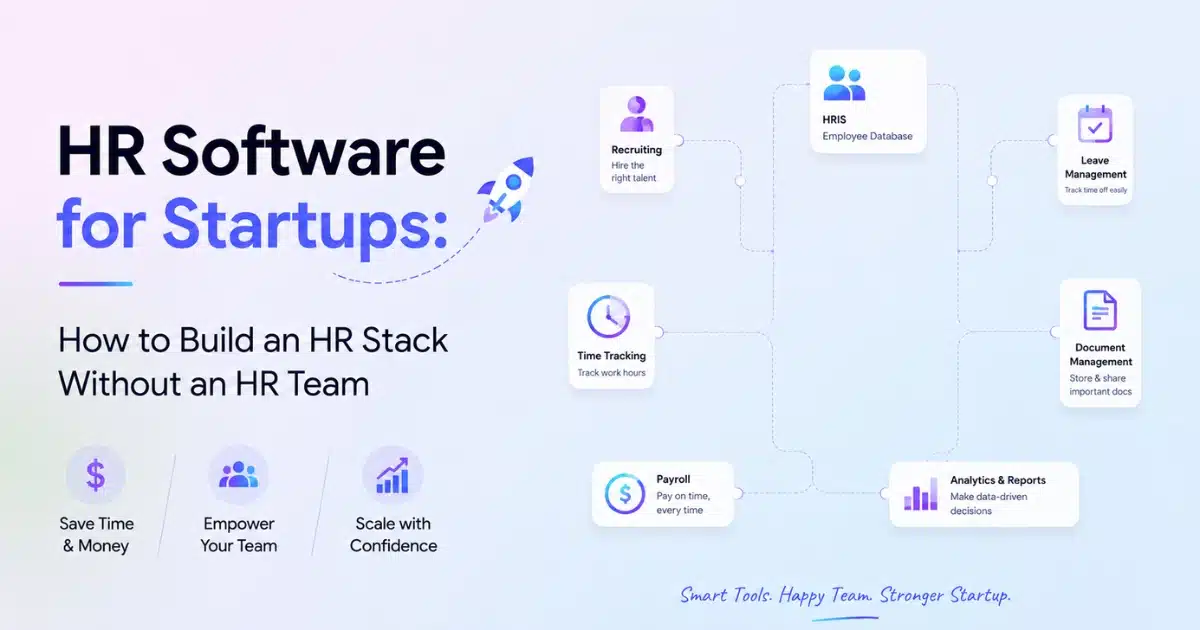
HR software serves as a central hub covering the entire employee lifecycle from hiring to offboarding. Features range from core functions like payroll, attendance, leave, and employee records to strategic tools like performance management, HR analytics, and automated workflows. Small companies starting with 5 to 20 employees still benefit from structured HR tools rather than scattered spreadsheets. About 76% of small businesses lack dedicated HR department staff, making software that handles multiple HR tasks essential. The key is mapping features to real pain points. If payroll errors keep you up at night, prioritize payroll software. If leave balance confusion causes friction, look for strong absence tracking. Understanding what features in HR software exist helps you build the right stack for your team.
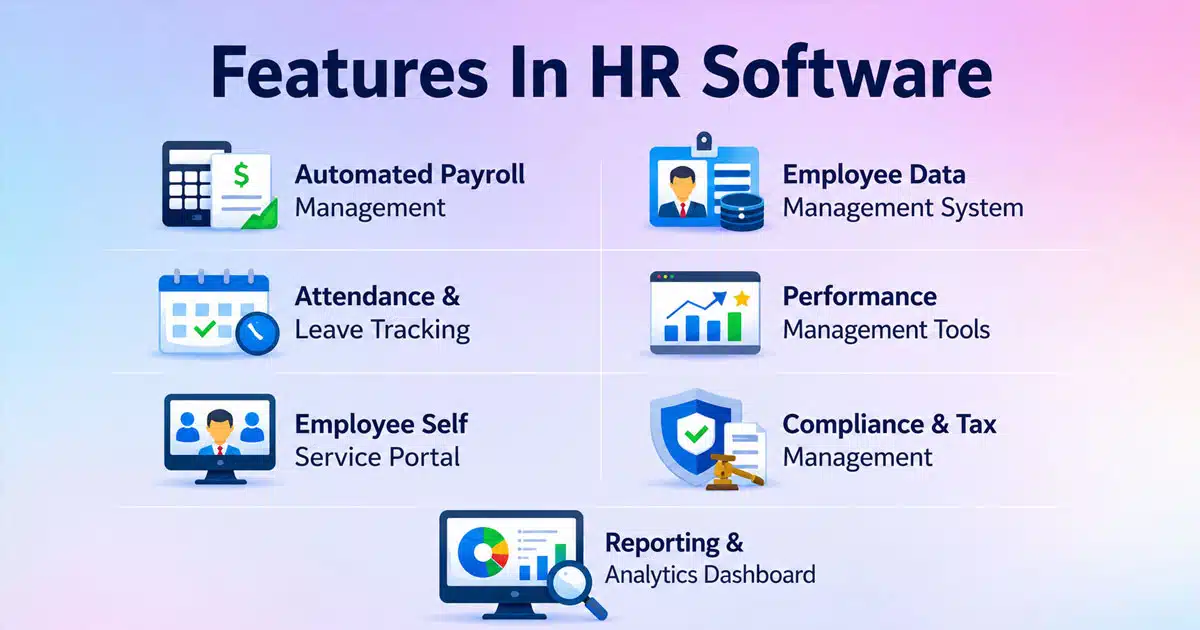
7 Key Features In HR Software That Transform Small Businesses
These are the foundational HR software features that small businesses interact with daily. They handle compliance, accuracy, and basic employee management while reducing manual work.
1. Automated Payroll Management
Payroll processing sits at the heart of every payroll automation software driven HR management system. Automated payroll calculates gross pay, deductions, and net pay based on salary structures, hours worked, and tax regulations. For small businesses, this means running payroll without re-entering data or juggling multiple tools.
The numbers speak clearly. Small businesses using automated payroll save 20–30 hours monthly on payroll tasks alone. Payroll errors drop from around 4% with manual methods to near-zero with automation. This accuracy matters because manual payroll errors cost businesses approximately 1.2% of revenue annually.
Good payroll software handles direct deposits, downloadable pay stubs, and recurring pay runs. It supports different pay structures for salaried and hourly employees, calculating overtime and commissions automatically. Tax filing becomes simpler with updated tax tables and year-end summaries that reduce headaches for founders and finance teams.
Consider a practical scenario: you need to pay employees on the last working day of each month. With automated payroll, you set this up once. The system pulls attendance data, applies deductions, calculates taxes, and processes payments with just a few clicks.
2. Employee Data Management System
A centralized employee database stores everything about your workforce in one secure location. This includes contact details, contracts, salary history, documents, and key dates like hire dates and probation end dates. No more hunting through email threads or outdated spreadsheets.
Employee records organized in a centralized database eliminate version confusion. When someone updates their phone number, it reflects instantly across profiles, reports, and payroll. HR teams and managers work from the same accurate data.
The system supports role-based access. Managers see information relevant to their team while sensitive data stays restricted. Audit trails track every change, supporting compliance management and making it easy to answer questions during reviews.
For small businesses, this transforms employee data management from a scattered mess into a clean, searchable system. You can track demographic trends, spot patterns in turnover, and make workforce decisions based on real data rather than guesswork.
3. Attendance And Leave Tracking
Employee attendance management systems for flexible teams replace paper timesheets and manual punch cards. Staff clock in and out via web or mobile apps, with the system recording breaks, overtime, and work patterns automatically. This works for office teams and remote or hybrid teams equally well.
Leave management becomes straightforward. Employees request annual leave, sick leave, or other time off online. Managers approve or decline with one click. The system calculates leave balances automatically, so employees always know how much time off they have remaining.
HR Cloud data shows self-service balances boost productivity by automating approvals and cutting the back-and-forth emails, especially when supported by dedicated employee leave tracking systems. When leave data connects directly to attendance and payroll systems, payouts and accruals stay accurate without side calculations.
Managers gain visibility through dashboards showing daily and monthly attendance trends. You can spot frequent late arrivals, unplanned absences, or overlapping leave requests before they become problems. Planning team holidays around busy seasons becomes possible because everyone sees the same calendar view.
4. Performance Management Tools
Performance management moves beyond annual reviews to continuous feedback and goal tracking. Modern HR software features include goal setting, periodic reviews, and simple feedback tools that help managers track employee performance without complex forms.
Research indicates that companies using performance tools with 360 feedback and goal tracking improve performance ratings by 14% on average. This happens because conversations stay frequent and focused rather than waiting for once-a-year reviews.
Good performance tracking includes one-to-one notes, review reminders, and performance history that stays with the employee record over time. Small teams can use quarterly check-ins instead of rigid annual reviews, keeping feedback timely and relevant.
These tools connect to talent management and employee development planning. When you can see who is meeting goals and who needs support, you make better decisions about promotions, training, and succession.
5. Employee Self Service Portal
Employee self service portals empower employees to handle routine tasks without involving HR. They can access personal details, update profiles, request leave, view pay stubs, and complete onboarding paperwork through a single portal.
Ciphr data shows employees access these portals to handle 70% of routine queries independently. That means fewer interruptions for your HR manager and faster answers for your team. Mobile access makes this work for remote employees who need information on the go.
The portal also supports employee onboarding. New hires complete forms, review policies, and finish first-week tasks through guided checklists. Pre-joining steps like collecting bank details and IDs happen digitally, so day one focuses on actual work rather than paperwork.
For small business owners, employee self service reduces the time spent answering basic questions. Employees access what they need when they need it, improving employee satisfaction and freeing HR for more valuable work.
6. Compliance And Tax Management
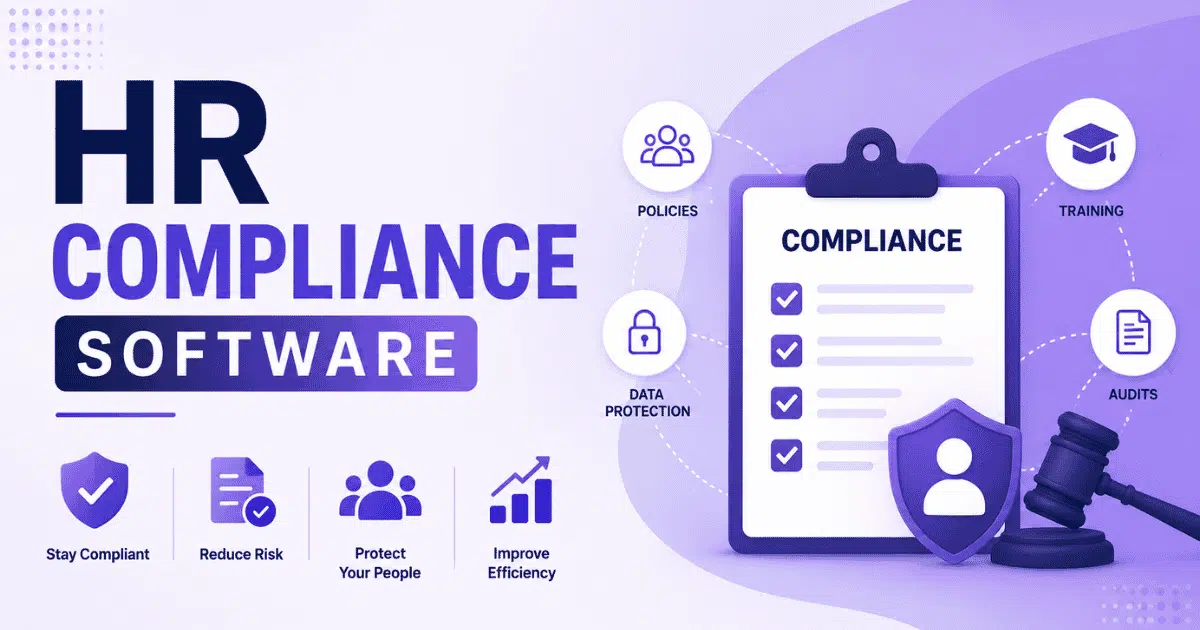
Compliance tracking within HR software for small and medium businesses keeps your business on the right side of regulations. HR software stores signed policies, tracks mandatory training, and maintains change logs on records. When audits come, you produce clean reports quickly rather than scrambling through files.
The stakes are high. U.S. businesses face $14.9 billion yearly in compliance fines, with OSHA violations averaging $14,000 per incident. Automated compliance features send reminders when documents expire, certifications need renewal, or policy acknowledgments are due.
Tax regulations vary by location, and good HR software solutions keep tax tables updated automatically. Year-end reporting becomes simpler with pre-built summaries that match regulatory requirements. You reduce compliance risks by having accurate records ready when needed.
For small businesses without dedicated compliance staff, this automation prevents expensive mistakes. The system handles the details so you can focus on running your business.
7. Reporting And Analytics Dashboard
HR analytics transforms raw data into actionable insights, especially when combined with smart attendance tracking software with real-time timeline views. Dashboards show key performance indicators like headcount, turnover, absenteeism, and overtime in clean visual layouts. You see patterns without building custom spreadsheets.
Studies show 75% of users cite better decisions from analytics. You can filter reports by team, location, or role to answer leadership questions quickly. Spot a spike in sick days during a particular month? Use that insight to review workloads or address team concerns.
Reporting supports workforce management at every level. Track hiring process metrics to see where candidates drop off. Monitor employee engagement through survey data. Understand which departments have the highest turnover and why.
For small businesses, these dashboards turn HR data into a strategic resource. You make decisions based on evidence rather than intuition, supporting smarter business strategy and planning.
Benefits Of Using HR Software For Small Business Growth
Adopting the best HR software for small businesses delivers measurable improvements across operations. Here is what small businesses gain from moving beyond manual processes.
Reduced Administrative Workload
Studies show 82% of small firms report reduced administrative burden after adopting HR software. Automation handles data entry, approval workflows, and routine communications that previously consumed hours each week. Your HR professionals spend less time on paperwork and more time on people. The savings compound as your team grows. Adding new employees does not proportionally increase admin work because the system scales with you. Tasks that took hours now happen with just a few clicks.
Improved Payroll Accuracy And Timely Payments
Automated payroll reaches 99% accuracy, ensuring timely payments that boost employee satisfaction. Errors drop dramatically compared to manual processing, where mistakes affect 40% of small businesses. Reliable pay builds trust. Employees know their pay stubs are correct and payments arrive on schedule. This consistency supports retention and reduces the time spent resolving payroll disputes.
Better Employee Experience And Engagement
Self service portals and mobile access raise employee engagement by 20–30% according to research. Employees appreciate handling their own tasks without waiting for HR responses. Quick answers to leave balances, pay information, and benefits administration questions improve daily work life. Digital employee onboarding makes first impressions stronger. New hires feel welcomed and supported rather than buried in paperwork. Consistent onboarding processes mean everyone starts with the same information and resources.
Data Driven Decision Making
HR analytics improve retention by 15% according to HRMS World data. When you see patterns in turnover, performance, or engagement, you can act before problems grow. Data replaces guesswork in hiring, promotion, and development decisions. For small businesses, this visibility was previously available only to larger companies with dedicated analytics teams. Now the same insights come built into accessible HR platforms.
Scalable HR Operations For Business Growth
HR software users scale 2x faster according to market data. The system grows with your business without requiring proportional staff increases. Add modules as needs evolve, starting lean and expanding capabilities when ready. A small retailer using integrated HRIS cut onboarding from 2 weeks to 3 days, demonstrating how the right tools accelerate growth readiness.
Common Challenges Without Modern HR Software
Operating without proper HR tools creates friction that compounds over time. Understanding these challenges helps clarify why investment in HR systems pays off.
Manual Errors In Payroll And Records
Manual payroll errors cost businesses 1.2% of revenue annually. About 40% of small businesses face payroll discrepancies that lead to employee complaints, compliance issues, and wasted time fixing mistakes. Each error erodes trust and consumes resources better spent elsewhere. Employee records scattered across spreadsheets create version confusion. Someone updates a file that no one else sees. Critical information gets lost or outdated, creating problems during audits or employee questions.
Time Consuming HR Processes
Without automation, leave management software to handle tracking is missing, so leave tracking alone takes 10–15 hours weekly for many small businesses. Add time spent on manual attendance records, payroll calculations, and chasing document signatures. HR tasks consume time that should go toward business development. The administrative burden falls on people already wearing multiple hats. Founders and managers handle HR functions alongside their primary responsibilities, stretching capacity thin.
Lack Of Centralized Employee Data
About 60% of HR professionals cite visibility issues when data lives in silos. Information about the same employee exists in multiple places, none of them complete. Answering simple questions requires checking several sources. This fragmentation makes global workforce management nearly impossible for growing teams. You cannot analyze trends in employee count, performance tracking, or engagement when data is scattered.
Compliance Risks And Penalties
Without proper compliance tracking, businesses face penalties that cost $100,000 or more. OSHA violations average $14,000 per incident. Missing required training records, policy acknowledgments, or documentation creates legal exposure. Small businesses often lack compliance expertise. Without automated reminders and audit trails, important deadlines slip through the cracks.
Poor Visibility Into HR Metrics
Research shows 70% of businesses without analytics miss turnover predictors. They react to problems rather than preventing them. Without HR metrics, you cannot measure what matters or demonstrate HR’s value to leadership. Studies indicate manual HR processes increase turnover by 21% due to employee dissatisfaction with slow, error-prone experiences.
How To Choose The Right HR Software For Small Businesses
Selecting the best HR software requires matching features to your specific situation. Here is a practical framework for evaluation.
Identify Business Needs And HR Goals
About 65% of small businesses prioritize payroll and compliance when replacing disconnected tools with unified HR software. Start by listing your biggest pain points. Where do errors happen? What tasks consume the most time? Which processes frustrate employees? Match features to these needs rather than buying everything at once. A clear understanding of goals helps you avoid paying for capabilities you will not use.
Evaluate Ease Of Use And User Experience
Intuitive interfaces reduce training time by 50%. Look for HRMS software that your team can use without extensive instruction. If the system is complicated, adoption suffers and you lose the efficiency gains you sought. Check user ratings on platforms like G2, looking for scores above 4.5 stars. Pay attention to comments about implementation difficulty and learning curve.
Check Integration With Existing Systems
About 80% of users consider integration with existing tools vital, especially when they plan to implement an attendance management system alongside other HR modules. Your HR software should connect with accounting software, communication platforms, and other business systems. Data should flow between tools without manual exports and imports. Ask vendors specifically about integration with the tools you already use. Disconnected systems create new silos rather than solving the centralization problem.
Compare Pricing And Scalability Options
HR software typically costs $6–12 per employee monthly, with scalable tiers that grow with your team. Compare total cost of ownership, not just monthly fees. Look for transparent pricing that shows what each plan includes. ROI studies show 4x return on HR software investment. Calculate your current costs in time and errors to understand the value you will gain.
Review Customer Support And Security Standards
About 90% of businesses demand 24/7 support access. Check vendor support options, response times, and available channels. Good support prevents small problems from becoming major disruptions. Security requirements include GDPR compliance, AES-256 encryption, and SOC 2 certification. Ask vendors directly about their security standards and data protection practices.
Key Trends Shaping HR Software In 2026
The HR technology landscape continues evolving. These trends define what leading HR platforms offer today and where capabilities are heading.
AI Driven HR Automation And Insights
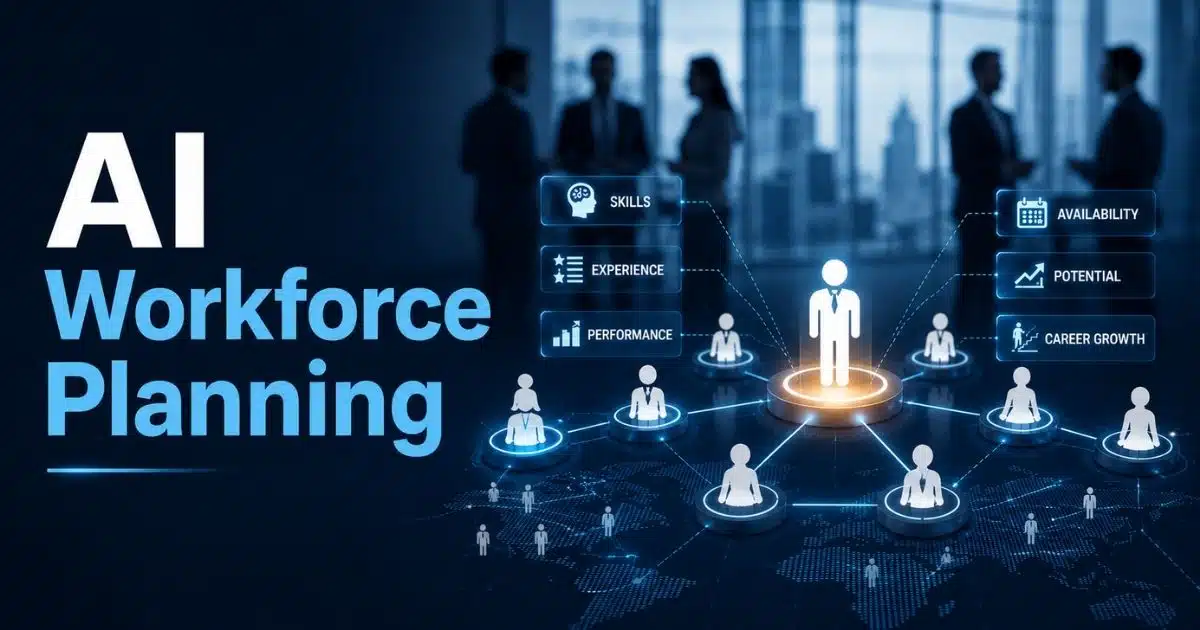
AI predicts turnover with 85% accuracy through pattern analysis. About 70% of new HRMS software includes AI capabilities for screening resumes, suggesting candidates, and identifying at-risk employees before they leave. Talent acquisition benefits from AI resume screening that shortens time-to-hire by 30–50%. These tools handle the volume that would overwhelm human capital management teams, letting recruiters focus on qualified candidates.
Cloud Based HR Systems For Remote Teams
Cloud HR tools for remote team management reach 95% adoption, offering anytime access with 99.9% uptime. For hybrid and remote work environments, cloud delivery ensures everyone works from the same data regardless of location. Software for small businesses increasingly defaults to cloud deployment. No internal IT infrastructure needed. Updates happen automatically without disrupting operations.
Mobile First HR Management Experience
Mobile apps now handle 40% of HR interactions. Employees check schedules, request leave, view pay stubs, and clock in from their phones. Scheduling interviews and approving requests happens wherever managers happen to be. This mobile accessibility particularly benefits remote or hybrid teams who may rarely visit a physical office.
Advanced Employee Analytics And Reporting
360 feedback systems and predictive analytics give deeper insights into employee development and engagement. Beyond basic metrics, advanced tools identify which factors drive performance and satisfaction. Small businesses gain enterprise-level insights without enterprise-level complexity. Dashboards present information clearly without requiring data science expertise.
Focus On Employee Wellbeing And Engagement
Employee wellbeing features reduce burnout by 25% according to research. HR systems increasingly include mental health tracking, employee feedback surveys, and engagement monitoring alongside traditional HR functions. This trend reflects broader recognition that employee engagement directly impacts productivity, retention, and company culture.
Why Payrun Works As A Reliable HR Software For Small Businesses
Payrun’s all-in-one HR platform helps small businesses simplify HR operations, reduce manual work, and improve accuracy across payroll, attendance, and employee management. The platform brings essential tools into one system so teams can focus on growth instead of administrative tasks.
All In One HR And Payroll Efficiency
Payrun combines payroll, attendance tracking, leave management, and employee records into a single system. This reduces tool switching and eliminates duplicate data entry. Small businesses using unified HR systems report up to 40% time savings on admin tasks. Payroll runs become faster and more accurate since attendance and leave data sync automatically. Teams avoid costly errors while maintaining consistent employee records across all functions.
Faster Adoption With Simple Interface
Ease of use directly impacts software success, which is why Payrun is designed as the best HR software for small businesses. Payrun offers a clean and intuitive interface that reduces training time by up to 50%. Small teams can start using the system without long onboarding cycles or technical support. Employees quickly adapt to self service features such as payslip access and profile updates. Faster adoption ensures teams see value early without productivity loss during transition.
Smarter Hiring And Workforce Management
Payrun's recruitment system and hiring workflows inside Payrun help manage the full recruitment cycle from job posting to onboarding. Businesses reduce time to hire by up to 30% when using structured hiring pipelines. Employee timeline and timesheet features give clear visibility into work patterns and performance. Managers make better staffing decisions based on real data instead of assumptions. This supports efficient team planning as the business grows.
Scalable And Budget Friendly Growth
Payrun offers transparent pricing that fits small business budgets while supporting future growth, comparing favorably in Payrun vs Homerun feature and pricing evaluations. Companies avoid high upfront costs and only pay based on team size. Research shows HR software delivers up to 4x return on investment through time savings and error reduction. As employee count increases, Payrun scales without adding administrative burden, making it a reliable long term solution.
FAQs
What Is HR Software And Why Do Small Businesses Need It
HR software automates core HR functions including payroll, attendance, leave management, and employee records. For small businesses where 76% lack dedicated HR staff, these tools cut administrative costs by 30–50% while reducing errors. The software centralizes employee data and handles employee attendance tracking and compliance tracking that would otherwise fall through the cracks.
How Does HR Software Help Reduce Administrative Work
Companies using integrated HR software reduce administrative time by 40–60%. Automation handles data entry, approval workflows, and routine calculations. Self service portals let employees manage their own information, cutting queries by 60%. Tasks that consumed hours weekly now take minutes.
Can HR Software Improve Employee Productivity
Yes. Research shows HR software improves productivity by 15–20% through streamlined processes. Employees spend less time on paperwork and waiting for approvals. Faster onboarding gets new hires productive sooner. Clear performance tracking and employee feedback systems help people focus on what matters.
What Features Matter Most In HR Software For Small Teams
Small teams should prioritize payroll software, time and attendance tracking, simplified leave management systems, and a centralized employee database. These features address the highest risk areas for errors and save the most time. Add applicant tracking and performance management as needs grow.
How Secure Is Employee Data In HR Software
Reputable HR software solutions use AES-256 encryption and maintain SOC 2 compliance, especially when they position themselves as trustworthy HR management partners. Look for vendors with clear security certifications and data protection policies. Breaches are rare at 0.1% with properly vetted vendors. Always verify security standards before selecting a platform.