HR mobile apps have become a game changer for businesses of all sizes. They give hr teams, managers, and employees a simple way to manage hr tasks from anywhere. Whether your team works in an office, from home, or out in the field, a mobile solution puts critical information right in their hands.
This article covers the must-have hr mobile app features that modern support teams need. You will learn why businesses rely on these tools, what employee self service on mobile includes, and how features like attendance tracking, hiring, performance management, and communication work together to create a comprehensive solution for your workforce.
Why Businesses Rely On HR Mobile Apps
Businesses today need tools that match how their teams actually work. Most employees carry their phones everywhere they go. It makes sense to meet them where they are. Mobile hr apps let people handle hr tasks with just a few taps instead of filling out paper forms or sending emails back and forth.
These apps also help hr professionals focus on strategic initiatives instead of answering the same questions over and over. When employees have easy access to their own information, they do not need to wait for someone else to look it up for them.
Improve Workforce Accessibility
A mobile app puts hr at everyone’s fingertips. Employees no longer need to sit at a computer or visit an office to check their leave balance or update their details. This is especially helpful for workers who are always on the move or do not have regular desk access.
Mobile hr apps provide employees with on demand access to:
- Personal information and contact details
- Payroll information and payslips
- Leave balances and time off requests
- Company news and policy changes
- Important documents like tax forms and contracts
This kind of access improves the employee experience because people can get what they need without delays.
Support Remote And Hybrid Teams
Remote and hybrid work is here to stay. HR mobile apps help distributed teams stay connected no matter where they are located. A manager working from home can approve a leave request just as easily as one sitting in the office.
For businesses with employees across different departments or locations, a centralized hub on mobile keeps everyone on the same page. Team members can access the same information and follow the same processes regardless of where they work, with immediate access.
Reduce HR Response Delays
Traditional hr processes can be time-consuming. An employee sends an email asking about their vacation days. HR receives it, looks up the information, and replies. This back-and-forth can take hours or even days.
With a mobile hr app, employees get instant access to their own data. Instant notifications alert managers when something needs their attention. Approvals happen faster. Questions get answered without waiting. This speed helps both the employee and the hr team stay productive.
Simplify Daily HR Tasks
HR apps streamline everyday tasks that used to require multiple steps. Instead of filling out a paper form, walking it to someone’s desk, and waiting for a signature, employees can request time off with just a few taps on their phones.
Common tasks that become simpler on mobile include:
| Task | Traditional Process | Mobile Process |
|---|---|---|
| Leave requests | Paper form or email chain | Submit in the app, instant notification to the manager |
| Payslip access | Request from HR or wait for email | View anytime in the app |
| Personal info updates | Form submission to HR | Self-service edit in app |
| Attendance logging | Physical time clock or spreadsheet | Clock in from phone |
This simplicity frees up hr to focus on work that actually needs human attention.
Increase Employee Adoption
The best hr tools are the ones people actually use. Mobile hr apps work because they fit into how people already use their phones. The same device employees use to check messages and browse the internet becomes their connection to hr.
An intuitive design makes adoption easier. When an app looks and feels like the consumer apps people use every day, there is less need for training. Employees pick it up quickly and start using it right away.
Core HR Mobile App Features
HR mobile app features help organizations manage people operations with speed, flexibility, and accuracy. Mobile access allows employees and HR teams to complete essential tasks without being tied to a desk, which supports modern and distributed work environments. Below are the core features that define a reliable HR mobile app and explain how each one adds value to daily workforce management.
Employee Self Service Access
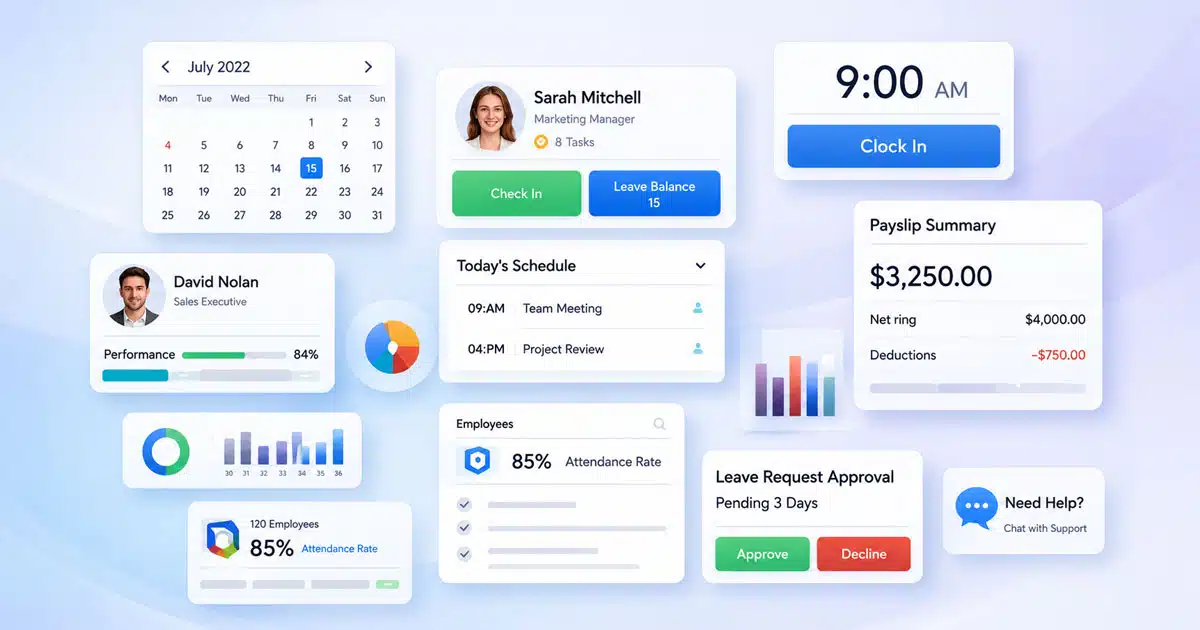
Employee self-service stands at the center of any HR mobile app. Staff can view and update personal details, check payslips, review policies, and submit requests directly from their phones. This access reduces dependency on HR teams for routine queries and improves transparency. Employees feel more in control of their information, while HR teams save time on repetitive administrative work.
Attendance And Time Tracking
Mobile attendance tools allow employees to record work hours accurately from approved locations. Clock in and clock out options, shift visibility, and overtime tracking help ensure reliable time data. Managers gain real time insight into attendance patterns, which supports better workforce planning. Accurate tracking also improves payroll readiness and reduces disputes related to work hours.
Leave And Absence Management
Leave management becomes simpler when handled through a mobile interface. Employees submit leave requests in seconds, view balances, and track approval status. Managers review and approve requests quickly, even when away from the office. Clear visibility into team availability helps prevent scheduling conflicts and supports better resource planning across departments.
Payroll And Payslip Visibility
Payroll related access remains one of the most valued HR mobile app features. Employees can view payslips, salary history, and payment status securely at any time. This transparency builds trust and reduces payroll related questions. HR teams benefit from fewer manual inquiries and smoother payroll cycles when information stays accessible and clear.
Hiring And Onboarding Support
HR mobile apps also support recruitment and onboarding workflows. Recruiters track applications, review candidate status, and manage approvals on the go. New hires complete onboarding tasks, upload documents, and access initial information through mobile access. This early engagement improves the onboarding experience and helps new employees feel connected from day one.
HR Communication And Notifications
Strong communication features keep everyone informed and aligned. HR teams share announcements, policy updates, and reminders through push notifications. Employees receive timely alerts that reduce missed updates and delays. Consistent communication improves clarity, supports compliance, and strengthens the overall employee experience.
Together, these HR mobile app features create a connected and efficient workforce environment. By combining accessibility, automation, and secure data handling, mobile HR tools support both operational efficiency and employee satisfaction in growing organizations.
What Employee Self-Service on Mobile Includes
Self-service features are at the heart of any good hr mobile app. They give employees control over their own information and reduce the number of routine questions landing in the hr inbox. When people can help themselves, everyone saves time.
View And Update Personal Information
Employees can view and edit their own profiles directly from their mobile devices. This includes things like:
- Home address and phone number
- Emergency contacts
- Bank account details for direct deposit
- Tax withholdings and social security numbers
- Profile photos
When employees update their own information, it stays current without human resources having to chase anyone down. This also reduces errors from manual data entry.
Access Payslips And Salary Details
Transparent payroll information builds trust between employers and employees. Mobile access to payslips means workers can check their earnings, deductions, and tax information whenever they want.
Employees can typically view:
- Current and past payslips
- Year-to-date earnings summaries
- Tax deductions and contributions
- Benefits enrollment costs
- Direct deposit confirmations
Having this information available on mobile reduces questions to hr and helps employees with their own financial planning.
Submit And Track Leave Requests
Leave management becomes much smoother on mobile. Employees can check their available balance, submit a request, and track its status all from the same app. Managers receive instant notifications when a request comes in.
The process usually works like this:
- Employee opens the app and checks leave balance
- Employee selects dates and leave type
- Request is submitted with just a few taps
- Manager gets a push notification
- Manager reviews and approves or declines
- Employee receives notification of the decision
This flow replaces email chains and paper forms with something much faster.
Check Attendance And Work History
Employees can view their own attendance records and work history through the app. This includes clock-in and clock-out times, overtime hours, and any corrections that have been made.
This visibility helps employees:
- Verify their hours before payroll runs
- Spot any missing punches early
- Understand their overtime patterns
- Prepare for conversations with managers
When employees can see their own data, there are fewer disputes and misunderstandings about time worked.
Receive HR Notifications
Mobile apps deliver important updates right to employees wherever they are. Push notifications make sure people do not miss critical information like:
- Approval of leave requests
- Payslip availability
- Upcoming deadlines for benefits enrollment
- Policy changes and company news
- Reminders about missing timesheets
These instant notifications keep employees informed without requiring them to constantly check their email or log into a desktop system.
How Attendance And Time Tracking Tools Work
Accurate time tracking is essential for both payroll and compliance. Mobile attendance tools make it easier to capture hours worked while reducing errors and fraud.
Mobile Clock In And Clock Out
Employees can clock in and out directly from their phones. This is especially useful for workers who are not at a fixed location. GPS-enabled features can verify that clock-ins happen at approved locations.
Many apps support:
- Simple tap-to-clock interfaces
- GPS or geofence verification
- Photo capture for added verification
- Notes for unusual situations to submit claims
This flexibility supports a mobile workforce while maintaining accurate records.
Track Daily And Overtime Hours
The app automatically calculates hours worked based on clock-in and clock-out times. Employees and managers can see daily totals and overtime accumulation in real time.
This visibility helps:
- Employees understand their hours before payday
- Managers monitor overtime costs and productivity
- HR ensure compliance with working time regulations
- Payroll process accurate payments
Having this information available on mobile means decisions can be made faster.
Manage Shifts And Schedules
For businesses with shift-based work, mobile scheduling is a crucial and game changer. Employees can view their upcoming shifts, request changes, and even swap shifts with coworkers through the app.
Managers can:
- Create and publish schedules
- See who is available for each shift
- Approve or decline swap requests
- Fill open shifts quickly
This kind of access keeps scheduling flexible and reduces last-minute confusion.
Reduce Time Theft And Errors
GPS and geofencing features help prevent time theft. When the app verifies location at clock-in, it ensures employees are where they should be. This is particularly valuable for field-based roles.
Studies show geofenced tracking can reduce time theft by 20-30% in some industries. The app also reduces errors by eliminating manual data entry of hours worked.
Support Compliance And Accuracy
Accurate time records support compliance with labor laws and company policies. The app can enforce rules like mandatory breaks, maximum daily hours, and overtime approval requirements.
Features that help ensure compliance include:
- Automatic reminders for missed punches
- Alerts when overtime thresholds approach
- Complete audit trails of all time entries
- Easy export of records for audits
These tools protect both the employee and the employer.
How Hiring And Onboarding Work On Mobile
Getting new hires up to speed quickly matters for every business. Mobile apps streamline recruitment and onboarding so new team members can hit the ground running.
Review Applications On The Go
Hiring managers and hr professionals can review job applications from their phones. This speeds up the hiring process because decisions do not have to wait until someone is back at their desk.
Mobile access means:
- Reviewing resumes and cover letters anywhere
- Rating candidates on the go
- Adding notes after interviews
- Collaborating with team members in real time
This speed can make the difference in landing top talent.
Track Candidate Progress
The app keeps everyone updated on where each candidate stands in the hiring process. From initial application through final offer, the status is visible to everyone who needs to see it.
A typical pipeline might show:
- New applications received
- Candidates in screening
- Scheduled interviews
- Offers extended
- Accepted hires
This visibility helps hr teams and managers stay aligned without constant status meetings.
Complete Onboarding Tasks
New hires can complete onboarding paperwork before their first day. This means less time filling out forms and more time actually learning the job.
Common mobile onboarding tasks include:
- Reviewing and signing offer letters
- Entering bank details for direct deposit
- Completing tax forms with tax withholdings
- Uploading identification documents
- Acknowledging company policies
Allowing employees to do this on their own time makes the first day smoother for everyone.
Upload Documents Securely
The app provides a secure way to upload sensitive documents like identification, certifications, and signed agreements. Security features like data encryption protect this information during transfer and storage.
This eliminates the need to:
- Email sensitive documents
- Fax paper copies
- Bring physical documents to the office
- Wait for HR to manually process paperwork
Everything stays organized in the employee’s digital file.
Monitor New Hire Readiness
Managers can track whether new hires have completed all required onboarding steps. Dashboards show which tasks are done and which are still pending.
Automated reminders help ensure nothing falls through the cracks. If someone has not completed a required step, the system can send a nudge without hr having to follow up manually.
How Performance And Feedback Management Works
Performance management does not have to wait for annual reviews. Mobile tools make it easier to set goals, share feedback, and have meaningful conversations throughout the year.
Set And Track Employee Goals
Employees and managers can set goals together and track progress from the app. This keeps objectives visible and top of mind instead of forgotten in a document somewhere.
Goal tracking on mobile typically includes:
- Creating and editing goals
- Updating progress percentages
- Adding comments and notes
- Linking goals to larger team objectives
When goals are accessible on mobile, they become part of regular work instead of a once-a-year exercise.
Conduct Performance Reviews
Reviews can happen through the app as well. Managers can complete evaluation forms, rate competencies, and add written feedback from wherever they are.
This flexibility helps managers:
- Complete reviews on time
- Reference notes taken throughout the review period
- Provide thoughtful feedback without rushing
Employees can also view their reviews and add their own comments through the app.
Share Ongoing Feedback
The best feedback happens in the moment, not months later. Mobile apps make it easy for managers and peers to provide feedback as soon as something noteworthy happens.
Employees can:
- Receive positive recognition quickly
- Get constructive suggestions while context is fresh
- Request feedback from colleagues
- Track feedback received over time
This ongoing approach to feedback supports employee engagement and growth.
Support Manager Employee Check Ins
Regular one-on-one meetings between managers and employees are easier to prepare for when notes and talking points are accessible on mobile. Both parties can add items they want to discuss.
Check-in features often include:
- Shared agendas
- Action items from previous meetings
- Goal progress updates
- Private notes for each participant
These tools make check-ins more productive and focused.
Encourage Continuous Improvement
When feedback and goal tracking are always accessible, improvement becomes a continuous process. Employees can identify areas where they want to grow and track their progress over time.
Managers can provide feedback on specific projects, celebrate wins, and offer coaching suggestions without waiting for formal review cycles. This keeps development moving forward.
How HR Communication And Company Updates Are Managed
Keeping everyone informed is one of the biggest challenges for growing companies. Mobile hr apps serve as a centralized hub for internal communication and company news.
Send Company Wide Announcements
HR and leadership can broadcast company wide announcements to the entire workforce through the app. This ensures everyone gets the same information at the same time.
Common announcements include:
- New policy rollouts
- Leadership updates
- Office closures and holiday schedules
- Company achievements and milestones
- Health and safety information
Push notifications make sure these messages get seen.
Share Policy Updates
When policies change, the app provides a direct channel to inform employees. Updates can include links to the full policy documents for those who want more detail.
This approach is better than email because:
- Messages do not get lost in crowded inboxes
- Employees can access policies later from the app
- Read receipts show who has viewed the update
- Follow-up reminders can be sent to those who missed it
Keeping policies accessible supports compliance and reduces confusion.
Notify Employees In Real Time
Real-time notifications keep employees connected to what is happening in the organization. This is especially valuable for time-sensitive information like schedule changes or urgent updates.
Employees stay informed about:
- Approval status for their requests
- Changes to their schedule or team
- Deadlines for benefits enrollment or other actions
- Reminders about pending tasks
This immediacy helps everyone stay ahead of what they need to do.
Centralize Internal Communication
Instead of information living in scattered emails, shared drives, and notice boards, the app brings everything together. Employees know where to look when they need something.
A centralized approach benefits different departments because everyone accesses the same source of truth. This reduces confusion and conflicting information.
Improve Information Visibility
When critical information is easy to find, employees spend less time searching and more time working. Mobile access means they can look something up wherever they are.
Improving communication and visibility leads to:
- Higher employee satisfaction
- Better alignment across teams
- Faster decision-making
- Fewer misunderstandings
These benefits add up to a more effective organization.
How Payrun Powers HR On Mobile
Payrun brings HR operations to mobile devices without losing control, accuracy, or security. Teams gain flexibility while HR and payroll processes stay connected and consistent across the organization.
Unified HR And Payroll Access
Payrun connects HR and payroll into a single mobile-friendly experience. Managers and employees access attendance, leave, salary details, and employee records from one place. This unified flow removes the need to switch between systems or rely on manual updates. Changes made in HR records are reflected directly in payroll data, which helps reduce errors and delays. Mobile access ensures approvals, updates, and reviews happen on time, even when teams work remotely or across locations.
Secure Employee Data Management
Data security remains a priority across all mobile interactions. Payrun protects employee information through encrypted access, controlled authentication, and secure data storage. Sensitive details such as salary, personal information, and documents stay protected while remaining accessible to authorized users. Mobile access does not compromise compliance, since records follow the same security rules as desktop systems. This balance allows teams to work flexibly while maintaining trust and data integrity.
Role Based Access And Controls
Payrun applies clear role based permissions across its mobile platform. Employees view personal information and submit requests, while managers approve actions and review team data. HR administrators maintain full visibility and control without exposing sensitive information unnecessarily. These access controls reduce risk and ensure accountability across teams. Mobile usage stays structured, which helps organizations avoid confusion and unauthorized changes while keeping workflows efficient.
Scalable Mobile HR For Growing Teams
As organizations grow, HR needs become more complex. Payrun supports this growth through scalable mobile workflows that adapt to team size and structure. New employees, departments, and locations integrate smoothly without process disruption. Mobile access supports faster onboarding, approvals, and communication as hiring increases. This scalability allows HR teams to manage expansion confidently while maintaining consistency, accuracy, and operational control across the workforce.
FAQ
Are HR mobile apps only suitable for large enterprises?
HR mobile apps work well for businesses of all sizes. In fact, startups and small businesses often see the biggest gains because they typically have smaller hr teams handling more tasks. A 30-person company can use a simple hr app to manage time off, payroll access, and attendance without hiring additional hr staff. The key is choosing an app that matches your current needs without overwhelming complexity. Small support teams using tools like EasyDesk for customer requests find that mobile hr apps bring the same efficiency to managing their people.
How much training do employees need to start using an HR mobile app?
Modern hr mobile apps are designed to feel as intuitive as the apps people use in their personal lives. Most employees can start using basic features after a short walkthrough or a 10-15 minute video tutorial. The best apps include in-app tips, tooltips, and searchable help content so employees can find answers without contacting hr. Teams that already use mobile tools for work, like customer support apps, tend to adopt hr apps even faster because the interaction patterns feel familiar.
What offline or low-connectivity features should we look for?
While most hr functions require an internet connection to sync data, good apps handle poor connectivity gracefully. Look for apps that cache recent data so employees can view their information even when offline. The ability to draft requests like leave submissions or expense claims while offline and have them submit automatically when connectivity returns is also valuable. Lightweight app design matters for employees using older devices or working in areas with limited bandwidth.
How do HR mobile apps support compliance with local labor laws?
HR mobile apps help enforce compliance through built-in rules and workflows. They can require manager approval before overtime, enforce mandatory break periods, and track maximum daily hours. Time and attendance records are stored digitally and can be exported for audits. While apps do not replace legal advice, they make it easier to follow regulations like the EU Working Time Directive or US overtime rules. The automatic record-keeping and audit trails support compliance reviews and reduce risk.
How does an HR mobile app fit with customer support tools like EasyDesk?
An hr mobile app manages employment data, schedules, and internal policies. A customer support tool like EasyDesk manages customer conversations, tickets, and SLAs. When these systems work together, hr data like team assignments and shift schedules can inform how support tickets are routed and which agents are available. Support agents can use their phones to handle both customer requests in EasyDesk and their own hr tasks in the hr app. Together, these tools create a unified mobile experience for managing both employees and customers effectively.