Small business owners often start with spreadsheets and email threads to manage their human resources. It works fine when you have three employees. But as your business grows past 10 people, tracking leave management, payroll processes, and employee data becomes overwhelming.
Over 70% of small businesses now use some form of digital hr management software, according to 2026 industry reports. The question is not whether to adopt hr systems, but which type fits your situation. Free solutions seem attractive when cash flow is tight. Paid software promises more robust features and better support.
This comparison helps you make informed decisions by examining what each option offers, where the hidden costs lurk, and when investing in paid solutions makes strategic sense for your business needs.
What Is Free HR Software For Small Businesses
Free hr software for small businesses refers to tools offering permanent free tiers rather than limited trials. These platforms typically provide basic employee management, simple time tracking, and leave requests without monthly fees.
Most free plans cap users at 4-10 employees. Hubstaff offers free access for basic monitoring without payroll integration. OrangeHRM provides open-source hr management with unlimited users but requires self-hosting and technical setup. Bitrix24 delivers free tools for employee directories and task management across multiple languages.
Research shows 55% of small businesses start with free hr options. However, 80% convert to paid software within 18 months as they encounter limitations. Free plans average 4.2 out of 5 user ratings for ease of use but score significantly lower on scalability and comprehensive features.
Why Small Businesses Compare Paid Vs Free HR Software
Budget constraints push many small business owners toward free hr management software initially. But feature limitations often reveal themselves quickly as teams expand.
Budget Constraints And Cost Sensitivity
Every pound matters when running a small business. Free software eliminates recurring costs and lets you test hr administration workflows without financial commitment. About 40% of startups use free tools to digitize hr tasks risk-free during their first year.
However, free plans frequently exclude payroll software functionality. This forces businesses to maintain separate systems, creating data silos and doubling manual processes. When 60% of small firms cite payroll as their primary hr need, free tools that exclude it create significant gaps from day one.
Feature Differences And Functional Scope
Free versions typically cover basics: attendance tracking, simple directories, and holiday requests. Paid hr software expands into expense management, benefits administration, scheduling tools, and applicant tracking.
The numbers tell the story. Paid platforms average 200+ features compared to 50 in free alternatives. Integration capabilities differ dramatically too. Paid solutions offer 500+ connections to accounting and banking software while free tools manage 10-50 at most. For businesses needing comprehensive payroll management with tax calculations and direct deposits, free options rarely deliver.
Compliance And Risk Management Needs
Tax regulations and labor laws require precise record keeping. Free hr tools seldom provide audit trails, tax documents generation, or automatic updates when tax deductions rules change.
Compliance gaps carry real consequences. Research indicates free tools expose businesses to 12% higher data security risks due to limited encryption standards. When payroll data and employee performance records lack proper protection, the cost of a breach far exceeds any subscription savings.
Long Term Growth And Scalability Considerations
Free software works when your hr team consists of one person managing five employees. But what happens when you hire your tenth employee and hit the user cap?
Migration costs average £2,000 when switching platforms mid-growth. Planning for scalability from the start often proves more cost effective than painful transitions later. Paid platforms designed for medium sized businesses accommodate growth without forcing disruptive changes to your hr management workflows.
Paid Vs Free HR Software For Small Businesses Which Is Better
Choosing between paid and free hr software requires examining multiple factors beyond the price tag. The best hr software matches your current reality while supporting where you want to go.
Cost Structure And Long Term Budget Impact
Free seems cheaper, but hidden expenses add up. Self-hosted solutions like OrangeHRM require server costs of £50-200 monthly. Bitrix24 free limits storage, pushing users toward £49 monthly upgrades.
Paid pricing structures vary significantly. Flat fees around £49 base plus £6 per person work well for small teams. Per-employee models at £5-8 scale better for growing organizations. Consider total cost over 24 months rather than just monthly fees.
Factor | Free HR Software | Paid HR Software |
|---|---|---|
Monthly Cost | £0 (with hidden costs) | £5-25 per employee |
User Limits | 4-10 employees typical | Unlimited scaling |
Payroll Included | Rarely | 80% of platforms |
Annual ROI | Variable | 3-5x average return |
Core HR Features And Functional Limitations
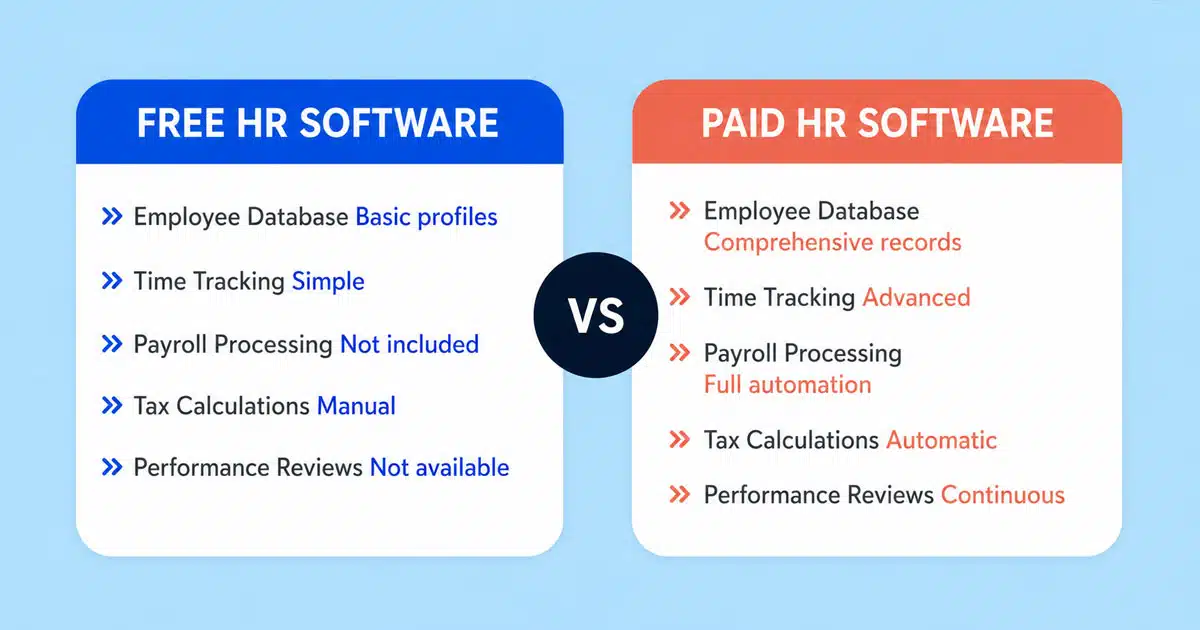
Free plans handle basics like employee attendance and leave requests. Paid solutions add automation that saves time and reduces errors.
Feature | Free Plans | Paid Plans |
|---|---|---|
Employee Database | Basic profiles | Comprehensive records |
Time Tracking | Simple clock in/out | Advanced analytics |
Payroll Processing | Not included | Full automation |
Tax Calculations | Manual | Automatic updates |
Self Service Portals | Limited or none | Full access |
Performance Reviews | Not available | Continuous feedback |
Research shows paid users complete onboarding 35% faster, averaging 2 days versus 1 week with manual processes. The time difference alone justifies the investment for many small teams.
Payroll Compliance And Automation Capabilities
Payroll compliance represents where free and paid diverge most sharply. Free tools leave tax forms, tax regulations updates, and statutory payments entirely to you. Paid platforms automate these processes, reducing errors by 30% according to user benchmarks.
For UK businesses handling PAYE, pension auto-enrollment, and CIS requirements, automated payroll data processing prevents costly mistakes. Manual calculations might work for simple pay structures, but varying rates, overtime, and benefits administration quickly exceed spreadsheet capabilities.
Data Security And Access Control Differences
Protecting employee data matters more each year as regulations tighten. Free hr tools average 99% uptime compared to 99.9% for paid alternatives. That difference translates to hours of potential downtime during critical payroll periods.
Security Feature | Free Software | Paid Software |
|---|---|---|
Data Encryption | Basic or none | Enterprise-grade |
Access Controls | Limited roles | Granular permissions |
Backup Frequency | Manual | Automatic daily |
Compliance Audits | Self-managed | Vendor-supported |
Scalability As Business Needs Grow
When your hr staff grows and payroll processes become complex, scalability determines whether your software helps or hinders. Free tools hit walls at 15 users with 30% abandonment rates as businesses outgrow them.
Paid platforms accommodate varied pay structures, multiple locations, and advanced reporting without forcing platform changes. The ability to generate reports, track employee performance, and manage benefits as you scale makes paid solutions the default choice for ambitious businesses.
Support Quality And Service Reliability
Free plan support typically means community forums and slow email responses. When payroll deadlines approach and something breaks, waiting days for answers creates serious problems.
Paid solutions offer same-day resolution for 90% of issues through dedicated support teams. This reliability proves invaluable during tax year transitions, statutory rate changes, or urgent compliance questions.
Hidden Costs Of Free HR Software
Free hr software shifts costs from subscription fees to time, risk, and operational friction. Understanding these hidden expenses helps you calculate true value rather than surface pricing.
Limited Feature Access And Upgrade Triggers
Most free plans function as gateways to paid upgrades. Adding your sixth employee might trigger immediate pricing. Needing a single report could push you to a paid plan.
Zoho Projects limits free users to 3 people and 2 projects. Hubstaff free excludes invoicing and advanced integrations. These restrictions force decisions at inconvenient moments, often during busy growth periods when you lack time for software evaluation.
The freemium model works for vendors because 80% of users eventually convert. Knowing this helps you plan rather than react when upgrade prompts appear.
Manual Workload Due To Automation Gaps
Without automation, hr administration consumes hours that could go toward revenue-generating activities. Manual data entry for payroll changes, leave balances, and employee records adds up across every pay cycle.
Studies show paid software users save 20-30% admin time monthly. For a founder already wearing multiple hats, reclaiming 10 hours monthly represents significant impact. Calculate your hourly value and multiply by time spent on manual processes to understand the true cost of free tools.
Data Migration And Integration Challenges
Free tools rarely integrate smoothly with accounting software, pension providers, or banking systems. This isolation forces duplicate data entry and increases error rates.
When you eventually switch platforms, data migration becomes painful. Export limitations mean manual recreation of employee records. The productivity loss during transition averages 10-20% according to industry research, not counting the stress and confusion during changeover.
Compliance Risks From Incomplete Tools
Free hr software seldom prioritizes country-specific tax regulations or employment law updates. Generic templates might miss UK statutory requirements or Irish revenue rules.
Without proper audit trails, proving hr compliance during reviews becomes difficult. When records scatter across email, spreadsheets, and free tools, demonstrating proper procedures takes significant effort. The 40% of free tool users who miss tax updates face penalties that dwarf any potential savings.
Productivity Loss From System Limitations
Switching between multiple free tools to cover different hr tasks creates cognitive load and workflow disruption. Your hr team loses momentum moving between platforms, copying data, and reconciling differences.
Mobile access limitations compound the problem. Only 60% of free tools offer proper mobile functionality compared to 95% of paid alternatives. In workplaces with remote employees or field staff, this gap directly impacts how efficiently attendance management and time tracking function.
When Paid HR Software Makes Strategic Sense
Certain business situations make paid hr software the clear choice. Recognizing these scenarios helps you invest at the right moment rather than struggling with inadequate tools.
Rapid Workforce Growth And Expansion Needs
When headcount doubles within 12-24 months, free software cannot keep pace. User caps force uncomfortable choices between upgrading or fragmenting data across multiple free accounts.
Data shows 85% of businesses with 20+ employees use paid hr management systems. The administrative complexity of onboarding, payroll changes, and performance tracking simply exceeds free tool capabilities at this scale. Starting with a scalable solution early avoids disruptive mid-growth transitions.
Complex Payroll And Compliance Requirements
Varied pay structures, overtime calculations, contractor payments, and benefits administration demand sophisticated payroll software. When your hr goals include accurate tax deductions and seamless pension auto-enrollment, paid platforms deliver reliability.
CIS requirements, multiple pay rates, and statutory sick pay calculations require automation that free tools lack. The 30% error reduction paid users experience translates directly to better employee trust and reduced correction time.
Demand For Advanced Reporting And Insights
Making informed decisions requires data. Free tools offer minimal reporting while paid platforms generate reports on turnover, absence patterns, overtime costs, and workforce trends.
These insights help small business owners identify problems early. Spotting attendance issues before they become performance problems, or understanding labor cost patterns, requires analytics that justify paid investment through better management decisions.
Need For Integration With Business Systems
Modern businesses run on connected software. When your accounting platform, banking app, and pension provider all need employee data, integration saves time.
Paid hr software connects with 500+ business tools on average. Rippling users report 35% faster month-end closes through seamless QuickBooks integration. These efficiencies compound monthly, creating saving time benefits that accelerate as your business grows.
Requirement For Dedicated Customer Support
Payroll deadlines wait for no one. When issues arise on pay day, community forum responses arriving days later cause real problems for hr staff and employees alike.
Paid platforms resolve 90% of support requests same-day through dedicated teams. This reliability proves worth far more than subscription costs during critical moments. The peace of mind alone helps founders focus on growth rather than worrying about hr system failures.
How To Choose The Right HR Software For Small Business Needs
Selecting hr software requires honest assessment of current needs and future plans. These evaluation criteria help you match platforms to your specific situation.
Identify Core HR And Payroll Priorities
Start by listing what your business requires today. Does accurate payroll processing matter most? Is attendance management the primary pain point? Do you need applicant tracking for upcoming hiring?
Rank these priorities rather than chasing every possible feature. The best hr software for your situation might not include advanced features you will never use. Focus on essential features that solve immediate problems while supporting your hr goals.
Evaluate Scalability For Future Growth
Think 24 months ahead. If you plan to hire significantly, choose platforms that handle growth without pricing shocks or capability gaps.
Ask vendors about pricing at 25, 50, and 100 employees. Understand whether features scale linearly with cost or if significant jumps occur at certain thresholds. A scalable solution costs slightly more today but prevents expensive migrations tomorrow.
Assess Security And Data Protection Standards
Employee data deserves enterprise-grade protection regardless of company size. Evaluate encryption standards, access controls, and backup procedures before committing.
Check compliance certifications relevant to your industry. GDPR compliance matters for UK businesses. Financial services face additional requirements. Ensure any platform meets your specific regulatory environment rather than assuming basic protection suffices.
Compare Total Cost Versus Long Term Value
Calculate true costs beyond monthly subscriptions. Include implementation time, training hours, potential integration fees, and support limitations.
Then estimate value delivered. Time savings, error reduction, compliance confidence, and employee experience improvements all contribute. Paid software delivering 3-5x ROI through these benefits represents good investment even when free alternatives exist.
Review Ease Of Use And Implementation Time
Complex software defeats its purpose if your team avoids using it. Prioritize intuitive interfaces that require minimal training, especially if hr administration falls to people with other responsibilities.
Implementation timelines matter too. Some platforms require weeks of setup while others function within days. For small teams lacking dedicated IT resources, simple onboarding increases likelihood of successful adoption.
How Payrun Supports Small Businesses With Smart HR Solutions
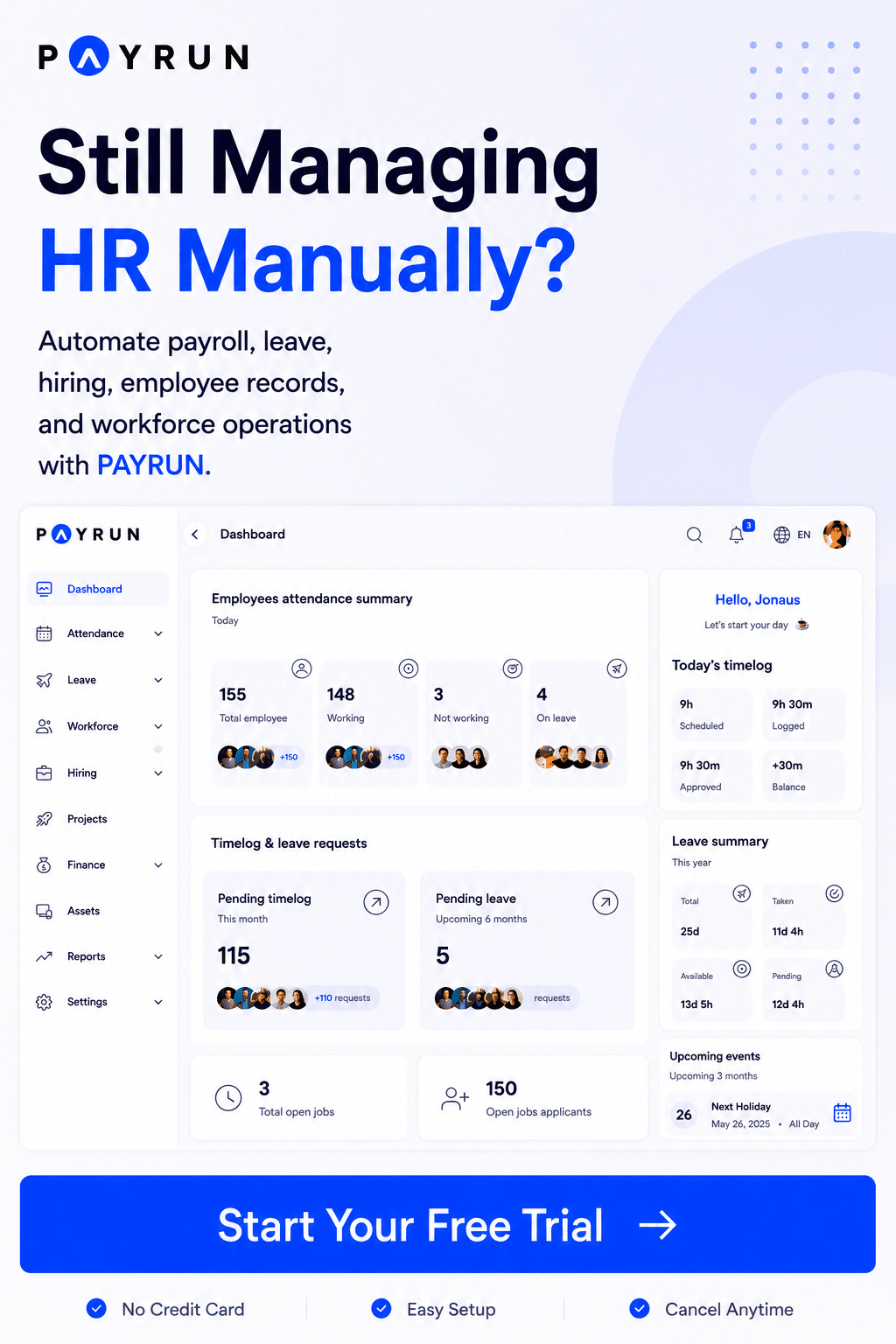
Payrun delivers comprehensive payroll management combined with practical hr features designed specifically for small and growing businesses. The platform handles accurate payroll processing with automatic tax calculations, pension auto-enrollment, and RTI submissions without the complexity of enterprise systems.
Employee self service portals give your team access to payslips, holiday tracking, and personal information updates. This reduces manual processes for your hr staff while increasing transparency across the organization. Leave management, expense tracking, and timesheet features integrate seamlessly with payroll, eliminating the data silos that plague free tools.
Transparent pricing means predictable budgeting as your business grows. Dedicated support ensures help arrives when you need it most. For small business owners seeking hr management software that balances capability with simplicity, Payrun provides the reliable foundation your team deserves.
FAQs
Is Free HR Software Safe For Small Businesses
Free hr software presents higher data security risks compared to paid alternatives. Research shows free tools face 12% greater exposure to breaches due to limited encryption and security updates. For businesses handling sensitive payroll data and employee records, these risks require careful evaluation. If you choose free options, verify security certifications and understand where your data is stored before uploading employee information.
What Features Should Small Businesses Look For In HR Software
Focus on core functionality that matches your immediate needs. Payroll processing, time tracking, leave management, and employee data storage form the foundation. Benefits administration and applicant tracking become important as you scale. Self service portals improve employee experience while reducing admin workload. Integration capabilities with accounting software prevent duplicate data entry and increases efficiency across your operations.
Can Free HR Software Handle Payroll And Compliance
Most free hr software excludes payroll functionality entirely. When payroll is included, automatic tax calculations and compliance updates rarely feature. This leaves manual data entry for tax forms, statutory payments, and pension contributions to you. UK businesses handling PAYE obligations and CIS requirements generally need paid payroll software to ensure accuracy and meet regulatory deadlines.
When Should A Business Upgrade From Free To Paid HR Software
Consider upgrading when you approach free plan user limits, typically around 10 employees. Complex pay structures involving overtime, varied rates, or contractor payments signal readiness for paid tools. If payroll processes consume excessive time or errors occur regularly, the investment becomes justified. Most businesses find the transition point arrives within 18 months of starting operations.
How Does HR Software Improve Operational Efficiency
Quality hr software reduces administrative burden through automation of repetitive tasks. Automatic payslip generation, leave approval workflows, and integrated time tracking eliminate manual processes that consume hours monthly. Centralized employee data removes duplicate entry across systems. Studies indicate paid platforms deliver 20-30% admin time savings, translating to £5,000+ annual value for typical 20-employee businesses through reducing errors and increasing productivity.