Small business owners in 2026 face a common challenge: keeping accurate records of employee hours without drowning in spreadsheets or chasing down late time sheets. According to a 2023 SHRM survey, 58% of small businesses reported difficulties tracking attendance for remote employees and hybrid teams. This struggle directly impacts payroll accuracy, labor costs, and compliance with labor laws.
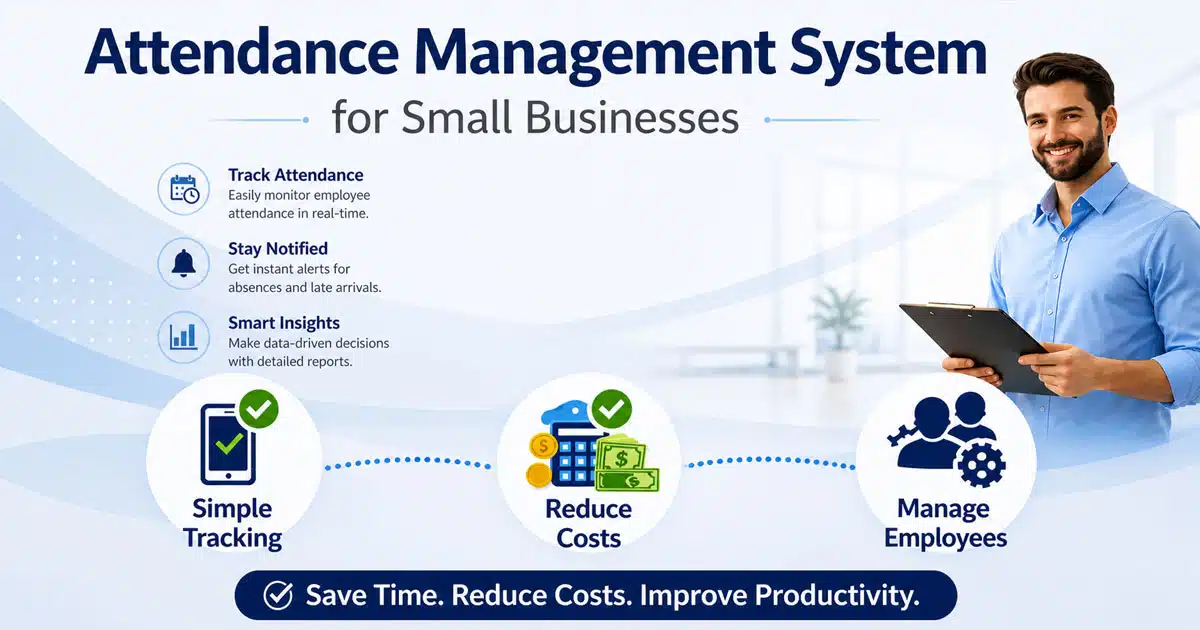
An attendance management system for small businesses automates the process of recording when employees clock in, take breaks, and finish their shifts. The result is reliable records that flow directly into payroll systems, reducing errors and freeing up time for work that actually grows the business.
What Is An Attendance Management System
An attendance management system is software that records employee presence, work hours, overtime, breaks, and absences through digital clock-ins via a mobile app, web portal, or time clock kiosk. Unlike manual time sheets or punch cards, these systems automatically calculate total hours and apply company rules for overtime, breaks, and rounding. For small businesses with limited HR resources, the primary goals are simple: produce payroll-ready hours, see who is working where, and approve time data without chasing paper. A 20-person cleaning service, for example, can use geofencing to verify that field workers clock in at the correct job sites, eliminating location fraud by 70% compared to paper logs.
Why Small Businesses Need A Modern Attendance Management System
Managing attendance manually creates problems that compound over time. Late submissions, unreadable handwriting, and inconsistent break tracking lead to payroll errors that frustrate employees and expose businesses to compliance risks. The following five areas explain why small businesses benefit from moving to a digital attendance solution.
Eliminating Manual Timesheet Errors
Paper time sheets and spreadsheets invite mistakes. Handwritten entries get misread, and manual calculations introduce errors that accumulate each pay period. A 15-employee retail shop using spreadsheets faced 12% payroll errors monthly, equating to roughly $1,200 in annual overpayments. Digital attendance software removes guesswork by automatically capturing employee time and applying consistent rules to every entry.
Modern time and attendance software replaces manual tracking with automated workflows that keep records up to date. Built-in attendance features reduce errors, improve job costing accuracy, and help teams save hours otherwise spent correcting payroll mistakes.
Supporting Hybrid And Remote Teams
By 2026, 55% of small firms operate with some form of hybrid or remote work arrangement. Tracking remote employees through informal messages or honor systems creates gaps in attendance data. A proper time and attendance system lets staff clock in from anywhere while managers maintain visibility into who is working and when, regardless of physical location, and broader HRM software for managing a remote workforce can layer in communication, performance, and engagement tools.
Advanced attendance features allow employees to request time directly within the system while keeping records up to date across distributed teams. Modern attendance management systems for flexible, hybrid, and remote teams improve coordination, support smoother business operations, and help managers save hours on manual follow-ups.
Reducing Financial Losses From Time Theft
Miscounting just 15 minutes per shift across 15 staff members over 22 working days adds up to 99 unpaid hours monthly. At $25 per hour, that equals $2,475 per month or nearly $30,000 annually in lost productivity. Buddy punching, where one employee clocks in for an absent colleague, compounds these losses. Facial recognition and photo verification features prevent this type of fraud.
Time and attendance software helps monitor patterns and enforce policies with reliable attendance features. Accurate tracking supports better job costing, keeps records up to date, and helps businesses save hours while reducing losses tied to time theft.
Meeting Compliance Requirements
The Fair Labor Standards Act and state labor laws require accurate records of employee hours, overtime, and breaks. Non-compliance can result in fines up to $1,100 per violation. Businesses that track employee attendance digitally create audit-ready records that demonstrate compliance with overtime rules and break requirements, protecting against costly penalties.
Using time and attendance software ensures all records stay up to date and accessible when needed. Built-in attendance features simplify compliance reporting, support business operations, and help teams save hours during audits and inspections.
Creating A Single Source Of Truth
When attendance information lives in multiple places, discrepancies emerge. One spreadsheet shows 40 hours while another shows 42, and no one can determine which is correct. A centralized attendance system creates one trusted record that managers, employees, and payroll providers can all reference, eliminating disputes and last-minute chaos before every pay run.
A unified time and attendance software platform centralizes data and keeps everything up to date in real time. With integrated HR and attendance features, businesses improve job costing accuracy, streamline business operations, and save hours spent reconciling conflicting records.
Key Features To Look For In An Attendance Management System
Not every attendance tool suits every business. Small teams need features that solve real problems without adding complexity they will never use. The following capabilities matter most when evaluating attendance tools for a team under 50 employees.
Reliable Clock In And Clock Out Options
Employees should be able to record hours through multiple channels: web browsers on laptops, mobile apps on iOS and Android, or a shared time clock kiosk at the workplace. The system should automatically clock employees with minimal friction, requiring no training sessions for front-line staff. Look for options that work in offline mode for locations with unreliable internet, syncing data once connectivity returns.
Modern time and attendance software ensures records stay up to date across devices while reducing manual effort. Built-in attendance features help businesses save hours, support accurate job costing, and keep daily operations consistent without disruptions.
Automated Overtime And Break Rules
Manual overtime calculations waste time and invite errors. The best systems apply automated calculations based on your policies, such as time-and-a-half pay after 40 weekly hours or automatic 30-minute break deductions. These rules should be configurable to match local labor laws and your specific scheduling feature requirements without requiring technical expertise to set up.
With advanced attendance features, businesses can automate rule enforcement and keep records up to date without constant supervision. This reduces errors, supports smoother business operations, and helps teams save hours previously spent on manual calculations.
Geolocation And Verification Features
For businesses with field workers or multiple locations, real time gps tracking confirms that employees clock in from approved job sites. IP restrictions can limit office staff to clocking in from company networks. Some systems offer facial recognition on shared devices, achieving 99% accuracy while preventing buddy punching. These verification methods reduce fraud by up to 80%.
Time and attendance software strengthens control through advanced attendance features that validate employee activity. Accurate tracking improves job costing, keeps records up to date, and helps businesses save hours while reducing risks tied to attendance fraud.
Integrated Leave And PTO Management
Tracking paid time off separately from worked hours creates data silos that complicate payroll processing. Leave management software to track, approve, and manage time off alongside regular attendance lets you see the complete picture of employee absences in one place. Managers can approve leave, apply holiday schedules, and ensure employees receive correct pay for all types of time away from work.
Centralized time and attendance software keeps leave data up to date and aligned with attendance features. Dedicated tools like Payrun’s simplified leave management system for HR teams reinforce this approach, simplify business operations, support better job costing decisions, and help teams save hours by eliminating manual coordination.
Reporting And Export Capabilities
Run reports on per-employee hour summaries, weekly attendance patterns, and overtime alerts to spot issues before they affect payroll. Simple exports to CSV or PDF format let you share timesheet data with accountants or payroll providers without manual reformatting. Role-based access ensures employees see only their own records while managers view their entire workforce.
Robust time and attendance software provides digital employee time log reports and reporting attendance features that keep insights up to date in real time. Businesses can request time analysis, improve job costing accuracy, and save hours by automating reporting across daily operations.
How To Choose The Right Attendance Management System For Your Small Business
Selecting the right system requires matching features to your actual operations rather than chasing impressive feature lists you will never use. Follow these five steps to evaluate options effectively.
Define Your Current Situation
Start by documenting your existing setup: how many employees you have, whether they work at one location or multiple locations, what shift patterns you use, and how you currently handle payroll processing. A business with five office workers has different needs than a 30-person cleaning company with crews at various job sites. Understanding your starting point prevents paying for unnecessary capabilities.
A modern time and attendance software solution keeps records up to date and highlights gaps in current workflows, especially when you follow a clear attendance system implementation process. Built-in attendance features support better job costing, improve business operations, and help teams save hours by reducing manual tracking efforts.
Establish Selection Criteria
List your non-negotiable requirements. In 2026, budget expectations range from $3 to $8 per user per month for small business attendance apps. Determine which devices your team uses, whether you need iOS, Android, or desktop access. Identify any compliance requirements specific to your region, such as overtime rules or mandatory break periods. These criteria filter out systems that cannot meet your basic needs.
Clear selection criteria ensure attendance features align with real use cases while keeping systems up to date with compliance needs. This approach improves business operations, supports accurate job costing, and helps decision-makers save hours during evaluation.
Evaluate Usability And Onboarding
The best features mean nothing if staff cannot use them. Test whether owners and managers can set up new employees in under five minutes. Confirm that front-line workers can clock in without training sessions or printed instructions. Systems with intuitive interfaces score higher in user satisfaction, with top-rated platforms achieving 4.8 out of 5 stars for ease of use.
User-friendly time and attendance software reduces friction and keeps workflows up to date from day one. Innovative HR features in a comprehensive platform like Payrun and strong attendance features simplify onboarding, improve business operations, and help teams save hours otherwise lost in training and troubleshooting.
Prioritize Payroll Integration
Retyping hours from one system into another wastes time and introduces errors. Prioritize systems that integrate directly with your accounting software or payroll systems. Look for one-click exports at minimum, though direct sync capabilities save even more time. Businesses using integrated solutions report processing payroll 50% faster than those managing separate systems.
Integrated time and attendance software ensures payroll data stays up to date and accurate. Modern payroll software with automation and compliance features supports job costing, streamlines business operations, and helps teams save hours by eliminating duplicate data entry.
Run A Pilot Test
Before committing to any system, test it with a small group for one full pay cycle. Monitor for missed punches, check how the system handles network issues, and evaluate how quickly managers can approve time sheets. A pilot reveals real-world performance that demos cannot show, helping you avoid costly mistakes from choosing a system that looks good but fails in practice.
Pilot testing validates whether attendance features meet real needs while keeping systems up to date under daily conditions. It improves business operations, supports accurate job costing, and helps teams save hours by identifying issues early.
How To Integrate Attendance Management With Payroll And HR
The biggest time savings come when attendance feeds payroll and HR automatically. Businesses that pay weekly or biweekly benefit most from tight integration, eliminating repetitive data entry each pay period. Here is how to connect these systems effectively.
Understand The Ideal Workflow
In a well-integrated setup, employees clock in and the system immediately applies overtime and break rules. Managers review and approve time sheets through a simple interface. Approved hours then sync directly into payroll without manual re-entry. This flow ensures accurate attendance becomes accurate pay without intermediate steps where errors can creep in.
A reliable time and attendance software setup keeps workflows up to date and minimizes manual intervention. Strong attendance features support accurate job costing, improve business operations, and help teams save hours by streamlining approvals and payroll readiness.
Connect To Your Existing Payroll Platform
Most attendance solutions offer integrations with popular payroll and accounting software. Common connections include QuickBooks Online, Xero, Gusto, and ADP. Evaluate whether your chosen system supports direct sync or requires manual exports. A 12-person service firm that integrated their attendance tool with Xero reduced pay errors by 95% while cutting processing time significantly.
Integrated time and attendance software ensures payroll data stays up to date across systems. Built-in attendance features simplify job costing, enhance business operations, and help teams save hours by reducing duplicate data entry and reconciliation efforts.
Address Data Consistency Challenges
When attendance and payroll exist in separate systems, mismatches become common. One system might show 40 hours while the other shows 38, creating confusion and requiring time-consuming reconciliation. Aim for a single data source where time data flows in one direction without opportunities for discrepancies to emerge between systems, and apply remote-team leave management best practices so time off data stays consistent too.
Modern time and attendance software maintains up to date records across platforms with consistent attendance features. This reduces discrepancies, supports accurate job costing, strengthens business operations, and helps teams save hours previously spent resolving data conflicts.
Handle Corrections And Backdated Entries
Real workplaces involve missed punches and schedule changes that require corrections. Ensure your integration handles these gracefully, allowing managers to fix errors while maintaining an audit trail. Missed breaks and overtime adjustments should flow through to payroll automatically once approved, without requiring separate manual updates in each system.
Advanced attendance features allow businesses to request time adjustments while keeping records up to date. This improves job costing accuracy, supports smooth business operations, and helps teams save hours by simplifying corrections and approvals.
Consider All-In-One Solutions
Platforms that combine attendance and payroll in a single workflow eliminate integration headaches entirely. For lean teams without dedicated HR staff, this approach reduces complexity and ensures that employee hours, pay calculations, and employee data stay synchronized automatically. The time saved on troubleshooting connection issues often justifies consolidating onto one platform.
All-in-one time and attendance software centralizes data and keeps everything up to date in one system. Unified attendance features enhance job costing, simplify business operations, and help teams save hours by removing the need for multiple disconnected tools.
Cost Considerations For Attendance Management Systems
Understanding true costs helps small business owners budget accurately and avoid surprises. Pricing varies significantly based on features, user count, and support levels.
Understand Common Pricing Models
Attendance systems in 2026 typically charge per user per month, ranging from $2.99 for basic trackers to $8 for comprehensive platforms. Some offer a free plan for small teams, while others charge a base fee plus per-user costs. Location-based pricing applies to multi-site businesses. Compare models based on your specific team size and growth expectations.
Modern time and attendance software includes flexible pricing tied to attendance features and usage, similar to broader HR software for small and medium businesses. Keeping systems up to date with your needs helps control job costing, supports smooth business operations, and allows teams to save hours through efficient automation.
Calculate Realistic Monthly Costs
For a team of 10 to 25 employees, expect monthly costs between $30 and $200 depending on features selected. Basic time tracking falls at the lower end, while systems with biometric time clocks, advanced scheduling, and benefits administration integrations cost more. Request detailed quotes that include all users you plan to add within the next year.
Advanced attendance features ensure you pay for capabilities that directly impact business operations. Choosing scalable time and attendance software keeps costs up to date with growth, improves job costing accuracy, and helps teams save hours through better efficiency.
Account For Hidden Expenses
Monthly subscription fees rarely tell the whole story. Physical time clock kiosk hardware can cost $200 to $500 per device. Implementation or onboarding services may run $500 or more for complex setups. Premium support packages add $50 monthly in some cases. Ask vendors about all potential charges before signing contracts.
A complete evaluation of time and attendance software includes hidden costs tied to setup, maintenance, and updates. Systems with strong attendance features reduce unexpected expenses, keep operations up to date, and help businesses save hours by minimizing support issues.
Calculate Return On Investment
Weigh costs against savings to determine true value. If your current process requires four hours weekly for timesheet management at $25 per hour, that equals $5,200 annually in labor costs. A system costing $1,800 per year that cuts that time in half pays for itself within months. Add avoided compliance penalties, and the math becomes even more favorable.
Reliable time and attendance software improves efficiency across workflows and keeps records up to date. Strong attendance features and solid payroll compliance practices for small businesses support accurate job costing, enhance business operations, and help teams save hours while maximizing return on investment.
Match Spending To Business Stage
A solo founder with one assistant does not need the same system as a multi-location restaurant group. Micro businesses with fewer than five employees can often use free tiers or lightweight tools. Growing teams between 5 and 30 people benefit from mid-tier integrated solutions. Businesses planning to scale should choose platforms with room to grow without migration hassles.
Scalable time and attendance software adapts to different growth stages while keeping systems up to date. Flexible attendance features support evolving job costing needs, improve business operations, and help teams save hours as complexity increases.
How Payrun Supports Attendance Management For Small Businesses
Payrun addresses the attendance challenges small businesses face by embedding time tracking directly within its all-in-one HR and payroll platform. Employees record hours through web or mobile access, and managers approve time sheets with clear audit logs for compliance. The system applies automated calculations for overtime and breaks, converting approved hours into accurate pay runs without exports or manual data entry.
For teams managing remote teams or multiple locations, Payrun provides the visibility needed to track time across the entire workforce while keeping employee data centralized. This unified approach means fewer spreadsheets, faster approvals, and reliable records stored alongside payslips and employee profiles. Small business owners can explore why Payrun is one of the best HR software options for small businesses and how it simplifies attendance and payroll together in a single workflow designed for lean teams.
Frequently Asked Questions
How Is An Attendance Management System Different From Simple Time Tracking
Basic time tracking tools count hours spent on tasks or projects, useful for billing clients or measuring productivity. An attendance management system goes further by tracking who is working, when shifts start and end, and whether employees follow company policies and legal requirements. Attendance tools typically include employee scheduling, break enforcement, overtime alerts, and approval workflows that project-based timers lack, while time tracking software focuses more on capturing hours against tasks and projects for billing and productivity analysis.
Can A Very Small Business With Fewer Than Five Employees Benefit From Attendance Software
Even micro businesses gain value from formalizing attendance tracking. Relying on memory or informal messages leads to disputes about hours worked and makes year-end record-keeping difficult. Small teams benefit from lightweight tools that capture hours in one shared system, creating team communication around schedules without requiring enterprise-level complexity, especially when those tools include game-changing HR software features for small businesses.
What Devices Do Employees Need To Use An Attendance Management System
Most modern systems support multiple access methods. Office workers can use web browsers on laptops or desktops. Field workers and remote teams use mobile apps on iOS or Android devices. Businesses with fixed locations often add a shared tablet running a kiosk app for easy employee self service, sometimes paired with smart attendance tracking software with a real-time timeline view for better visibility. Confirm your chosen system supports all device types your workforce uses before committing.
How Long Does It Take To Implement An Attendance Management System
Simple configurations for teams around 10 employees typically take two to three days. Multi-location businesses that need to define policies, train supervisors, and integrate with existing payroll providers may require two to four weeks, especially when following a structured approach to implementing an attendance management system. Plan to test the system for at least one complete pay cycle before relying on it for official payroll, allowing time to refine rules and resolve edge cases and to validate that your chosen tool supports efficient employee attendance tracking.
What Happens If Employees Forget To Clock In Or Out
Modern systems let managers add or correct missed punches while maintaining a complete audit trail. Changes remain transparent and reviewable, protecting both the business and employees from disputes. Establish a written policy explaining how to report missed clocks, required response times, and the verification process managers use before approving corrections. Clear policies prevent problems before they occur.