Tracking employee time used to mean stacks of paper timesheets and endless manual calculations. Today, companies of all sizes rely on digital tools to capture work hours, manage projects, and make confident decisions about resources. An employee time log report sits at the center of this process. It gives managers a clear view of how employees spend their time each day, week, or month.
With the right tracking software, you can reduce errors, balance workloads, and bill clients accurately. This guide walks you through what time log reports are, how they work, and why they matter for modern teams.
What Are Employee Time Log Reports
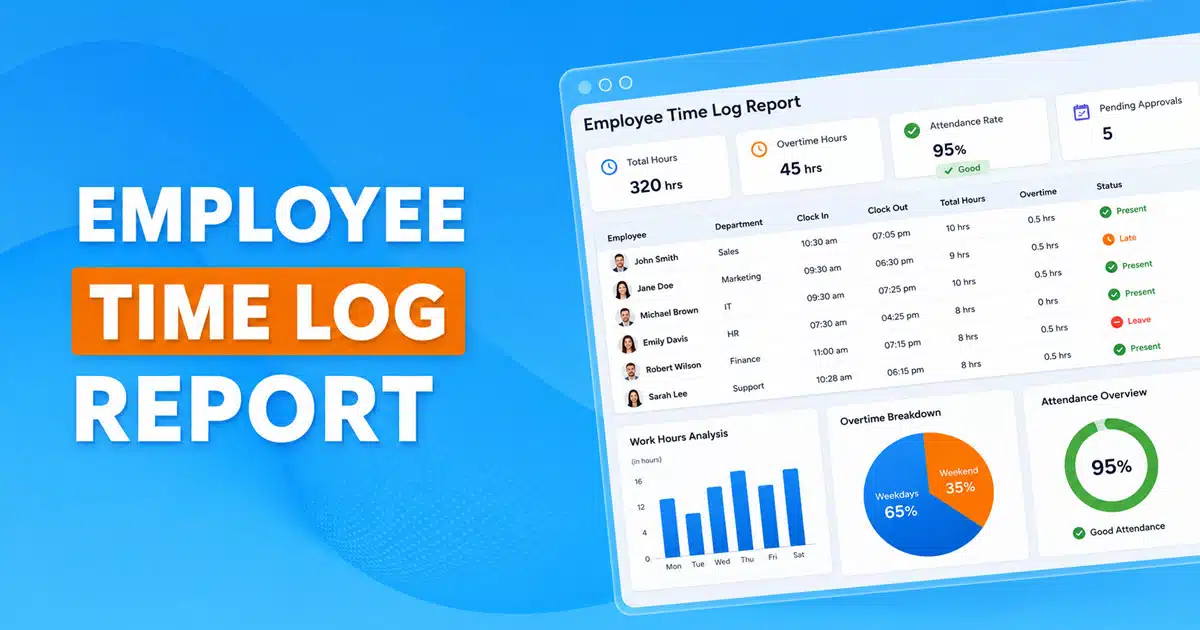
An employee time log report is a structured record of work hours. It captures when employees clock in, when they clock out, what tasks they complete, and how long each activity takes. Unlike a simple timesheet, a time log report includes more details. You can see breaks, overtime, project time, and whether hours are billable or non-billable.
These reports help managers track employee work patterns. They support payroll teams by providing accurate time logs for pay calculations. They also help project managers understand how much time goes into different tasks. Whether you run a small business or a growing team, time log reports give you the data you need to manage resources well.
How Employee Time Log Reports Work
Time log reports pull together tracking data from your time tracking software. When employees log their hours, the system records every detail. Here is how the process works in practice.
Clear Time Capture
Employees use a time tracker to log their work hours. They can do this on desktop computers or mobile devices. Good time tracking tools let workers start and stop timers with one click. Some systems even capture time automatically when employees open specific apps or tickets.
The goal is to make logging easy so employees actually do it. When time capture is simple, you get better data. Mobile apps help field workers and remote staff track time from anywhere. This means no more guessing or filling in timesheets from memory at the end of the week.
Daily Work Summary
Each day, the system creates a summary of logged hours. You can see total hours worked, tasks completed, and time spent on each project. A daily summary view shows managers how the team spent its time. It highlights patterns like long stretches of focused work or frequent interruptions.
Daily summaries also help employees stay aware of their own productivity. They can review their logs and catch mistakes before the week ends. This transparency builds stronger team accountability.
Break And Pause Details
Accurate time logs include break time data. Employees log meal breaks, short pauses, and any time away from work. This matters for compliance with labor laws. Many regions require companies to track breaks carefully.
Break details also help managers spot burnout risks. If someone rarely takes breaks, their productivity may suffer over time. Reports that show break patterns help you balance workloads and protect employee well-being.
Easy Approval Flow
Most tracking software includes an approval process. Team leads or managers review time entries each week. They check for missing hours, incorrect entries, or unapproved overtime. Once approved, the data flows to payroll and invoicing systems.
Approval workflows reduce errors and disputes. Employees know their logs will be checked, which encourages accurate reporting. Managers can address problems early instead of scrambling at month.
Accurate Hour Records
The final output is a reliable record of work hours. You get detailed reports broken down by employee, project, client, or date. These records support payroll accuracy, client billing, and performance reviews. They also provide audit trails for compliance purposes.
When you export data to payroll systems like QuickBooks Time, you avoid manual entry mistakes. Automated timesheets save hours of administrative work each pay period.
Why Time Log Reports Are Important For Modern Teams
Time log reports do more than count hours. They give managers real-time insights into how teams operate. Here is why they matter.
Better Work Visibility
Managers often struggle to see what teams actually do each day. Time log reports solve this problem. You can see exactly where hours go. Are people spending too much time on one client? Is a project running over budget? Reports answer these questions quickly.
Visibility helps you make better decisions. You can shift resources, adjust weekly schedules, or address bottlenecks before they become bigger problems. A calendar view of logged hours makes it easy to spot trends across the month.
Stronger Team Accountability
When employees know their time is tracked, they tend to stay focused. This is not about micromanagement. It is about creating a culture where everyone contributes fairly. Time logs show who handles what work and how much effort goes into each task.
Accountability also protects employees. If someone claims they work overtime, the data backs them up. If workloads seem unfair, reports reveal the imbalance. This transparency builds trust across the team.
Faster Issue Detection
Time log data helps you catch problems early. If a project suddenly takes twice as long as expected, you see it in the reports. If one employee logs far fewer hours than peers, you can investigate. Early detection means faster fixes.
For customer support teams, this matters a lot. You might notice that certain ticket types eat up hours without good outcomes. That insight leads to better training, improved processes, or automation that saves time.
Fair Workload Balance
Burnout happens when some team members carry too much work. Time log reports show workload distribution clearly. You can see who logs 50 hours a week and who logs 30. This data helps you balance workloads and prevent exhaustion.
Fair distribution also improves employee performance. People do better work when they are not overwhelmed. Regular workload reviews based on time data keep your team healthy and productive.
More Reliable Data
Manual timesheets are full of errors. People forget hours, round incorrectly, or enter data late. Automated time logs eliminate most of these problems. The data is captured as work happens, not reconstructed from memory.
Reliable data matters for payroll, invoicing, and compliance. When you bill clients, you need accurate records. When you pay employees, precision prevents disputes. Time log reports built on solid data protect your business.
Key Components Of The Standard Time Log Report
Every useful time log report shares common elements. Understanding these components helps you get more value from your reports.
Total Work Hours
The most basic element is total hours worked. This number shows how much time each employee logged during the report period. You can view totals by day, week, or monthly basis. Total hours feed directly into payroll calculations and project cost estimates.
Managers use total hours to compare employees and teams. Are people working their scheduled hours? Is overtime creeping up? These questions get answered quickly when totals are clear.
Start And End Times
Detailed reports show when employees started and ended each work session. This data reveals work patterns. You might notice some team members work early mornings while others prefer late hours. For teams with weekly schedules to coordinate, this information helps with planning.
Start and end times also matter for client meetings and coverage requirements. If you need someone available at specific hours, time logs confirm whether that happened.
Break Time Data
Break tracking goes beyond compliance. It shows how employees pace their days. Some people take one long lunch break. Others take several short pauses. Neither approach is wrong, but the patterns can reveal productivity insights.
Break data also supports labor law compliance. Many jurisdictions require minimum break periods. Time log reports document that your company follows the rules.
Task Or Project Notes
Good time logs include descriptions of what employees worked on. These notes connect hours to specific projects, clients, or tasks. Instead of just seeing “8 hours worked,” you see “3 hours on client onboarding, 2 hours on product documentation, 3 hours on support tickets.”
Task notes help project managers track progress. They support billing by linking hours to billable time. They also provide context for performance reviews when managers need to understand how employees spend their time.
Approval Status
Every time an entry is made, its approval status is updated. Pending entries need review. Approved entries are ready for payroll. Rejected entries require correction. This status tracking keeps everyone aligned.
An easy approval flow speeds up payroll processing. Managers can approve entries on the go using mobile apps. The system flags anomalies automatically, so reviewers focus on exceptions rather than checking every line.
Daily Summary View
A daily summary view aggregates all entries into a readable format. Instead of scrolling through dozens of individual entries, managers see totals and highlights. This view works well for quick check-ins and team meetings.
Daily summaries support employee scheduling decisions. If yesterday was unusually busy, you might adjust today’s assignments. Real-time visibility into daily logs keeps operations running smoothly.
How Time Log Reports Improve Attendance Accuracy
Attendance tracking has always been a challenge. Time log reports make it easier and more reliable. Here is how they improve accuracy.
Fewer Manual Errors
Manual time entry is error-prone. Employees transpose numbers, forget to log hours, or enter data in the wrong fields. Automated timesheets reduce these mistakes dramatically. When employees click a timer button, the system records exact times.
Fewer errors mean less time spent correcting mistakes. HR teams and managers avoid frustrating back-and-forth about disputed hours. The data is simply more trustworthy.
Clear Employee Records
Time log reports create permanent records of attendance. You can pull up any employee’s history and see exactly when they worked. This clarity matters for performance reviews, disputes, and legal compliance.
Clear records also help with scheduling. If someone requests time off, you can check their logged hours to ensure fairness. Historical data supports decisions about promotions, raises, and staffing changes.
Verified Time Entries
Approval workflows add a verification layer. Before hours count toward payroll, a manager reviews them. This check catches errors and ensures entries match actual work. Verified entries are more reliable than self-reported data without oversight.
Verification also deters time theft. When employees know their entries face review, they log accurately. The combination of automation and human review produces the best results.
Easy HR Review
HR teams benefit from organized time data. Instead of chasing paper forms or decoding messy spreadsheets, they access clean reports. They can filter by date, department, or employee to find what they need.
Easy review means faster processing. Payroll runs on schedule. Benefits calculations use accurate hours. HR spends less time on administrative tasks and more time on strategic work.
Reliable Daily Logs
When every day gets logged consistently, you build a complete picture of attendance. Gaps stand out immediately. Patterns become visible over weeks and months. This reliability supports both daily operations and long-term planning.
Companies that maintain reliable daily logs avoid surprises. They catch attendance issues before they become problems. They have data ready when auditors or regulators ask questions.
Ways Time Log Reports Strengthen Productivity Tracking
Time log reports do more than record hours. They reveal how productive those hours actually are. Here is how they strengthen productivity tracking.
Real Output Insight
Hours worked do not equal output produced. Time log reports let you connect hours to tasks and projects. You can see whether 40 logged hours produced 40 hours of value or got lost to inefficiencies.
Real output insight helps managers coach employees. If someone spends too much time on low-value work, you can redirect them. Project estimates become more accurate when based on actual productivity data.
Better Task Clarity
When employees log time against specific tasks, everyone gains clarity. Team members see where their hours go. Managers understand project progress. Clients receive accurate updates on billable hours.
Task clarity reduces confusion and miscommunication. Instead of vague status updates, you have concrete data. This precision helps teams coordinate better and deliver results on time.
Improved Work Patterns
Time log data reveals work patterns over weeks and months. You might discover that your team is most productive on Tuesday mornings. Or that productivity drops after long stretches without breaks. These insights guide scheduling and workflow design.
Improved patterns lead to better results. When you align work with natural rhythms, employees perform better. Small adjustments based on pattern data can boost overall productivity significantly.
Transparent Daily Effort
Transparency builds trust. When employees see their own time data, they understand their contributions. When managers share team data appropriately, everyone sees how work distributes across the group.
Daily effort transparency supports fair evaluations. Employees feel recognized for their work. Managers make decisions based on data rather than impressions. This objectivity improves morale and reduces conflicts.
Performance Trend View
Individual logs matter, but trends tell the bigger story. Time log reports show how productivity changes over time. Is a new employee ramping up as expected? Is a team slowing down after a busy quarter?
Trend views support strategic planning. You can project future capacity based on past performance. You can identify training needs before problems grow. Long-term data turns time tracking into a strategic tool.
Time Log Reporting For Remote, Hybrid, And Flexible Teams
Modern teams work from offices, homes, and everywhere in between. Time log reports keep these distributed teams aligned.
Equal Visibility For All
Remote workers sometimes feel invisible. Their contributions get overlooked because managers do not see them daily. Time log reports level the playing field. Hours and output appear the same whether someone works from headquarters or a home office.
Equal visibility means fair treatment. Remote employees get credit for their work. Managers make decisions based on data, not proximity. This equity supports healthy remote and hybrid cultures.
Fair Work Assessment
Assessing remote work is tricky without good data. How do you know if someone works their full schedule? Time log reports answer this question objectively. You see logged hours, completed tasks, and productivity patterns.
Fair assessment protects both employees and companies. Workers who deliver results get recognized. Those who struggle get support. Without data, these assessments become guesswork at best and bias at worst.
Consistent Record Keeping
Flexible schedules create record-keeping challenges. One person works mornings, another works evenings. Some work weekends. Time log software captures all these variations consistently.
Consistent records simplify payroll and compliance. No matter when someone works, their hours appear in the same report format. This consistency saves administrative time and reduces errors.
Clear Availability Data
When teams span time zones or flex their hours, availability matters. Time log reports show when people actually work. This data helps with scheduling, client meetings, and team coordination.
Clear availability data prevents conflicts. You know who is online when. You can schedule meetings during overlapping hours. You avoid assigning urgent tasks to someone who finished their day three hours ago.
Smooth Team Coordination
Distributed teams need extra coordination effort. Time log reports support this by showing the whole picture. Managers see team capacity at a glance. They can balance workloads across locations and time zones.
Smooth coordination improves delivery. Projects stay on track because resources get allocated properly. Communication improves because everyone understands who is working on what. Time data becomes the foundation for effective teamwork.
Common Time Tracking Problems Solved By Time Log Reports
Every company faces time tracking challenges. Here is how time log reports address the most common ones.
Time Theft Reduction
Time theft costs companies real money. It happens when employees log hours they did not work. Whether intentional or accidental, it affects payroll costs and team fairness.
Time log reports reduce theft through transparency and verification. When hours face review, inaccurate entries get caught. When data is visible, peer pressure discourages cheating. Most employees are honest, but clear reporting keeps everyone aligned.
Less Guesswork
Without good data, managers guess. They estimate project time based on intuition. They assume employees work their scheduled hours. They allocate resources based on incomplete information.
Time log reports eliminate guesswork. You see actual hours, not assumptions. You base decisions on real data. This accuracy improves outcomes across budgeting, scheduling, and resource allocation.
Reduced Manual Entry
Manual time tracking wastes hours. Employees spend time filling out forms. Managers spend time reviewing and correcting. Payroll staff spend time entering data into systems.
Automated time tracking and reporting slashes this burden. Employees click buttons instead of writing entries. Data flows automatically to payroll and billing systems. Everyone saves time that can go toward productive work.
Clearer Daily Proof
Sometimes disputes arise about who worked when. Without documentation, these disputes become arguments. With time log reports, proof exists. You can pull up any day and see exactly what happened.
Clear proof protects everyone. Employees can demonstrate their work. Managers can explain their decisions. Companies can respond to audits or legal questions with confidence.
Better Compliance Support
Labor laws require accurate time records. Overtime rules, break requirements, and minimum wage calculations all depend on good data. Time log reports provide the documentation you need.
Compliance support reduces legal risk. When regulators check your records, you have answers. When employees raise concerns, you can investigate. Solid time tracking is a foundation for legal protection.
Essential Features To Look For In Time Log Reporting Tools
Not all tracking software is equal. Here are the features that matter most.
Automated Time Capture
The best tools capture time automatically. Timers start when employees begin work. They stop when work ends. Some systems even track activity to suggest time entries.
Automated capture improves accuracy and adoption. Employees do not forget to log in because the system handles it. The data reflects reality rather than memory reconstructions.
Seamless Mobile Access
Work happens everywhere. Mobile apps let employees track time from phones or tablets. Field workers log hours on site. Remote staff track from anywhere with internet access.
Seamless mobile access ensures complete data. No one has to wait until they reach a computer. Time gets logged in the moment, which improves accuracy.
Simple User Experience
Complex tools get ignored. If time tracking feels like a chore, employees skip it. The best tools make logging fast and intuitive. A few taps should capture all necessary data.
Simple user experience drives adoption. When the tool is easy, people use it consistently. Consistent use means complete and reliable data.
Powerful Reporting Dashboard
Raw data is not enough. You need reports that answer questions. Good dashboards show totals, trends, and breakdowns. They let you filter by employee, project, client, or date.
Powerful dashboards turn data into insights. Managers can spot issues at a glance. Executives can review high-level summaries. Everyone gets the view they need.
Secure Data Storage
Time data is sensitive. It affects pay, evaluations, and legal compliance. Strong security protects this information from breaches and unauthorized access.
Secure storage builds trust. Employees feel comfortable logging accurately. Companies meet data protection requirements. Security should be a baseline feature, not an upgrade.
Integration Friendly System
Time tracking does not exist in isolation. Reports should export data to payroll, invoicing, and project management tools. Look for integrations with systems you already use.
Integration saves time and reduces errors. You avoid double entry. Data flows smoothly between systems. Your tools work together instead of creating silos.
How Payrun Simplifies Employee Time Log Reporting For Businesses
Managing employee time logs does not have to be complicated. Payrun was built to make time tracking simple for companies of all sizes. Whether you have a small team or unlimited users, the platform scales with your needs.
Payrun offers automated timesheets that capture work hours accurately. Employees can track time from desktop or mobile devices without hassle. Managers get detailed reports that show exactly where hours go. You can filter by project, client, or date to find the insights you need.
The platform includes a free plan so you can get started without entering a credit card. When you are ready for more features, upgrading is simple. No credit card required to explore the basics. Payrun integrates with popular tools and lets you export data to payroll systems easily.
If you want to create invoices based on billable time, Payrun handles that too. You can bill clients accurately using real project time data. The calendar view helps with employee scheduling and workload planning. For teams that need to manage projects and balance workloads, Payrun delivers the visibility you need.
FAQs
What Is The Purpose Of An Employee Time Log Report?
An employee time log report creates a verified record of daily work hours, breaks, and tasks. It gives managers and HR teams accurate visibility into how employees spend their time. This helps validate attendance, support payroll calculations, and offer clearer insights into work patterns. Time log reports also help maintain transparency and consistency across teams, especially in organizations with flexible or remote work setups.
How Do Time Log Reports Help Reduce Manual Errors?
Time log reports eliminate the need for handwritten timesheets or manual time entry, which often lead to mistakes. Automated time capture keeps every entry consistent and reliable. With digital timestamps, system-driven logs, and built-in approvals, organizations avoid inaccurate hour calculations, lost entries, or human error. This results in smoother HR reviews and cleaner attendance records.
Are Time Log Reports Useful For Remote Or Hybrid Teams?
Time log reports are extremely valuable for remote and hybrid teams because they offer equal visibility for every employee, regardless of location. Managers can see when team members start work, track the hours logged, and review task notes. This keeps teams aligned, reduces confusion, and ensures everyone stays accountable without requiring physical check-ins or manual attendance updates.
Do Time Log Reports Improve Employee Productivity?
Time log reports give employees a clearer picture of their daily work habits. By reviewing logs, employees can identify where time is being spent effectively and where improvements are possible. Managers also gain insights into workload distribution and productivity trends, helping them provide better support, reduce bottlenecks, and improve team performance over time.
How Do Time Log Reports Support Payroll Accuracy?
Time log reports create an accurate, verified record of work hours and break durations. Payroll teams can use this information to calculate payments without guesswork or repeated confirmations. This ensures employees are paid correctly and reduces disputes or delays. With precise data, payroll becomes faster, smoother, and more reliable for the entire organization.