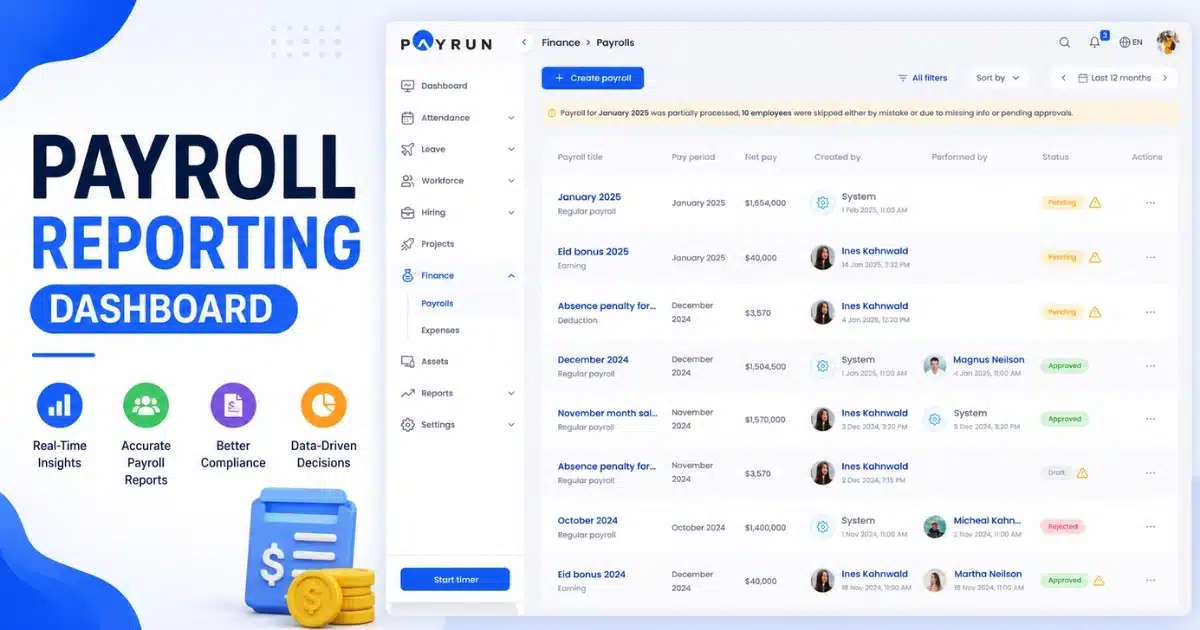
Payroll mistakes can create serious problems for any business. A small error in salary, tax, or overtime calculation can affect employee trust and lead to compliance issues. That is why payroll reports play such an important role in daily business operations. They help companies track payroll data, monitor payments, manage taxes, and keep records accurate.
Many businesses collect payroll data every month but fail to use it properly. Clear and organized payroll reports, especially when supported by a modern payroll management system, help HR and finance teams spot errors, control payroll costs, and make better decisions. From employee wages to tax deductions and attendance records, every detail becomes easier to manage with the right reporting process.
In this guide, you will learn everything about payroll reports, their types, benefits, common mistakes, and best practices businesses use today.
What Are Payroll Reports And Why Do They Matter
Payroll reports are detailed records that show employee pay, payroll taxes, deductions, and other payroll data for a specific pay period. Businesses use different types of payroll reports to track employee wages, gross pay, net pay, tax withholdings, and employer contributions. Common examples include payroll summary reports, payroll tax reports, certified payroll reports, and employee payroll reports. Accurate payroll reports help businesses manage payroll processing, track labor costs, and prepare wage and tax statements for the Internal Revenue Service and the Social Security Administration.
Payroll reports also support tax filings, quarterly payroll reports, and payroll deadlines. They help small business owners calculate federal income tax, social security taxes, medicare taxes withheld, state unemployment taxes, and local payroll taxes. Good payroll software can create payroll reports faster and improve accurate reporting. Businesses can also track payroll expenses, employee earnings, workers compensation, retirement contributions, and payments made to independent contractors through separate payroll reports.
Different Types Of Payroll Reports Businesses Use
Every business handles payroll data differently, but some reports remain important for all companies. Clear payroll reports help HR and finance teams track employee pay, payroll taxes, labor costs, and tax filings with less confusion. Businesses also use separate payroll reports to reduce payroll errors and improve accurate reporting. Good payroll software makes the process faster and easier.
Payroll Summary Report
A payroll summary report gives a complete overview of employee wages, gross pay, net pay, payroll deductions, and employer contributions for a specific pay period. Many businesses use payroll summary reports to review payroll costs and compare payroll expenses across departments.
The report also helps track federal income tax, social security taxes, and medicare taxes withheld from employee paychecks. According to the American Payroll Association, payroll errors affect nearly 33% of businesses every year. Accurate payroll reports help reduce those costly mistakes and improve payroll processing.
Payroll Tax Reports
Payroll tax reports focus on payroll taxes businesses must report to the federal government and local authorities. The reports include federal tax withholdings, local payroll taxes, unemployment taxes, and employer tax contributions. Companies also use payroll tax reports during quarterly tax filings and filing taxes through Form 941.
The Internal Revenue Service requires businesses to maintain accurate payroll tax records. Missing payroll deadlines can lead to heavy penalties. Payroll software helps create payroll reports automatically and keeps tax liability records organized for future audits.
Employee Payroll Report
An employee payroll report shows individual employee earnings, wages paid, retirement plan contributions, payroll deductions, and tax withholdings. HR teams use the report to answer employee questions about employee pay and wage and tax statements.
The report also tracks social security and medicare taxes, FICA taxes, and retirement contributions reports. Businesses with hourly workers often use employee payroll reports to track overtime and workers compensation data. Clear payroll data helps prevent disputes and supports accurate reporting during every pay period.
Certified Payroll Reports
Certified payroll reports are mandatory for businesses that work on government-funded construction projects. Contractors must submit certified payroll records to prove workers receive fair wages under federal payroll rules. The reports include gross wages, employee expenses, employer taxes, and independent contractors linked to the project.
The federal government closely monitors certified payroll compliance. Errors in certified payroll reports may delay payments or create legal issues. Many companies now use payroll software instead of manual payroll systems because digital records improve payroll processing accuracy and reduce reporting delays.
Quarterly Payroll Reports
Quarterly payroll reports help businesses report payroll taxes every three months. The reports usually include federal payroll taxes, state payroll reports, local payroll reports, and employer contributions linked to employee wages. Businesses also use them to fund federal unemployment benefits and state unemployment taxes.
Quarterly payroll reports support better financial planning and help track labor costs over time. The U.S. Bureau of Labor Statistics reported that compensation costs for private industry workers increased by 4.2% in recent years. Regular payroll reporting helps businesses monitor payroll expenses and manage rising labor costs more effectively.
Key Data Included In Payroll Reports
Payroll reports are only useful when the data inside them is complete and accurate. Missing payroll data can create tax issues, payment errors, and compliance problems. Strong payroll reporting helps businesses track employee wages, payroll expenses, tax withholdings, and labor costs without confusion.
Employee Pay Details
Every employee payroll report should include employee pay details such as gross pay, net pay, wages paid, overtime, bonuses, and payroll deductions. Businesses also track employee earnings for each pay period to maintain accurate payroll reports.
Clear employee records help HR teams solve paycheck disputes faster. The U.S. Department of Labor reports that wage violations still affect thousands of workers every year. Accurate payroll processing reduces those risks and improves trust between employers and employees.
Tax Withholding Records
Payroll reports must track federal income tax, local payroll taxes, social security taxes, and medicare taxes withheld from employee paychecks. Tax reports also include employer taxes and employer tax contributions linked to payroll processing.
The Internal Revenue Service requires businesses to maintain proper payroll tax records for quarterly tax filings and tax statements. Incorrect tax liability calculations may lead to penalties. Payroll software helps businesses calculate payroll taxes automatically and improve accurate reporting.
Payroll Cost Data
Payroll summary reports often include payroll costs, payroll expenses, employee expenses, and workers compensation details. Companies use this payroll data to track labor costs and manage business budgets more effectively.
Labor expenses remain one of the highest operating costs for many businesses. According to the U.S. Bureau of Labor Statistics, compensation costs increased more than 4% in recent years. Separate payroll reports help companies monitor payroll expenses and reduce unnecessary spending across departments.
Retirement And Benefit Contributions
Many payroll reports provide details about retirement contributions, retirement plan contributions, health benefits, and employer contributions. Businesses use employee payroll records and retirement contributions reports to manage deductions linked to employee benefits programs.
The data also helps companies prepare wage and tax statements for employees and tax authorities. Accurate payroll reports reduce reporting errors during filing taxes. Payroll software also helps small business owners organize benefit records without relying on manual payroll systems.
Compliance And Tax Filing Data
Federal payroll reports and state payroll reports contain important compliance records. Businesses use the reports for Form 941 submissions, quarterly payroll reports, certified payroll reports, and federal unemployment benefits reporting.
The reports also track federal state and local tax filings, unemployment taxes, and state unemployment taxes. The federal government requires businesses to maintain payroll records for several years. Good payroll software helps create payroll reports quickly and keeps compliance data ready for audits or future tax reviews.
How Payroll Reports Support Payroll Compliance And Tax Filing
Payroll compliance depends heavily on accurate payroll reports and organized payroll data. Businesses must track employee wages, payroll taxes, tax withholdings, and employer contributions throughout every pay period. Proper payroll reporting reduces tax errors, supports tax filings, and helps companies avoid penalties from federal, state, and local agencies, especially when they follow a clear payroll compliance guide for small businesses.
Federal Tax Compliance
Federal payroll reports help businesses report federal income tax, social security taxes, medicare taxes, and federal unemployment taxes correctly. Payroll tax reports also track federal tax withholdings and employer tax contributions linked to employee paychecks.
The Internal Revenue Service requires businesses to submit Form 941 and quarterly payroll reports on time. Late or incorrect tax filings can create serious penalties. Payroll software helps automate payroll processing and improves accurate reporting across every pay period.
State And Local Tax Reporting
State payroll reports and local payroll reports help businesses manage local payroll taxes, unemployment taxes, and state unemployment taxes. Many companies must follow different tax rules across multiple states and cities.
Payroll reports provide accurate payroll data for tax statements and quarterly tax filings. According to recent payroll compliance studies, tax penalties cost small business owners billions of dollars every year. Separate payroll reports help businesses track tax liability and reduce costly reporting mistakes.
Employee Wage Documentation
Employee payroll reports keep records of employee wages, gross wages, net pay, payroll deductions, and employee earnings. Businesses use the reports to prepare wage and tax statements for employees and government agencies.
The reports also support personal tax return preparation and payroll audits. Accurate payroll reports help employees verify wages paid during a pay period. Good payroll processing systems reduce paycheck disputes and improve trust between employers and employees.
Retirement And Benefit Reporting
Payroll reports also track retirement contributions, retirement plan contributions, workers compensation, and employer contributions. Businesses must report benefit deductions properly during filing taxes and compliance reviews.
The Social Security Administration requires employers to report Social Security and medicare taxes accurately. Errors in retirement contributions reports or social security taxes may create compliance issues later. Payroll software helps businesses organize benefit records without relying on manual payroll methods.
Certified Payroll Requirements
Certified payroll reports are mandatory for businesses working on public construction projects funded by the federal government. Certified payroll records include employee pay, labor costs, payroll expenses, and tax reports linked to project workers.
Government agencies closely review certified payroll data to confirm fair wages and legal compliance. Many contractors now create payroll reports digitally because manual payroll systems increase reporting risks. Accurate reporting also helps businesses meet payroll deadlines and avoid delays in project approvals or payments.
Common Payroll Reporting Mistakes And How To Avoid Them
Payroll reporting mistakes can create financial losses, compliance penalties, and employee trust issues. Even small payroll errors may affect tax filings, employee paychecks, and payroll taxes. Understanding the payroll mistakes businesses must avoid alongside clear payroll reports and accurate payroll processing helps businesses reduce reporting risks and maintain better compliance across every pay period.
Incorrect Employee Information
Wrong employee details often create major payroll reporting problems. Errors in employee wages, tax withholdings, social security numbers, or employee earnings may affect payroll tax reports and wage and tax statements.
The Internal Revenue Service reported that inaccurate payroll data remains one of the most common causes of payroll penalties. Businesses should review employee payroll reports regularly and update records before every pay period. Payroll software also helps reduce manual data entry mistakes.
Missed Payroll Tax Deadlines
Late payroll tax filings can create expensive penalties for small business owners. Businesses must submit federal payroll reports, Form 941, quarterly payroll reports, and state payroll reports before payroll deadlines.
Missed deadlines also affect unemployment taxes, federal income tax payments, and local payroll taxes. According to recent IRS data, payroll tax penalties cost U.S. businesses billions every year. Accurate payroll reports help businesses track tax liability and maintain organized tax reports throughout the year.
Wrong Tax Calculations
Payroll taxes require careful calculations. Errors in medicare taxes withheld, Social Security taxes, federal tax withholdings, or employer taxes can create compliance issues with the federal government.
Businesses that still rely on manual payroll systems face higher reporting risks. Payroll software can automatically calculate payroll deductions, employer contributions, and FICA taxes with better accuracy. Separate payroll reports also help finance teams review payroll expenses and identify payroll processing errors before filing taxes.
Poor Payroll Record Management
Missing payroll data often creates problems during audits and tax reviews. Businesses need organized payroll summary reports, employee payroll reports, certified payroll reports, and retirement contributions reports for accurate reporting.
The federal government requires employers to store payroll records for several years. Missing records may affect personal tax return reviews, workers compensation claims, and tax statements. Digital payroll systems make it easier to create payroll reports and protect important employee pay records securely.
Ignoring Payroll Audits
Many businesses only review payroll reports during tax season. That approach increases the chance of hidden payroll errors. Regular payroll audits help companies track labor costs, payroll costs, and wages paid more accurately.
Payroll reports provide useful insights into employee expenses, retirement plan contributions, and independent contractors. Companies that review payroll data frequently can reduce reporting mistakes faster. Strong payroll processing systems also improve compliance and support better financial planning across departments.
Best Practices For Creating Accurate Payroll Reports
Accurate payroll reports help businesses avoid tax penalties, payroll disputes, and compliance issues. Strong payroll reporting also improves payroll processing, employee trust, and financial planning. Businesses that follow clear payroll practices can manage payroll taxes, labor costs, and employee pay with fewer reporting mistakes.
Use Reliable Payroll Software
Modern payroll automation software helps businesses create payroll reports with better speed and accuracy. The system can calculate payroll taxes, federal income tax, payroll deductions, and employer contributions automatically for every pay period.
Many companies now avoid manual payroll systems and spreadsheets because manual calculations increase payroll errors. According to recent payroll industry reports, automation can reduce payroll mistakes by nearly 80%. Good payroll software also helps businesses manage payroll summary reports, payroll tax reports, and employee payroll reports more efficiently, offering clear advantages when comparing HR software vs spreadsheets for payroll.
Review Payroll Data Regularly
Regular payroll reviews help businesses spot payroll errors before tax filings or employee paychecks go out. HR and finance teams should review payroll data such as gross pay, net pay, employee earnings, and wages paid after every payroll cycle.
Payroll reports provide valuable insights into payroll expenses, labor costs, and tax withholdings. Frequent reviews also help businesses identify unusual payroll costs or missing payroll deductions. Accurate reporting becomes easier when payroll data stays organized throughout the year.
Maintain Updated Employee Records
Accurate employee information plays a major role in payroll compliance. Businesses should update employee payroll records whenever changes happen in tax forms, retirement contributions, employee pay, or benefit deductions, ideally using a centralized employee record management system.
Incorrect employee data can affect social security taxes, medicare taxes withheld, and local payroll taxes. The Social Security Administration requires businesses to maintain correct payroll records for tax reporting. Updated employee data, supported by the right HR software features for small businesses, also improves payroll processing and reduces payroll disputes.
Track Tax Deadlines Carefully
Payroll deadlines are important for every business. Companies must submit quarterly payroll reports, Form 941, federal payroll reports, and state payroll reports on time to avoid penalties.
Late tax filings may increase tax liability and create compliance risks with the Internal Revenue Service. Businesses should track federal state and local payroll deadlines carefully. Many payroll software platforms now send automatic reminders for payroll taxes and tax reports.
Store Payroll Records Securely
Payroll records contain sensitive payroll data such as employee wages, tax statements, retirement plan contributions, and employer taxes. Businesses should store payroll reports securely for audits and future compliance reviews.
The federal government often requires payroll records to stay available for several years. Secure digital storage and payroll compliance software also help businesses manage certified payroll reports, retirement contributions reports, and workers compensation records more efficiently. Organized records support accurate payroll reports and faster tax filing processes.
How Payroll Software Simplifies Payroll Reports And Workforce Management
Modern automated payroll software helps businesses handle payroll reports faster and with fewer errors. Companies can manage payroll data, employee wages, payroll taxes, and workforce records from one system. Automated payroll processing also improves accurate reporting, reduces manual work, and helps businesses stay compliant with payroll deadlines and tax filings.
Faster Payroll Processing
Payroll processing software automates payroll processing tasks that usually take hours with manual payroll methods. Businesses can calculate gross pay, net pay, payroll deductions, and employer contributions within minutes.
Automation also helps create payroll reports, payroll summary reports, and payroll tax reports more accurately. According to recent payroll industry studies, companies using automated payroll systems reduce payroll processing time by nearly 70%. Faster payroll cycles help businesses pay employees on time and improve workforce management, especially after they move payroll from Excel to software.
Better Payroll Accuracy
Accurate payroll reports depend on clean payroll data and correct calculations. Understanding what payroll processing involves and using payroll software reduces errors linked to federal income tax, social security taxes, medicare taxes withheld, and local payroll taxes.
The system can automatically update tax rates and payroll rules. Businesses also reduce risks tied to payroll tax reports, quarterly payroll reports, and tax statements. Accurate payroll processing helps companies avoid tax liability issues and payroll disputes with employees.
Centralized Employee Records
Payroll software stores employee payroll records in one secure location. HR teams can access employee earnings, retirement contributions, employee expenses, and workers compensation records quickly during every pay period.
The system also helps businesses manage wage and tax statements, retirement contributions reports, and independent contractors more efficiently. Centralized payroll data improves workforce visibility and reduces reporting confusion across departments, especially when combined with digital payslip software. Small business owners especially benefit from organized payroll records and faster employee management.
Simpler Tax Compliance
Payroll tax compliance becomes easier with automated payroll software. Small businesses can track payroll taxes, federal tax withholdings, unemployment taxes, and employer taxes without relying on spreadsheets or manual calculations by adopting simple payroll software for small businesses.
Many payroll platforms automatically prepare Form 941, federal payroll reports, state payroll reports, and local payroll reports. The Internal Revenue Service continues to encourage digital tax reporting because automation improves accurate reporting and reduces payroll filing errors.
Improved Workforce Planning
Payroll reports provide valuable workforce insights when businesses use payroll software or workforce management software properly. Companies can track labor costs, payroll expenses, employee pay trends, and overtime data more effectively.
The reports also help businesses analyze wages paid, employer tax contributions, and department-level payroll costs. According to workforce management studies, businesses that use payroll analytics and dedicated payroll software for startups and growing teams improve cost control and staffing decisions faster. Clear payroll data supports stronger workforce planning and better financial decisions over time.
How To Analyze Payroll Reports For Better Business Decisions
Payroll reports do more than support payroll processing and tax filings. Businesses also use payroll data to improve budgeting, workforce planning, and cost control. Proper payroll analysis, supported by broader HR management features, helps companies track payroll expenses, employee wages, labor costs, and tax liability with better accuracy and confidence.
Track Labor Costs Carefully
Labor costs affect every business decision. Payroll reports help companies monitor payroll costs, employee expenses, overtime, and wages paid across departments during each pay period.
Businesses can compare payroll summary reports over time to identify rising workforce expenses. According to the U.S. Bureau of Labor Statistics, labor costs for private employers continue to increase each year. Accurate payroll reports help companies control spending and improve financial planning before costs become harder to manage.
Review Payroll Tax Trends
Payroll tax reports help businesses analyze payroll taxes, employer taxes, federal income tax, and local payroll taxes more effectively. The reports also show patterns in tax withholdings and employer tax contributions.
Regular reviews help businesses reduce tax liability and avoid payroll reporting errors. Companies can also prepare quarterly payroll reports and Form 941 submissions with better accuracy. Payroll software makes tax analysis easier by organizing federal payroll reports, state payroll reports, and tax statements in one place.
Monitor Employee Pay Patterns
Employee payroll reports provide useful insights into employee earnings, gross pay, net pay, bonuses, and payroll deductions. Businesses can review payroll data to identify unusual payroll changes or payment inconsistencies.
The reports also help HR teams compare employee pay across departments and job roles. Clear payroll analysis improves workforce transparency and supports fair compensation decisions. Small business owners often use payroll reports to manage salary growth and control long-term payroll expenses.
Analyze Workforce Productivity
Payroll reports provide workforce insights beyond payroll processing. Businesses can review workers compensation records, overtime hours, retirement contributions, and employee attendance patterns to measure workforce efficiency.
The analysis also helps companies manage independent contractors and track project-related labor costs. Businesses that monitor payroll data regularly can improve scheduling and staffing decisions faster. Payroll software simplifies workforce analysis by organizing payroll summary reports and employee records automatically.
Improve Financial Forecasting
Payroll data plays a major role in business forecasting. Companies use payroll reports to estimate future payroll expenses, retirement plan contributions, unemployment taxes, and employer contributions more accurately.
The reports also support budgeting for social security taxes, medicare taxes withheld, and federal unemployment benefits. The Internal Revenue Service recommends organized payroll records for long-term compliance and financial planning. Accurate reporting helps businesses prepare for growth while avoiding unexpected payroll costs.
Final Thoughts
Payroll reports are more than routine business documents. They help companies manage payroll data, reduce payroll errors, control labor costs, and maintain tax compliance. From payroll summary reports to payroll tax reports and employee payroll reports, every report supports smarter financial and workforce decisions.
Businesses that use accurate payroll reports can track employee wages, payroll expenses, tax withholdings, and employer contributions with greater confidence. Modern payroll software also makes payroll processing faster, simpler, and more reliable. Whether you run a growing startup or a large company, strong payroll reporting helps protect your business, improve compliance, and support long-term growth.
FAQs
What Is The Difference Between A Payroll Register And A Payroll Summary Report?
A payroll register shows detailed payroll data for each employee during a pay period. A payroll summary report gives a high-level view of payroll costs, employee wages, payroll taxes, and employer contributions for faster financial review.
Can Payroll Reports Help During Financial Audits?
Yes, accurate payroll reports help businesses prepare for audits and tax reviews more easily. Payroll tax reports, wage and tax statements, and certified payroll reports provide organized records for the Internal Revenue Service and other government agencies.
Do Small Business Owners Need Separate Payroll Reports?
Yes, small business owners often use separate payroll reports to track payroll expenses, employee pay, retirement contributions, and local payroll taxes more accurately. Separate records also improve payroll processing and support better tax filings throughout the year.
How Long Should Businesses Keep Payroll Reports?
Most businesses should keep payroll reports, payroll tax reports, and employee payroll records for several years. The federal government may request payroll data, tax statements, Form 941 records, and social security taxes documentation during compliance reviews or audits.
Can Payroll Software Reduce Payroll Tax Errors?
Yes, payroll software helps businesses automate payroll processing, calculate federal income tax, medicare taxes withheld, and payroll deductions with better accuracy. Automated payroll systems also help reduce payroll deadlines misses and costly tax liability mistakes.