7 Benefits Of All-In-One HR Payroll Software In 2026

Table of Contents
Between 2020 and 2026, HR and payroll requirements underwent significant shifts. The pandemic accelerated remote work, hybrid models emerged as standard practice, and global talent acquisition became routine for companies of all sizes. Before 2020, approximately 70% of organizations relied on manual spreadsheets or legacy on-premises systems. By 2026, 85% of SMEs have adopted cloud platforms to manage their workforce operations.
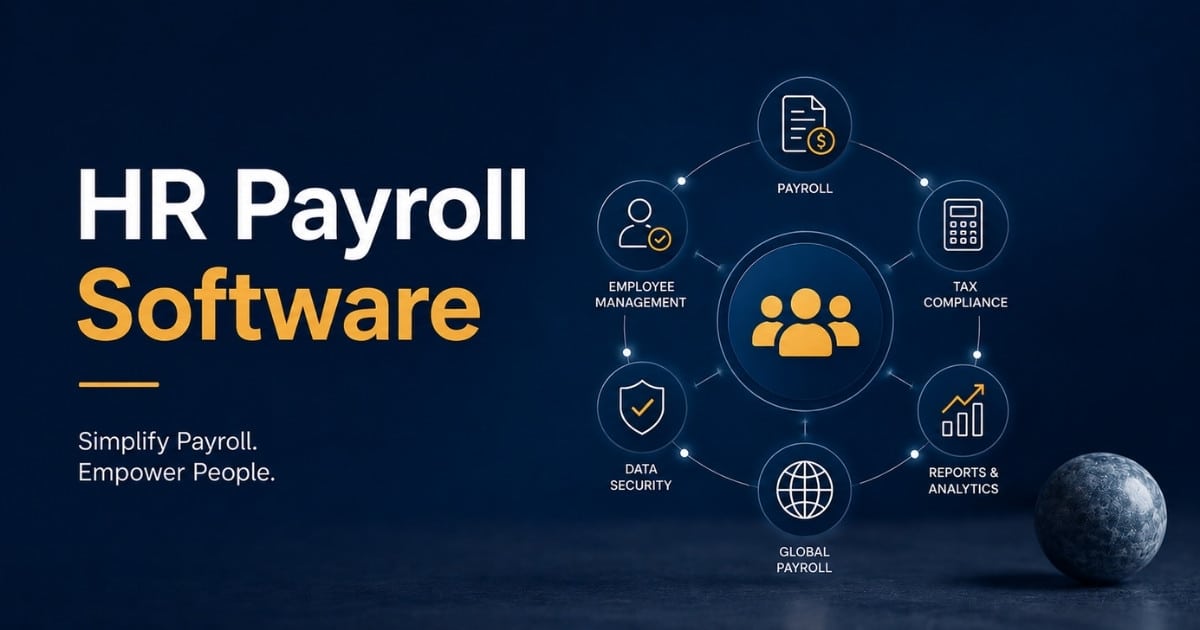
All-in-one HR payroll software brings together HRIS, time tracking, benefits administration, and payroll into a unified cloud platform. This contrasts sharply with disconnected systems that create data silos, reconciliation delays, and compliance risks. These platforms automate payroll runs, sync employee data instantly, support multi-currency direct deposit payments, and provide employee self service portals accessible via mobile apps.
Payrun represents a modern, all-in-one HR payroll software solution built for UK businesses. It delivers HMRC-compliant submissions, automated pension enrollments, and seamless integrations with popular accounting platforms. The following sections break down seven key benefits that matter most for UK SMEs and expanding international businesses.
What Is All-In-One HR Payroll Software
All-in-one HR and payroll software is a unified cloud-based platform that consolidates the entire employee lifecycle into one system. This includes core HR data such as personal details, contracts, and performance records alongside time and attendance tracking, benefits enrollment covering pensions and health insurance, and complete payroll processing with gross-to-net calculations, tax withholdings, and payments.
Key features of payroll software include time tracking integration, direct deposit, expense management, employee self-service, payroll reports, tax filing, and global payroll capabilities. Unlike standalone payroll tools that require manual exports to HR systems, an integrated payroll system maintains a single source of truth. When a promotion occurs in the HR module, the salary automatically updates in payroll without re-entry.
Modern cloud HR systems in 2026 are typically browser-based with native mobile apps for iOS and Android. They employ role-based access controls, end-to-end encryption, and immutable audit trails that log every transaction with timestamps and user identifiers. This architecture ensures GDPR compliance and provides the traceability needed for HMRC audits.
Seven Benefits Of All-In-One HR Payroll Software
This section covers seven distinct benefits of unified HR and payroll software. Each benefit receives dedicated attention with real-world context and practical applications. These advantages apply whether your organization processes a few dozen payslips or manages complex payroll across multiple entities and countries.
1. Improved Payroll Accuracy Across Every Pay Cycle
A single repository for employee data dramatically reduces manual keying errors and duplicate records. When hourly employees clock in, their hours flow directly into calculations. When HR updates a salary or tax code, payroll reflects the change automatically. Payroll software automates the process of paying employees, calculating wages, handling taxes, and managing deductions, which eliminates the need for manual calculations and ensures employees are paid accurately and on time.
Consider a 150-employee UK retailer using automated payroll software. The system flags mismatched timesheets against clock-ins, invalid National Insurance numbers, or expired visa documentation before processing runs. This prevents overpayments that average £500 per incident according to industry benchmarks.
Historical changes including mid-year pay rises from £28,000 to £30,000 or tax code shifts from 1257L to BR remain time-stamped. This ensures precise back pay calculations compliant with HMRC requirements. Users of integrated platforms report 65% fewer payroll queries reaching HR teams, directly boosting productivity and reducing next-cycle adjustments by up to 75%.
2. Time Savings Through Automated Payroll Processes
Automated payroll replaces spreadsheet work with scheduled BACS runs, reusable pay templates, and automatic wage calculations for taxes, NIC, and statutory payments. Using automated payroll software can save businesses significant time, allowing them to focus on core operations rather than getting bogged down in payroll processing.
A 100-employee company can transition from 8-hour monthly processing to approximately 45 minutes. This frees over 150 hours annually for strategic initiatives like employee engagement and retention programs.
Automated payroll features handle recurring elements such as car allowances, overtime at premium rates, and statutory maternity pay. The system manages these without repetitive data entry each pay period. When an employee leaves, automated offboarding prevents erroneous leaver payments that can cost organizations thousands of pounds yearly.
3. Seamless HR And Payroll Data Integration
Integrated payroll connects new starter onboarding, absence management, performance-driven pay changes, and leaver workflows directly into each pay run. This bidirectional syncing eliminates approximately 30% of common errors including paying terminated staff or missing salary adjustments.
Many payroll software solutions offer integration capabilities with popular accounting and HR systems, allowing for seamless data transfer and management across platforms. For a manufacturing SME, integrated absence data automatically deducts unpaid leave while performance-driven raises flow seamlessly into payroll calculations.
Accounting integrations like connections to Xero or Sage automatically post journal entries. A typical entry might debit wages at £50,000 and credit NIC liability at £6,900, streamlining reconciliations that manually consume 10 hours per month. Finance teams benefit from unified controls, potentially reducing month-end close time by half.
4. Better Compliance With Tax And Employment Regulations
Payroll software helps ensure compliance with ever-changing regulations, reducing the risk of costly errors and penalties associated with manual payroll processing. All-in-one platforms automatically apply annual updates including 2026 NIC thresholds at £12,570 primary and pension minimums at 3% employer contribution.
Automated tax filing is a critical feature of payroll compliance software, as it helps businesses stay compliant with changing tax laws and reduces the risk of errors in tax calculations and filings. Automated payroll systems help businesses stay compliant with evolving federal, state, and local regulations by calculating tax withholdings and filing payroll taxes accurately. Systems achieve 99% HMRC RTI submission accuracy versus 82% for manual approaches.
Global setups handle EU VAT on contractor payments or US 1099 filings for international operations. Built-in validation preempts errors like late FPS submissions that carry fines ranging from £100 to £3,000. Centralized audit trails detail every PAYE adjustment, making response to external audits or payment disputes straightforward.
5. Enhanced Employee Experience With Self Service Tools
Employee self-service portals enable staff to view payslips, update bank details via Faster Payments, and download P60 or tax forms from any device. This capability cuts HR helpdesk tickets by approximately 60%.
Online time-off requests with manager approvals replace email chains. Employees see their remaining holiday balances clearly, such as 25 days remaining out of annual allocation. Direct deposit and on-time accurate payroll payments support employee wellbeing and financial stability.
A modern mobile experience improves adoption rates significantly. Platforms designed with intuitive interfaces similar to consumer banking apps achieve adoption rates exceeding 85%, reducing administrative burden on HR while improving employee satisfaction.
6. Scalability For Growing And Global Teams
Cloud-based hr and payroll software supports headcount growth from 10 employees to thousands without platform migrations or significant downtime. Organizations can add multi-currency capabilities and new locations through configurable rules rather than custom development.
Consider a UK startup expanding to Ireland in 2025. Using global payroll capabilities within one platform avoids the cost and complexity of maintaining separate per-country systems. Multi-location and multi-currency support enables efficient management of international contractors or overseas subsidiaries.
Scalable role-based permissions and workflows maintain access controls as teams expand. HR views all records, managers see their teams, and finance accesses liability data. These controls remain robust even as headcount doubles yearly, supporting business growth without compromising security.
7. Deeper Insights Through Unified Reporting And Analytics
Integrated payroll data provides real-time dashboards for labour costs, overtime trends, absence patterns, and benefits utilisation. Rather than pulling data from multiple sources, decision-makers access consolidated views instantly.
Customizable reports combine HR metrics and payroll numbers. Examples include cost per hire calculations, turnover cost analysis, and departmental pay variance tracking. A company might identify £45,000 in departmental overtime or pinpoint a 12% absence rate requiring attention.
These analytics support decisions about hiring plans, overtime policies, and budget forecasting. Many platforms export payroll analytics to business intelligence tools like Power BI, enabling predictive models that forecast labour cost inflation and support workforce planning.
Key Features To Look For In HR And Payroll Software
Selecting the right payroll software in 2026 requires focus on automation capabilities, mobile accessibility, and support for hybrid workforces. Resources like a complete guide to payroll software features and automation can support evaluation of essential features that deliver practical value for your organization.
Automated Payroll And Tax Management
Automated payroll software calculates gross-to-net wages, applies tax codes, and handles statutory deductions without manual spreadsheets. Compliance management in payroll processing includes ensuring adherence to labor laws and regulations, which can be facilitated by payroll software that automates local tax filings and payroll calculations.
Scheduled pay runs execute automatically at defined intervals. Systems generate HMRC submissions via API and produce year-end forms including P60 and P11D documentation. Error detection flags negative net pay, missing bank details, or duplicate payments before confirmation.
Payroll mistakes can be costly, making it essential for employers to prioritize payroll providers that automate tax calculations and filings to maintain compliance. The right system also handles tax deductions for bonuses, commission schemes, and wage garnishments automatically.
Integrated Time Tracking And Attendance
Payroll software can integrate with smart attendance and time tracking software to ensure accurate payroll processing by automatically syncing employee hours worked with payroll calculations. This eliminates rekeying hours and reduces disputes about overtime or missed clock-ins.
The system syncs rota changes, approved overtime, and unpaid leave into calculations automatically. Support for multiple pay rates, night shifts, and weekend premiums serves sectors including retail, manufacturing, and healthcare effectively.
Attendance management systems should offer both browser-based timesheets and mobile clock-in options for field staff. Biometric integrations and GPS verification add security layers for distributed teams.
Employee Self Service And Manager Self Service
Self service portals let employees update personal details, bank accounts, and tax information securely. They should access pay stubs, view benefit enrollments, and manage their own payroll data without HR intervention.
Manager capabilities include approving timesheets, holidays, and expenses directly within the HR and payroll system. Push notifications and simple approval workflows speed up processes, with workflows completing in hours rather than days.
Intuitive design ensures non-technical staff use self service effectively without extensive training. Mobile accessibility allows approvals and updates from anywhere.
Integrations With Accounting, Benefits, And Business Insurance
Integration with existing HR and finance systems is a key feature of modern payroll processing software, enabling businesses to automate data flow and reduce manual entry errors. Integrated payroll connects to accounting software for automated journal posting and reconciliation.
Connections with pension providers and benefit platforms ensure accurate financial records. Where applicable, business insurance data used for premium calculations pulls from payroll automatically.
Open APIs connect payroll data to HRIS, applicant tracking systems, and business intelligence tools, as well as modern time tracking vs attendance tracking solutions. Verify that integrations are actively supported and maintained rather than simply advertised as future capabilities.
Security, Permissions, And Compliance Controls
Modern hr software protects sensitive payroll data with encryption, strong authentication, and regular security updates. Role-based access separates HR, payroll, finance, and line manager permissions to prevent unauthorized data exposure.
Audit trails record each change to pay, tax status, or bank details for compliance support and fraud prevention. Look for certifications like SOC 2 Type II and data residency options relevant to your jurisdiction.
Security breaches carry average costs of £3.5 million according to industry research. Proper permissions and controls provide essential protection for sensitive payroll expenses and employee information.
How All-In-One HR Payroll Software Supports Different Business Sizes
Payroll priorities vary between startups, SMEs, and larger organizations, but core needs overlap significantly. Understanding how software scales and how HR software billing models work in 2026 helps organizations select solutions that grow alongside their workforce.
Startups And Micro Businesses
Startups prioritize simplicity, low cost, and fast setup alongside accurate payroll and automated tax filings. Simple payroll software for small businesses can replace spreadsheets from the first hire, avoiding compliance issues that surface as organizations scale.
Payroll software options vary widely, with some platforms like Gusto and OnPay being particularly user-friendly for small businesses, while specialized HR software for small businesses focuses on broader HR needs. Key features for this group include direct deposit, simple employee onboarding, and basic employee self-service capabilities.
A tech startup in 2026, paying remote developers across the UK benefits from lean integrated payroll tools that handle BACS payments and RTI submissions without dedicated payroll staff.
Growing Small and Medium-Sized Businesses
SMEs with 50 to 500 employees need more structure, including approval workflows, standardized HR processes, and deeper payroll reporting. A robust payroll management system, combined with integrated absence tracking and performance data, becomes critical for informed decision-making.
Integrations with accounting platforms, pensions, and benefits matter increasingly as headcount climbs. Small businesses transitioning to medium-sized businesses often struggle with disjointed systems that worked earlier but create bottlenecks at scale.
Mid-sized companies benefit from consolidated employee data that supports both operational efficiency and strategic workforce planning.
Multi Entity And International Organisations
Larger organizations face additional complexities, including global payroll rules, differing tax calendars, multiple currencies, and local regulations. Enterprise-level HR and payroll software for SaaS and software companies centralizes data while respecting local compliance requirements and reporting formats.
A company with entities in the UK, Ireland, and the EU uses one HR and payroll engine with region-specific rules configured appropriately. Leadership teams rely on consolidated payroll analytics for budgeting and workforce planning across all locations.
Payroll solutions for this segment must handle complex payroll scenarios, including varying pay periods, multi-currency payments, and jurisdiction-specific tax laws, making payroll automation software especially valuable.
Sector Specific Needs And Regulations
Sectors like construction, healthcare, hospitality, and education often require support for irregular shifts and complex pay rules. Construction companies track piece rates while healthcare organizations manage night shift premiums.
Compliance requirements such as right-to-work checks, training records, and sector-specific allowances link into payroll data for accurate tracking. Pay codes, earning types, and deduction structures should match real-world scenarios without extensive custom development.
Configurable systems allow tailoring by sector without building bespoke solutions, reducing implementation complexity while meeting operational requirements.
Nonprofits And Public Sector Organisations
Charities, NGOs, and public bodies often have strict audit, reporting, and budget controls tied closely to payroll operations. Integrated HR and payroll makes grant reporting, project labour allocation, and cost centre tracking more accurate.
User permissions and approval flows can mirror governance structures and delegated authority levels. This ensures appropriate oversight while maintaining operational efficiency.
Cloud-based payroll also supports distributed volunteer and part-time staff management, common in nonprofit organizations with limited administrative resources.
How To Choose The Best All-In-One HR Payroll Software
Selecting HR and payroll software in 2026 involves more than comparing subscription prices. A systematic approach increases the likelihood of selecting a platform that serves your organization well over time.
When comparing payroll software, businesses should consider factors such as ease of use, customer support, and the ability to integrate with existing systems, as these can significantly impact overall satisfaction and efficiency.
Clarifying Requirements And Budget
Document must-have and nice-to-have features such as global payroll, employee self service, and advanced reporting. Involve HR professionals, finance teams, and IT stakeholders early to capture all critical requirements.
Align software costs with realistic multi-year budgets accounting for growth in employee numbers. Create a scoring matrix to compare vendors objectively against documented requirements, weighting criteria according to organizational priorities.
Evaluating Usability And User Experience
Intuitive design, clear workflows, and responsive performance matter for adoption among HR teams and employees. Test real-life scenarios during demos, including running a payroll correction or completing employee onboarding.
Mobile accessibility matters in 2026 for managers approving tasks and employees accessing payslips remotely. Capture feedback from end users during trials rather than relying solely on decision-maker impressions.
Assessing Integration And Data Migration
Verify integrations with existing accounting, HR, benefits, and identity systems before committing to any platform. Ask about structured data migration plans, including import of employee records and historical payroll results.
Understand how vendors handle historical tax years, prior leavers, and audit requirements during migration. Well-managed migrations reduce disruption and avoid running duplicate payroll systems longer than necessary.
Checking Support, Training, And Service Levels
Evaluate support options, including onboarding specialists, live chat, phone support, and knowledge bases. Ask about response times, escalation paths, and whether payroll experts are available around key deadlines.
ADP is recognized as one of the most trusted payroll providers, offering flexible solutions that adapt to business needs. However, smaller providers often offer more personalized service for SMEs, and comparisons such as Payrun vs Homerun highlight how feature sets and pricing differ. Review customer testimonials for realistic insight into ongoing service quality.
Reviewing Compliance Posture And Future Roadmap
Vendors must stay ahead of legislative changes in payroll tax, employment law, and data protection. Ask for examples of how products have adapted to regulatory changes in recent years.
Review product roadmaps for planned enhancements to hr tools, analytics, and global payroll capabilities. Ensure the vendor vision aligns with your organization’s digital transformation plans and anticipated growth trajectory.
Common Challenges When Moving To All-In-One HR Payroll Software
While benefits are substantial, transitioning to new hr and payroll software can be disruptive without proper planning. Understanding common pitfalls, including the risks of running multiple disconnected tools instead of an integrated platform, as discussed in guides on simplifying HR by replacing disconnected tools, helps organizations design resilient implementation approaches.
Data Quality And Legacy Systems
Inconsistent employee records, duplicate profiles, and missing tax information from legacy systems cause issues in new platforms. Audit and clean data before migration, standardizing job titles, locations, and pay codes.
Map old fields to new ones clearly to avoid misaligned reports and wage calculations. Run test payroll cycles in parallel with existing systems to validate accuracy before switching fully. Expect data migration for 10,000 records to require approximately four weeks with proper validation.
Change Management And User Adoption
Resistance arises when HR, finance, or managers must change established processes. Communicate the benefits of accurate payroll, time savings, and improved self-service early in the project timeline.
Involve department champions to support peers during rollout. Simple, well-documented processes and clear ownership of each workflow element help adoption proceed smoothly.
Configuration Complexity and Over-Customisation
While configurable systems offer flexibility, over-complicated pay codes and workflows create confusion. Start with clear, standardized configurations and add complexity only where documented business value exists.
Run configuration workshops with vendor consultants to align system design with actual payroll policies. Document each configuration decision for future reference, audits, and staff training purposes.
Timeline Pressure Around Payroll Cycles
Going live during busy periods such as year-end or statutory changes introduces unnecessary risk. Plan implementation around quieter payroll months where possible.
Maintain contingency plans, including access to previous systems for one or two extra cycles. Clear cutover checklists covering approvals, test results, and sign-offs ensure nothing is overlooked during transition.
Ongoing Optimisation After Go Live
Many organizations fail to revisit workflows after initial implementation, leaving potential efficiency gains unrealized. Schedule regular reviews of reports, automations, and self-service adoption metrics.
Work with vendors on periodic health checks and training refreshers. Add incremental improvements such as new dashboards or revised approval chains based on user feedback and analytics insights.
Why Choose Payrun For All-In-One HR Payroll Software
Payrun stands as one of the best payroll software options for organizations seeking fully integrated HR and payroll in a single cloud platform. As highlighted in its innovative HR features overview, and designed with UK compliance at its core, Payrun powers thousands of SMEs with consistent uptime and HMRC certification.
The payroll platform delivers automated BACS payment processing, RTI and EPS filings, Auto-Enrolment pension management, and comprehensive self-service for payslips and P45 documentation. Native integrations with Xero, Sage 50, and QuickBooks simplify payroll processing and accounting reconciliation.
Payrun scales from one employee to thousands, supporting multi-company payrolls, CIS deductions, and global contractors across multiple currencies. The system simplifies payroll while maintaining the configurability needed for complex payroll scenarios, reflecting its mission as a trustworthy partner in HR management.
AI-powered anomaly detection flags potential costly errors before they affect employees. Mobile apps drive strong adoption rates while open APIs connect to business intelligence tools for advanced workforce analytics. Organizations using Payrun report significant time savings compared to legacy systems and disconnected full-service payroll approaches.
Explore a Payrun demo to see how this all-in-one system can replace multiple disconnected tools while delivering the accurate payroll, automated compliance, and visibility your organization needs.
Frequently Asked Questions
How Long Does It Typically Take To Implement All-In-One HR Payroll Software?
Implementation timelines vary based on organization size and complexity. Small businesses with 1 to 50 employees typically complete setup in two to four weeks. Multi-entity organizations with 500 or more employees often require three to six months for full deployment. Key factors affecting duration include data quality from existing systems, complexity of pay rules and deduction structures, number of required integrations, and internal resource availability. Parallel testing with legacy systems adds time but significantly reduces go-live risk.
Can All-In-One HR Payroll Software Handle Contractors And Gig Workers?
Most modern platforms support employees, contractors, and agency workers with distinct tax treatments. Systems apply separate pay codes, reporting requirements, and documentation flows for non-payrolled individuals. For UK businesses, this includes CIS deduction management at 20% or 30% rates and ensuring contractors receive appropriate documentation rather than standard payslips. Global operations can manage 1099 exports for US contractors alongside standard PAYE processing.
How Secure Is Cloud-Based HR And Payroll Data?
Reputable providers employ enterprise-grade security, including ISO 27001 certification, AES-256 encryption, multi-factor authentication, and UK data residency options. Breach rates among certified providers remain below 0.01% with 72-hour incident response commitments. Ask potential vendors about their specific certifications, penetration testing frequency, and data residency options. Understand their incident response procedures and insurance coverage for potential security events.
Does All-In-One HR Payroll Software Support Global Payroll Needs?
Yes. Modern payroll services platforms support global payroll and hr operations with automated tax compliance, local tax filings, and payroll tax management. Businesses can reduce payroll errors, improve hr compliance, and save time through centralized payroll provider systems. Many companies also compare solutions like OnPay Payroll and QuickBooks Payroll for international payroll flexibility.
How Does Integrated HR Payroll Software Affect My Existing Accounting Setup?
Integrated payroll and hr software connects directly with accounting software and accounting platforms, helping businesses reduce errors and improve financial accuracy. Automated payroll calculations, payment processing, and tax compliance features simplify operations significantly. Many organizations replace disconnected time tracking software and manual payroll workflows to save time and reduce payroll errors consistently.