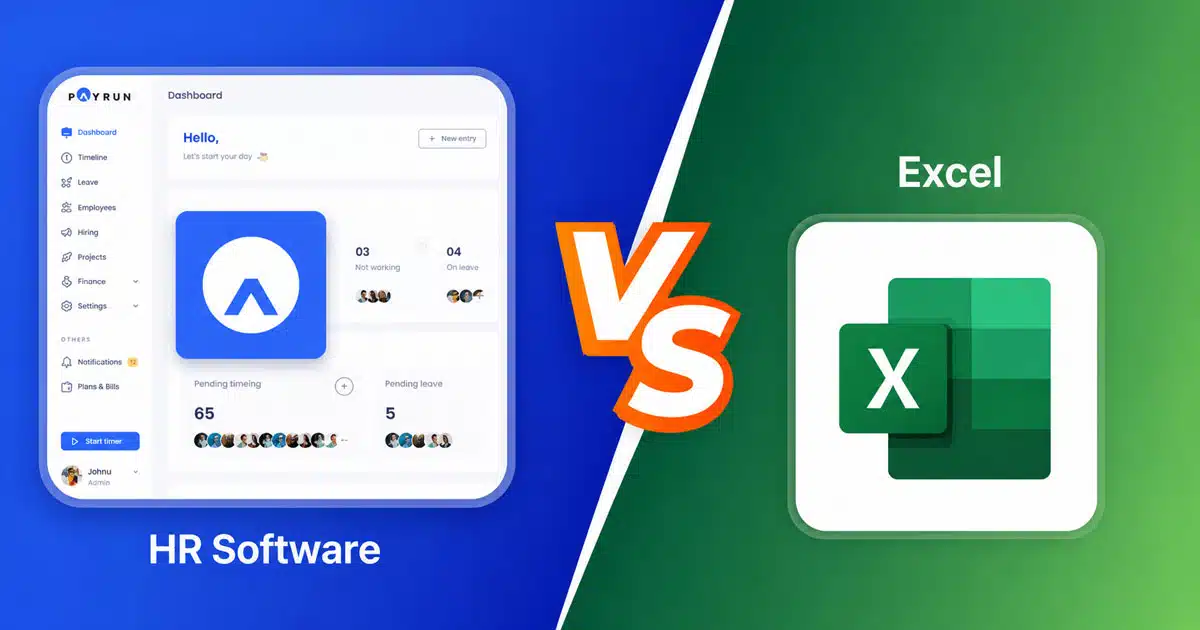
Managing employee data effectively determines how smoothly your HR operations run and whether your business stays compliant with evolving regulations. Many HR teams still rely on Excel spreadsheets because they feel familiar and appear cost-effective. However, as your workforce grows, the gap between what spreadsheets can handle and what your business actually needs becomes impossible to ignore.
Research shows that nearly 88% of spreadsheets contain significant errors, and SMBs lose approximately USD 12,000 annually from payroll errors and compliance mistakes tied to spreadsheet use. Meanwhile, HR software offers automation, built-in compliance features and centralized databases that eliminate many of these risks. Understanding the practical differences between these two approaches helps you make an informed decision that supports your business growth without creating unnecessary administrative burden.
HR Software Vs Excel Key Difference Table
| Feature | HR Software | Excel Spreadsheets |
|---|---|---|
| Data Accuracy | Automated validation rules prevent incorrect data entry | Manual data entry prone to human error (88% of spreadsheets contain errors) |
| Scalability | Handles unlimited employees without performance loss | Error rates jump 30% when managing beyond 100 employees |
| Security | Role-based access control, encryption at rest and in transit | File passwords only, often shared via email or network drives |
| Compliance | Built-in audit trails, automatic regulatory updates | Manual tracking, no native audit functionality |
| Version Control | Single source of truth, automatic document versioning | Multiple file copies create confusion about current version |
| Reporting | Real-time dashboards and automated analytics | Manual refresh required, skilled analyst needed |
| Collaboration | Simultaneous access with permission controls | File conflicts when multiple users edit |
| Integration | Connects with payroll, time tracking and tax systems | Manual export/import or fragile connectors |
| Audit Readiness | One-click compliance reports | Manual reconstruction across multiple files |
| Cost Structure | Predictable subscription pricing | Hidden costs from errors and administrative overhead |
HR Software Vs Excel Key Differences
Both HR software and traditional spreadsheets can store employee information, but the underlying approach to data management creates vastly different outcomes for your business.
Data Accuracy And Error Reduction
HR software automates data validation at the point of entry, catching invalid dates, incorrect tax codes and duplicate records before they cause problems. Modern employee record management systems use relational databases that enforce data integrity constraints, ensuring that employee records remain consistent across all connected systems.
Excel spreadsheets depend entirely on manual data entry accuracy. Research indicates that nearly 1% of all formula cells in large spreadsheets contain errors, and these mistakes compound over time. A single cut-and-paste error in an Excel sheet cost a Canadian power company USD 24 million in 2003, while Crypto.com overpaid USD 10.47 million due to a wrong refund entry in a spreadsheet cell.
Automation And Workflow Efficiency
HR software automates repetitive HR tasks including payroll calculations, leave approvals, onboarding workflows and compliance reminders. Modern HR workflow automation approaches help some firms save approximately 5 hours per week per HR team member by automating leave management and onboarding processes alone.
Managing spreadsheets requires constant manual intervention. Every salary calculation, attendance record and policy acknowledgment needs human processing. This time consuming approach pulls HR professionals away from strategic tasks like employee development and workforce planning, creating an administrative burden that grows with each new hire.
Scalability For Growing Businesses
HR management systems scale automatically with cloud infrastructure. Whether you have 50 employees or 5,000, the system handles additional data without requiring proportional increases in HR staff or administrative overhead. Database architecture ensures performance remains consistent regardless of company size.
Excel scalability hits practical limits quickly. When employee counts exceed approximately 100, error rates increase by roughly 30%. File sizes grow, formulas become complex and the risk of corruption multiplies. Very small teams might manage adequately with spreadsheets, but business growth inevitably exposes these limitations.
Data Security And Access Control
HR software provides enterprise-grade protection for sensitive employee data including encryption at rest and in transit, HR role permission systems with role-based access controls and secure cloud storage environments. HR professionals can restrict who views payroll information, personal details or performance reviews based on job function.
Excel file vulnerabilities create significant exposure. Files often travel via email, sit on network drives with broad access or end up on USB drives. Without native encryption or granular permissions, sensitive data including social security numbers, medical information and compensation details remains at risk. Studies show that 56% of HR data breaches relate to user or configuration errors stemming from weak security features.
Compliance And Regulatory Readiness
Modern HR software includes compliance features designed for regulations like GDPR, HIPAA and FLSA. Automatic updates keep tax tables current, overtime calculations accurate and statutory deductions correct. As businesses grow, shifting from manual to smart HR helps the system track policy acknowledgments, certification renewals and document retention requirements without manual intervention.
Excel offers no built-in compliance support. HR departments must manually track regulatory changes, update formulas for new tax rates and maintain paper trails for audits. Missing a filing deadline or misclassifying an employee carries real financial penalties, and GDPR fines increased by 15% in 2025 alone.
Reporting And Analytics Capabilities
HR software delivers real-time HR dashboards showing headcount trends, payroll costs, turnover rates and overtime patterns. HR leaders can generate reports instantly, spot patterns and make informed decisions based on current data rather than last month’s manually compiled spreadsheet.
Excel requires skilled analysts to build reports and manual refreshes to keep them current. Creating the same HR insights demands significant time investment, and by the time traditional processes produce usable analysis, the underlying data may already be outdated.
Collaboration And Integration
Cloud based software enables simultaneous access from any location with appropriate permissions. Cloud HR tools for remote teams ensure remote employees, multiple offices and different time zones present no barriers. HR systems integrate directly with time tracking tools, payroll services, benefits platforms and accounting software.
Excel collaboration creates version control nightmares. When multiple people edit copies of the same file, determining which version contains accurate data becomes nearly impossible. Manual processes for reconciling different spreadsheet versions waste hours and introduce additional error opportunities.
Data Management Challenges In Excel
Excel often creates gaps in HR data management due to manual inputs, version conflicts, and limited controls. As employee data grows, errors increase, making it harder to maintain accuracy, consistency, and proper tracking across records and reports.
Manual Entry Errors And Duplication
Every piece of employee data entered into a spreadsheet represents an opportunity for human error. Typos in employee names, transposed numbers in salary calculations and incorrect date formats accumulate across dozens of files. Without automatic validation, these mistakes often remain undetected until they cause payroll errors or compliance issues.
Duplicate records create particular headaches. When HR staff create new entries without checking existing data, the same employee might appear multiple times with slightly different information, making accurate reporting impossible.
Version Control And File Conflicts
Spreadsheet management inevitably produces multiple file versions. Draft compensation plans, updated contact lists and revised org charts spread across email attachments, shared drives and individual desktops. HR teams spend valuable working hours trying to identify which file contains the correct current information.
When two people edit the same spreadsheet simultaneously, one set of changes overwrites the other. This file conflict problem intensifies with remote employees and distributed teams, creating data silos that fragment employee information across the organization.
Limited Data Validation Capabilities
Excel can perform basic data validation through manual formula setup, but this requires technical expertise and ongoing maintenance. Complex validation rules break easily, and there is no system-level enforcement preventing incorrect data from entering the spreadsheet.
HR software validates data against established rules automatically. Date formats, required fields, approved values and relational integrity checks happen in real time, preventing bad data from entering the system rather than catching it after the fact.
Risk Of Data Loss And Corruption
Spreadsheet files corrupt more frequently than most HR teams realize. A single malformed cell, broken link, or oversized file can render months of work inaccessible. While backups help, many organizations lack robust backup procedures for spreadsheet data.
Local storage compounds this risk. If a laptop fails, gets stolen, or suffers malware infection, employee files stored locally may be permanently lost. Cloud based HR systems maintain redundant backups automatically, protecting employee records from hardware failures and security incidents while replacing disconnected HR tools with a more resilient, unified platform.
Lack Of Audit And Tracking
Excel provides no native audit trail. When someone changes an employee’s salary, updates their job title, or modifies their benefits election, the spreadsheet captures only the current state. There is no record of who made changes, when changes occurred or what previous values existed.
This limitation becomes critical during regulatory audits or employment disputes. HR departments cannot demonstrate compliance without reconstructing change history manually from backup files and email threads, assuming such documentation even exists.
HR Data Management Challenges
Managing HR data creates operational pressure when systems lack structure and automation. Many organizations still rely on Microsoft Excel, which increases manual HR tasks, slows data analysis, and impacts payroll management accuracy while limiting the ability to manage HR at scale.
Data Entry And Manual Calculation Errors
Manual calculations and repetitive data entry in Excel increase the chance of errors across employee files and payroll management. Human input issues often affect data accuracy, leading to incorrect records, delayed request time approvals, and reduced confidence in HR data used for decision making. These challenges directly affect employee experience and overall HR performance.
Lack Of Centralized Employee Data
Microsoft Excel stores data in separate files, which creates fragmented employee files and limits visibility. HR teams struggle to manage HR processes when data sits in multiple locations. This makes data analysis difficult and slows administrative tasks, especially when handling employee records across departments and evolving business needs.
Time Consuming Administrative Tasks
Manual HR tasks take significant time, especially when handling manual calculations, payroll management, and request time workflows. HR professionals spend hours updating spreadsheets instead of focusing on employee engagement and employee satisfaction. This inefficiency reduces productivity and delays essential HR operations that support long term employee experience.
Limited Scalability For Growing Business Needs
As business needs expand, Excel becomes harder to manage due to increasing data volume and complexity. Managing HR in spreadsheets creates bottlenecks that limit scalability. Without structured systems, HR teams face challenges in handling employee files, tracking changes, and supporting consistent employee engagement across a growing workforce.
Impact On Efficiency And Decision Making
Lack of proper data analysis tools limits HR insights and slows informed decision making. Microsoft Excel cannot support advanced reporting or real time analytics needed for modern HR functions. While some organizations view software pays as an initial investment, it delivers long term value by reducing administrative tasks and improving payroll management accuracy. This shift supports better employee satisfaction and improves overall HR efficiency.
How HR Software Improves Data Management
HR software streamlines data handling by automating updates, centralizing records, and improving accuracy. It supports better decision making by ensuring clean, structured data that is easy to access, track, and manage across all HR processes.
Centralized Employee Data
HR software maintains all employee records in a central location within a secure database. Contact information, payroll data, benefits elections, performance reviews and compliance documents exist in a single system accessible to authorized HR staff.
This centralization eliminates data silos and ensures that every department works from the same accurate employee information. All-in-one HR platforms like Payrun’s HR system ensure updates propagate immediately across all connected processes, preventing the inconsistencies that plague organizations managing spreadsheets across multiple departments.
Automated Data Updates
When regulations change, HR software providers update tax tables, calculation formulas and compliance requirements automatically. HR teams do not need to research new overtime rules or manually adjust payroll calculations for minimum wage increases.
Automated processes extend to routine HR tasks as well. Birthday reminders, certification expiration alerts, probation period completions and scheduled reviews trigger automatically based on employee data, and structured approval workflow HR processes remove the need for HR staff to maintain manual tracking systems.
Real Time Reporting
Modern HR software generates current reports instantly. HR managers can view headcount by department, analyze turnover trends, compare compensation across roles and identify workforce patterns without waiting for someone to update a spreadsheet or rely on spreadsheets for payroll decisions.
These HR insights support better decision making. Rather than basing workforce planning on data that might be weeks old, HR leaders work with current information that reflects actual organizational status.
Role Based Access Control
HR platforms allow precise control over who sees what information. Managers might view their direct reports’ basic information and leave balances while HR staff access full employee records. Payroll data remains visible only to those who need it.
This granular control protects sensitive data while enabling appropriate self service access. Employees can view their own records, submit time off requests and update personal information through employee role management software and employee self service portals without compromising organizational data security.
Accurate Data Validation
HR software enforces data quality at the source. Required fields must be completed, dates must fall within valid ranges and selections must match approved options. Invalid entries receive immediate feedback, preventing incorrect data from entering the system, and innovative HR features such as automated checks further strengthen data quality.
These automated calculations and validation rules eliminate entire categories of errors that plague spreadsheet-based processes. Payroll mistakes from formula errors become rare when the system handles calculations automatically using validated inputs.
Compliance Management With HR Software And Excel
Managing compliance requires consistent record keeping, audit trails, and adherence to regulations. HR software simplifies this by enforcing structured processes, while Excel increases the risk of missed updates, incomplete records, and non compliance issues over time.
Audit Trail Tracking
HR software automatically records every data change with timestamps and user identification. When auditors ask who approved a salary change or when a policy acknowledgment occurred, the system produces complete documentation instantly, especially around payroll automation software where auditability is critical.
This audit trail tracking satisfies regulatory requirements across multiple frameworks. GDPR mandates demonstrable data governance, and HR systems provide exactly the documentation regulators expect to see.
Regulatory Compliance Support
HR platforms include features specifically designed for legal frameworks. GDPR consent tracking, HIPAA security controls, FLSA overtime calculations and jurisdiction-specific labor law compliance come built into the payroll software and broader system architecture.
When regulations change, software updates deliver new requirements automatically. HR departments do not need to research every regulatory update or wonder whether their processes meet current standards.
Policy And Record Management
Document management within HR software ensures policies reach employees and acknowledgments are tracked. Digital signatures provide legally valid confirmation that employees received and agreed to workplace policies.
Retention schedules automate document lifecycle management. The system knows which records must be kept for how long and can produce compliance documentation showing proper retention practices during audits.
Excel Compliance Limitations
Excel offers no compliance support. Every regulatory requirement must be tracked manually, every acknowledgment documented separately and every audit request answered through time consuming file archaeology.
Spreadsheets cannot demonstrate who had access to sensitive employee data, when changes occurred or whether proper procedures were followed. This documentation gap creates significant compliance risks that grow with company size.
Risk Of Non Compliance
The consequences of compliance failures extend beyond administrative inconvenience. Missed filing deadlines trigger penalties. Improper employee classification leads to back wages and fines. Data protection violations under GDPR can cost millions.
Organizations relying on Excel for HR functions accept these risks implicitly. Without automated compliance monitoring, catching problems before they become violations depends entirely on human vigilance and manual processes.
Security And Risk Management Considerations
Data security plays a critical role in HR systems where sensitive employee information is stored. HR software offers stronger protection, while Excel files remain vulnerable to unauthorized access, sharing risks, and potential data breaches.
Data Encryption Protection
HR software encrypts sensitive employee data both in storage and during transmission. Even if unauthorized access occurs, encrypted data remains unreadable without proper decryption keys.
This protection applies automatically across all employee records. Personal information, payroll data and medical details receive consistent protection without requiring HR teams to implement technical security measures themselves.
Secure Access Controls
Role-based access control ensures that only authorized personnel view sensitive information. Authentication requirements, session timeouts and access logging provide multiple layers of protection against unauthorized data access.
HR systems undergo regular security audits and maintain compliance with data protection standards. The infrastructure supporting employee data receives professional-grade security that most organizations could not implement independently, which is especially important when using HRM software to manage a remote workforce.
Excel File Vulnerabilities
Spreadsheet security relies primarily on file passwords, which offer limited protection. Password-protected Excel files can be bypassed with readily available tools, and password sharing undermines whatever protection exists.
Files transmitted via email, stored on shared drives or copied to portable devices escape whatever access controls exist at the organizational level. Sensitive employee data frequently ends up in locations far less secure than its sensitivity demands.
Data Breach Risks
HR data includes some of the most sensitive information organizations maintain. Social security numbers, bank accounts, medical conditions and compensation details, along with timesheet and attendance data, attract identity thieves and expose organizations to significant liability.
Research indicates that 56% of HR data breaches stem from user or configuration errors. Excel’s lack of security features contributes directly to breach risk by enabling exactly the access patterns and sharing behaviors that create vulnerabilities.
Compliance And Risk Reduction
HR software reduces compliance risks by removing opportunities for the human errors that cause most problems. Automated processes follow consistent procedures, maintain proper documentation and apply current regulatory requirements without depending on individual HR staff to remember every detail.
The specialized software approach to HR management treats security and compliance as core system features rather than afterthoughts. This architecture fundamentally reduces organizational exposure compared to manual processes relying on spreadsheet discipline.
How Does Payrun Simplify HR Data Handling
Payrun streamlines HR data handling by centralizing employee information, automating payroll management, and reducing manual HR tasks. Instead of relying on Microsoft Excel and repetitive manual calculations, HR teams can manage HR processes through a structured system that improves data accuracy and consistency across all employee files.
With automation, Payrun eliminates time-consuming administrative tasks such as payroll calculations, request time approvals, and leave management processes, as well as employee record updates. This reduces human error and improves overall data reliability, helping HR teams focus more on employee engagement and employee satisfaction rather than managing spreadsheets.
Payrun also strengthens data analysis by providing real-time insights into HR data. HR professionals can track employee information, monitor payroll management, and generate reports without dealing with fragmented files or version control issues. This improves decision-making and supports better alignment with business needs.
Security is another key advantage. Payrun protects sensitive employee data with controlled access and secure storage, reducing risks that often arise from Excel files. As a trustworthy HR partner, HR departments gain better control over employee files while ensuring compliance with data protection standards.
FAQs
How Does HR Software Improve Data Accuracy And Reduce Manual Errors
HR software validates data at entry through automated rules that prevent invalid dates, incorrect formats and duplicate records. Built-in payroll calculations eliminate formula errors, while relational database architecture ensures consistency across all employee records. Organizations typically see dramatic reductions in the manual errors that cost SMBs approximately USD 12,000 annually in spreadsheet-based operations.
What Are The Biggest Compliance Risks When Using Excel For HR Data
Excel lacks audit trails, automatic regulatory updates and document management features that compliance frameworks require. Organizations cannot demonstrate data governance practices during audits, track policy acknowledgments systematically or prove proper data retention. These gaps expose businesses to fines under GDPR, HIPAA and labor regulations that increasingly demand documented compliance.
How Does HR Software Enhance Data Security Compared To Excel Usage
HR software provides encryption, role-based access controls and secure cloud infrastructure that Excel cannot match. Sensitive employee data receives protection automatically, access logging tracks who viewed what information and professional security audits verify ongoing protection. Excel files traveling via email or sitting on shared drives lack these fundamental security features.
Can Small Businesses Achieve Better Efficiency With HR Software Systems
Absolutely. Small businesses often benefit most because limited HR staff cannot absorb the administrative burden of manual processes. Automating payroll, leave management and compliance tracking frees time for strategic work while reducing error rates. Modern HR software like Payrun for small businesses offers scalable pricing that makes professional tools accessible even for small business operations.
Why Is Automation Important For Modern HR Data Management Processes
Automation removes human error from repetitive HR tasks while ensuring consistent application of policies and procedures. Automated calculations eliminate payroll mistakes, workflow automation ensures nothing falls through the cracks and compliance automation keeps organizations current with changing regulations. This reliability becomes essential as regulatory complexity and workforce distribution continue increasing.