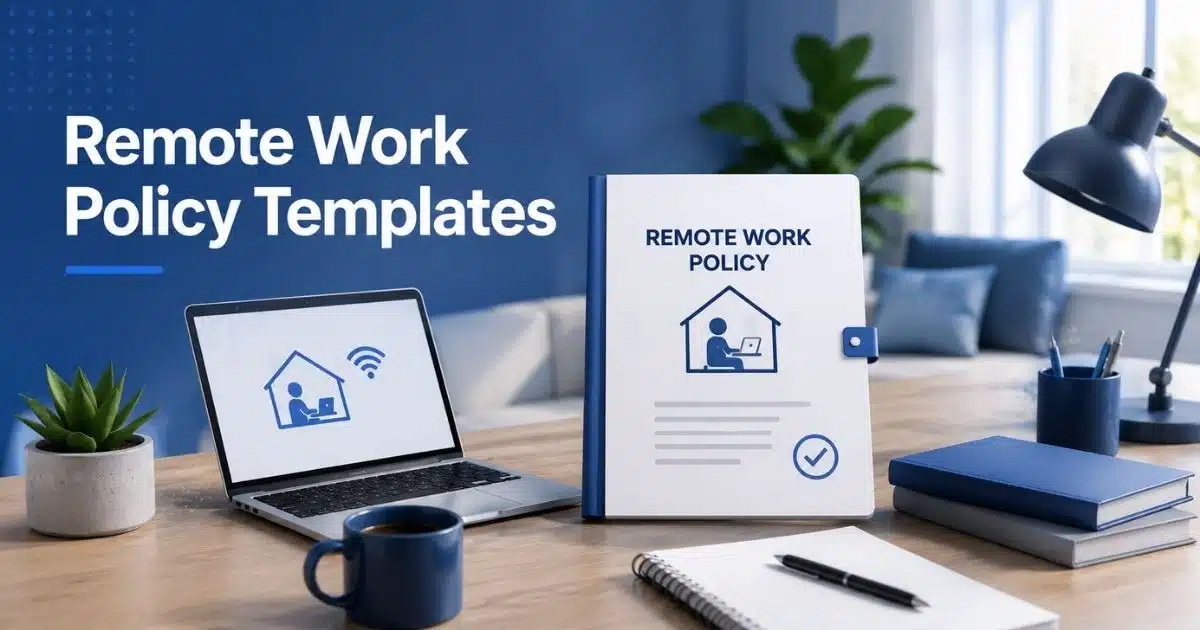
Most companies write a remote work policy template once and never touch it again. That's the problem. Remote employees face different challenges than in-office staff, from spotty home internet to blurred work hours, and a stale document can't keep up. A strong policy sets clear rules for where remote workers log in from, when they're expected to respond, and how output gets measured.
Skip this step and employee performance becomes hard to track fairly, disputes pile up, and trust erodes fast. The right template also protects work life balance, so people aren't answering Slack messages at 11 pm just to prove they're working. Below are 10 templates you can adapt today.
10 Remote Work Policy Template Examples

Choosing the right remote work policy template saves time and cuts confusion later. Each option below fits a different setup, from full remote teams to hybrid offices, so remote workers know exactly what to expect.
Standard Full Remote Policy Template
Built for companies where nobody works in a traditional office setting at all. It should define normal business hours, response windows, and how eligible employees stay reachable across time zones. A clear policy template removes guesswork on day one for every new hire.
It also needs job duties, provided equipment, and security protocols spelled out for anyone working remotely full time. Since there's no office fallback for quick clarification, employees working remotely need sharper written guidance than hybrid staff. Human resources should revisit this template yearly.
Hybrid Work Policy Template
A hybrid template splits time between in-office days and remote work, so it needs rules that cover both without contradicting either. Spell out which days require office presence, how work hours apply on remote days, and what counts as core availability for the whole team.
Unlike a fully remote plan, this version has to reconcile two environments under one set of company policies. Scheduling conflicts are the most common issue, so build in a simple process for swapping in-office days. Managers also need a way to track performance across both settings fairly, often supported by employee performance tracking software that focuses on output rather than presence.
Startup Remote Policy Template
Startups move fast, so their remote work arrangements need to stay simple and flexible rather than heavily bureaucratic. This template should cover eligible employees, expected work hours, and basic communication protocols without burying the team in paperwork nobody reads or follows.
Early-stage companies often skip formal company policies until a hire dispute forces the issue. A lightweight template still needs data security basics and a clear line on job duties, so growth doesn't outpace the rules the founders assumed everyone already understood from day one.
Enterprise Remote Policy Template
Enterprise remote work requests move through more layers, so this template needs approval chains, documented eligibility, and consistent enforcement across departments. Human resources typically owns this policy template, coordinating between legal, IT, and department heads before anything gets finalized company-wide.
Standardized communication protocols matter too, so communication protocols so all the employees follow the same reporting structure regardless of location. Security protocols matter more here too, since enterprise systems hold more sensitive company data than a typical small business setup ever would need to protect.
Remote First Company Policy Template
A remote-first company builds every process around employees working remotely by default, not as an exception. This policy template should provide remote employees with a home office setup stipend, clear equipment standards, and defined expectations from their very first day.
Since there's rarely a central office to fall back on, communication protocols carry more weight than in traditional office setting companies. Async updates, documented decisions, and predictable work hours all need to be written down so nothing depends on someone happening to be online.
Occasional Work From Home Policy Template
This template covers employees who work remotely a few days a month rather than full time. It should define how remote work requests get submitted, what advance notice is expected, and which job duties still require a physical location for hands on tasks.
Because occasional remote work is inconsistent, employee eligibility rules matter more than usual to avoid favoritism among staff. Managers should confirm normal business hours still apply on remote days and outline what happens if someone misses a scheduled in-office day without notice or approval.
Remote Policy Template For Client Facing Roles
Client facing roles need a policy template that protects company data while employees work remotely during calls and meetings. It should require a virtual private network for any client system access and set expectations for background noise and video presence on calls.
Job duties in these roles often depend on availability during normal business hours across different client time zones. This template should also address how remote workers handle sensitive company property, like laptops used to store contracts or pricing information off site or at home.
International Remote Team Policy Template
International teams complicate a simple policy template fast, since employee eligibility, tax rules, and labor law vary by country. This version needs to define work hours by region, set shared communication protocols, and clarify which company policies apply locally versus globally for every team.
Privacy rules get more complex too when all the employees span multiple countries with different privacy regulations in place. A virtual private network requirement helps standardize access, but human resources still needs country-specific guidance layered on top of the base template for full coverage.
Remote Policy Template With Stipend Clauses
Stipend clauses turn a basic policy template into one that actually helps employees working remotely cover real costs. It should provide remote employees with a defined home office setup budget, plus rules for internet reimbursement and equipment replacement timelines.
Company property purchased through a stipend needs clear ownership terms, especially for laptops and monitors that stay with departing employees. This template should also state whether unused stipend funds roll over or reset, so remote work requests around equipment don't turn into recurring disputes.
Remote Policy Template For Regulated Industries
Regulated industries need a policy template built around strict security protocols, not just convenience for employees working remotely. Data security requirements often come from compliance frameworks, so eligible employees may need extra training before remote work arrangements get approved at all.
This template should document physical location restrictions for certain job duties, since some regulated work legally cannot happen off site. Human resources and compliance teams typically co-own this policy, reviewing company data handling rules more often than a standard template would require.
Remote Work Policy Example (Northlane Freight Brokers)

Purpose
This document sets the terms for employees working outside our Denver, CO office. All remote arrangements need sign-off from a direct manager and HR, and this policy is reviewed every January.
Scope
Applies to full-time employees who have completed their 60-day onboarding period. Part-time and contract staff are not covered.
Eligibility
Northlane approves remote work on a rolling, permanent basis. Employees may work from any US state where the company is registered to pay payroll tax. To qualify, a role must:
- Be completable without daily equipment only available on-site
- Involve deadlines that can be tracked independent of hours logged
Dispatch coordinators and warehouse liaisons are not eligible, since both require same-day physical access to freight documents, while other roles can rely on employee timeline tracking to prove output without being on site.
To apply, employees submit a remote work form to their manager, who forwards it to HR for final approval within five business days, ideally using a structured HR approval workflow to keep decisions consistent and auditable.
Work Expectations
Remote staff must maintain set hours, be reachable by phone between 9am and 2pm MT, and answer time-sensitive carrier emails within 90 minutes. Teams sync every Monday via video call.
Equipment and Supplies
Northlane issues a laptop, headset, and dual monitor. Equipment is for business use only. Internet, electricity, and home office furniture are the employee's responsibility.
Technical Support
IT support runs 6am–6pm MT. Employees submit a helpdesk ticket for hardware or software issues and notify their manager if it affects deadlines.
Workspace Guidelines
Employees should use a surge protector, keep walkways clear of cords, and work from a proper desk rather than a couch or bed for calls longer than ten minutes.
Security and Confidentiality
Employees must password-protect all devices, keep security software current, avoid public wifi for carrier or client data, and report lost equipment within 24 hours.
Travel Requirements
Remote employees attend the annual company conference in person; travel costs are reimbursed per standard policy.
Compensation
Pay stays the same regardless of location and follows normal review cycles for raises and bonuses.
Consequences
Missed deadlines or unapproved absences may lead to a written warning or loss of remote eligibility.
Core Coverage Every Remote Work Policy Needs

A solid work policy needs more than a list of rules. It has to spell out who qualifies, what hours mean, and how output gets judged, all in clear guidelines anyone can follow without asking HR to translate it first for them.
Vague Policy Language And Its Real Cost
Many employees run into trouble not because the rules are unreasonable, but because nobody wrote them down clearly enough. A policy that says be available doesn't tell someone working from home whether that means online at 8am or just reachable by lunch.
Managers feel this cost too, especially when comparing someone in office against a remote hire with looser expectations on paper. Vague language forces every disagreement into a judgment call, and judgment calls are exactly what a written policy exists to prevent altogether.
Unclear Eligibility And The Disputes It Causes
Eligibility disputes usually start the same way: one employee is approved to work fully remote while a peer in a similar role is told no, with no clear reason given for the difference between the two decisions made.
Some companies avoid this by approving remote work only temporarily, then reviewing it later, but even that needs written criteria behind it. If a role genuinely requires being on site, the policy should explain why in plain language, not just assert it as fact.
Comp And Benefit Mismatches Across Locations
Pay and benefits get complicated fast once a team spans multiple work locations. Two employees doing identical jobs can end up with different healthcare options or stipends simply because one lives in a state the company never planned around at all.
Hybrid work adds another layer, since someone splitting time between home and the office may not fit neatly into either remote or in-office benefit structures, making a modern attendance management system for flexible teams useful for keeping records accurate. Regular check ins between HR and finance help catch these mismatches before they turn into formal complaints.
Security Gaps Most Policies Miss
Most policies mention security in passing, then stop short of anything practical. Virtual meetings get recorded without guidance on where files land afterward, and password rules rarely address what happens on a shared home network at all.
Training closes this gap better than more rules on paper ever could. Companies that train managers to spot risky habits early catch problems before they spread, and even a role that's technically on site still needs the same basic security expectations as anyone working remote day to day.
Hybrid Versus Fully Remote Rules
Hybrid and fully remote setups need different rules, even when they come from the same remote work policy. A hybrid model still leans on the office for scheduled days, while fully remote employees rarely see one at all. Getting this right starts with clear communication about which days require attendance, what counts as core hours, and how managers track output either way. A shared work policy template makes the split easier to write down, since each section can flag which rules apply to hybrid staff, which apply to fully remote employees, and where the company expects overlap between the two groups.
Rule Area | Hybrid | Fully Remote |
|---|---|---|
Office Days | Set days required each week | No required office days |
Home Offices | Optional setup stipend | Full setup stipend expected |
Social Events | Attend in person when scheduled | Attend virtually or at planned meetups |
Manager Check-Ins | Weekly, mix of in-person and virtual | Weekly, fully virtual |
Core Hours | Match office hours on in-office days | Set independently per time zone |
Eligibility And Approval Process
Not every role qualifies for remote work, and the policy should say exactly why rather than leaving employees to guess. Eligibility usually depends on whether a job can be measured by output instead of physical presence, and whether it requires equipment, files, or supervision only available on site. Roles like reception, warehouse work, or hands-on client support typically stay ineligible, while most desk-based positions can qualify with the right approval.
The approval process itself should be simple enough that managers don't dread it. An employee submits a written request, their manager reviews it against the eligibility criteria, and HR signs off within a set number of business days, usually five to ten. Approved arrangements get documented in the employee's file so there's a clear record if the role, manager, or circumstances change later. Denials should come with a stated reason, not silence.
Equipment Stipends And Reimbursement
Most remote work policies fall short here by promising support without defining what that actually covers, especially around holiday and leave periods that are easier to manage with holiday management software. A clear stipend policy should state a dollar amount, what it can be spent on, and how often it renews, rather than leaving employees to guess what counts as a reasonable purchase.
A common structure works like this: a one-time setup stipend, somewhere between $200 and $500, covering a desk, chair, or monitor within the first 30 to 60 days of a role starting, alongside a clear leave approval workflow so time off requests are handled just as consistently. Ongoing costs like internet or a portion of electricity can be handled through a smaller monthly reimbursement instead, submitted through an expense system rather than approved case by case.
Company-issued equipment, like laptops or headsets, should stay separate from the stipend entirely and remain company property throughout employment. The policy should also cover what happens at offboarding, whether equipment gets returned, and what happens to unused stipend funds if someone leaves partway through a cycle. Vague answers here are one of the most common sources of disputes once someone actually exits the company.
Multi-State And Multi-Country Compliance Basics
Multi-state and multi-country teams turn a simple remote work policy into something closer to a legal document. Payroll tax, benefits, and labor law all shift depending on where a person actually works, so an organization needs written procedures that account for this before someone relocates, not after the fact.
A practical approach starts small, often by tightening workforce calendar management first so scheduling, time zones, and holidays are visible before adding new locations. For example, many companies only approve new work locations that already have registered payroll access, rather than opening every state or country by default from the start. This keeps support manageable for HR and finance while still providing flexibility for employees who genuinely need to move for family or cost of living reasons.
Equipment shipping, tax withholding, and even basic communication norms can change across borders, so the policy should create clear steps for each situation and connect them to leave management for remote teams where regional rules differ. A defined process protects the organization and keeps productivity steady, since nobody is stuck waiting weeks to find out if their job can legally move with them.
Security And Data Protection Expectations

Security expectations are one of the most skipped parts of a remote work policy, even though the risk is higher outside an office. A clear process here protects essential business data now and avoids bigger problems down the road, especially when paired with strong employee data protection in HR systems that back the policy up with tools.
Device And Network Requirements
Every remote employee should work from a company managed device whenever possible, since personal laptops are harder to secure and monitor, and broader HRM software for managing a remote workforce can help centralize those standards. IT should manage updates automatically rather than relying on employees to install them.
Home networks also need a baseline, like a password protected router and no shared access with unrelated devices on the same connection, supported by employee role management software that limits who can reach which systems in the first place. These expectations sound basic, but they cover most of the actual security gaps that show up in practice.
Confidential Data Handling Off Site
Confidential files should never leave approved company systems, even for something as simple as emailing a document to a personal account for convenience. This single habit causes more incidents than most companies expect.
Employees should understand which categories of business data count as sensitive and store them only in approved tools, ideally organized through employee file management software that keeps records secure and searchable. A short list beats a long policy nobody reads, and it makes the expectations easy to follow day to day.
Password And Access Control Basics
Password managers should be standard, not optional, since reused passwords remain one of the easiest ways into a company system. Multi-factor authentication should cover email, file storage, and any client-facing tools.
Access itself should follow a simple rule: employees only get into systems essential to their actual job. Removing access quickly when someone changes roles or leaves is just as important as granting it correctly in the first place.
Public Wifi And Personal Device Risks
Public wifi at a cafe or airport is convenient but risky, especially for anyone handling client data or financial records, so any remote attendance tracking for distributed teams should avoid relying on unsecured networks. A VPN helps, but it does not make public networks fully safe on its own.
Personal devices carry similar risk, since they often lack the same monitoring as company hardware. The policy should be direct about which tasks are fine on personal devices and which absolutely require a managed one instead.
Post-Incident Response And Next Steps
When something does go wrong, employees need a clear first step, usually contacting IT or security immediately rather than trying to fix it themselves. Delayed reporting almost always makes incidents worse.
A good incident process also looks forward, not just backward. After containment, the team should review what happened and update expectations or training so the same gap doesn't reopen the door for a similar issue in the future.
Common Mistakes That Get Remote Policies Challenged

Even a well-written policy gets challenged when a few common mistakes creep in, especially if the organization is already struggling with HR software mistakes like poor integration or unclear ownership. Most of these come down to unclear responsibilities, not bad intentions, and they show up the same way across remote and hybrid teams alike.
Vague Eligibility Language
Policies that never define who qualifies for remote work leave managers guessing case by case. One team lets employees work from home freely, another requires strict hours in office, and nobody can point to the rule that explains the difference.
This inconsistency is what actually gets policies challenged, not the rules themselves. Clear eligibility language, even a short list, removes most of the ambiguity that turns into a formal complaint later on.
Missed Compliance Or Reimbursement Coverage
Some policies skip compliance and reimbursement details entirely, assuming HR will handle exceptions as they come up, but this is risky once payroll compliance software is in place and expects clean data from the start. That works fine until an employee relocates or asks about equipment costs nobody planned for in writing.
Importantly, this gap creates real legal exposure once a company allows employees to work across state or country lines. Reimbursement rules and tax compliance need to be written down, not handled each time informally, and they should align with whether the organization runs on cloud HR vs on-premise HR systems, since each handles locations differently.
Policies Nobody Actually Reads
A policy buried in a shared drive folder might as well not exist. If employees never read it, training on remote expectations becomes pointless, since nobody knows the rules well enough to follow them.
Short, scannable sections work better than dense legal language. Pairing the policy with a quick onboarding walkthrough or refresher training keeps the actual practices fresh instead of forgotten after the first week.
Inconsistent Enforcement Across Teams
One manager tracks hours closely, another barely checks in, and employees notice the gap fast, especially when hybrid teams lack consistent hybrid attendance tracking across locations. Inconsistent enforcement across teams is one of the quickest ways to make a policy feel unfair rather than protective.
Standardizing how performance gets measured, regardless of manager, keeps expectations even. Shared training for managers on enforcement practices matters just as much as the written policy itself.
Policy Updates Left Too Late
Policies written for a fully in-office team rarely fit years later, once tools, software, and team structure have all changed. Waiting until a dispute forces a rewrite is the worst time to update anything.
A policy should get reviewed on a set schedule, not only when something breaks. Regular reviews catch outdated responsibilities and mismatched practices before they turn into a bigger problem for HR to untangle, particularly for smaller organizations that depend on an attendance management system for small businesses to keep records clean.
Final Discussion
A remote work policy only works if it actually gets used, not just filed away after launch. The templates and rules covered here give a starting point, but every company still needs to adjust eligibility, stipends, and security expectations to fit its own team and industry, and to avoid common leave management mistakes companies must avoid as they scale. Skipping that step is how generic policies end up ignored or challenged within the first year.
The goal isn't a perfect document on day one; it’s a living framework that can plug into tools like employee time log reports so the rules match how work is actually tracked in practice. It's a policy specific enough to answer real questions, reviewed often enough to stay current, and clear enough that employees and managers both know exactly where they stand.
FAQs
Is A Written Remote Work Policy Legally Required?
In most places, no law demands a formal document, but having one still protects the company. Without clear terms, disputes over pay, equipment, or termination default to whatever a court or labor board decides, which rarely favors either side cleanly.
Can Employers Monitor Employees Working From Home?
Yes, within limits that vary by state and country. Employers can track software usage, login times, or output on company devices, but should disclose this clearly. Monitoring personal devices or non-work hours usually crosses into legal risk and damages trust fast.
What Happens If An Employee Relocates Without Telling The Company?
This creates real payroll and tax exposure, since withholding rules change by location. Most policies require advance notice and approval before any move, with consequences ranging from a written warning to loss of remote eligibility if someone relocates silently.
Do Remote Employees Get The Same Benefits As In-Office Staff?
Core benefits like healthcare and paid time off typically stay the same regardless of location. Location-specific perks, like transit stipends or free lunches, often don't translate directly and get replaced with equivalent remote benefits, such as a home office allowance instead.
How Should Time Zones Be Handled For Scheduling Meetings?
Teams spread across time zones need a shared overlap window, even a narrow one, for live meetings. Recording sessions and documenting decisions in writing helps anyone outside that window stay informed without requiring odd hours or constant late-night calls.