Payroll shouldn't feel like a second full-time job. Many small business owners find themselves juggling calculations and tax filings without simple payroll software. The right software can save time and give you peace of mind.
We've researched the best payroll software for small businesses to help you run payroll the quickest way. In this article, you will learn, everything in automatic tax calculations, direct deposit options and time tracking integration. We'll show you how to choose easy payroll software that fits your budget and team size. You can stay compliant and pay your team without the stress.
What Is Payroll Software
Payroll software helps a business manage payroll without complex manual work. Simple payroll software lets small business owners run payroll, calculate payroll taxes, and pay employees or contractors in a few steps. The platform stores employee data, hours, and pay details in one secure system. Many software products also connect with accounting tools and time tracking systems to keep records accurate. Electronic copies of paychecks, tax forms, and filings stay organized online.
Simple payroll software also helps a team stay compliant with rules from government agencies. The software manages payroll taxes, direct deposit, and tax calculations automatically. Small business owners can track time, manage benefits, and schedule paydays with confidence. Unlimited payrolls, a simple onboarding process, and helpful support make payroll stress-free. The system saves time, protects company data, and keeps the business ready for future growth.
Why Simple Payroll Software Matters For Small Businesses
Simple payroll software removes a major burden from small business owners. Payroll involves taxes, paychecks, records, and compliance with government agencies. Manual payroll often causes errors and delays. The right payroll software helps teams run payroll faster, stay compliant, and pay employees with confidence every payday.
Fewer Payroll Errors
Manual payroll often creates costly mistakes. The IRS reports that about 33% of employers make payroll errors each year, and many small businesses pay penalties for incorrect payroll taxes or late filings. Small business owners rarely have time to double-check every payroll calculation.
Simple payroll software handles calculations automatically. The system tracks hours, pay rates, payroll taxes, and deductions in one place. The platform also stores employee data and payroll details securely. Fewer manual entries mean fewer errors and less worry for the business owner.
More Time For Core Work
Payroll tasks consume valuable hours every week. Many small business owners spend three to five hours per pay period on payroll preparation, tax calculations, and record keeping. Time spent on payroll reduces focus on growth, sales, and customer service.
Simple payroll software helps a business run payroll in minutes. The platform syncs time tracking, employee hours, and pay details automatically. Direct deposit sends paychecks to employees on schedule. The software saves time and allows the team to focus on work that moves the company forward.
Better Compliance With Payroll Taxes
Government agencies require accurate payroll taxes, filings, and employee forms. Late payments or incorrect filings often lead to penalties. The IRS collects billions of dollars in payroll tax penalties every year from businesses that fail to stay compliant.
Simple payroll software helps a business handle taxes correctly. The software calculates payroll taxes, prepares forms, and stores electronic copies for records. The platform also tracks deadlines and filings. Small business owners gain peace of mind because the system helps protect the company from compliance risks.
Easy Payments For Employees And Contractors
Employees expect accurate paychecks on time every payday. Delays or incorrect pay damages trust within the team. Payroll problems also affect contractors, who rely on timely payments for their work.
Simple payroll software makes payments easier. Direct deposit sends money straight to employee bank accounts. The system also supports payments for contractors. The platform records pay details, taxes, and deductions automatically. Employees receive electronic copies of paychecks and forms online.
Clear Payroll Data And Reports
Payroll produces important financial data for a business. Owners need accurate reports to understand labor costs, benefits, and payroll expenses. Without proper software, payroll data often becomes scattered across spreadsheets and paper records.
Simple payroll software keeps employee payroll records organized in one platform. The system tracks hours, paychecks, benefits, taxes, and payroll costs. Reports sync with accounting tools and help an accountant review records quickly. Clear payroll insights help small business owners make better financial decisions for the future.
Key Features In A Simple Payroll Software
Selecting the right payroll system for small business starts with understanding which features matter most. Modern payroll software products go beyond calculations to handle complex compliance requirements and improve everyday tasks.
Automatic Tax Calculations And Filing
Tax compliance represents one of the most valuable capabilities in payroll software. Most modern payroll software calculates, withholds, and files federal, state, and local payroll taxes automatically. The software stays current with continually updated payroll tax rates and rules to help you meet federal, state, provincial, and local regulations.
Full-service options file taxes on your behalf and issue year-end tax forms like W-2s and 1099s to your employees and contractors. The system makes sure all your paperwork is up-to-date and submitted on time while providing easy access to mandatory forms such as W-2 and W-9. You receive notifications about changes to minimum wage, tax codes and other regulations.
Direct Deposit And Payment Options
Direct deposit has surpassed printed paychecks as the preferred means of wage payment largely because it's faster and more secure. The Automated Clearing House (ACH) network moves money from your business bank account to employee accounts on a scheduled basis.
Employees paid via direct deposit usually have access to their wages by 9:00am on payday, though processing times can vary depending on the sender and the bank. Funds are delivered quickly so there's minimal wait time and faster access to wages. Payroll providers include the incurred cost in their base price rather than treating direct deposit as an add-on.
Employee Self-Service Portal
An employee self-service portal gives your team 24/7 access to their payroll information. Some payroll solutions provide an employee portal or mobile app where staff can access their paystubs, tax forms, and other pay-related documentation.
Employees can view pay statements, access tax information, manage direct deposit, update personal details, submit time-off requests, and download electronic Form W-2. Self-service features lighten the administrative load, improve data accuracy, and boost employee satisfaction..
Time Tracking Integration
Time tracking integration with payroll software eliminates manual data entry and reduces the risk of errors. Approved time information moves directly into payroll and calculations remain consistent across systems. Resources that explain what time tracking software is can help you understand which tools to integrate. The CloudPay Payroll Efficiency Index found that 72% of payroll issues stem from data input.
Automated time tracking eliminates the need for manual timesheets, which can be time-consuming and prone to mistakes. Immediate data sync keeps all systems updated with the latest employee time and attendance data. Organizations using traditional, non-automated payroll processes experience nearly a 20% error rate.
Integration With Accounting Software
Payroll software for small business should sync easily with accounting platforms. Automated syncing works with many popular accounting software products, including QuickBooks, QuickBooks Online, Xero and Wave, to transition your data smoothly.
Integration provides data consistency and can reduce payroll processing time by up to 70%. Automation of payroll transactions minimizes errors by up to 80%, improving the reliability of financial reporting. A broader payroll software guide to features and automation can help you evaluate which integrations matter most. The integration allows for automated journal entries in your accounting software and maintains up-to-date financial records.
Mobile Access And On-The-Go Management
Mobile payroll apps allow employees to view earnings, deductions, taxes, year-to-date totals, and payment history, update bank accounts, manage tax withholdings, and receive immediate pay notifications. Employees can access pay stubs, benefits information and other important details anywhere at any time.
Mobile access supports faster approval workflows, more consistent pay decisions, fewer payroll exceptions, and better visibility into labor costs at the managerial level. Managers can approve timesheets and time off requests, edit team schedules, view team calendar, and access employees' worker profiles.
How To Choose The Right Payroll System For Small Business
Finding the right payroll system for small business requires matching software capabilities to your specific situation. We help you review the factors that determine which payroll software works best for your company.
Assess Your Team Size And Structure
Your current headcount shapes which payroll software products fit your needs. Payroll companies specialize in particular client sizes and profiles. Overviews of the best HR software for small businesses can show which vendors focus on companies your size.
Mid-sized and large teams up to 1,000 people benefit from payroll systems that can process higher volumes and automate repetitive tasks. Self-service portals cut down admin time. Think beyond your current team count. Confirm that the solution you choose can scale without requiring a complete replacement as headcount and revenue increase.
Review Your Budget And Pricing Plans
Payroll platforms bill in one of two different ways. The first and most common is monthly billing, per employee per month models. The second option is an annual subscription model. Some vendors charge a flat monthly fee, while others use a per team member, per month model that can grow quickly as your team scales.
Watch out for fees tied to implementation, customer support or compliance updates. Add-ons like tax filing, year-end forms or integrations may also come with extra charges. A higher upfront cost can pay off when the system provides payroll automation software for faster and accurate processing, automates filings, integrates with your HR and finance tools, and scales with your business.
Check For Compliance And Tax Support
Payroll tends to be simpler if your team is based in just one jurisdiction. The complexities jump once you start hiring across borders or across multiple states within a single country. Each jurisdiction has its own tax rates, filing schedules and labor protections, which makes a structured payroll compliance guide for small businesses especially valuable.
Trustworthy providers use high encryption and security measures to ensure employee information is not accessed without authorization. Check the security policies of the service provider before entering into a long-term service agreement.
Think About Integration Needs
An outsourced payroll professional is part of the most effective system for small businesses to run their payroll on time and correctly. Rather than juggling disconnected tools, many companies move to platforms that simplify HR by replacing disconnected tools. Integration with accounting systems means payroll costs flow directly into your general ledger. Connectivity with time tracking tools matters for companies with hourly staff so hours worked, overtime and paid time off balances flow straight into payroll.
How To Implement Payroll Software
Payroll software setup does not require complex technical work. Most modern platforms follow a simple onboarding process designed for small business owners. Understanding what payroll processing is makes each setup step clearer. Clear setup steps help a business run payroll quickly, manage payroll taxes, and pay employees without stress.
Choose The Right Payroll Software
Every business has different payroll needs. Some companies manage a few employees, while others pay contractors, track time, and handle benefits. Research helps small business owners choose software that fits their team and budget.
Industry data shows that over 60% of small businesses now use payroll software instead of manual payroll systems. Simple payroll software often includes direct deposit, payroll taxes automation, and accounting sync. Many growing teams find that HR software vs spreadsheets for payroll is an important comparison before committing to a system. The right platform should offer affordable pricing, reliable support, and a clean dashboard. A strong payroll system saves time and reduces payroll errors.
Collect Employee And Payroll Data
Accurate data makes payroll software work correctly. The system needs employee details such as pay rate, hours, tax forms, and payment preferences. Contractors also require basic information before payroll setup, so consistent employee attendance tracking becomes essential for accurate hours.
Many payroll platforms provide a simple onboarding process where employees sign forms online. Workers can upload tax forms and verify payment details from a phone, tablet, or computer. Electronic copies of payroll records remain stored in the system. Organized employee data helps the software calculate paychecks and payroll taxes correctly every payday.
Connect Time Tracking And Accounting Tools
Payroll works better when connected with other business tools. Time tracking systems record employee hours and send the data directly into payroll software. Robust employee time log reports make those records more accurate and easier to audit. The process removes manual entry and reduces payroll mistakes.
Research from HR technology studies shows that businesses using integrated payroll and time tracking tools reduce payroll processing time by up to 40%. Implementing smart attendance tracking software with a real-time timeline view is one way to ensure accurate hours flow into payroll. Accounting integration also helps an accountant review payroll costs, benefits, and tax filings quickly. Automatic sync between payroll, accounting, and HR tools keeps financial records accurate.
Set Up Payroll Taxes And Compliance
Payroll taxes create a major responsibility for small business owners. Federal, state, and local government agencies require accurate filings and payments. Payroll software helps manage these rules automatically.
The system calculates payroll taxes and prepares the correct forms. Many platforms also handle filings and deposits with government agencies. The IRS reports that automation reduces payroll tax mistakes significantly. A reliable payroll service protects the business from penalties and helps the company stay compliant, especially when it is part of broader HR software for small and medium businesses that centralizes employee data and policies.
Run Your First Payroll
First payroll run confirms that the system works correctly. Business owners review employee hours, pay rates, and tax calculations before final approval. The software then generates paychecks and schedules direct deposit.
Most simple payroll software allows unlimited payrolls, so a business can run weekly, biweekly, or monthly payroll schedules. Employees receive paychecks or bank deposits on payday. Payroll reports and electronic records remain available online. After the first payroll run, the process becomes fast and stress-free for the team.
Common Mistakes To Avoid When Choosing Payroll Software
Payroll software should simplify payroll work, not create new problems. Many small business owners rush the decision and choose tools that lack key features. Careful evaluation of payroll automation benefits and a complete payroll software feature guide helps a business run payroll smoothly, stay compliant, and protect payroll data.
Price Over Value
Many small business owners choose payroll software based only on price. Cheap tools often lack automation, support, or tax filing features. Research from Software Advice shows 40% of small businesses regret software purchases made only on cost.
Solution:
- Low price may exclude payroll tax automation
- Hidden service costs appear later
- Limited HR or benefits tools reduce value
- Poor support wastes time during payroll issues
Weak Payroll Tax Support
Payroll taxes create one of the biggest risks for small businesses. The IRS reports billions of dollars in payroll tax penalties each year due to errors or late filings.
Solution:
- Software fails to automate tax calculations
- Missing tax filing support for government agencies
- Limited updates for changing tax rules
- Manual tax forms increase compliance risk
Poor Time Tracking Integration
Accurate payroll depends on reliable employee hours. Many businesses choose payroll software without time tracking tools or integrations.
Solution:
- Manual time entry increases payroll mistakes
- Disconnected tools create payroll data gaps
- Payroll calculations become harder to verify
- HR teams spend extra time fixing errors
Limited Payment Options
Employees expect flexible and reliable payment methods. Payroll software should support modern payment tools for both employees and contractors.
Solution:
- Lack of direct deposit support
- Delays in employee paychecks or deposits
- Limited contractor payment options
- Missing electronic copies of pay records
Weak Data Security
Payroll systems store sensitive employee and company data. Security failures create financial and legal risks for any business.
Solution:
- Payroll data stored without strong protection
- Weak login security or verification
- No backup for payroll records or filings
- Limited compliance with modern security standards
Reliable simple payroll software protects payroll data, manages taxes, and keeps payroll stress free for the entire team while supporting ongoing small business payroll compliance.
How Payrun Works As Simple Payroll Software
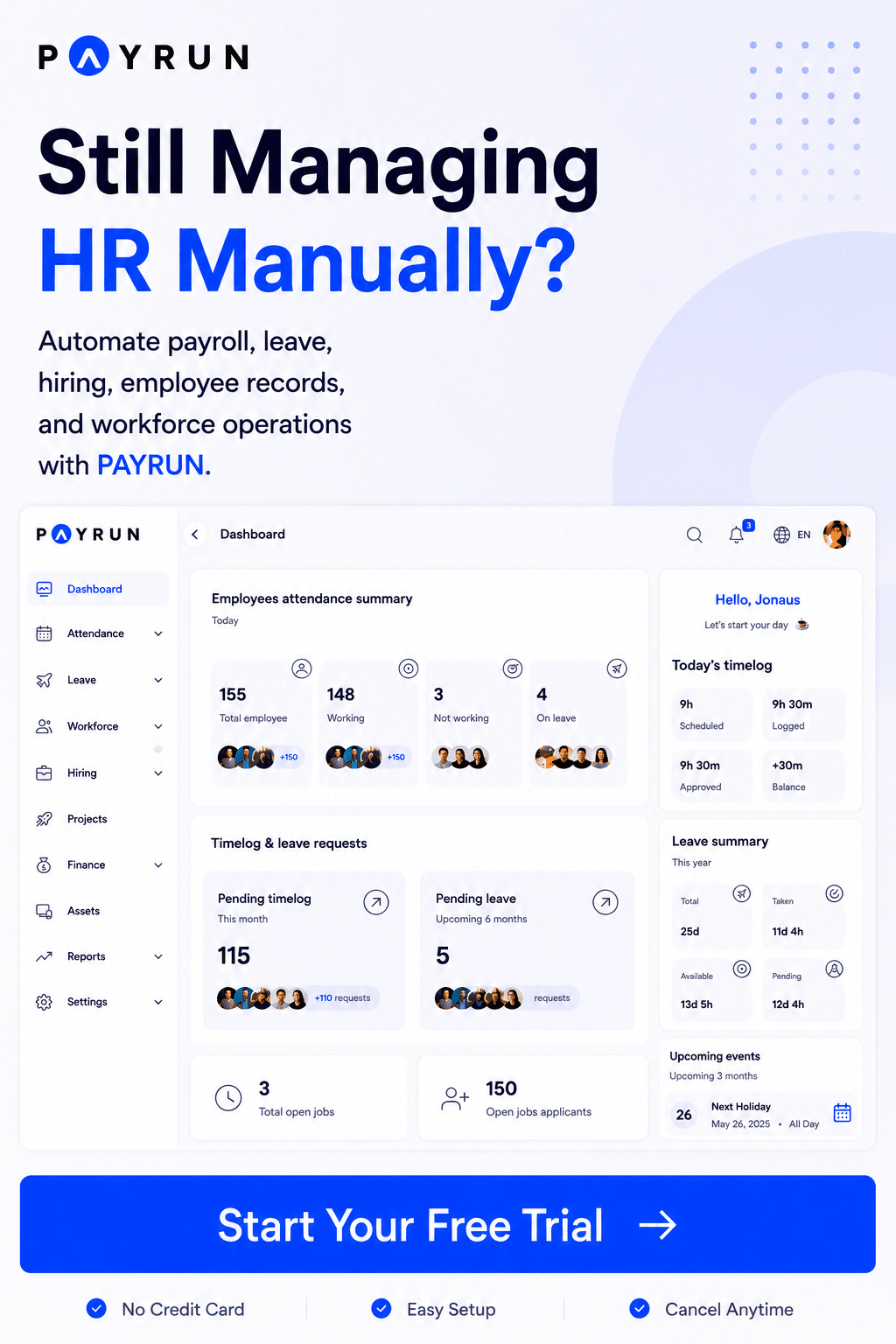
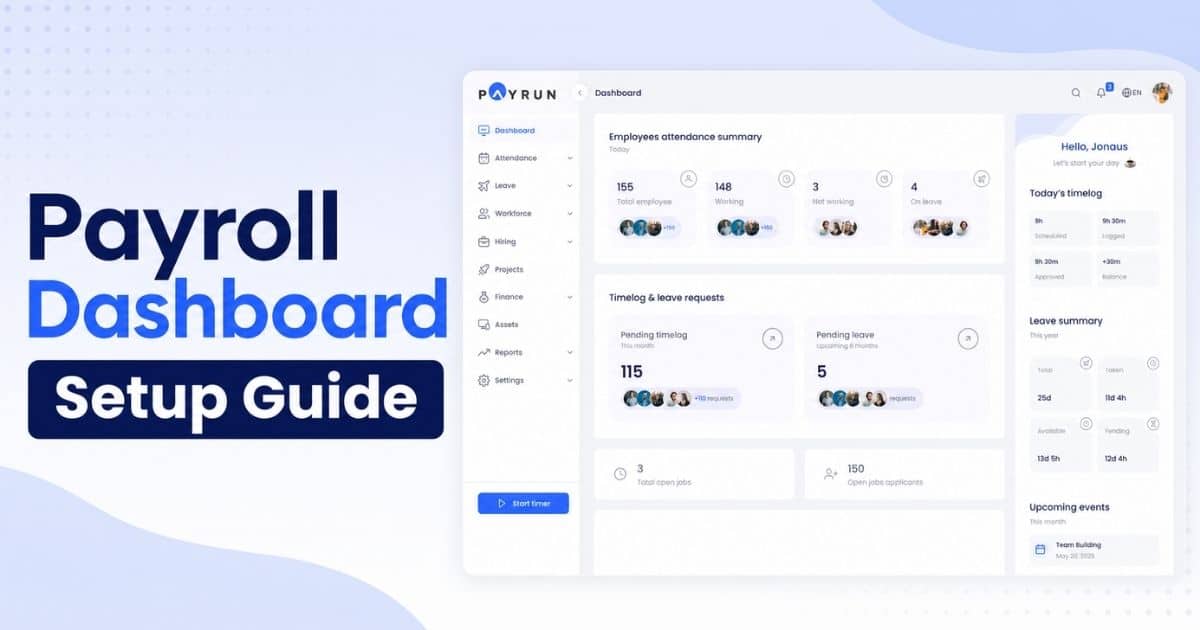
Payrun acts as simple payroll software designed for small business owners. The platform helps a business run payroll, manage payroll taxes, and pay employees from one online system. Employee data, hours, and pay details stay organized in a secure platform. The software also supports time tracking and syncs with accounting tools. Owners can track team activity, review payroll calculations, and prepare paychecks before payday. Electronic copies of forms and payroll records remain stored online for easy access. You can explore Payrun's innovative HR features to see how these capabilities fit into a broader HR toolkit.
Payrun also simplifies HR tasks and payroll management. As HR software built for small businesses, it goes beyond payroll to support everyday people operations. A simple onboarding process helps employees sign forms, submit details, and join the system quickly. Built-in tools for leave management and hiring through Payrun's recruitment system centralize more HR workflows. Direct deposit allows businesses to pay employees and contractors without manual transfers. The software helps a company stay compliant with government agencies through automated payroll taxes and filings. Behind the product, About Payrun explains the team's mission as a trustworthy HR partner. Small business owners save time, reduce payroll errors, and manage payroll with confidence every week.
FAQs
Can Simple Payroll Software Handle Payroll For Both Employees And Contractors?
Yes. Simple payroll software allows a business to pay employees and contractors from the same platform. The software manages payroll calculations, tax forms, and direct deposit. Small business owners can run payroll, store electronic copies, and keep payroll data organized for every team member.
Is Simple Payroll Software Affordable For Small Businesses?
Yes. Many payroll software products offer affordable pricing designed for small business owners. Most platforms charge a monthly price based on employee count. Automation saves time, reduces payroll errors, and lowers accounting costs compared to manual payroll processes.
Does Simple Payroll Software Work With Time Tracking Tools?
Yes. Most modern payroll software connects with time tracking systems. The integration allows a business to track hours and send data directly into payroll. Accurate time data improves payroll calculations and helps the company manage payroll costs and employee schedules.
Can Simple Payroll Software Help A Business Prepare For Payroll Audits?
Payroll software stores payroll records, tax filings, and employee pay details in one secure platform. Electronic copies of paychecks, forms, and payroll data remain accessible online. Organized payroll records help accountants review payroll history and verify compliance with government agencies.
Do Small Business Owners Need An Accountant When Using Payroll Software?
Payroll software automates many payroll tasks, but an accountant can still help with complex taxes and financial planning. Small business owners often use payroll software for daily payroll management while an accountant reviews filings, payroll taxes, and accounting reports when needed.