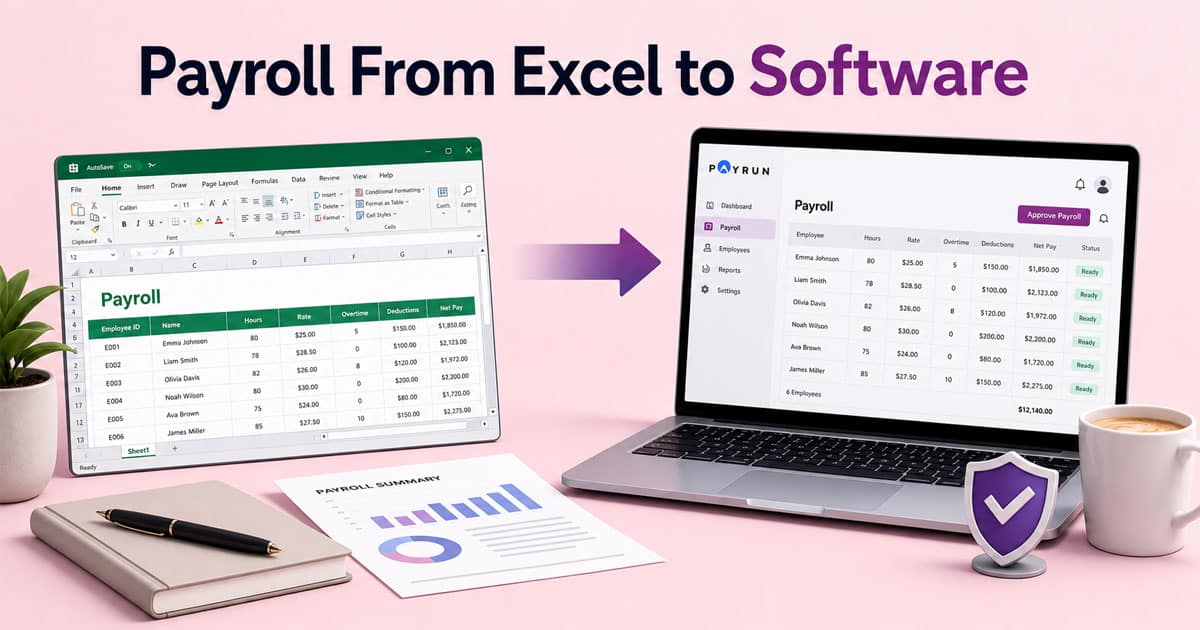
If you have been managing payroll in an Excel spreadsheet, you already know the routine. Every month, you open that familiar file, update hours, check formulas, and hope nothing breaks before payday. It works fine when you have a handful of employees. But as your team grows, so does the complexity.
UK compliance rules keep changing. HMRC expects Real Time Information submissions. Auto-enrolment pensions need tracking. And one wrong formula can throw off tax calculations for everyone on your payroll.
This guide walks you through moving payroll from Excel to software safely. You will learn how to prepare your data, choose the right payroll provider, and run your first few pay periods with confidence. Whether you manage five employees or fifty, the process does not have to feel complicated.
Why Businesses Outgrow Payroll In Excel
Most UK small businesses start with Excel for payroll because it costs nothing and feels familiar. A simple spreadsheet handles gross pay calculations, basic deductions, and payslips without any setup. But that simplicity has limits.
Hidden Formula Errors That Cost You Money
As your headcount grows, Excel formulas become tangled. Copy one cell incorrectly and your PAYE calculations break across twenty employees. A Manchester marketing firm with 20 staff discovered they were spending four hours per pay run fixing discrepancies in holiday pay accruals. That adds up to 200 lost hours yearly.
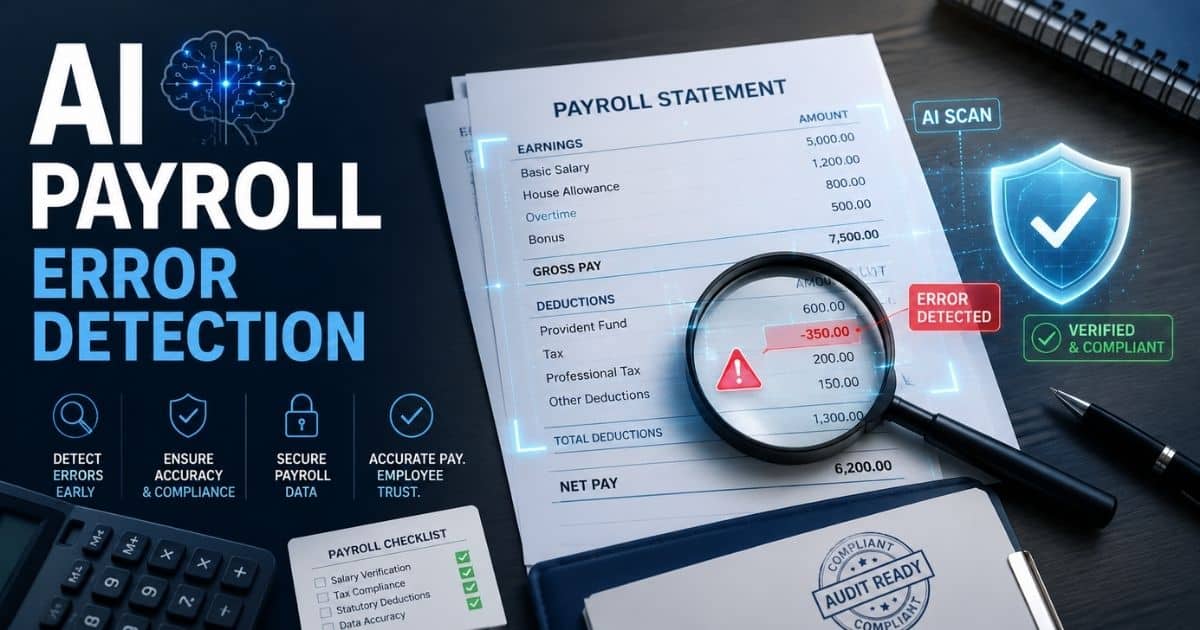
Errors often go unnoticed until payroll audits or employee complaints arise. Small miscalculations compound over time, leading to inaccurate payslips and financial reporting issues. Without built-in validation or automated checks, businesses rely heavily on manual reviews, increasing the risk of costly mistakes and time-consuming corrections.
Version Confusion Between Team Members
When multiple people edit the same payroll spreadsheet, things get messy fast. There is no proper audit trail showing who changed what. Your finance manager updates tax codes while your office manager adjusts hours, and suddenly the file has conflicting data.
Lack of version control creates confusion and delays during payroll processing. Teams waste time reconciling differences instead of focusing on accuracy. Without clear ownership and change tracking, mistakes are harder to trace, and accountability becomes unclear, increasing the likelihood of repeated errors in future payroll cycles.
Manual HMRC Threshold Updates
Every April brings new tax thresholds, NI rates, and pension contribution rules. For 2026, the personal allowance sits at £12,570 and employee NI runs at 8% on certain earnings bands. Miss one update in your spreadsheet and you risk incorrect deductions.
Keeping up with regulatory changes manually increases compliance risk. Businesses must constantly monitor HMRC updates and adjust formulas accordingly. One missed update can affect every employee’s pay, leading to underpayments or overpayments that require time-consuming corrections and potentially damage employee trust.
Compliance Penalties Add Up
Incorrect PAYE, NI categories, or pension shortfalls lead directly to HMRC penalties. Fines can reach £400 per employee for auto-enrolment failures. A Bristol retailer with 25 staff found a £500 over-deduction caused by a broken VLOOKUP formula during routine payslip checks.
Regulatory bodies expect accurate and timely reporting. Even minor inconsistencies can trigger audits or penalties. Beyond financial impact, compliance issues harm business credibility. Fixing errors often involves additional administrative work, employee communication, and potential legal consultation, increasing overall operational strain.
Time Costs Outweigh Free Software
Once you pass 15 employees, the time spent on manual verification, cross-checking, and error correction makes Excel’s zero price tag irrelevant. That time has real value, and it belongs to growing your business, often by adopting tools like modern timesheet and time‑tracking apps that feed directly into payroll instead of relying on manual spreadsheets.
Manual payroll processes drain productivity and slow down operations. Teams spend hours on repetitive tasks instead of strategic work. As the business scales, inefficiencies multiply, especially if you are juggling multiple disconnected tools, making it harder to maintain accuracy and speed. Investing in proper all‑in‑one HR and payroll systems becomes essential to support sustainable growth and efficiency.
Risks Of Staying On Excel For Payroll
Before exploring the benefits of proper payroll software, consider what staying on spreadsheets really costs your business. The risks extend beyond inconvenience.
Data Security Vulnerabilities
Unencrypted Excel files sitting on shared drives or sent via email expose sensitive employee data. NI numbers, salaries, and addresses become targets. UK ICO reports show 15% of small business data incidents stem from unsecured spreadsheets.
Without proper access control, anyone with file access can view or edit sensitive data. There is no encryption, no permission hierarchy, and no secure audit logs. As teams grow or adopt remote and hybrid work, the risk of accidental leaks or unauthorized access increases significantly, making cloud HR tools for remote teams a safer alternative to unsecured spreadsheets.
Calculation Errors From Copied Formulas
Overtime multipliers, statutory sick pay rates, and pension percentages all require precise formulas. One accidental overwrite cascades through your entire payroll. A 2025 survey found 42% of Excel users admitted to arithmetic mistakes costing over £2,000 yearly.
Manual formulas depend heavily on accuracy and consistency. Small errors multiply quickly across employees and pay periods. Without automated validation, businesses often discover mistakes too late, leading to corrections, employee dissatisfaction, and potential compliance issues.
Poor Audit Trail For Disputes
When an employee questions their payslip, you need to show exactly how you calculated their pay. Excel’s basic track changes feature logs edits but not context. Proper payroll software records every modification with timestamps and user details.
Lack of detailed tracking makes resolving disputes difficult. Teams spend time reconstructing calculations instead of providing clear answers. This reduces trust and increases administrative workload, especially when handling multiple payroll queries at once.
Time Lost On Manual Year-End Reporting
P60s, RTI submissions, and pension reports take 10 to 20 hours monthly when handled manually. A Leeds firm faced a £7,500 fine in 2024 for late RTI submissions after their Excel file crashed during peak processing, highlighting how integrated attendance and time tracking software can support accurate, on‑time payroll calculations.
Manual reporting processes are time-intensive and error-prone. Missing deadlines or submitting incorrect data can result in penalties. As reporting requirements grow and payroll regulations continue evolving for growing companies, spreadsheets struggle to keep up, increasing pressure on finance and HR teams.
Scaling Becomes Impossible
What works for 10 employees falls apart at 30. Each new hire adds complexity to your spreadsheet, and the responsibilities pile up faster than you can manage them safely, especially when you compare HR software vs spreadsheets for payroll management and consider how HRM software supports remote workforce management as your team grows and works from different locations.
As headcount increases, payroll complexity grows exponentially. Managing updates, calculations, and compliance manually becomes unsustainable. Without automation and system support, businesses face delays, higher error rates, and limited ability to scale operations efficiently.
How To Choose The Right Payroll Software To Replace Excel
A safer payroll migration starts with picking software built for UK small businesses. The right payroll software with automation and compliance features handles compliance automatically while giving you control over day-to-day operations, especially when changing payroll providers or planning to switch payroll providers, and a modern HR management system for growing teams can unify payroll with the rest of your HR processes.
RTI Submissions And HMRC Integration
Your new payroll provider should submit Full Payment Submissions and Employer Payment Summaries directly to HMRC. No more manual tax forms or worrying about deadlines. Software like Payrun helps you run payroll efficiently without compliance risks and supports small business payroll compliance requirements.
Reliable payroll vendors ensure accurate reporting and help streamline submissions. This reduces dependency on your current provider and supports a smooth transition when switching payroll companies, especially when you deploy a robust payroll software platform.
Automatic Tax And Threshold Updates
Look for software that updates tax codes, NI bands, and pension thresholds automatically. The 2026 standard tax code of 1257L should appear without you searching HMRC guidance, and payroll automation software for accurate processing can take care of these ongoing adjustments for you.
Automation reduces manual intervention and ensures accuracy across tax forms and deductions. It also helps streamline payroll operations while keeping your business aligned with changing regulatory requirements, especially when combined with innovative HR features for payroll and workforce management.
Pension Auto-Enrolment Support
Your payroll software needs direct integration with pension providers like NEST. Minimum contributions hit 8% total by April 2026, and tracking opt-ins, opt-outs, and payment schedules manually invites errors, so understanding end‑to‑end payroll processing for growing businesses becomes essential.
Strong payroll vendors simplify compliance and reduce administrative pressure. Integrated systems help streamline pension management and ensure your payroll process remains accurate and efficient.
Employee Self-Service Portals
When employees can access their own payslips and update address details, you stop fielding constant requests. This employee self‑service portal for modern HR feature reduces the scheduling burden on HR while improving employee satisfaction.
Self-service access improves transparency and allows employees to contact support only when needed. An effective employee self‑service HR portal builds a stronger internal community while reducing repetitive administrative work, especially when supported by a robust mobile HR app for employee self‑service.
Simple Import And Flexible Pricing
Check for import tools that map your Excel columns to standard fields. Month-to-month pricing without long contracts suits growing businesses. Payrun offers straightforward onboarding with Excel and CSV imports designed for businesses leaving spreadsheets behind, and you can compare it with other top payroll software for small businesses in 2026 before making a final decision.
Flexible pricing gives you other options while ensuring a smooth transition from spreadsheets. Easy setup with the right HR software for small and medium businesses helps businesses switch payroll providers without disruption and streamline operations quickly.
How To Prepare Your Excel Payroll Data For A Safe Move
Think of this step like decluttering a filing cabinet before moving office. The cleaner your data, the smoother your transition.
Audit Every Worksheet
Review each sheet holding payroll information. Employee details, pay rates, historical data, and deductions all need checking. Remove duplicate entries and outdated records for former employees.
Cross-check payroll data with employee data to ensure accuracy before moving to a new system. Clean employee payroll records that meet legal requirements reduce errors during payroll migration and make switching payroll companies more efficient and reliable, particularly when you centralise information in a modern employee record management system.
Standardise Your Formats
Dates should follow DD/MM/YYYY. NI numbers need the AA123456A format. Postcodes require proper spacing. Inconsistent formats cause import failures, and 30% of migrations hit this exact problem.
Standard formatting ensures your payroll information transfers correctly into any payroll software. Consistency across files simplifies the process when moving from Excel to a structured automated payroll system or a broader employee management system that integrates payroll with other HR data.
Create Your Data Checklist
Confirm these columns exist and contain accurate data: employee ID, legal name, address, current tax code, NI category, base pay rate, standard hours, pension status, and year-to-date figures for pay, tax, and NI.
A structured checklist supports accurate payroll reports and ensures compliance during payroll migration. It also helps your payroll provider validate records before you run payroll in the new system.
Backup Before You Start
Save your original files to a secure, dated folder. Something like “Payroll_Archive_07042026” works well. Keep these backups for six years to meet HMRC retention requirements.
Backups protect historical data and provide access to your prior system if needed. This step ensures compliance and gives your business a safety net during the transition to a new payroll provider.
Clean Historical Records
Your new system needs accurate YTD figures but does not require every transaction from the prior system. Keep historical payroll data in archived Excel files while importing only current-year totals.
Cleaning data reduces complexity and improves accuracy during payroll migration. It allows your payroll company to focus on current pay period data while maintaining access to well‑organized employee payroll records when required.
Step By Step: Moving Payroll From Excel To Software
This section gives you the practical walkthrough. Follow these steps in order, and your payroll migration should run smoothly while helping you avoid common payroll mistakes businesses must avoid in 2026.
Set Up Your New Payroll Scheme
Create your company profile in the new software system. Enter your UTR, Accounts Office reference, and business address. Match your pay schedules to your current frequency, whether weekly, fortnightly, or monthly so your overall payroll processing workflow stays consistent.
Confirm your payroll scheme aligns with compliance rules before you run payroll. Accurate setup ensures correct tax handling, smooth onboarding, and avoids issues later during reporting or submissions by keeping you on top of small business payroll compliance.
Export And Map Your Data
Save your Excel payroll data as a CSV file. Use the import tool to map columns: employee ID to the ID field, tax code to PAYE code, pay rates to salary fields. Take your time here to avoid mismatches.
Clean mapping ensures payroll information transfers correctly into the new system. Proper alignment reduces errors and simplifies the overall payroll migration process from spreadsheet-based workflows.
Run A Small Test First
Import one or two employees and run a pay simulation. Verify the net pay matches what your Excel spreadsheet calculated. Check that deductions, pension contributions, and direct deposits look correct.
Testing helps identify discrepancies early. It ensures your automated payroll system calculates taxes, deductions, and payments accurately before handling full employee data across the entire business, and evaluating leading workforce management software options can further enhance how payroll fits into your wider HR operations.
Complete A Parallel Run
For one full pay period, calculate payroll in both Excel and your new provider. Compare every line: gross pay, taxable pay, PAYE, NI, and pension. Document any variances and resolve them before going live.
Parallel runs validate accuracy and build confidence in the new payroll software. This step minimizes risk and ensures compliance before fully switching from your old system, helping you avoid costly payroll mistakes in 2026 while also giving you a chance to refine connected processes like an automated leave management system.
Assign Responsibilities And Dates
Create a simple plan. Week one: HR cleans the data. Week two: Finance imports and tests. Week three: First live run with RTI submission through the new system. Having clear ownership prevents confusion.
Defined roles and timelines keep the transition organized. Clear responsibilities help teams manage the payroll processing and migration efficiently and ensure a smooth, controlled payroll migration without delays or errors, especially when rolled out alongside an automated attendance management system that feeds accurate time data into payroll.
Post Migration Checks And First Payroll Runs
Your first two or three payroll runs in the new software matter most. This is where you catch any remaining issues before they become bigger problems.
Verify Totals Against Your Final Excel Run
Compare total gross pay, total deductions, and net pay figures. If your last Excel payroll showed £40,000 gross with £8,000 in deductions, your new system should match exactly.
Reconcile payroll data carefully to ensure consistency between systems. Matching totals confirms your employee payroll records migrated correctly and prevents discrepancies from affecting employee pay or financial records.
Check Every Employee Individually
Spot-check at least ten payslips or review them all if you have fewer employees. Look for variances of even £5. Small differences often indicate formula or rate mismatches that need fixing.
Reviewing employee data at an individual level helps identify hidden issues. This step ensures accurate automated payroll processing and builds confidence that your new payroll system handles all employee scenarios correctly.
Review Your Payroll Reports
Before submitting RTI, review the FPS file for accuracy. Check pension contribution exports match your 3% employer and 5% employee splits. Verify payment summaries are ready for your bank.
Detailed payroll reports validate compliance and accuracy. Reviewing tax filings, deductions, and summaries ensures your payroll software meets key payroll compliance requirements and avoids penalties or submission errors.
Encourage Employee Feedback
Ask your team to flag anything unusual on their first new payslips. Quick responses to concerns build trust in the new system and help you identify issues you might have missed.
Open communication improves transparency and supports smoother adoption. Encouraging employees to use an employee self‑service payroll portal and share feedback helps refine processes and ensures the payroll experience remains accurate, reliable, and trusted across the business, especially when it is part of the best HR software for small businesses that your team already uses daily.
Archive Your Old System Properly
Keep the old Excel sheet in read-only mode for one to two months as a reference. Once you are satisfied that the new system runs correctly, move those files to secure, long-term storage.
Proper archiving protects historical data and supports compliance requirements. Keeping access to your prior payroll records archive ensures you can retrieve records if needed while maintaining a clean transition to the new system.
Final Discussion
Moving payroll from Excel to software feels like a big step, but the payoff arrives quickly. You stop worrying about broken formulas. Compliance updates happen automatically. And every pay run takes minutes instead of hours.
Payrun helps UK small businesses make this transition with confidence. The all‑in‑one HR and payroll platform connects directly to HMRC for RTI submissions, updates tax and pension thresholds automatically, and imports your existing Excel data through straightforward mapping tools. Month-to-month pricing keeps things flexible, and employee self-service features reduce the admin load on your team.
The businesses that switch early spend less time fixing spreadsheet errors and more time focusing on what matters. Your payroll should run in the background, not dominate your week. Take the first step, clean your data, and let proper software handle the complexity.
Frequently Asked Questions
Can I Move Payroll From Excel To Software In The Middle Of A Tax Year?
Yes, a mid-year switch mid year is completely possible. The key is importing your year-to-date figures accurately so your new payroll software calculates remaining tax and NI correctly. The ideal cutover points fall at the start of a tax month or quarter, but Payrun and similar providers can handle other dates with proper setup. Many UK businesses change providers mid-year when time pressure is high or compliance concerns become urgent.
How Long Does It Usually Take To Switch From Excel To Payroll Software?
For a micro business with fewer than 10 staff, the move can happen within two to three days. Larger companies with 50 or more employees should plan one to three weeks. Most of that time goes toward cleaning and reviewing your existing spreadsheet data. The software configuration itself is straightforward once your payroll information is ready for import.
What Data Do I Need From My Excel Sheets Before I Start?
You will need full legal names, addresses, NI numbers, current tax codes, pay rates, standard hours, start dates, and year-to-date figures for pay, tax paid, and NI contributions. Historic years can remain in your archived Excel files while the new system handles current and future payroll runs. Having this data standardised before you begin saves significant time during import.
Do I Need An Accountant To Help With The Move?
Many small businesses complete switching payroll companies themselves, especially if they are confident with their existing payroll process. However, involving an accountant or payroll bureau helps when you have complex setups like multiple NI categories, unusual benefit arrangements, or concerns about previous compliance issues. Payrun allows advisor access so external professionals can review submissions while you maintain day-to-day visibility, positioning it as a trustworthy HR and payroll partner rather than just a tool.
What Happens To My Old Excel Payroll Files After Migration?
Keep read-only copies of your old spreadsheets in a secure, backed-up location. HMRC requires payroll records for three to six years, so these files serve as your historical reference. Once you have validated your first few runs in the new system, all day-to-day processing should happen there. This prevents duplicate records and confusion about which file contains current data.