An employee time tracking app helps businesses record work hours with accuracy. It replaces manual logs and reduces errors in attendance data. Many companies now rely on digital tools to manage time, tasks, and payroll in one place.
A good employee time tracking app supports HR teams and improves employee accountability. It gives clear insights into work patterns and productivity. Business owners can make better decisions with real-time data.
Choosing the right solution can simplify operations and reduce admin workload. It also helps maintain compliance and ensures employees are paid correctly.
What Is An Employee Time Tracking App
An employee time tracking app is a digital tool that helps businesses track time, attendance, and work hours. It replaces manual time logs and improves accuracy. Modern time tracking software works as a web app, mobile app, or desktop apps. Employees clock in, record time spent on tasks, and manage shifts. Many tools also support automated time tracking and offline time tracking for remote employees or job site work.
An employee time tracking app often includes project management features and task management tools. It helps track billable hours, manage team performance, and control labor costs. Businesses can export data, manage pay period records, and improve payroll accuracy. Some tools even offer GPS tracking, location tracking, and facial recognition feature to prevent buddy punching and ensure real time tracking, similar to modern time tracking software solutions.
Many time tracking tools offer free time tracking or a free plan for small teams. Paid plans add premium features like detailed reporting and client invoicing etc. A user-friendly interface makes it easy for small businesses and remote teams to manage employee time and improve productivity.
Key Features Of An Employee Time Tracking App
A reliable employee time tracking app offers more than basic time logs. It combines time tracking, team management, and payroll accuracy in one place. Strong features help businesses track time, reduce errors, and improve employee performance with real-time data.
Accurate Time Tracking And Automation
An employee time tracking app should deliver accurate time tracking without manual effort. Automated time tracking reduces human errors and ensures every minute counts. A report from American Payroll Association shows that manual time tracking can lead to payroll errors of up to 8%.
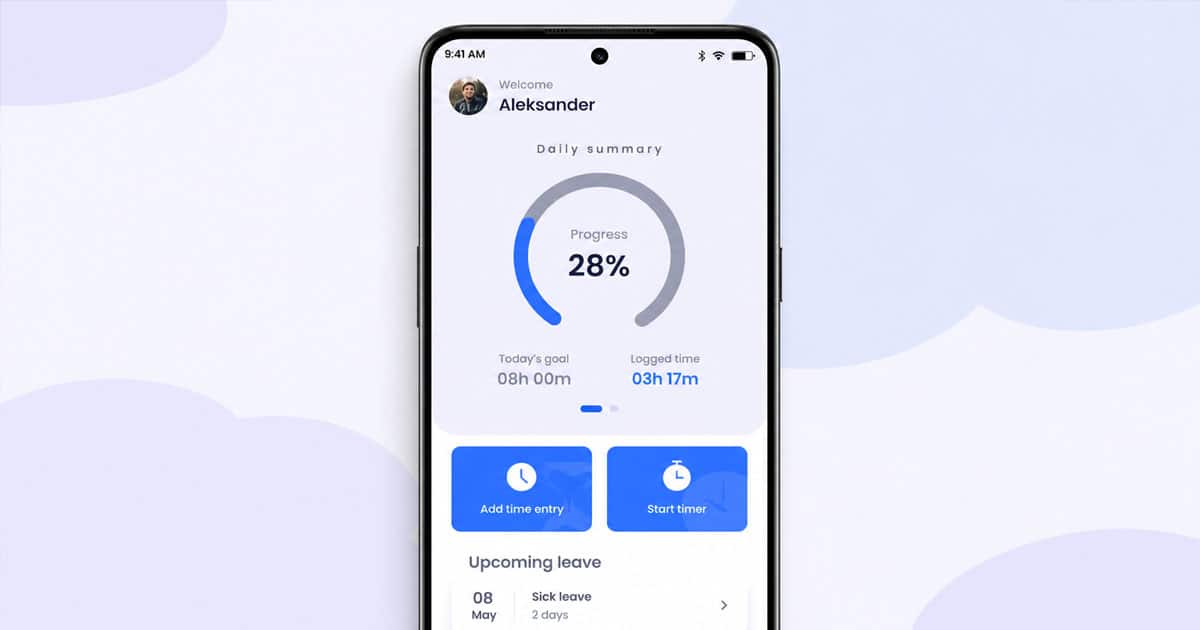
A smart time tracker records time spent, tracks hours, and stores time logs automatically. Employees clock in through a mobile app, web app, or desktop apps. Offline time tracking also helps when internet access is limited. Accurate time tracking data improves payroll accuracy and reduces disputes.
Project And Task Management Features
Strong project management features make a time tracking app more valuable. Teams can manage tasks, track project progress, and monitor billable hours in one place, and even adopt employee timeline tracking approaches for deeper visibility. Many time tracking tools now include built-in project management and task management functions.
A time tracker tool connects time tracking with project tracking. It helps businesses monitor time spent on each task and control labor costs. According to PMI, companies with structured project management waste 28% less money. That makes project management features essential for small teams and growing businesses.
Real Time Tracking And Reporting
Real time tracking gives managers instant visibility into employee time and team performance. A modern tracking app shows live updates on tracking hours, employee location, and shift schedules. This helps managers act quickly and make better decisions.
Detailed reporting is another key feature. Businesses can export data, analyze time tracking data, and review employee performance using structured employee time log reports. Reports support job costing, client billing, and payroll accuracy. Research from Deloitte highlights that data-driven companies are 23% more profitable.
Mobile Access And Remote Team Support
Remote teams need flexible access to time tracking tools. A good employee time tracking app offers a mobile app and works on any mobile device. Employees can track time from a job site or while traveling.
Features like GPS tracking and location tracking help verify employee location. This is useful for field workers and remote employees and supports broader HRM software for managing a remote workforce. A browser extension also supports quick time tracking from any device. Reports show that over 70% of companies now support remote work, which makes mobile access a must-have feature.
Payroll Integration And Billing Support
Integration with payroll systems improves efficiency. This helps automate payroll and reduces manual calculations, especially when combined with dedicated payroll automation software.
A time tracking app also supports client invoicing and tracking billable hours. Businesses can manage pay period data, calculate wages, and ensure accurate payroll. According to PwC, automation can reduce administrative workload by up to 40%. Paid plans often include premium features like advanced billing and detailed reporting for better control.
Employee Time Tracking App Benefits For Businesses And HR Teams
An employee time tracking app brings clarity to daily operations. It helps HR teams manage employee time, reduce errors, and improve team performance. Businesses gain better control over time tracking data, payroll accuracy, and overall productivity.
Better Payroll Accuracy And Compliance
Payroll errors create serious issues for businesses. An employee time tracking app ensures accurate payroll by recording tracking hours and time logs automatically. A report from American Payroll Association shows that time theft and errors can cost up to 7% of total payroll.
Time tracking software reduces manual calculations and supports compliance with labor laws. It tracks employee time, pay period data, and overtime clearly, feeding directly into streamlined payroll processing workflows. This improves accuracy and reduces disputes.
Higher Productivity And Team Performance
An employee time tracking app improves visibility into time spent on tasks. Managers can monitor team performance and identify inefficiencies. Real-time tracking helps teams stay accountable and focused.
Data from McKinsey & Company shows that productivity improves by up to 20–25% when performance data is tracked. Time tracking tools highlight how employees use free time and where improvements are needed. This supports both personal productivity and team management.
Improved Project And Cost Control
Project management becomes easier with a tracking app. Businesses can track time, monitor project tracking, and control labor costs. Each task shows clear time tracking data and billable hours.
A study by PMI found that poor project tracking leads to 11.4% of resources being wasted. A time tracker tool connects project management with job costing and client billing and enables smarter employee productivity tracking across teams. This helps small businesses and large teams stay on budget.
Stronger Remote Work And Workforce Visibility
Remote teams need clear visibility and control. An employee time tracking app supports remote employees with mobile app access and browser extension tools. Employees can track time from any mobile device or web app.
Features like GPS tracking and location tracking verify employee location and job site activity. Reports indicate that over 58% of companies now rely on remote teams, making cloud HR tools for remote team management increasingly important. Real-time tracking ensures accountability without constant supervision.
Reduced Admin Work And Smarter HR Operations
Manual HR tasks take time and increase errors. A time tracking app automates time tracking, shift schedules, and basic scheduling. HR teams can manage employee time and focus on strategic work.
Research from PwC shows that automation can reduce administrative workload by up to 40%. Employee time tracking software also supports detailed reporting and employee performance analysis, especially when part of an all-in-one HR platform that replaces disconnected tools. A user friendly interface makes it easy to manage all the tools in one place, especially in comprehensive suites like Payrun's innovative HR features.
Top 5 Employee Time Tracking Apps
A strong employee time tracking app improves time tracking accuracy and team management. Many tools offer automated time tracking, project management features, and payroll integration. The right choice depends on business size, workflow, and budget.
1. Payrun
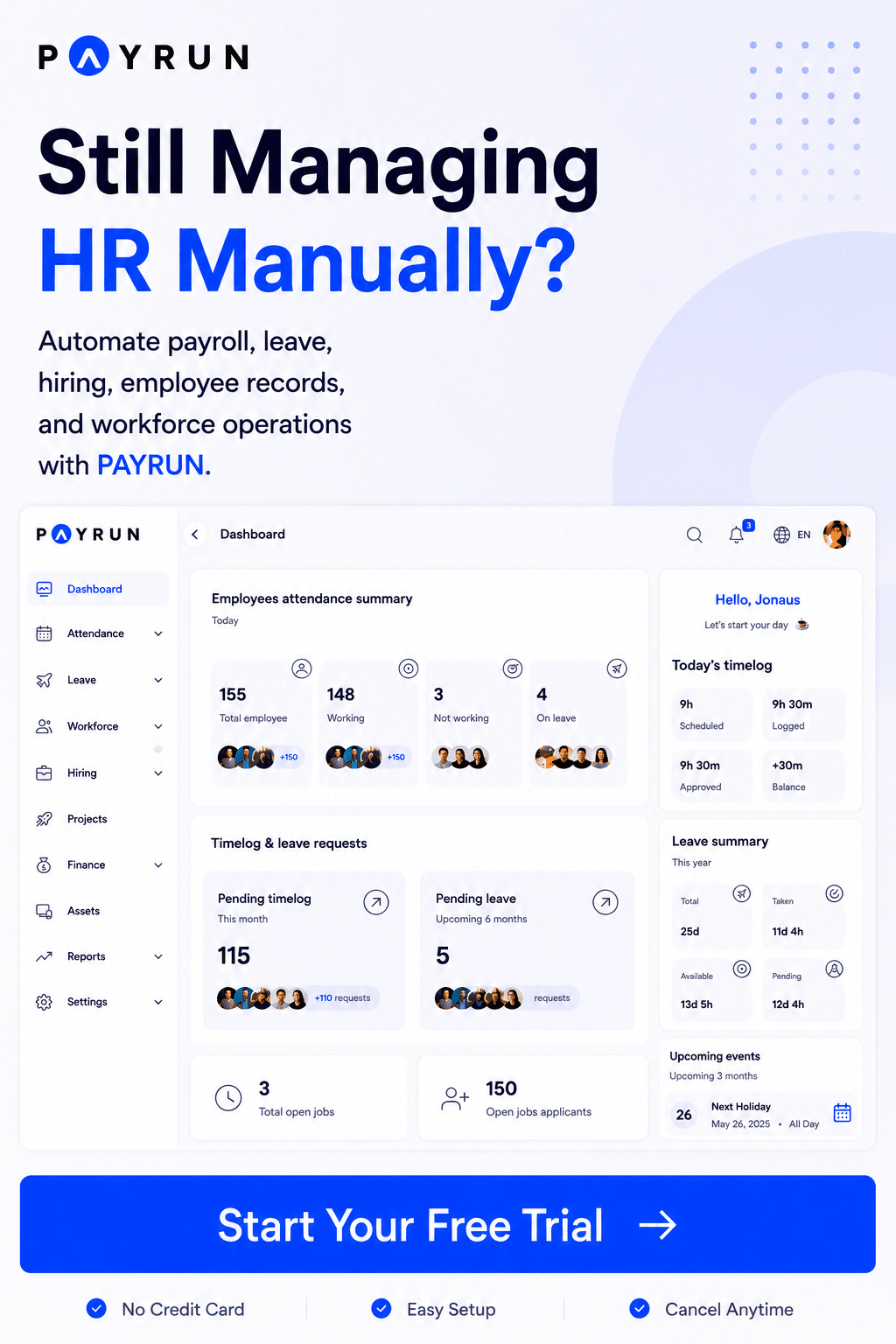
Payrun offers a complete employee time tracking app with payroll accuracy at its core. It helps track time, manage employee time, and handle shift schedules with ease as part of an all-in-one HR platform. The app supports real-time tracking and detailed reporting.
Businesses can manage pay period data, reduce manual errors, and improve team performance. A user-friendly interface makes it suitable for small businesses and growing teams that need reliable time tracking software.
2. Toggl Track
Toggl Track is a popular time tracking tool known for simplicity. It helps track time, monitor billable hours, and manage projects with ease. The app works across mobile app, web app, and desktop apps.
Teams can use free time tracking or upgrade to paid plans for advanced features. It suits small teams and remote teams that need flexible time tracking tools and clear time logs.
3. QuickBooks Time
QuickBooks Time focuses on accurate payroll and workforce tracking. It helps employees clock in, track hours, and manage job site activity with GPS tracking and sits alongside other leading timesheet apps for employees.
The tool integrates with QuickBooks Online and QuickBooks Payroll. This improves payroll accuracy, client billing, and job costing for businesses that need strong financial control.
4. Clockify
Clockify offers free time tracking software with unlimited users and unlimited projects. It supports time tracking, task management, and project tracking in one platform, similar to other tools used to track employee attendance.
A free plan makes it attractive for small businesses. Paid plans add premium features like detailed reporting, export data, and team management for better control over employee time, similar to HR software built for small businesses.
5. Hubstaff
Hubstaff is designed for remote employees and distributed teams. It offers automated time tracking, GPS tracking, and location tracking features.
The app tracks time spent, employee location, and team performance in real time. It also supports payroll, client invoicing, and productivity tools for businesses that manage remote teams, especially when paired with smart attendance tracking software.
How Employee Time Tracking App Improves Payroll Accuracy And Compliance
An employee time tracking app helps businesses maintain accurate payroll and stay compliant with labor laws. It records employee time, reduces manual errors, and creates reliable time tracking data. HR teams gain better control over pay and reporting.
Accurate Time Data For Payroll
Accurate payroll starts with reliable time tracking data. An employee time tracking app records tracking hours, time logs, and time spent without manual input. This reduces errors from manual time tracking or spreadsheets.
A report from American Payroll Association shows payroll errors can affect up to 8% of total payroll. Time tracking software ensures employees clock correct hours. Automated time tracking improves payroll accuracy and builds trust among employees.
Automated Payroll Calculations
Manual calculations often lead to mistakes in payroll processing. A time tracking app automates pay period calculations, overtime, and shift schedules. This reduces dependency on manual HR tasks.
Employee time tracking software integrates with payroll systems. It processes time tracking data instantly and reduces delays, particularly when combined with comprehensive payroll software platforms. Businesses save time and avoid costly errors by using automated time features.
Compliance With Labor Laws
Compliance is critical for every business. An employee time tracking app helps maintain accurate records for audits and legal requirements. It tracks employee time, breaks, and overtime clearly.
Labor violations can result in heavy penalties. According to U.S. Department of Labor, wage violations cost businesses millions each year. Time tracking tools store accurate records and help HR teams stay compliant with local labor laws.
Real Time Monitoring And Transparency
Real-time tracking improves transparency across teams. Managers can monitor tracking hours, employee location, and job site activity instantly. This reduces disputes and confusion about work hours.
A tracking app provides clear visibility into employee and team performance. Features like GPS tracking and location tracking add another layer of verification. Employees feel more confident when payroll is based on accurate time logs.
Detailed Reporting And Audit Readiness
Detailed reporting plays a key role in compliance. An employee time tracking app generates reports for payroll, client billing, and job costing. HR teams can export data and maintain records for audits.
A study by PwC shows that automation improves reporting efficiency by up to 40%. Time tracking tools provide structured data that supports audits and ensures payroll accuracy. A user-friendly interface makes report access simple and fast.
Common Challenges When Using Employee Time Tracking App
An employee time tracking app can improve efficiency, but mistakes reduce its value. Poor setup, low adoption, and weak data handling create issues. Businesses need the right approach to get accurate time tracking data and better results.
Poor Adoption And Employee Resistance
Employee resistance is a common issue in employee time tracking. Some employees feel time tracking tools reduce trust. Others find the app interface difficult to use. This leads to incomplete time logs and inaccurate data.
A study by Gallup shows that only 23% of employees feel engaged at work. Poor adoption affects team performance and data accuracy. A user-friendly interface and clear communication help improve acceptance and proper use of the tracking app.
Inaccurate Time Entries And Manual Errors
Manual time tracking often leads to incorrect time logs. Employees may forget to track time or enter wrong tracking hours. This affects payroll accuracy and client billing.
Research from American Payroll Association shows time theft and errors can cost businesses up to 7% of payroll. Automated time tracking reduces these mistakes. A reliable time tracker ensures accurate time tracking data and improves payroll results.
Lack Of Integration With Payroll Systems
Many businesses fail to connect time tracking software with payroll systems. This creates extra manual work and increases the risk of errors. Data needs to be entered twice, which wastes time.
It ensures smooth data transfer and accurate payroll processing. Without integration, businesses lose efficiency and face delays.
Overuse Of Monitoring Features
Excessive monitoring can create negative experiences. Features like GPS tracking, location tracking, and facial recognition feature are useful, but overuse can reduce trust. Employees may feel uncomfortable with constant monitoring.
A report by Deloitte highlights that trust improves employee performance by up to 50%. Balanced use of tracking tools ensures accountability without harming morale. Businesses need to use real time tracking wisely.
Ignoring Data Analysis And Reporting
Time tracking data is valuable, but many businesses ignore it. They collect time logs but do not analyze them. This limits the benefits of time tracking tools.
Detailed reporting helps improve productivity, job costing, and team management. According to McKinsey & Company, data-driven decisions can improve performance by up to 20%. Robust employee record management systems complement these insights. Businesses should review reports and use insights to improve employee performance and efficiency.
How To Choose The Right Employee Time Tracking App For Your Business
Choosing an employee time tracking app requires a clear plan. Businesses need tools that match workflows, team size, and payroll needs. The right time tracking software improves accuracy, saves time, and supports better team management and compliance.
Clear Business Needs And Goals
Every business has different time tracking needs. Some focus on payroll accuracy, while others need project tracking and client billing. A clear goal helps select the right employee time tracking app.
A report from Deloitte shows that companies with defined goals are 2.5 times more likely to succeed. Businesses should assess team size, remote teams, and job site requirements before choosing a tracking app.
Essential Features And Usability
A good time tracking app must include key time tracking features. Look for automated time tracking, task management, and real time tracking. A user friendly interface ensures employees can track time without confusion.
Time tracking tools with mobile app, web app, and desktop apps offer flexibility. Features like offline time tracking and browser extension improve usability, especially when connected with leave management software for tracking time off. A simple app interface increases adoption and reduces errors in time logs.
Integration With Payroll And Tools
Integration is critical for smooth operations. An employee time tracking software should connect with payroll systems and popular project management tools. This reduces manual work and improves data accuracy.
Integration ensures accurate payroll, better reporting, and faster processing of pay period data.
Pricing Plans And Scalability
Pricing plays an important role in decision-making. Many tools offer free time tracking or a free plan for small teams. Paid plans provide premium features like detailed reporting and client invoicing.
A study by Statista shows SaaS spending continues to grow each year. Businesses should choose a tracking app that supports unlimited users, unlimited projects, and scales with growth.
Data Security And Compliance Support
Data security is essential for any employee time tracking app. Sensitive data like employee time, payroll details, and employee location must stay protected. A secure system builds trust and ensures compliance.
According to IBM, the average cost of a data breach reached $4.45 million. Businesses should choose time tracking software with strong security, access control, and reliable data storage for safe operations.
Why Payrun Stands Out As An Employee Time Tracking App
Payrundelivers a complete employee time tracking app built for accuracy and simplicity. We help businesses track time, manage employee time, and maintain clean time logs without manual effort. Our time tracking software supports real-time tracking, automated time tracking, and shift schedules in one platform. You can use our web app or mobile app to track hours from any device. A user-friendly interface makes it easy for teams to adopt the system quickly, reflecting our role as a trustworthy HR management partner.
We combine time tracking with payroll accuracy and team management. Payrun helps manage pay period data, track billable hours, and control labor costs with detailed reporting. Our platform supports remote teams, job site tracking, and employee performance insights. Businesses can export data and improve payroll accuracy without extra tools. Payrun gives you all the tools needed to simplify time tracking and improve team performance.
FAQs
Can Time Tracking Apps Handle Job Costing And Billing?
Yes, a modern employee time tracking app can manage job costing and project tracking across unlimited projects. It tracks time spent, billable hours, and client billing with detailed reporting. Businesses can export data and control labor costs efficiently.
Does Automated Time Tracking Improve Remote Work Accuracy?
Yes, automated time tracking ensures accurate time logs for remote employees and job site teams. Features like GPS tracking, offline time tracking, and mobile app access help track time across devices without gaps in time tracking data.
How Does Payroll Integration Improve Efficiency?
Integration with payroll systems like QuickBooks Payroll improves payroll accuracy and reduces manual errors. Time tracking software syncs time logs, pay period data, and tracking hours for faster and smoother payroll processing.
Can Free Time Tracking Tools Support Large Teams?
No, free time tracking tools usually offer basic features with limits. Large teams need paid plans with premium features like detailed reporting, unlimited users, and advanced team management to handle complex employee time tracking needs.
Is Real-Time Tracking Important For Productivity?
Yes, real-time tracking gives clear visibility into employee performance and team performance. It helps managers track hours, analyze time tracking data, and improve personal productivity with better insights from time tracking tools.