Since 2020, headcount growth, remote hiring, and tighter payroll regulations across U.S. states have made managing payroll with spreadsheets a genuine business risk. Cloud-based payroll and HR platforms saw over 47% growth in adoption between 2020 and 2025, driven largely by the need to support distributed teams and multi-jurisdiction compliance.
The typical journey starts simply enough: a founder handles payroll manually for a small five-person local team. But as the company grows to 30, 80, or 150 employees across multiple states, hr teams inherit a tangle of multi-state tax rules, late filings, fragmented employee data, and constant requests from staff who have no self-service access to payslips or deductions.
Finance teams, meanwhile, push for cleaner payroll data and audit-ready reports. This article provides a practical, step-by-step guide on how HR managers actually choose the best payroll software for growing teams
Payroll And HR Challenges As Teams Grow
Consider a mid-sized startup that grows from 15 to 120 employees over three years. The company opens offices in two new states, brings on hourly workers, and hires contractors overseas. What once worked as a simple payroll system now causes delays, reconciliation errors, and compliance notices. As headcount grows, manually provisioning equipment and setting up software accounts for new hires becomes unsustainable, underscoring the need to replace disconnected HR tools with an all-in-one platform.
Payroll Complexity Across Multiple Locations
Multi-state payroll means navigating different state income tax laws, withholding taxes, unemployment insurance rates, state disability programs, and workers' compensation requirements. For every remote employee in a new state, the company must register, manage state-level filings, and track nexus exposure. Growing teams frequently hire remote workers, triggering complex tax requirements across multiple state and local jurisdictions. If your company has employees in Texas, California, and New York, each state has its own rules for local tax withholding, paid leave, and overtime. Payroll software must accommodate remote hiring across different state lines without setup friction, or HR managers spend more time on compliance paperwork than on the people they serve.
Employee Data And Record Management Issues
When headcount increases, storing personal, banking, tax, and benefits information across separate systems leads to duplicate data entry, stale records, and mismatched files that a centralized employee record management system is designed to prevent. According to a 2025 Paycom report, 77% of organizations store employee data across multiple HR and HCM databases, and 80% say this fragmentation affects their ability to generate accurate workforce reporting. Manual updates to bank details or tax information are error-prone, particularly across multiple locations where manual data entry remains the norm.
Compliance And Regulatory Risks
Laws change frequently. Minimum wage adjustments, overtime rules under FLSA, and paid leave laws at the state, city, and sometimes county level all require constant monitoring. Missing payroll tax payments or filings can result in significant penalties, including a 15% penalty for late payments and additional interest on unpaid taxes. The IRS has increased audit rates for enterprises by 20% since 2023, highlighting the importance of compliance in payroll management to avoid costly penalties. Worker misclassification or misapplication of pay rules compounds the risk further, turning a small oversight into a five-figure fine.
Time Tracking And Attendance Challenges
Accurate time tracking for hourly or shift workers is not optional. Overtime, shift differentials, breaks, and late arrivals must all be captured precisely, or the company risks overpayment, underpayment, or legal challenges, making it important to understand time tracking vs attendance tracking differences. For remote and hybrid teams, time zones and inconsistent timesheet submissions complicate matters, which is where smart attendance tracking software with a real-time timeline view can keep data accurate and current. Without a connected payroll and hr system, approving employee hours manually becomes a bottleneck every pay period.
Limited Visibility Into Workforce Performance And Costs
Finance wants projections: labor cost per department, overtime trends, benefits cost allocation, accruals, and turnover expense. HR needs data for headcount forecasting, raise modeling, and compensation fairness. When payroll data lives in disconnected spreadsheets or siloed tools, answering even basic workforce cost questions requires hours of manual reconciliation. HR professionals using an average of 6.17 providers to manage the employee lifecycle illustrates just how fragmented many organizations remain.
Key Features HR Managers Prioritize In Payroll Software
Feature bloat is common among payroll software solutions. Vendors pack in dozens of capabilities, but many customers never use half of them. HR managers leading growing teams must focus on the key features that directly support scaling, compliance, and operational clarity, rather than chasing every checkbox on a comparison sheet, using a complete guide to payroll software features and automation as a reference point.
Automated Payroll Processing
The foundation of any payroll platform is reliable, automated payroll processing. Payroll software should automate calculations for wages, overtime, and taxes, significantly reducing the risk of human error. This includes gross-to-net calculations, calculating deductions for benefits and retirement, handling bonuses, commissions, and off-cycle runs, and supporting multiple pay schedules, all core capabilities of modern automated payroll software. Payroll software automates calculations for wages, taxes, and benefits, significantly reducing the risk of human error compared to manual processing. Companies using automated systems report reducing payroll errors by approximately 50% and saving about 16 hours per month on payroll tasks, according to WebHR's 2025 analysis, highlighting the broader benefits of payroll automation software. The ability to process payroll for both salaried and hourly workers, along with contractor payments, in a single run saves substantial time for hr teams.
Compliance And Tax Management
Effective payroll software automates tax filings and ensures compliance with federal state and local regulations, minimizing the risk of penalties for late payments or filings, much like dedicated payroll compliance software built to handle complex tax rules. This means real-time updates to tax codes, statutory minimums, and overtime thresholds, with automated tax filings and remittances handled without manual intervention. Payroll software automatically updates with the latest tax rates, ensuring compliance with federal and state payroll laws, which can vary significantly across jurisdictions. Automatic tax filings are especially critical for growing companies entering new states, where each jurisdiction carries its own filing deadlines and tax rules. Full service payroll providers handle this complexity end to end, while self-service platforms expect HR to configure and review compliance settings.
Time Tracking And Attendance Integration
A payroll system that connects natively with time and attendance tools eliminates one of the biggest sources of payroll errors: manual timesheet imports, which is a core advantage of modern payroll processing software. Clock-in and clock-out data, break tracking, shift differentials, and overtime exceptions should flow directly into the payroll run. Mobile access for field or remote workers to submit timesheets or log employee hours ensures accuracy without requiring everyone to be in the same office.
Employee Self-Service Portal
An employee self service portal allows staff to view payslips, download tax forms, update bank details, check leave balances, and manage health insurance and health benefits enrollment without contacting HR, and effective employee self-service portals are now a baseline expectation for modern teams. Self-service reduces hr tasks significantly. For remote teams, digital onboarding and document uploads through the portal are expected, not optional. This transparency builds trust and cuts down the steady stream of payslip and deduction queries that consume HR bandwidth.
Custom Reporting And Analytics
Advanced software offers reporting features to forecast budgets, track overtime costs, and map payroll data to specific departments or projects, capabilities that distinguish a full payroll management system from basic pay calculators. HR managers need precise GL mapping, exception reporting to flag anomalies before each payroll run, and customizable dashboards showing headcount, turnover cost, and labor cost by location. Synchronizing payroll data with tools like QuickBooks accounting software or Xero for month-end close requires clean accounting integration. Similarly, QuickBooks Payroll and Square Payroll users often need export-ready reports that match their existing general ledger structure.
Multi-Location Payroll Support And Scalability
The ideal payroll software for expanding businesses must scale effortlessly without creating administrative bottlenecks. Scalable payroll systems can accommodate multiple pay schedules, diverse compensation structures, and complex organizational hierarchies, adapting to changes in headcount and compliance requirements as businesses grow. Whether your team is in three U.S. states today or ten states and two countries next year, the platform should handle multi-entity structures, benefits administration, benefits management, and talent management without forcing a migration. A key feature of payroll software is the ability to integrate with accounting and HR systems, which streamlines data management and reduces errors.
How HR Managers Evaluate And Choose Payroll Software
This is the core decision-making section. In a 2026 Software Advice survey, 62% of HR leaders expect headcount growth in 2026. That growth demands a deliberate, structured vendor selection process rather than a rushed purchase based on a single demo or a colleague's recommendation.
Clarify Growth Plans And Payroll Complexity
HR managers should start by projecting headcount for the next 24 to 36 months. How many employees will you have, and what types (salaried, hourly, contractors)? Which states or countries will they work from? What turnover rate do you expect?
Map your current payroll complexity alongside these projections:
| Complexity Factor | Current State | Expected In 24 Months |
|---|---|---|
| Number of employees | 40 | 120 |
| States or countries | 2 | 5+ |
| Pay frequencies | Biweekly | Biweekly + monthly |
| Compensation types | Salary only | Salary, hourly, commission |
| Legal entities | 1 | 2 |
Define HR And Payroll Requirements With Stakeholders
Run a structured workshop with HR, payroll operations, finance, and IT. The goal is to separate must-have capabilities from nice-to-have preferences. Practical requirement categories include compliance automation, supported pay types, benefits handling, approval workflows, reporting depth, global payroll readiness, and data security, mirroring the needs outlined in guides to payroll software for startups and growing teams.
Finance cares about cost, GL mapping, and audit trails. IT wants encryption, data residency, role-based access, and integration feasibility. Hiring managers and employees have their own pain points: slow onboarding, hard-to-access payslips, or confusing benefit selections. Capture all of this input and build a weighted scoring matrix. Compliance, accuracy, and scalability should carry heavier weight (30 to 40%) than minor UI preferences. This matrix becomes the objective tool for comparing vendors later.
Shortlist Vendors And Check Technical Fit
Narrow the field to three to five payroll software solutions that explicitly target growing and mid-sized teams rather than micro-businesses alone. Modern payroll software platforms are designed to handle the complexities of large organizations, including multi-entity structures and compliance with various state and federal regulations, which is essential for scalability.
Review vendor documentation for coverage of local tax rules, automated tax capabilities, and support models. Verify software integrations with hr tools, time tracking platforms, and accounting software your business already uses. Check recent customer reviews and case studies from organizations that scaled from around 30 to 300 employees. Eliminate any payroll provider that cannot demonstrate a clear roadmap for evolving compliance regulations. Also consider whether the vendor offers access to payroll experts or a professional employer organization model for companies that want managed payroll services.
Run Scripted Demos And Hands-On Trials
Prepare a realistic demo script rather than letting the vendor run a polished slide deck. Your script should include onboarding a new remote hire in a different state, correcting a timesheet with overtime, processing a bonus run, and generating end-of-month reports. Involve both payroll specialists and HR generalists in the demo to test usability across different daily users.
When comparing payroll software, businesses should assess the complexity of running payroll, as top providers streamline tax filing, garnishment processing, and year-end payroll reporting. Top-rated payroll services simplify workflows through automation, user-friendly interfaces, and access to experts, making it easier for businesses to manage payroll without extensive training. Use a trial or sandbox environment to simulate at least one full payroll cycle.
Assess Pricing Models And Hidden Fees
Common pricing structures for payroll software include a base monthly fee plus a per employee per month (PEPM) charge. In 2026, typical PEPM costs for core U.S. payroll among growing firms range from US$5 to US$15, with base fees from US$200 to US$500 per month depending on functionality. International and global payroll modules often cost more.
Watch for hidden fees that inflate total cost:
- Charges per off-cycle payroll run (look for unlimited payroll runs in your plan)
- Year-end tax forms and W-2 processing
- Direct deposit or same day direct deposit transaction fees
- Implementation, data migration, or training fees
- Premium support or customization surcharges
Model total cost of ownership over three years, factoring in expected headcount growth and new locations. Affordable payroll is not simply the lowest sticker price. It is the balance of cost, error reduction, and time saved for HR and finance. Small business owners especially should consider the cost of payroll errors, penalties, and re-runs when evaluating overall value. Using payroll software can save small business owners time, allowing them to focus on generating income rather than spending hours on payroll tasks.
Validate Support Quality And Implementation Timelines
Ask vendors for implementation plans tailored to growing teams. For companies with 30 to 150 employees and moderate complexity, implementation typically spans four to ten weeks. Key phases include discovery, configuring pay rules, data migration of payroll history and employee records, parallel payroll runs, training, and go-live.
Confirm what is included: data migration assistance, parallel runs comparing old and new systems, training sessions for different user roles, and configuration of all hr and payroll workflows. Review support options carefully. Does the vendor offer a dedicated account manager, regional phone support, 24/7 chat, or an in-app help center? Request customer references from companies similar in size and growth rate to validate the vendor's promises. A strong partnership with the payroll provider reduces stress for HR during rapid change and ensures you can handle payroll confidently through every growth phase.
How To Balance Payroll Automation With Control And Compliance
HR managers want automation to reduce manual work, but they must remain accountable for pay accuracy and legal compliance. Automated multi-state and global compliance is essential as expanding geographically introduces new tax laws, yet automation without oversight creates its own risks. If compliance logic or tax calculations are misconfigured, errors can multiply across every payroll run instead of appearing as isolated mistakes.
Role-based access control allows HR to delegate routine tasks, such as timesheet approvals, to managers while reserving final payroll run authorization for payroll specialists, making employee role management software a key part of secure HR and payroll operations. Approval workflows should be auditable and enforced automatically. Built-in compliance features like automated tax updates, overtime calculations, and local leave rules keep the payroll system current, but HR must still review configurations periodically, especially after regulatory changes or after the company expands into a new jurisdiction.
Exception reports and audit logs are the safety net. Before every pay run, HR should review reports that flag unusual overtime, changes to pay rates, new bank details, or uncharacteristic bonus payments. Consider a practical example: an HR manager reviewing pre-payroll audit reports notices a misconfigured shift allowance that would have overpaid 30 employees by $200 each. Catching that error before finalizing the run prevents a costly correction cycle and preserves employee trust.
Clear documentation and version histories for payroll policies, especially policies that vary by state or country, ensure consistency. When teams expand into new jurisdictions, having centralized, accessible documentation of how pay rules and leave entitlements are configured protects the organization from internal confusion and external audit risk.
Comparing Global Payroll Support For Distributed Teams
Since 2020, even companies with 40 to 100 employees increasingly hire across borders. Growth often requires sourcing global talent, but navigating international labor laws and currencies can stall momentum. A domestic all in one payroll tool that handles U.S. states well may lack the depth for managing payroll in the UK, Germany, or the Philippines, where statutory leave, local tax regulations, data privacy (such as GDPR), and employment law obligations differ significantly.
When evaluating global payroll support, HR managers should assess the number of supported countries, currencies, and languages. Determine how the vendor applies and updates local labor laws, whether they handle statutory benefits and local worker classification, and whether they offer in-country expertise directly or partner with local providers or Employer of Record services. Some companies choose a professional employer organization model for international hires, while others prefer a unified payroll platform that covers both domestic and international needs.
The trade-off between a single provider and a mix of regional solutions depends on your organization's complexity. A single provider offers uniformity and centralized control but may cost more or lack nuance in specific jurisdictions. Regional providers may offer deeper local knowledge but fragment reporting and increase administrative overhead. Even if your company currently operates in U.S. states only, choosing payroll software that scales to multiple countries prevents painful migrations later.
Payroll Data To Support Strategic HR Decisions
Modern HR leaders treat payroll data as a strategic asset, not just an operational record, and rely on an integrated HR management system to bring payroll, people data, and analytics together. Properly captured payroll data reveals overtime trends by department, turnover costs, compensation fairness across teams and locations, and benefit cost allocations. Payroll software ensures on-time tax payments and filings, helping businesses avoid penalties associated with late submissions or errors in tax calculations, but the value extends far beyond compliance.
Consider how payroll analytics supports workforce planning. If leadership asks HR to model the cost impact of hiring ten additional sales representatives in 2027, accurate payroll data that includes tax obligations, benefits costs, and local law variations by state makes that modeling possible in hours rather than weeks. Integrating payroll and HR data with business intelligence tools used by finance enables more sophisticated analyses, such as combining labor cost with revenue per employee or forecasting how headcount growth scenarios affect cash flow.
When choosing the best payroll software, HR managers should evaluate how easily they can access, filter, and interpret these insights, especially when moving from HR software vs spreadsheets for payroll and trying to unlock richer analytics. The difference between a payroll solution that simply pays employees on time and one that informs strategic decisions comes down to reporting depth and data accessibility. Easy payroll is not just about speed; it is about turning every pay cycle into usable intelligence.
Why Growing Teams Choose Payrun For HR And Payroll
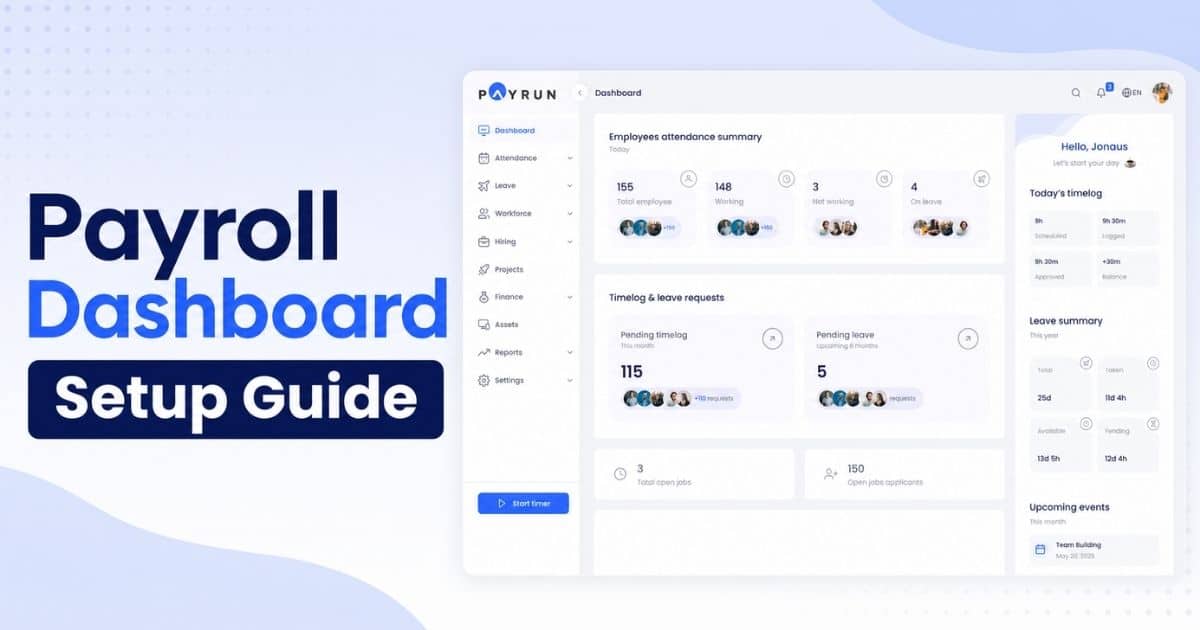
Payrun is an integrated hr platform that combines payroll hr and people management into a single connected system, offering an all-in-one HR platform that simplifies daily workflows. It automates core payroll tasks, including pay calculations, compliance with tax filings, leave management, and benefits tracking, while centralizing employee data so that hr and payroll operate from the same source of truth. For growing teams, this means no more toggling between disconnected tools or reconciling mismatched records.
Payrun offers reliable employee self-service, giving staff direct access to payslips, tax information, and leave balances without filing HR requests. Its compliance automation keeps pace with evolving regulations, and smooth connections to accounting software ensure finance teams receive clean, audit-ready data each pay period, supported by a wide range of innovative HR features.
The platform is built to scale from small business payroll for early-stage teams to larger, multi-location organizations, so companies do not face a forced migration as they grow, which is why many consider it the best HR software for small businesses. Paying employees accurately and on time, with full visibility into payroll data, becomes a dependable process rather than a monthly source of stress.
Frequently Asked Questions
When Should A Growing Business Move From Spreadsheets To Payroll Software?
Most HR managers feel the strain between 20 and 40 employees, or as soon as they add a second location or state. Specific triggers include repeated tax filing errors, frequent off-cycle corrections, an influx of employee questions that manual processes cannot answer efficiently, or the realization that you are spending more time on payroll than on strategic work. Switching before the start of a new financial year simplifies reporting, but a mid-year transition works with proper planning and parallel runs to verify accuracy.
How Can HR Justify Payroll Software Costs To Leadership?
Build a cost-benefit analysis comparing the software cost to the hours HR and finance currently spend to process payroll manually and fix mistakes. Include avoided penalties for late filings, fewer pay disputes, and faster reporting cycles that save leadership time. Present a three-year projection showing how scalable payroll software eliminates the need for future migration projects as the company grows. One accounting firm documented a 419% return on investment in the first year by replacing eight hours of biweekly manual payroll work with automation, especially when partnering with a trustworthy HR management provider.
What Should HR Managers Ask About Data Security And Privacy?
Ask vendors about encryption standards (in transit and at rest), data residency, backup and disaster recovery policies, and certifications such as SOC 2 Type II or ISO 27001. Confirm that the platform supports role-based access controls, audit trails for every change, and procedures for revoking access when employees leave. Involve IT or security teams early to review the vendor's documentation and incident response processes, especially if you handle cross-border employee data subject to GDPR or CCPA.
Can Payroll Software Support Hybrid And Remote Workforces Effectively?
Yes, but only if the vendor supports the specific jurisdictions where your remote hires live, handles the associated tax and withholding obligations, and provides capabilities like digital onboarding, remote document uploads, and self-service access. HR managers should confirm that the platform keeps up with evolving remote work tax rules and can handle payroll across multiple states or countries without requiring separate setups for each location.