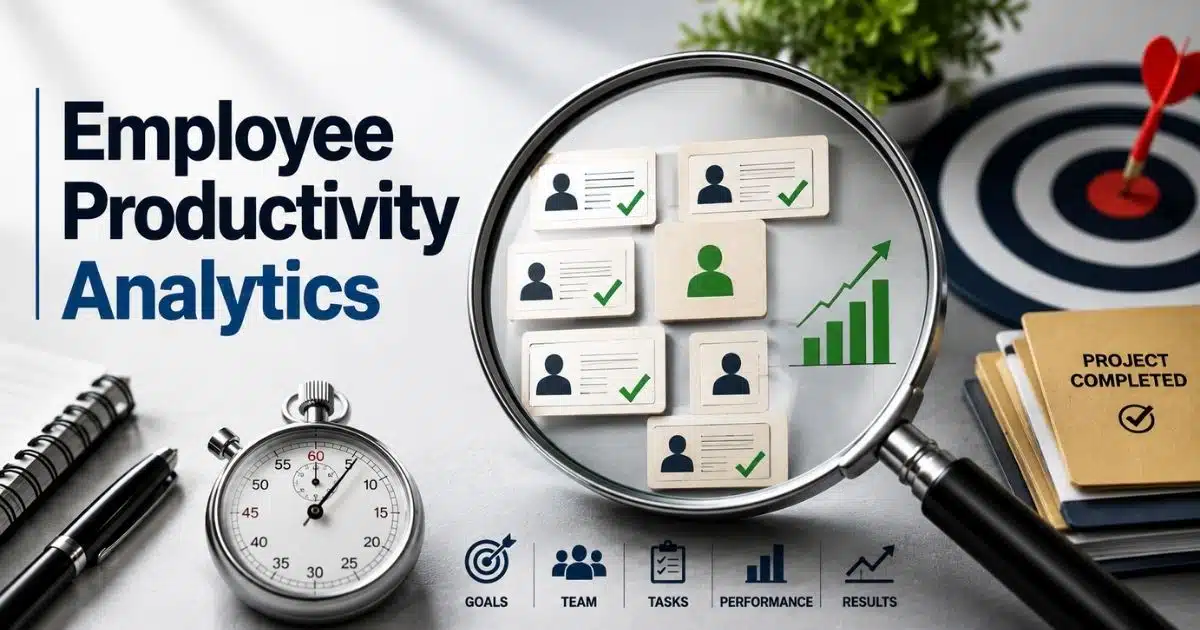
Employee productivity is no longer measured by hours worked or tasks checked off. Modern organizations want to know what actually drives results. Are teams creating value? Are employees engaged? Are resources being used effectively? Those answers come from employee productivity analytics.
As workplaces become more digital and remote, managers have access to more data than ever before. Time-tracking tools, project management systems, KPI dashboards, and employee feedback all provide valuable signals about workforce performance. Replacing disconnected systems with an integrated workforce management platform or other top workforce management software makes it easier to turn that data into meaningful insights rather than collecting numbers for the sake of reporting.
Employee productivity analytics helps organizations identify bottlenecks, improve decision-making, increase efficiency, and support employee success. When used correctly, it shifts the conversation from monitoring activity to understanding outcomes, creating a more productive and data-driven workplace for everyone.
The Shift From Productivity Tracking To Productivity Analytics
Hours worked no longer tell the full story. A busy employee is not always a productive employee. Modern organizations want to understand what drives results, where time goes, and which factors affect performance. That shift has led many companies to move beyond simple tracking and adopt employee productivity analytics.
Productivity analytics combines workforce data, performance metrics, engagement insights, and business outcomes. The goal is not to watch employees. The goal is to understand how work happens and how teams can perform better.
Activity Does Not Equal Productivity
Many organizations once measured productivity through hours worked, mouse movements, or online status. Those metrics show activity, but they rarely show results.
Employee productivity analytics focuses on outcomes. It looks at work completed, quality delivered, goals achieved, and business value created. A team may spend fewer hours on a project and still produce better results. That is why modern productivity measurement combines quantitative output with qualitative performance indicators.
Outcomes Matter More Than Hours
Productive employees create value. That value can come from revenue generated, projects completed, customer issues resolved, or business goals achieved.
Output per hour has become a common productivity metric because it connects effort to results. Revenue per employee is another widely used KPI. It is calculated by dividing total revenue by the total number of employees. Organizations also track utilization rates, completion rates, and quality metrics to gain a clearer picture of workforce performance.
Data Creates A Clearer Picture
Productivity analytics relies on multiple data sources instead of a single metric. Time-tracking software, project management systems, KPI dashboards, and workforce analytics platforms all contribute valuable insights.
Automated time trackers record hours spent on projects and tasks. Project boards reveal workflow progress and task completion rates. KPI dashboards measure outputs such as sales, support tickets, or revenue generated within a specific period. Together, those data points help organizations make informed decisions rather than relying on assumptions.
Workforce Visibility Has Become Essential
Remote and hybrid work have changed how managers evaluate productivity. Traditional supervision methods no longer provide enough visibility into daily operations.
Many organizations now use productivity tracking software to understand workloads, resource allocation, and team performance. Real-time productivity insights help managers identify delays, workload imbalances, and operational bottlenecks before they become larger problems. Modern workforce management software platforms also support both remote and office-based teams through centralized reporting and dashboards.
Insights Drive Better Decisions
Productivity analytics is not just about measurement. Its real value comes from action. Data-driven insights help organizations improve workforce planning, resource allocation, and performance management.
AI-powered analytics tools can analyze large volumes of workforce data within seconds. Some platforms identify patterns, detect productivity risks, and recommend workflow improvements automatically. Predictive analytics can even help managers address potential performance issues before they affect business outcomes. As a result, organizations can focus less on monitoring work and more on helping employees succeed.
Employee Productivity Analytics Metrics That Actually Predict Performance
Not all productivity metrics have the same value. Some only show what happened in the past. Others help predict future success. Employee productivity analytics focuses on metrics that reveal performance patterns, workforce efficiency, and business outcomes. The right data helps business leaders make smarter decisions and improve productivity before problems grow.
Revenue Per Employee
Revenue per employee is one of the most widely used productivity metrics. It shows how effectively a company turns human resources into business results. The formula is simple: total revenue divided by the total number of employees.
A high number often signals strong workforce productivity and efficient resource allocation. However, it should never be viewed alone. Industry benchmarks, company size, and business models all affect the result. Employee productivity analytics works best when revenue per employee is combined with other performance metrics to create actionable insights.
Utilization Rate
Utilization rate measures how much productive work employees complete compared to their available work hours. It helps organizations evaluate employee performance and identify inefficient workflows.
For example, consulting firms, agencies, and service teams often use utilization rates to track workforce efficiency. Low utilization can point to workload distribution issues or workflow bottlenecks. High utilization may improve productivity in the short term, but excessive workloads can hurt employee well-being and team morale over time. The goal is balance, not maximum capacity, supported by the right employee performance tracking software.
Task Completion Rate
Task completion rates show how consistently team members finish assigned work. High completion rates often indicate strong team productivity, effective planning, and clear priorities.
Project boards and digital tools make this metric easy to track. Organizations can measure completed tasks, project completion rates, and overall progress across teams. Using robust timesheet apps for employees further simplifies tracking. Productivity analytics also helps identify patterns behind missed deadlines. Managers gain valuable insights into workforce activity without relying on assumptions. That visibility supports better workforce planning and stronger team performance.
Employee Engagement Score
Employee engagement has a direct connection to productivity levels. Engaged employees are more likely to stay focused, collaborate effectively, and contribute to company goals.
Gallup research continues to show that highly engaged teams produce better business outcomes and lower turnover rates. Employee engagement scores are often collected through surveys, feedback sessions, and 1-on-1 conversations. Combined with qualitative feedback, they provide some of the most valuable insights into employee experience, employee satisfaction, and organizational culture.
Quality And Attendance Metrics
Output matters, but quality matters just as much. A high volume of work means little if errors, compliance issues, or customer complaints increase. Quality indicators help measure productivity while maintaining standards.
Absenteeism and overtime are also important key metrics. Frequent unplanned absences may signal burnout, low engagement, or workplace challenges. Excessive overtime can reduce workforce efficiency and increase productivity issues over time. Implementing a structured attendance management system supports this visibility. Employee productivity analytics combines quantitative metrics with quality measures to provide a complete view of overall productivity rather than focusing on activity alone.
Productivity Data Sources Most Companies Overlook
Many companies focus on productivity metrics but overlook the data sources behind them. That creates blind spots. Employee productivity analytics becomes more effective when organizations collect data from multiple systems. A broader view helps uncover productivity trends, workflow bottlenecks, and opportunities to improve workforce efficiency.
Time Tracking Data
Time-tracking software remains one of the most useful sources of productivity data. It helps organizations understand how employees spend their work hours. Automated trackers can log exact time spent on projects, tasks, meetings, and administrative work, and a solid grasp of what time tracking software is and how it works helps organizations choose the right tools.
This data helps measure productivity more accurately. Managers can identify workload distribution issues, resource utilization gaps, and productivity levels across teams. For remote teams, detailed employee time log reports also improve workforce visibility without relying on constant supervision. The goal is not employee surveillance. The goal is to understand where time creates value and where it gets lost.
Project Management Systems
Project management platforms reveal much more than project status. They provide valuable insights into task completion, workflow patterns, and team productivity. When combined with employee timeline tracking, every completed task adds another layer of information for productivity analytics.
Project boards help organizations track project completion rates and monitor progress across departments. High task completion rates often indicate healthy workflows and strong team performance. Delayed tasks can highlight workflow bottlenecks or inefficient workflows. This makes project management systems a critical part of any workforce analytics strategy.
Employee Feedback Channels
Numbers alone cannot explain every productivity issue. Employee feedback often reveals what productivity metrics miss. Surveys, 1-on-1 meetings, and performance discussions help organizations understand employee experience and employee satisfaction.
Gallup research continues to show strong links between employee engagement and business outcomes. Engaged employees are more likely to remain productive and committed to organizational goals. Structured employee performance tracking tools and feedback processes also uncover concerns related to team morale, company culture, mental health, and workload challenges that may affect employee performance.
KPI And Performance Dashboards
KPI dashboards transform raw workforce activity into actionable insights. They help business leaders evaluate employee performance through measurable outcomes rather than assumptions. Sales teams may track revenue generated. Support teams may track ticket resolution rates.
Performance dashboards also connect productivity metrics with business outcomes. Organizations can monitor workforce productivity, resource allocation, and overall productivity from a single location. This data-driven approach helps teams boost productivity while supporting smarter workforce planning decisions.
Communication And Collaboration Data
Communication platforms contain valuable productivity insights that many companies ignore. Meeting frequency, response times, and collaboration patterns often reveal hidden productivity trends. Poor communication can slow projects and create unnecessary delays.
Research shows that 47% of employees consider excessive meetings their biggest workplace time waster. Collaboration data helps identify those issues before they affect team productivity. Organizations can analyze workflow patterns, reduce repetitive tasks, and improve resource allocation. When combined with other digital tools and privacy-conscious productivity tracking, communication data provides some of the most valuable insights into how work actually happens in the modern workplace
How Employee Productivity Analytics Reveals Hidden Workforce Bottlenecks
Many productivity problems stay hidden until performance drops. Teams may work hard but still miss deadlines, waste resources, or struggle with workload balance. Employee productivity analytics helps uncover those issues early. By analyzing productivity data, organizations can identify patterns, improve workforce efficiency, and remove obstacles that slow progress.
Meeting Overload
Meetings play an important role in collaboration. However, too many meetings can reduce employee productivity and disrupt focus. Research shows that 47% of employees consider excessive meetings their biggest workplace time waster.
Productivity analytics helps organizations measure how employees spend their workday. Data from calendars, project systems, and digital tools can reveal how much time team members allocate to meetings versus productive work. When meeting hours become excessive, business leaders can make adjustments that boost productivity and improve overall workforce efficiency.
Workload Imbalance
Uneven workload distribution is a common cause of productivity issues. Some employees handle more work than they can manage, while others remain underutilized. Detailed time log reporting can reveal these imbalances. Both situations affect team performance.
Employee productivity analytics helps track resource utilization and completed tasks across departments. Managers can use productivity insights to identify employees who face excessive workloads. At the same time, analytics reveals opportunities for shifting resources to create a more balanced environment. Better workload distribution often leads to stronger employee satisfaction and better business outcomes.
Process Delays
Workflow bottlenecks often develop between teams, approvals, or project stages. Those delays can reduce productivity levels even when employees work efficiently. The problem usually lies within the process rather than the people.
Project management systems and workforce analytics platforms help identify workflow patterns that slow project completion. Task completion rates and project completion rates provide valuable insights into where delays occur. Once organizations understand those bottlenecks, they can improve resource allocation and streamline inefficient workflows across the modern workplace.
Low Engagement Signals
Employee engagement affects nearly every aspect of workforce productivity. Disengaged employees often show lower performance, reduced collaboration, and weaker commitment to company goals.
Productivity analytics combines performance metrics with qualitative feedback to uncover engagement concerns. Employee surveys, 1-on-1 discussions, and employee experience data often reveal issues before they affect business outcomes. Organizations that monitor employee engagement can take proactive intervention steps that strengthen team morale, support employee well-being, and reinforce a positive company culture.
Focus And Interruption Gaps
Constant interruptions make it difficult for productive employees to stay focused. Research suggests employees face hundreds of interruptions during a typical workweek, reducing deep work time and increasing task-switching costs.
Employee productivity analytics helps measure workforce activity and identify productivity trends related to distractions. Communication data, workflow patterns, and productivity monitoring tools provide actionable insights into where focus breaks down. Those findings help organizations enhance productivity, improve team productivity, and create work environments that support both employee performance and maintaining trust across remote teams and in-office teams.
Employee Productivity Analytics Across Different Departments
Employee productivity analytics does not work the same way for every team. Sales teams focus on revenue. Support teams track resolution times. HR teams monitor engagement and retention. The right productivity metrics depend on department goals, workflows, and business outcomes. That is why successful organizations customize productivity analytics across functions.
Sales Teams
Sales departments rely heavily on productivity analytics to measure employee performance and revenue impact. Common productivity metrics include revenue per employee, deals closed, sales calls completed, and pipeline conversion rates.
KPI dashboards help business leaders track team productivity in real time. Productivity insights can reveal which sales activities lead to stronger results. Workforce analytics also helps managers identify patterns among productive employees and improve resource allocation. As a result, sales teams can boost productivity while focusing on activities that directly support revenue growth.
Customer Support Teams
Customer support teams often measure productivity through ticket volume, resolution time, response speed, and customer satisfaction scores. Those metrics help evaluate employee performance and overall service quality.
Employee productivity analytics helps identify workflow bottlenecks that slow customer support operations. Project boards and digital tools provide visibility into task completion rates and workload distribution. Managers can use actionable insights to balance workloads across team members. Better workforce visibility often leads to improved employee experience and stronger customer outcomes.
Human Resources Teams
HR departments use productivity analytics differently. Their focus extends beyond completed tasks and output levels. Employee engagement, employee satisfaction, retention, absenteeism, and workforce planning often become key metrics, especially for small businesses adopting HR software designed for their needs.
Gallup research consistently shows that engaged employees contribute to stronger business outcomes and higher workforce productivity. HR teams use surveys, qualitative feedback, and performance metrics to understand organizational culture and employee well-being, often partnering with a dedicated HR management provider like Payrun. Those valuable insights help create proactive intervention strategies before productivity issues affect larger business goals.
Project And Operations Teams
Operations and project teams depend on workflow efficiency. Their success often relies on project completion rates, resource utilization, task completion, and process consistency.
Employee productivity analytics helps identify inefficient workflows and collaboration challenges. Project management systems provide productivity data that highlights delays, workload distribution problems, and resource allocation gaps. Managers can use data-driven decisions to improve workflow patterns and enhance productivity across departments. Strong execution often creates a competitive advantage in fast-moving industries.
Remote And Hybrid Teams
Remote teams require a different approach to productivity monitoring. Managers cannot rely on physical presence to measure workforce activity. Instead, they depend on digital tools and HRM platforms that help manage a remote workforce with productivity analytics for workforce visibility.
Research shows that more than 58% of employees now work remotely at least part of the time. This shift has increased the need for data-driven approaches and reliable remote attendance tracking that support remote team members without creating employee surveillance concerns. Productivity analytics helps organizations measure productivity, maintain trust, improve workload distribution, and support employee privacy while keeping teams connected and productive.
Building An Employee Productivity Analytics Framework Step By Step
A successful employee productivity analytics strategy does not happen by chance. It requires clear goals, the right productivity metrics, reliable data sources, and continuous improvement. A structured framework helps organizations measure productivity, uncover valuable insights, and make data-driven decisions that improve workforce productivity over time.
Step 1: Define Clear Productivity Goals
Every productivity analytics framework starts with a clear objective. Organizations must decide what success looks like before collecting productivity data. Without goals, even the best analytics tools provide little value.
Some companies focus on employee performance. Others prioritize workforce efficiency, employee engagement, or resource allocation. Goals should connect directly to business outcomes. Clear targets also help business leaders choose the right key metrics and avoid tracking data that does not support meaningful decisions.
Step 2: Select The Right Metrics
Not every metric deserves a place on a dashboard. Effective employee productivity analytics focuses on performance metrics that align with company goals. The best metrics often combine quantitative metrics with qualitative feedback.
Organizations may track revenue per employee, utilization rates, task completion rates, absenteeism, employee satisfaction, and project completion rates. A balanced approach provides a complete view of workforce productivity. This helps managers evaluate employee performance while maintaining trust and supporting employee well-being.
Step 3: Collect Data From Multiple Sources
Strong productivity insights require data from more than one system. A single tool rarely provides enough workforce visibility. Modern organizations use a combination of digital tools to understand productivity levels.
Common sources include time-tracking software, project management systems, KPI dashboards, employee surveys, and HR platforms. Modern attendance tools with a real-time timeline view sit alongside other productivity monitoring tools to reveal workforce activity, while employee engagement surveys provide context behind the numbers. Together, these systems help organizations identify patterns and uncover workflow bottlenecks that affect team productivity.
Step 4: Analyze Trends And Take Action
Data becomes valuable only when it leads to action. Productivity analytics should focus on finding patterns, not simply creating reports. Teams need actionable insights that support real improvements.
Managers can analyze individual productivity trends, workload distribution, collaboration patterns, and resource utilization. With smarter employee productivity tracking, predictive analytics can also help identify productivity issues before they become larger problems. This data-driven approach allows organizations to make proactive intervention decisions rather than reacting after performance declines.
Step 5: Optimize And Improve Continuously
Workforces change over time. New tools, remote teams, shifting resources, and evolving business goals all affect productivity trends. That is why productivity analytics should never be treated as a one-time project.
Regular reviews help organizations improve productivity and adapt their tech stack as needs change. Consolidating HR and analytics into a unified platform instead of disconnected tools makes these reviews easier. AI tools can analyze vast amounts of productivity data and recommend workflow improvements. Continuous optimization helps enhance productivity, strengthen employee experience, support company culture, and create a lasting competitive advantage in the modern workplace.
Common Productivity Analytics Mistakes That Lead To Poor Decisions
Employee productivity analytics can deliver powerful insights, but only when used correctly. Poor data choices often lead to poor decisions. Many organizations focus on the wrong metrics, ignore employee feedback, or misread productivity trends. A strong analytics strategy requires context, balance, and a clear understanding of what productivity data actually means.
Activity Over Outcomes
One of the most common mistakes is measuring activity instead of results. Hours worked, online status, and keyboard activity may show workforce activity, but they do not always reflect employee productivity.
Productive employees create value through completed tasks, quality work, and business outcomes. Employee productivity analytics should focus on performance metrics that connect to goals. A data-driven approach helps organizations measure productivity based on results rather than simply tracking how busy employees appear throughout the day.
Vanity Metrics
Some productivity metrics look impressive but provide little business value. Large numbers on a dashboard may create the illusion of success without offering actionable insights.
For example, counting emails sent or meetings attended rarely helps evaluate employee performance. Those numbers often fail to reveal workforce efficiency or team productivity. Business leaders should focus on key metrics such as revenue per employee, task completion rates, resource utilization, and employee engagement. Those indicators provide more valuable insights into actual performance and workforce productivity.
Missing Employee Feedback
Productivity data tells part of the story. Employee feedback reveals the rest. Organizations that ignore qualitative feedback often miss important factors that affect employee performance.
Employee satisfaction, team morale, company culture, and employee well-being all influence productivity levels. Surveys, one-on-one discussions, and employee engagement assessments help uncover challenges that numbers cannot explain. A balanced employee productivity analytics strategy combines quantitative metrics with human feedback to create a more accurate picture of workforce performance.
Excessive Employee Monitoring
Productivity monitoring can improve workforce visibility, but excessive monitoring often creates new problems. Employees may feel pressured, distracted, or concerned about employee privacy when tracking becomes too invasive.
Research shows that 86% of employees believe employers should disclose monitoring tool usage. Transparency plays a major role in maintaining trust across the modern workplace. Productivity analytics should support employees, not create an employee surveillance culture. Privacy-focused policies help organizations collect productivity insights while protecting trust and employee experience.
Ignoring Long-Term Trends
Short-term productivity changes can be misleading. A single week or month rarely provides enough data to support major decisions. Many productivity issues develop slowly over time.
Employee productivity analytics works best when organizations analyze long-term productivity trends, workflow patterns, and individual productivity trends. Predictive analytics can help identify patterns before they affect business outcomes. Regular reviews allow teams to improve productivity, optimize resource allocation, and make smarter workforce planning decisions. Long-term analysis often produces the most valuable insights for sustainable growth.
The Future Of Employee Productivity Analytics In An AI-Driven Workplace
Employee productivity analytics is moving beyond basic reporting. Artificial intelligence now helps organizations understand workforce behavior, predict challenges, and improve decision-making faster than ever before. Instead of looking only at past performance, modern productivity analytics can reveal future opportunities and risks that affect workforce productivity and business outcomes.
AI Turns Data Into Insights
Modern workplaces generate massive amounts of productivity data every day. Project systems, digital tools, communication platforms, and HR software all create valuable information. Human analysis alone often cannot keep up.
AI tools can analyze vast amounts of workforce data within seconds. They identify patterns, highlight unusual productivity trends, and uncover workflow bottlenecks that may go unnoticed. This helps business leaders gain actionable insights faster. As a result, organizations can improve productivity and make data-driven decisions with greater confidence.
Predictive Analytics Spots Problems Early
Traditional productivity analytics explains what happened. Predictive analytics helps explain what could happen next. That difference creates a major competitive advantage for organizations.
AI-powered workforce analytics can detect changes in employee performance, workload distribution, and employee engagement before serious productivity issues develop. Early warnings support proactive intervention rather than reactive management. This allows teams to address workforce challenges while protecting employee well-being, team morale, and overall productivity levels.
Real-Time Feedback Improves Performance
Annual reviews alone are no longer enough for the modern workplace. Employees need timely feedback to stay aligned with goals and expectations. AI helps make that possible.
Many productivity analytics platforms now provide real-time productivity insights based on completed tasks, project activity, and performance metrics. Managers gain workforce visibility without excessive employee surveillance. Employees also receive faster guidance that helps enhance productivity and improve employee performance. Immediate feedback often supports stronger employee experience and better business outcomes.
Workflow Optimization Becomes Smarter
Many organizations lose productivity because of inefficient workflows, repetitive tasks, and poor resource allocation. Those issues often remain hidden for months before anyone notices.
AI can evaluate workflow patterns, collaboration patterns, and task completion rates across departments. It may recommend shifting resources, adjusting workload distribution, or automating low-value work. Those recommendations help organizations boost productivity while making better use of human resources. Smarter workflows often improve workforce efficiency without increasing workloads.
Trust And Privacy Remain Essential
Technology can improve productivity analytics, but trust remains just as important as innovation. Employees want transparency about how productivity monitoring works and how data is used.
Research shows that 86% of employees believe organizations should disclose monitoring tool usage. Employee privacy, maintaining trust, and company culture must remain priorities as AI adoption grows. Organizations that balance workforce visibility with ethical, timeline-based productivity tracking practices are more likely to improve employee satisfaction, strengthen organizational culture, and achieve sustainable productivity gains in the years ahead.
How Payrun Helps Improve Employee Productivity Analytics
Employee productivity analytics works best when organizations have access to accurate workforce data. Payrun helps bring key employee information into one place, making it easier to track productivity metrics, monitor workforce trends, and make informed decisions. Instead of relying on disconnected spreadsheets and manual reporting, especially for complex tasks like payroll processing, teams gain a clear view of employee performance and workforce efficiency.
With features such as attendance tracking, timesheets, leave management, and workforce reporting, Payrun’s all-in-one HR platform provides the data needed to measure productivity and identify workflow bottlenecks. Managers can monitor absenteeism, resource utilization, workload distribution, and employee engagement trends more effectively. This visibility supports better workforce planning and resource allocation.
By turning workforce data into actionable insights, Payrun and its innovative HR features help organizations improve productivity, strengthen employee experience, and make smarter business decisions based on real performance data.
FAQs
Can Small Businesses Benefit From Employee Productivity Analytics?
Yes. Employee productivity analytics is valuable for businesses of all sizes. Small companies can use productivity metrics, workforce analytics, and productivity insights to improve resource allocation, identify workflow bottlenecks, and boost productivity without increasing headcount.
How Often Should Companies Review Productivity Data?
Most organizations should review productivity data weekly or monthly. Regular reviews help identify productivity trends, track team performance, evaluate employee performance, and make data-driven decisions before small issues become larger workforce productivity challenges.
Does Employee Productivity Analytics Replace Performance Reviews?
No. Productivity analytics should support performance reviews, not replace them. Quantitative metrics provide valuable insights, while qualitative feedback, employee engagement discussions, and manager observations help create a complete picture of employee performance and employee experience.
What Is The Difference Between Productivity Analytics And Employee Monitoring?
Employee monitoring focuses on workforce activity, such as time spent on tasks or device usage. Employee productivity analytics goes further by analyzing productivity data, task completion rates, business outcomes, and workflow patterns to uncover actionable insights that improve overall productivity, especially when enhanced with employee timeline tracking.
Can Productivity Analytics Help Reduce Employee Burnout?
Yes. Productivity analytics can reveal workload distribution problems, excessive overtime, inefficient workflows, and declining employee engagement. Those insights help organizations take proactive action, improve employee well-being, maintain team morale, and support a healthier workplace culture.