Employee Record Management System For Modern HR Teams
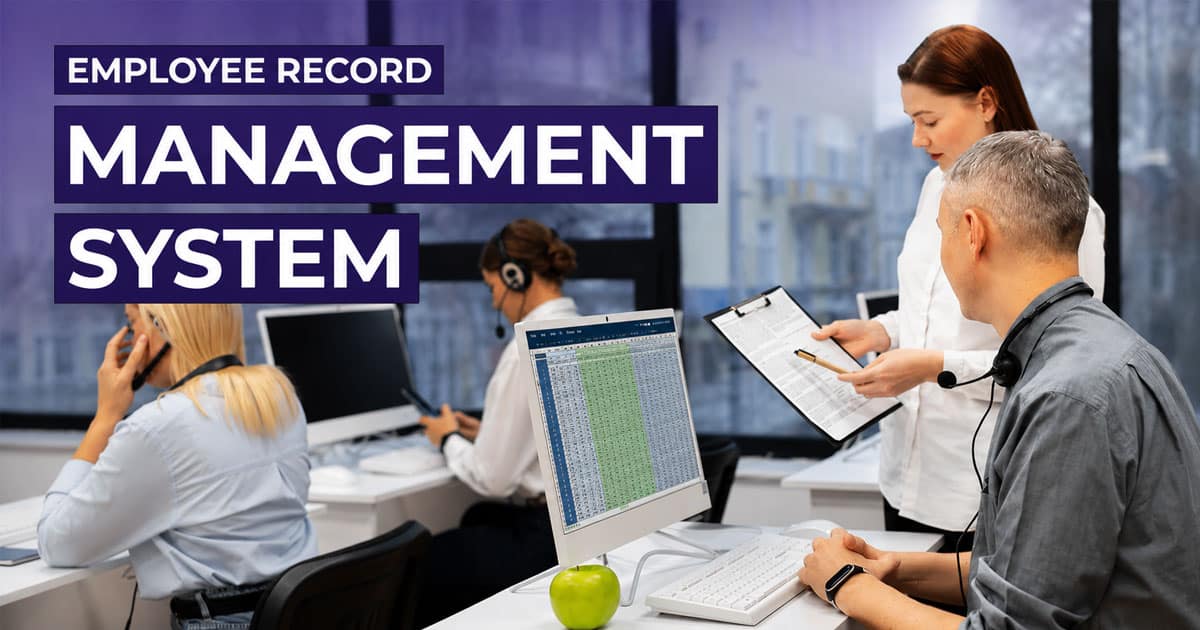
Table of Contents
Modern organizations rely on a robust employee record management system to bring structure and clarity to HR operations. The right employee management software acts as one employee management system, unifying employee onboarding, applicant tracking, and an advanced applicant tracking system within a single platform. It builds a reliable employee database that supports hr management and workforce management with accuracy and speed.
HR personnel can manage employee folders, streamline benefits administration, and coordinate performance management without switching tools. Strong talent management capabilities help an hr partner align people strategies with business goals. Choosing the right hr software ensures secure data handling, easy access, and better decision-making across teams. A centralized approach reduces manual effort, improves visibility, and supports consistent HR processes from hiring to long-term employee development.

What Is An Employee Record Management System
An employee record management system is a digital solution that organizes and maintains all employee-related data in one place. It removes the need for a separate system by centralizing information and reducing the risk of documents missing or certain documents being misplaced. HR teams can structure data using a clear folder structure, making retrieval simple and fast.
Such systems help ensure compliance with labor laws by tracking important dates, storing required records, and maintaining accurate documentation. Features like custom fields allow businesses to adapt records based on company size, whether for a small business or mid sized companies. By standardizing recordkeeping, organizations improve efficiency, maintain consistency, and support better HR decision-making without relying on scattered or manual processes.
How Does An Employee Management System Work
An employee management system operates as a structured digital framework that centralizes employee information, automates HR workflows, and enforces data protection policies. It connects employee records, HR processes, and compliance controls into a single system that supports operational accuracy and scalability.

Centralized Employee Data Architecture
An employee management system uses a centralized data architecture to store employee records, employee files, and employee documentation in one unified repository. This repository acts as the system of record for personal records, professional information, salary information, benefits information, and tax forms.
All employee data follows defined data models and schemas, which ensures consistency across HR systems. Centralization eliminates duplicate records that often appear when HR teams rely on multiple tools.
This architecture enables quick access to relevant information, improves data integrity, and allows HR departments to rely on a single source of truth for reporting and compliance.
Secure Access And Permission Layers
The system enforces security through role-based access controls and layered access permissions. Each user role, such as HR staff, managers, or employees, receives predefined permissions aligned with job responsibilities.
Sensitive employee data, including salary information and confidential employee documents, remains restricted to authorized roles. This structure limits internal exposure and supports data protection requirements.
Permission layers integrate with audit logs to record every access or modification, which strengthens accountability and supports compliance audits across HR departments.
Employee Record Lifecycle Handling
Employee management systems manage records across the full employee lifecycle, from new hire onboarding to employee exits. Each lifecycle stage triggers predefined workflows and documentation requirements.
New hire data collection, employee contracts, performance reviews, leave records, and employee leaves remain linked to a single employee profile. This continuity prevents fragmented employee information.
Lifecycle-based record handling supports retention rules, expiration dates, and compliance requirements while ensuring employee records remain complete and up to date.
Workflow Automation And Process Logic
The system uses workflow engines to automate HR workflows and administrative tasks. Rules define how documents move, who approves them, and when actions occur.
Automated workflows handle document routing, approval chains, reminders, and status updates. HR teams avoid manual follow-ups and repetitive coordination.
Process logic ensures consistent execution of HR processes such as onboarding, performance tracking, and leave management, which reduces errors and supports scalable operations.
Employee Self Service Interaction Layer
The employee self-service layer provides controlled access to employee information through a secure self-service portal. Employees view personal records, upload documents, and complete digital forms independently.
Self-service interactions write directly to the employee record while respecting access permissions and validation rules. This design improves data accuracy and reduces HR workload.
By shifting routine updates to employees, HR staff focus on strategic HR tasks instead of administrative maintenance.
Audit Trails And Compliance Controls
Employee management systems generate audit trails that log every data change, document upload, and access event. These logs remain immutable and searchable for audits.
Audit trails support compliance requirements by providing evidence of proper data handling and access control. HR teams trace changes across employee files without relying on manual records.
Retention policies, expiration dates, and compliance rules integrate directly with audit controls, which simplifies regulatory adherence and reduces compliance risk.
System Integrations And Data Synchronization
The system integrates with payroll, time off tracking, performance tracking, and other HR tools through APIs or native connectors. Integration ensures synchronized employee data across platforms.
Data synchronization prevents mismatched records and duplicate data entry. Updates in one system reflect automatically in connected HR systems.
This integration layer supports digital transformation by creating a cohesive HR technology ecosystem that improves efficiency, accuracy, and informed decision-making.
Key Features To Look For An Employee Record Management System
The right employee record management system combines security, efficiency, and scalability. Strong features help HR teams protect sensitive data, simplify HR processes, and manage employee records across the entire employee lifecycle without relying on paper files or separate systems.
Role-Based Access Control
Role-based access controls define who can view or edit employee information within HR systems. This structure protects sensitive employee data such as salary information, personal records, and employee contracts from unauthorized access.
Access permissions allow HR departments to limit visibility based on job roles. HR staff, managers, and employees each receive appropriate access levels, which support data protection and internal accountability.
Clear role-based access also strengthens compliance requirements by reducing exposure to sensitive information and supporting audit readiness through controlled employee file management.
Employee Self Service Portal
Employee self-service gives employees direct access to their own employee records through a secure self-service portal. Employees can review personal information, update contact details, and access key documents without constant HR involvement.
Self-service portals reduce HR tasks related to routine requests and document sharing. HR teams gain time for strategic priorities instead of repetitive administrative tasks.
This feature also improves accuracy, since employees maintain their own employee information, which supports informed decisions and smoother HR workflows.
Digital HR Workflows
Digital workflows replace manual processes and filing cabinet storage with structured, automated HR workflows. These workflows support onboarding, employee contracts, performance reviews, and employee leaves across the employee lifecycle management.
HR staff manage approvals, document routing, and employee documentation in one central hub. This approach reduces time-consuming follow-ups and minimizes missing documents.
Digital workflows also improve consistency across HR departments by standardizing how employee records management works across teams and locations.
Automated Reminders
Automated reminders help HR teams track expiration dates, incomplete forms, and missing documents without manual follow-up. This feature supports accurate employee records and timely employee documentation.
HR systems send reminders for tax forms, contract renewals, benefits information, and compliance-related deadlines. HR professionals avoid last-minute issues and compliance gaps.
Automated reminders reduce risk, save time, and support consistent employee records management across growing organizations.
Audit Logs And Audit Trails
Audit logs and audit trails record every update made to employee files and employee data. These records provide visibility into who accessed or changed employee information and when those actions occurred.
Audit trails support compliance requirements, internal reviews, and external audits. HR teams can demonstrate proper data handling and access permissions with confidence.
Strong audit capabilities also improve trust by protecting sensitive information and ensuring transparency across HR systems.
Document And Reporting Tools
Effective employee record management software includes tools to upload documents, manage digital forms, and organize different document types. HR teams store HR documents, employee files, and key details in one secure location.
Standardized digital forms reduce errors and improve consistency across employee documentation. HR staff avoid duplicate data entry and misplaced files.
Reporting features help generate reports for audits, workforce planning, and performance tracking, which support better decision-making across HR departments.
HR System Integrations
Integration with other HR systems connects employee records with payroll, time off tracking, performance tracking, and benefits information. This connection eliminates data silos and reduces reliance on a separate system for each HR function.
Integrated HR tools keep employee data consistent across platforms. HR teams avoid mismatched records and repetitive updates.
Strong integration supports digital transformation by creating a unified HR software ecosystem that delivers easy access, cost savings, and long-term operational efficiency.
Best 5 Employee Record Management Software
Choosing the right employee record management software helps HR teams centralize data, reduce manual work, and improve accuracy. Here are five reliable tools that simplify employee records while supporting payroll, compliance, and overall workforce management.
1. BambooHR
BambooHR focuses on structured HR processes with strong employee record organization. It offers a clean system that helps teams manage employee data, hiring, and performance without unnecessary complexity and is frequently included among the best employee record-keeping software for modern HR teams.
Employee Record Management Features
- Central employee records with self-service access
- Applicant tracking and onboarding integration
- Time-off tracking linked with employee profiles
- Performance management tied to employee data
- Detailed HR reporting and insights
Ease Of Use
BambooHR is known for its intuitive interface. HR teams and managers can easily access records, approve requests, and manage employee data without extensive training.
Price
Pricing starts at about $250/month for small teams, while larger organizations pay per employee. Final cost depends on company size and selected features.
Best For
Growing businesses that want a user-friendly HR system focused on employee records, onboarding, and performance without the complexity of enterprise platforms.
Choosing the right employee record management software helps HR teams centralize data, reduce manual work, and improve accuracy. Here are five reliable tools that simplify employee records while supporting payroll, compliance, and overall workforce management.
2. Payrun
Payrun brings HR and payroll into one connected platform built for small and growing teams. It focuses on simplifying employee records while reducing manual HR workload through automation and structured HR workflows.
Employee Record Management Features
- Centralized employee records with real-time updates
- Attendance and leave tracking linked with employee data
- Recruitment workflows connected to employee profiles
- Automated HR workflows to reduce manual admin tasks
- Payroll data synced with employee records using Payrun's innovative HR features
Ease Of Use
Payrun offers a clean interface designed for non-technical users. Navigation feels simple, and daily HR tasks like leave tracking or record updates require minimal effort after initial setup, reflecting its role as a trustworthy partner in HR management and its focus on simplifying HR by replacing disconnected tools.
Price
Payrun includes a free plan. Paid plans start at $29/month for Starter, $49/month for Pro, and $99/month for Enterprise, with optional add-ons for scaling teams, making it one of the best HR software options for small businesses looking for value.
Best For
Small and growing businesses that want an affordable system combining HR records, payroll, and workforce tracking without complexity or heavy setup requirements, similar to other top HR software for small businesses and broader HR software solutions for small and medium businesses.
3. Rippling
Rippling unifies HR, payroll, and workforce data into a single system, making it easier to manage employee records alongside compliance, benefits, and time tracking without switching between tools, much like a modern employee record management system for HR teams.
Employee Record Management Features
- Unified employee database across HR and payroll
- Automated workflows for record updates and compliance
- Integration with benefits and time tracking systems
- Global employee and contractor record management
- Real-time reporting and analytics that benefit from thoughtful HR workflow automation
Ease Of Use
Rippling has a modern interface but requires some setup due to its wide feature set. Once configured, workflows become smooth and reduce duplicate data entry across systems.
Price
Rippling starts at around $40/month base plus about $8 per employee monthly. Final pricing depends on selected modules like payroll, benefits, and compliance tools.
Best For
Businesses that want a powerful all-in-one workforce platform with strong integrations, automation, and the ability to manage both local and global employee records.
4. Gusto
Gusto simplifies payroll and employee record management for small businesses by combining essential HR tools with automated payroll and compliance features in one platform, covering many core HR software features for small businesses.
Employee Record Management Features
- Employee profiles with payroll integration
- Onboarding and document management tools
- Time-off tracking linked with employee data
- Benefits management connected to records
- Automated tax and compliance record handling powered by automated payroll software features and benefits that streamline overall payroll processing for growing businesses
Ease Of Use
Gusto provides a simple and guided experience. Most tasks, including payroll and employee record updates, can be completed quickly without prior HR experience.
Price
Plans start at $49/month plus $6 per employee. Higher tiers include additional HR features, with transparent pricing and no long-term contracts required.
Best For
Startups and small businesses that need reliable payroll with basic HR and employee record management in an easy-to-use system.
5. Zoho People
Zoho People offers a flexible HR system focused on employee data management and workflow customization. It integrates well with other tools, making it suitable for structured HR processes and comparable to HR and payroll software for SaaS and software businesses.
Employee Record Management Features
- Central employee database with customizable fields
- Leave and attendance tracking within employee records
- Onboarding workflows linked with employee data
- Performance management tracking
- Integration with payroll and other business tools
Ease Of Use
Zoho People provides a clean interface with flexible configurations. Setup may take time due to customization options, but daily operations become smooth once workflows are defined.
Price
Zoho People starts at $1.25 per user per month, scaling up based on features and plans, making it one of the most budget-friendly HR solutions available.
Best For
Budget-conscious businesses that want customizable HR workflows and structured employee record management within a scalable and integrated ecosystem.
Common Challenges With Traditional Employee Records Management
Traditional employee records management relies heavily on manual processes, paper files, and disconnected HR tools. These approaches create operational delays, increase compliance risk, and limit HR teams’ ability to manage employee data accurately across the full employee lifecycle.

Paper-Based Record Risks
Paper files stored in filing cabinets expose employee documents to loss, damage, and unauthorized access. Physical records lack proper data protection and remain vulnerable to theft, misplacement, or accidental destruction.
HR departments often struggle to control access to sensitive employee data when records exist in shared physical spaces. Salary information, personal records, and confidential employee files become difficult to safeguard.
Paper-based storage also slows down access to employee information, which affects HR workflows and delays important administrative and compliance-related tasks.
Missing And Incomplete Documents
Traditional systems often result in missing documents and incomplete forms across employee files. Without a centralized employee record management system, HR staff rely on manual tracking and memory.
Employee documentation spreads across emails, folders, and separate systems. This fragmentation increases the risk of gaps in employee records management.
Incomplete employee records affect audits, employee lifecycle management, and compliance requirements, especially when key documents such as tax forms or employee contracts remain outdated or unavailable.
Fragmented HR Systems
Many organizations use a separate system for payroll, leave records, performance reviews, and benefits information. This setup creates disconnected HR systems that fail to share accurate employee data.
HR teams waste time reconciling information between HR tools and correcting mismatched records. Errors increase when employee information updates occur in one system but not another.
Fragmentation limits visibility across HR departments and reduces confidence in reports, employee documentation, and workforce planning decisions.
Manual Administrative Workload
Manual employee records management places a heavy administrative burden on HR staff. Filing documents, chasing approvals, and updating employee files consume time that could support strategic HR initiatives.
Repetitive HR tasks slow down operations and increase the risk of data entry errors. Administrative overload also reduces responsiveness to employee requests.
As organizations grow, manual processes fail to scale, leading to inefficiencies, higher costs, and reduced HR team effectiveness.
Limited Access Control And Visibility
Traditional systems lack role-based access controls and structured access permissions. Sensitive information becomes accessible to unauthorized individuals without proper oversight.
HR departments struggle to monitor who accessed employee files or modified employee information. The absence of audit logs reduces transparency and accountability.
Limited visibility weakens data protection practices and increases exposure to compliance risks, especially when handling sensitive employee data.
Compliance And Retention Challenges
Compliance requirements demand accurate employee records, defined retention periods, and proper documentation. Manual systems make it difficult to retain employee records according to legal standards.
Tracking expiration dates for documents, leave records, and tax forms becomes unreliable without automation. Regulations such as the Fair Labor Standards Act require precise recordkeeping.
Compliance gaps expose businesses to audits, penalties, and reputational risk, particularly when employee documentation remains incomplete or outdated.
Slow Access To Employee Information
Traditional approaches delay quick access to employee information when HR teams need it most. Searching through paper files or multiple systems wastes valuable time.
Slow access affects performance reviews, employee leaves, payroll coordination, and informed decisions. HR staff often depend on manual follow-ups to retrieve relevant information.
Limited accessibility reduces productivity and highlights the need for a centralized, cloud-based employee record management system that supports modern HR workflows.
Benefits Of Employee Record Management Software For Businesses
Employee record management software delivers practical benefits that improve accuracy, efficiency, and compliance across HR departments. By centralizing employee records and automating HR workflows, businesses gain better control over employee data while reducing administrative pressure on HR teams.
Centralized Employee Records
A centralized employee record management system creates a single source of truth for employee records, employee documents, and employee files. HR departments no longer rely on paper files or multiple HR systems to locate key details.
Employee information, such as personal records, employee contracts, tax forms, and benefits information, stays organized in one secure location. This structure improves employee records management and supports consistent documentation across teams.
Centralization also improves collaboration between HR staff and managers by providing reliable access to accurate employee data when decisions matter.
Faster Access To Information
Quick access to employee information allows HR teams to respond faster to internal requests and compliance needs. HR staff can retrieve employee files, performance reviews, and leave records without searching through separate systems.
Easy access reduces delays during audits, payroll coordination, and employee lifecycle events. Managers gain timely visibility into relevant information that supports performance tracking and workforce planning.
Faster access improves productivity and enables HR professionals to focus on higher-value tasks instead of manual searches.
Stronger Data Protection
Employee record management software strengthens data protection through secure storage, access permissions, and role-based access controls. Sensitive employee data, such as salary information and personal records, remains protected from unauthorized access.
Controlled access supports compliance requirements and protects sensitive information throughout the employee lifecycle. HR departments maintain oversight of who can view or update employee documentation.
Improved security builds trust with employees and reduces risk related to data breaches and compliance failures.
Lower Administrative Costs
Automation within employee record management software reduces manual HR tasks and administrative workload. HR staff spend less time on filing, data entry, and document follow-ups.
Reduced reliance on paper files lowers storage costs and minimizes errors that require correction. HR departments achieve cost savings through streamlined HR workflows and efficient employee file management.
As organizations grow, automation supports scalability without increasing administrative headcount or operational complexity.
Improved Compliance Management
A structured system supports compliance requirements by maintaining accurate employee records and clear audit trails. HR teams track document retention, expiration dates, and regulatory obligations with confidence.
Audit logs provide visibility into employee data changes and access history. This transparency supports internal reviews and external audits.
Consistent employee documentation reduces compliance risk and supports adherence to labor regulations, including requirements related to employment records and reporting.
Better Employee Lifecycle Support
Employee record management software supports every stage of the employee lifecycle. New hire onboarding becomes smoother with digital forms, document uploads, and structured HR workflows.
Performance reviews, employee leaves, and leave records remain organized and accessible. HR teams manage employee performance reviews and benefits information with greater consistency.
Clear visibility across the employee lifecycle enables informed decisions and improves workforce planning, employee engagement, and long-term HR effectiveness.
Best Practices For Employee Records Management Success
Effective employee records management depends on consistent standards, disciplined execution, and alignment with daily HR operations. When HR teams follow proven best practices, they protect sensitive employee data, maintain accurate employee records, and meet compliance requirements without unnecessary administrative strain.
Maintain Accurate Employee Records
Accurate employee records form the backbone of reliable HR systems. HR teams must update employee information regularly to reflect changes in contact details, professional information, benefits information, and salary information. Outdated personal records create confusion and weaken trust in HR data.
Reliable employee records support payroll accuracy, performance reviews, and compliance reporting. Errors in employee documentation often lead to incorrect decisions and operational delays.
Clear responsibility for record updates helps HR departments maintain consistency across employee files and ensures informed decisions based on dependable employee data.
Standardize Employee Document Types
Standardized document types create structure and clarity across employee records management. HR departments should define which employee documents belong in each employee file and apply those standards consistently.
Common document types include employee contracts, tax forms, performance reviews, leave records, benefits information, and compliance-related HR documents. Consistency reduces missing documents and simplifies audits.
Clear document standards also support integration with other HR systems, improve reporting accuracy, and help HR staff manage employee documentation with confidence.
Enforce Access Permissions Carefully
Strong access permissions protect sensitive employee data and reduce internal security risk. Role-based access controls ensure only authorized HR staff can view personal records, salary information, and confidential employee files.
Regular access reviews help HR teams adjust permissions when roles change or employees exit the organization. This practice strengthens data protection and limits unnecessary exposure.
Controlled access also supports compliance requirements by providing clear accountability and reducing the risk of unauthorized data access across HR systems.
Replace Manual And Paper-Based Records
Manual processes and paper files create inefficiencies and increase compliance risk. Digital workflows offer a more reliable approach to employee file management and HR workflows.
HR teams benefit from cloud-based systems that store employee records securely and provide easy access when needed. Digital records eliminate filing cabinet dependency and reduce document loss.
Replacing paper files improves speed, accuracy, and scalability while supporting long-term digital transformation across HR departments.
Manage Retention And Expiration Rules
Employee records management requires clear retention policies and expiration tracking. HR teams must understand how long to retain employee records to meet legal and compliance requirements.
Expiration dates apply to tax forms, employee contracts, certifications, and other key documents. Automated tracking reduces the risk of missed deadlines and over-retention of sensitive data.
Structured retention practices support regulations such as the Fair Labor Standards Act and reduce audit risk for growing organizations.
Monitor Audit Logs Consistently
Audit logs provide transparency into changes made to employee data and employee files. Regular review of audit trails helps HR teams detect unusual activity and maintain accountability.
Audit trails support internal controls and external audits by documenting access permissions and record updates. This visibility strengthens compliance and trust.
Consistent monitoring of audit logs reinforces secure employee records management and supports responsible handling of sensitive employee data.
Align Records With Core HR Workflows
Employee records should connect directly with core HR workflows such as onboarding, time off tracking, performance tracking, and employee leaves. Alignment prevents duplicate data entry and fragmented employee information.
Integrated workflows keep employee documentation complete across the employee lifecycle. HR staff avoid chasing missing documents and correcting inconsistencies.
Strong alignment creates a central hub for employee data, improves efficiency, and supports scalable HR operations as organizations grow.
How Payrun Helps Businesses Manage Employee Records Effectively
Payrun provides a centralized employee record management system designed for growing organizations and modern HR teams. The platform supports complete employee records management across the employee lifecycle while reducing manual HR tasks and administrative effort.
The cloud-based platform offers easy access to employee data from anywhere while maintaining strong data protection standards. Role-based access controls protect sensitive employee data, salary information, and personal records. The employee self-service portal reduces HR tasks by allowing employees to manage their own employee documents, contact details, and professional information securely. These features solve the common HR challenges.
Digital workflows support onboarding, employee contracts, performance tracking, performance reviews, and leave records without relying on paper files or a filing cabinet. Automated reminders prevent incomplete forms, missing documents, and expired tax forms. Seamless integration with payroll, time off tracking, and other HR tools eliminates duplicate data entry across HR systems.
Audit trails, audit logs, and reporting tools support compliance requirements, audits, and informed decisions. Each feature is designed to save time, improve accuracy, and support long-term digital transformation, with flexible pricing options that scale alongside growing HR departments.
FAQs
What Employee Records Should Businesses Maintain?
Businesses should maintain employee contracts, tax forms, benefits information, contact details, salary information, performance reviews, leave records, and other HR documents required to meet compliance requirements.
How Does An Employee Record Management System Work?
An employee record management system works as a centralized HR platform that stores, organizes, and secures employee records, employee documents, and sensitive employee data, while controlling access and supporting HR workflows and compliance needs.
How Does Employee Record Management Software Improve HR Efficiency?
The software reduces time-consuming manual work, replaces paper files, enables quick access to employee information, and automates HR workflows and administrative tasks across HR departments.
How Does An Employee Record Management System Support Compliance?
The system supports compliance through secure data protection, audit trails, role-based access controls, retention management, and accurate employee documentation aligned with labor laws.
Who Can Access Employee Records In An HR System?
Access depends on role-based access permissions. HR staff, managers, and employees receive controlled access based on responsibilities, which protects sensitive employee data and personal records.
How Does Employee Self-Service Benefit HR Teams?
Employee self-service allows employees to manage documents, update personal details, and access HR information independently, which reduces HR tasks and administrative workload.
Can Employee Record Management Software Integrate With Other HR Tools?
Yes, most systems integrate with payroll, time off tracking, performance tracking, and other HR systems to create a unified HR platform and eliminate duplicate data entry.