Open Enrollment Checklist For Small Businesses In 2026
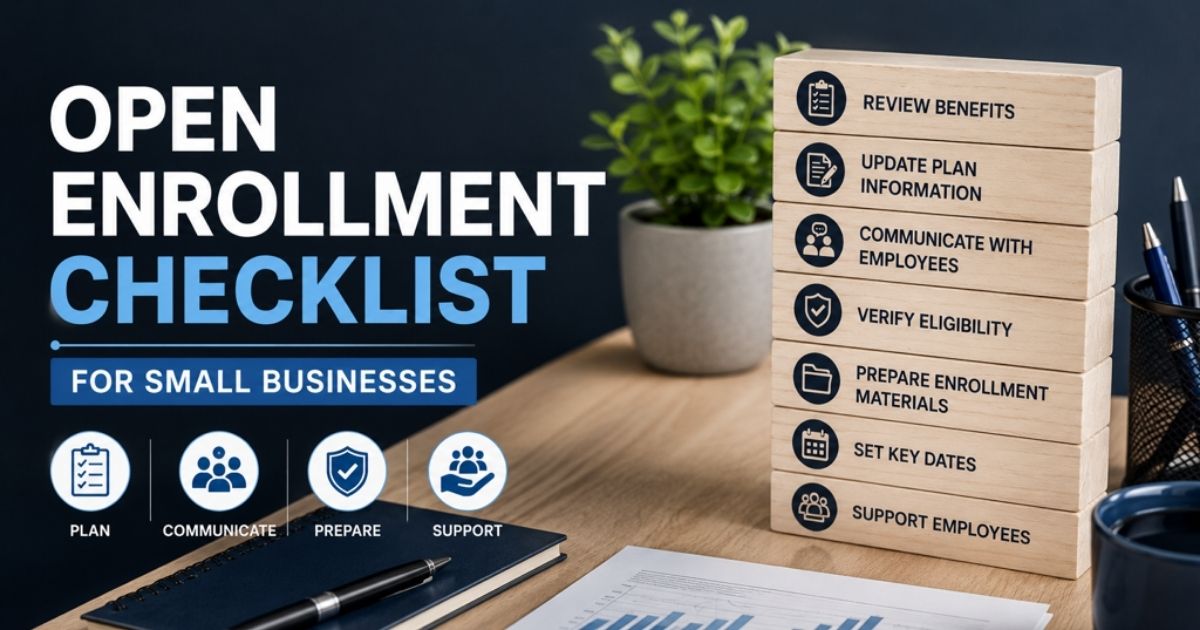
Table of Contents
Open enrollment sneaks up fast, and once it starts, there's no room for guesswork. A few missed deadlines or a confusing email to your team can mean employees stuck with the wrong coverage for a full year, or your business facing real compliance penalties. Small businesses feel this pressure more than most, since there's usually no dedicated HR department to catch mistakes before they happen.
The good news: open enrollment checklist doesn't have to be chaotic. With the right timeline, a clear budget, and a simple process for collecting elections, you can run it smoothly even as a team of one. Here's exactly what to review, when to start, and how to avoid the mistakes that cost small businesses the most.

What Is Open Enrollment
Open enrollment is the yearly window when employees can sign up for, change, or drop their workplace health plan and other benefits. Employers set the exact dates, usually once a year, and employees make their choices during that time only. Outside this window, changes usually require a qualifying life event, like marriage or a new baby.
For businesses, open enrollment is also when compliance requirements kick in. The Affordable Care Act sets rules around what employers must offer and disclose, and skipping these steps can lead to real penalties. Employees often use this time to review options like health savings accounts, which let them set aside pre-tax money for medical costs.
Certain regulated industries face extra layers of benefits compliance on top of standard rules, so the enrollment process can look different depending on your business type and size. Getting the basics right from day one keeps things simple for everyone involved.
Open Enrollment Vs Special Enrollment Period
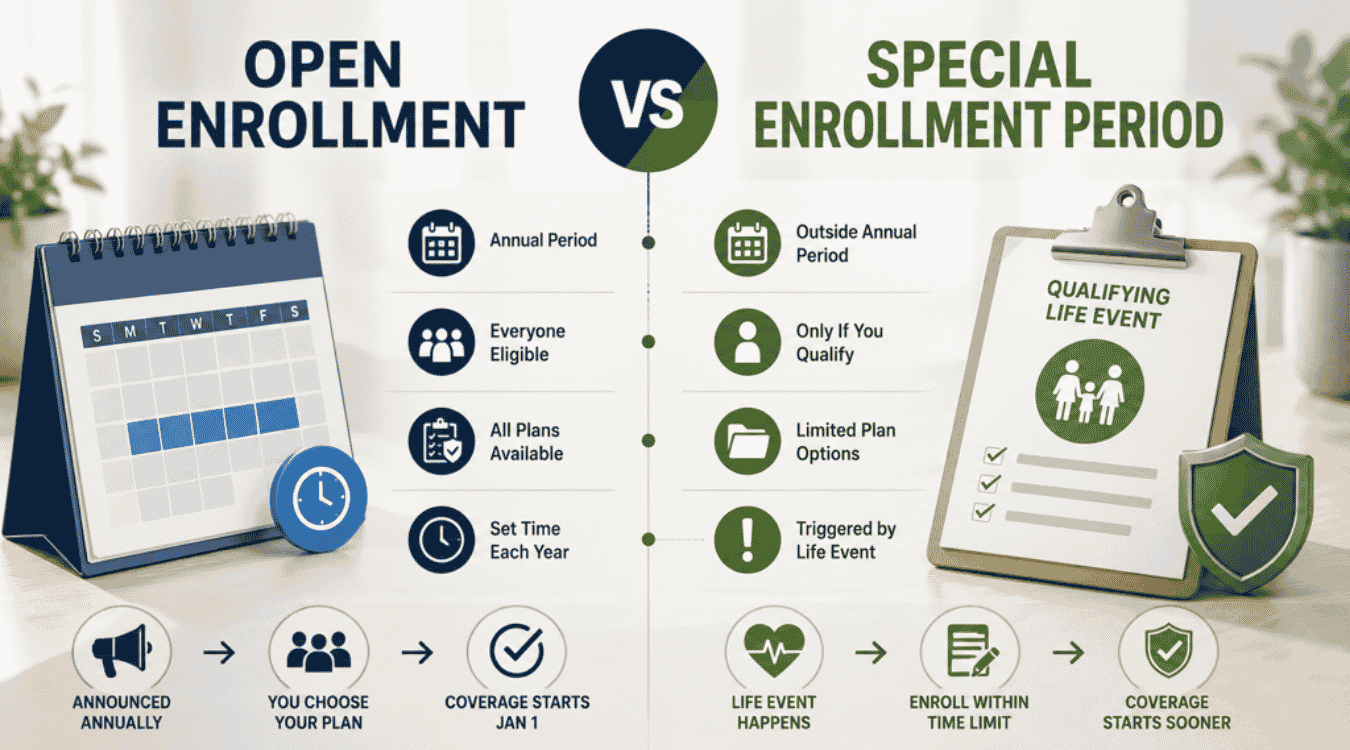
Open enrollment and a special enrollment period sound similar, but they work in very different ways. Open enrollment is the one planned window each year when employees can join, switch, or drop coverage under your group health plans. A special enrollment period only opens after a qualifying life event, like a marriage, birth, or loss of other coverage, and it usually lasts just 30 to 60 days.
The difference matters because what a health plan covers, along with costs like the out-of-pocket maximum, can only change at these specific times. Flexible spending accounts often follow open enrollment timing too, since elections typically lock in for the plan year. Employees may also want to review wellness program perks, women's health benefits, or mental health parity coverage before choosing a plan, so both windows deserve equal attention from HR.
Criteria | Open Enrollment | Special Enrollment Period |
|---|---|---|
When it happens | Once a year, employer-set dates | Anytime, triggered by a qualifying life event |
Who can enroll | All eligible employees | Only employees with a qualifying event |
Typical window | 2 to 4 weeks | 30 to 60 days from the event |
Plan changes allowed | Full plan switch, add or drop coverage | Limited to changes related to the event |
Common triggers | N/A (scheduled) | Marriage, birth, job loss, losing other coverage |
FSA election impact | New elections set for the full plan year | May allow a one-time change tied to the event |
The Cost Of Getting Open Enrollment Wrong
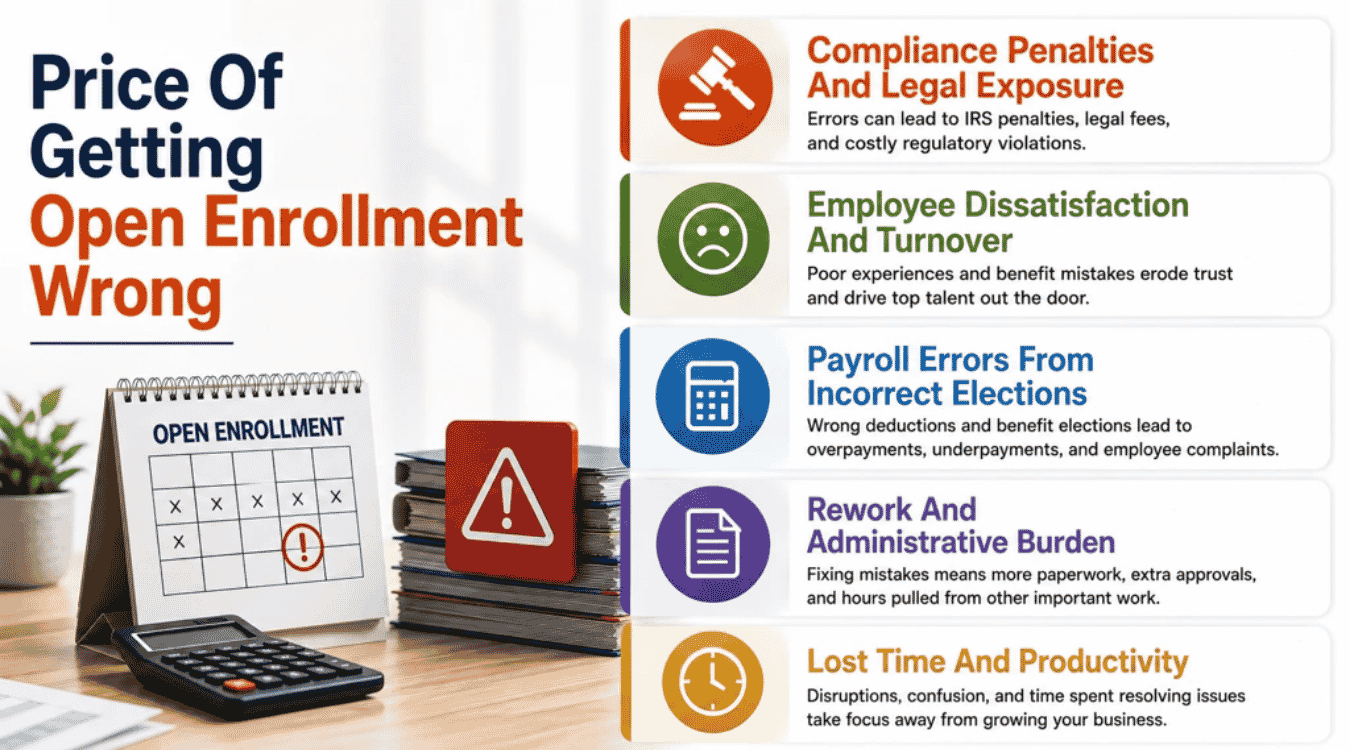
A rushed open enrollment process rarely stays contained to one bad week. Small mistakes here tend to snowball into higher costs across payroll, morale, and compliance for months afterward.
Compliance Penalties And Legal Exposure
Federal rules don't bend for small businesses just because there's no dedicated HR team. Missing a required notice about prescription drug coverage or mishandling protected health information can trigger fines that catch owners off guard. Regulators expect the same documentation from a five-person company as they do from a large enterprise.
Many penalties stem from simple oversights rather than deliberate violations. A form sent late, a notice left out of the packet, or unclear plan documents can all count against you. Building a repeatable checklist each year closes most of these gaps before they become legal headaches.
Employee Dissatisfaction And Turnover
Confusing benefits materials leave plan participants guessing about what their health coverage actually includes. When people don't understand their options, they either pick the wrong plan or skip enrolling altogether. Both outcomes breed frustration that surfaces later, often during a medical bill or a doctor's visit.
Employees remember how enrollment felt long after it ends. A confusing, rushed process signals disorganization, and that impression can quietly push people toward the exit. Clear communication costs little and protects retention in a way spreadsheets can't measure.
Payroll Errors From Incorrect Elections
Every benefit election eventually becomes a payroll deduction, and errors here are expensive to unwind. For many small teams, adopting simple payroll software for small businesses is the easiest way to keep these deductions accurate and in sync with elections. An employee moved to the wrong current plan might see incorrect withholding for months before anyone notices. Fixing it retroactively means recalculating paychecks, issuing corrections, and explaining the mix-up.
These errors rarely stay isolated to one employee. A single data entry mistake during enrollment can ripple across an entire pay cycle if it's not caught early. Cross-checking elections against payroll setup before the first paycheck runs saves everyone a headache later.
Rework And Administrative Burden
Sloppy enrollment records create work that repeats itself all year long. An employee management system that centralizes records can reduce repeated questions, cut down on manual corrections, and surface missing signatures faster. Even something like an Equal Employment Opportunity Commission inquiry becomes harder to answer cleanly without organized records.
Rework eats into time that could go toward actual strategy. Instead of planning next year's benefits, staff spends weeks untangling this year's paperwork. A tighter process up front almost always costs less than the cleanup afterward.
Lost Time And Productivity
Open enrollment pulls attention away from regular work for weeks at a time. Managers field benefits questions instead of running their teams, and employees lose focus wondering if they picked the right coverage. Stress during this period can also affect mental health, which quietly drags down output well past enrollment season, especially in small businesses already juggling HR challenges like limited resources and compliance complexity.
None of this shows up on a balance sheet immediately, but it adds up. Businesses that treat enrollment as a quick, organized task recover that lost time and keep momentum through the rest of the year.
Open Enrollment Timeline For Small Businesses
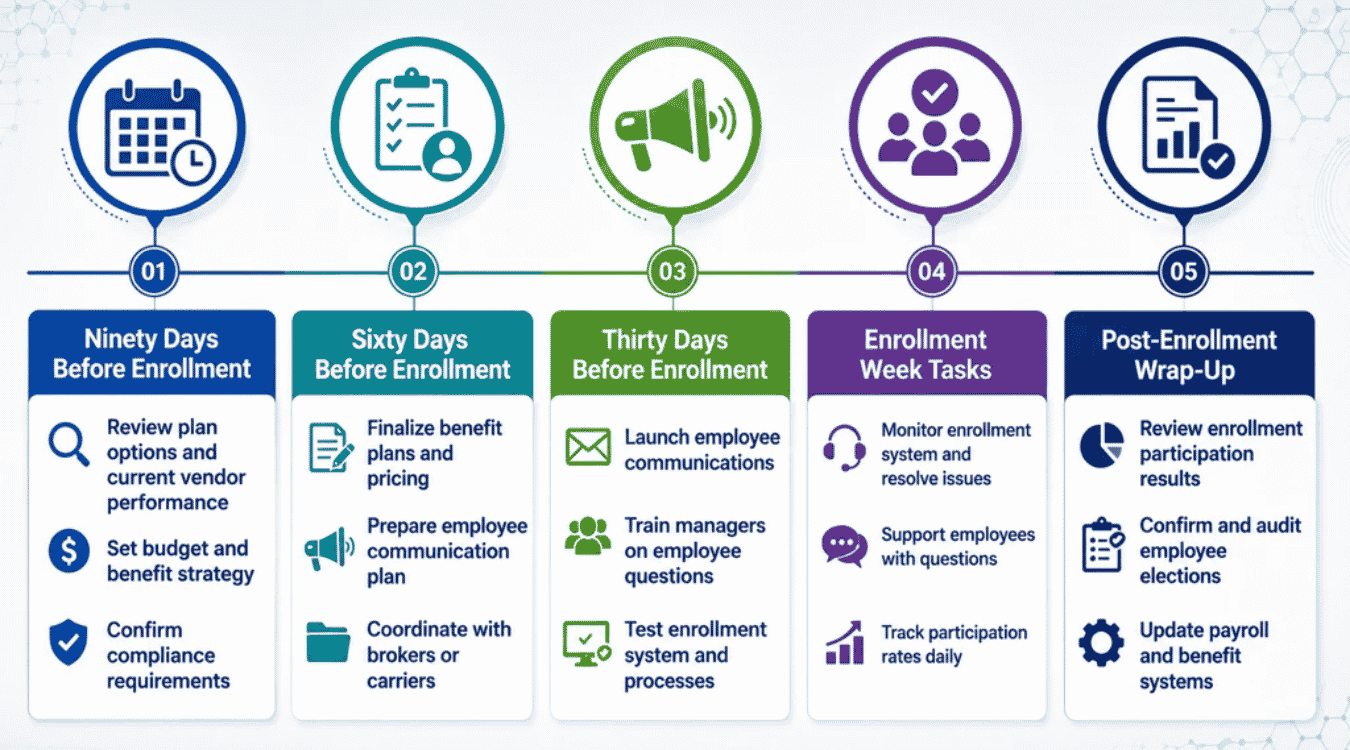
Open enrollment goes smoother when it's spread across weeks instead of crammed into a few days. Here's a realistic timeline that keeps eligible employees informed without overwhelming your team.
Ninety Days Before Enrollment
This is when you take stock of your current health insurance offerings and decide what needs to change. Many owners also reassess their broader HR software for small teams at this stage so benefits, payroll, and employee data stay aligned. Pull last year's usage data and any employee feedback collected throughout the year to spot patterns worth addressing.
It's also the right time to check plan details that shift year to year, like a plan's formulary for prescription drugs or new prior authorization rules. If you have Medicare-eligible individuals on staff, confirm whether your coverage still qualifies as creditable so you can notify them correctly later.
Sixty Days Before Enrollment
With decisions mostly locked in, shift focus to preparing materials and required notices. This is also a good point to confirm your HR tools include the right HR software features for small businesses such as compliance tracking and centralized records to support enrollment. Draft your employee communications now so there's time to review them for clarity before anything goes out.
This is also when compliance checks matter most. Confirm your plan documents meet requirements under the Disabilities Act and that any special accommodations for enrollment sessions are arranged ahead of time, not scrambled together at the last minute.
Thirty Days Before Enrollment
Send the first round of official communications so eligible employees have real time to review their options before deadlines hit. Include clear instructions, key dates, and where to go with questions.
Schedule any group information sessions or one-on-one meetings during this window too. Giving people a chance to ask questions before enrollment opens tends to boost employee satisfaction and cuts down on last-minute confusion once the window is live.
Enrollment Week Tasks
This is the working window. Monitor submissions daily, follow up with anyone who hasn't completed their forms, and keep a line open for quick questions as they come in.
Small issues are easiest to fix right now, while enrollment is still open. Catching a missing signature or an unclear election on day two beats discovering it after the deadline has already passed.
Post-Enrollment Wrap-Up
Once enrollment closes, confirm every submission is accurate and complete before elections move into payroll. This is also the moment to send confirmation notices so employees know their choices went through correctly.
Take a few notes on what worked and what didn't while it's still fresh. A short debrief now makes next year's ninety-day mark a lot easier to plan around.
How To Choose The Right Benefits For Your Small Business
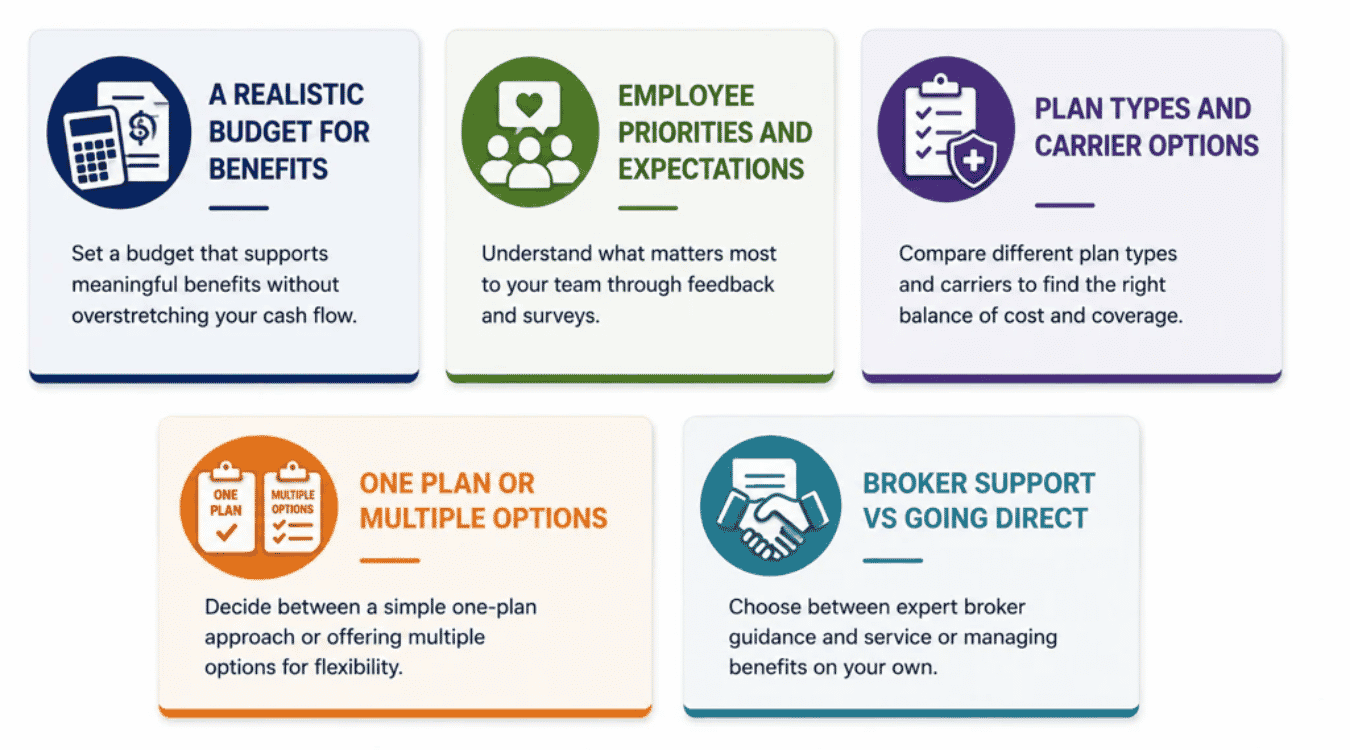
Picking the right mix of benefits sets the tone for everything that follows during open enrollment periods. Get this step right, and the rest of the process becomes far easier to manage.
A Realistic Budget For Benefits
Start with the number you can actually afford, not the number that sounds impressive. Many owners overestimate what they can offer and end up cutting coverage mid-year, which frustrates employees more than a smaller plan would have.
A simple spreadsheet tracking premium costs against revenue works fine for most small teams. As your needs get more complex, understanding HR software pricing in 2026 helps you budget for tools that automate benefits and payroll together. HR professionals often recommend setting aside a fixed percentage of payroll for benefits each year, since it keeps costs predictable as headcount grows.
Employee Priorities And Expectations
Ask your team what actually matters before assuming you already know. A quick survey often reveals that people care more about dental coverage or flexible scheduling than a fancier medical plan.
Younger teams may prioritize different benefits offered than a workforce with more families or older employees. Matching your plan to what your specific team values tends to boost participation more than chasing the most popular options nationwide, and the best HR software for small businesses can make it easier to track these preferences over time.
Plan Types And Carrier Options
HMOs, PPOs, and high-deductible plans each come with trade-offs in cost and flexibility. A smaller carrier might offer better rates, while a larger one may provide a wider network your employees actually use.
Requesting quotes from at least three carriers gives you a realistic sense of pricing before committing. Pairing this with an all‑in‑one HR management system also helps you see how different plans will actually flow through onboarding, records, and payroll. Many small business owners find this comparison step the most resourceful part of the entire selection process, since it exposes options they wouldn't have found otherwise.
One Plan Or Multiple Options
Offering a single plan keeps administration simple, but it can leave some employees paying for coverage they don't need. Multiple options add flexibility, though they also mean more paperwork and more annual notices to track.
Smaller teams often start with one solid plan and layer in other benefits, like dental or vision, as the budget allows. Expanding choices later is easier than pulling options away once employees get used to having them.
Broker Support Vs Going Direct
A broker can save real time by handling carrier comparisons, model notices, and renewal negotiations on your behalf. That support comes at a cost, though it's often built into the premium rather than billed separately, much like moving from free tools to paid HR software for small businesses trades higher upfront expense for long‑term time and compliance savings.
Going direct works fine for owners comfortable reading plan documents and staying on top of deadlines themselves. Whichever route you choose, communicate early with your team about how the decision was made, since transparency here builds trust before open enrollment even starts.
Open Enrollment Checklist
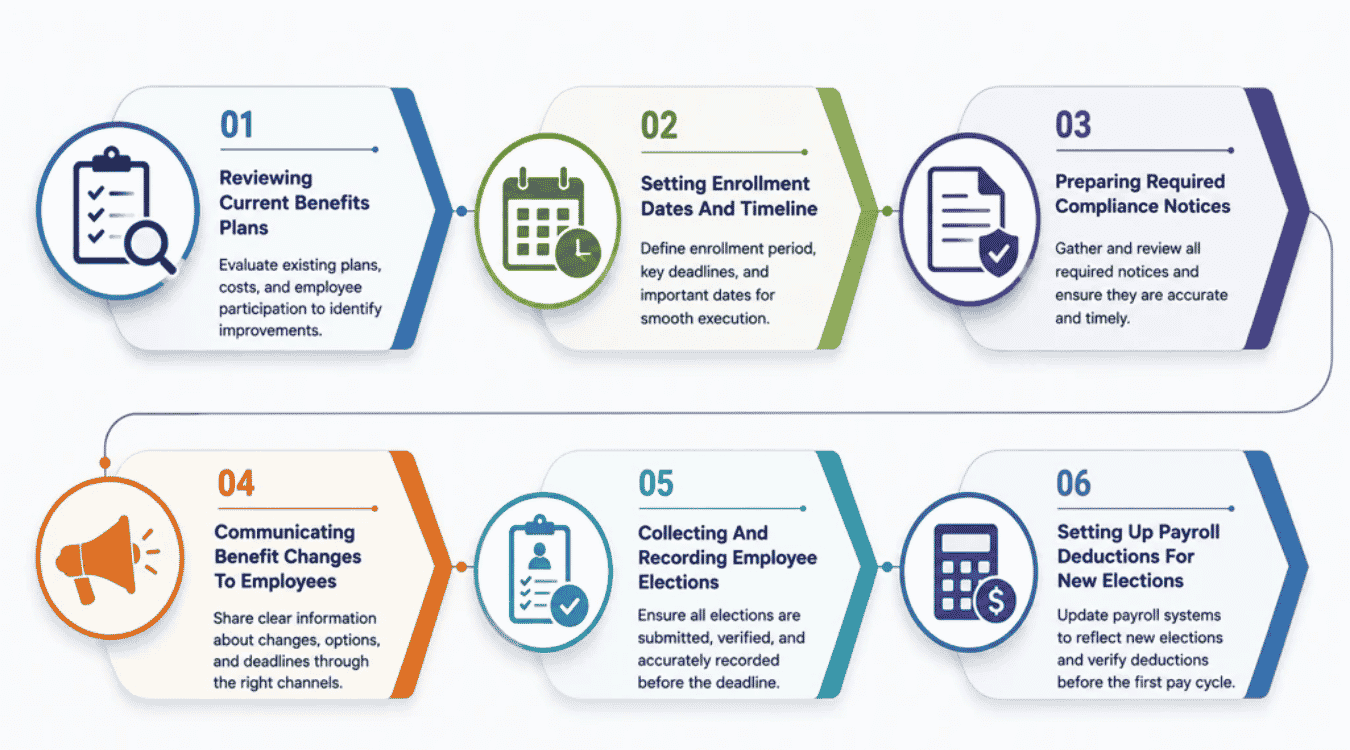
Running open enrollment smoothly comes down to working through the same steps in order every year. Here's the checklist that covers everything from plan review to the final paycheck.
1. Reviewing Current Benefits Plans
Start by pulling last year's numbers before touching anything new. Compare enrollment rates, claims, and complaints from the previous year to see what's actually working and what employees quietly struggled with. Check whether your plan design still fits your team's needs and budget, since a plan that made sense two years ago might not hold up as your headcount changes.
Look at premium increases too, since carriers rarely keep rates flat year over year. If costs jumped significantly, this is the point to decide whether to absorb it, adjust employee contributions, or explore a different carrier before enrollment dates get locked in.
2. Setting Enrollment Dates And Timeline
Pick your open enrollment dates well before the plan year begins, ideally 60 to 90 days out. Locking in dates early gives you room to prepare materials without rushing through compliance steps at the last minute or scrambling to answer employee questions.
Map these dates against your renewal deadline for the upcoming year, since missing that window can mean losing your current rates or a coverage gap. Share the timeline internally as soon as it's set, even before materials are ready, so managers can plan around it.
3. Preparing Required Compliance Notices
Gather your summary of benefits and any other required documents before enrollment opens. Many of these need to go out to employees on a set schedule, not whenever you get around to it, so build this step into your timeline early.
Include your privacy practices notice if your plan requires one, along with any other annual disclosures tied to your specific plan type. Keep a dated record of when each notice went out and to whom, so you stay compliant if a question ever comes up later.
4. Communicating Benefit Changes To Employees
Explain any new benefits clearly, including what changed and why, since employees won't notice shifts in benefits and coverage on their own. Cover whether current doctors and providers are still in network, as that's usually the first question people ask before anything else.
Be upfront about exactly what your employer offers this year versus last, especially if costs or plan options moved. Use more than one channel to share this, since an email, a short meeting, and a written summary together reach people who'd otherwise miss a single message.
5. Collecting And Recording Employee Elections
Set up one clear place for employees to submit their choices, whether that's a form, portal, or simple spreadsheet. For growing teams, replacing scattered spreadsheets with an HR system built for better payroll management than spreadsheets keeps enrollment data cleaner and easier to track. Many employers lose time chasing down elections that got submitted the wrong way or to the wrong person entirely.
Double-check every submission against the employee's actual eligibility before locking it in, since a quick review here catches mistakes while they're still easy to fix. Set a firm cutoff date and stick to it, so late requests without a qualifying event wait until next year.
6. Setting Up Payroll Deductions For New Elections
Once elections are final, update payroll before the next pay cycle runs. A centralized payroll management system makes this step far easier by syncing benefit elections directly into deductions. Mismatched deductions are one of the most common post-enrollment headaches, and they're avoidable with a quick cross-check between your records and payroll system.
Confirm each employee's new deduction amount matches what they actually selected, down to the exact dollar figure, since small mismatches are easy to miss until a paycheck looks wrong. This step closes the loop on open enrollment and keeps the first paycheck of the new plan year accurate.
Open Enrollment Mistakes That Cost Small Businesses Money
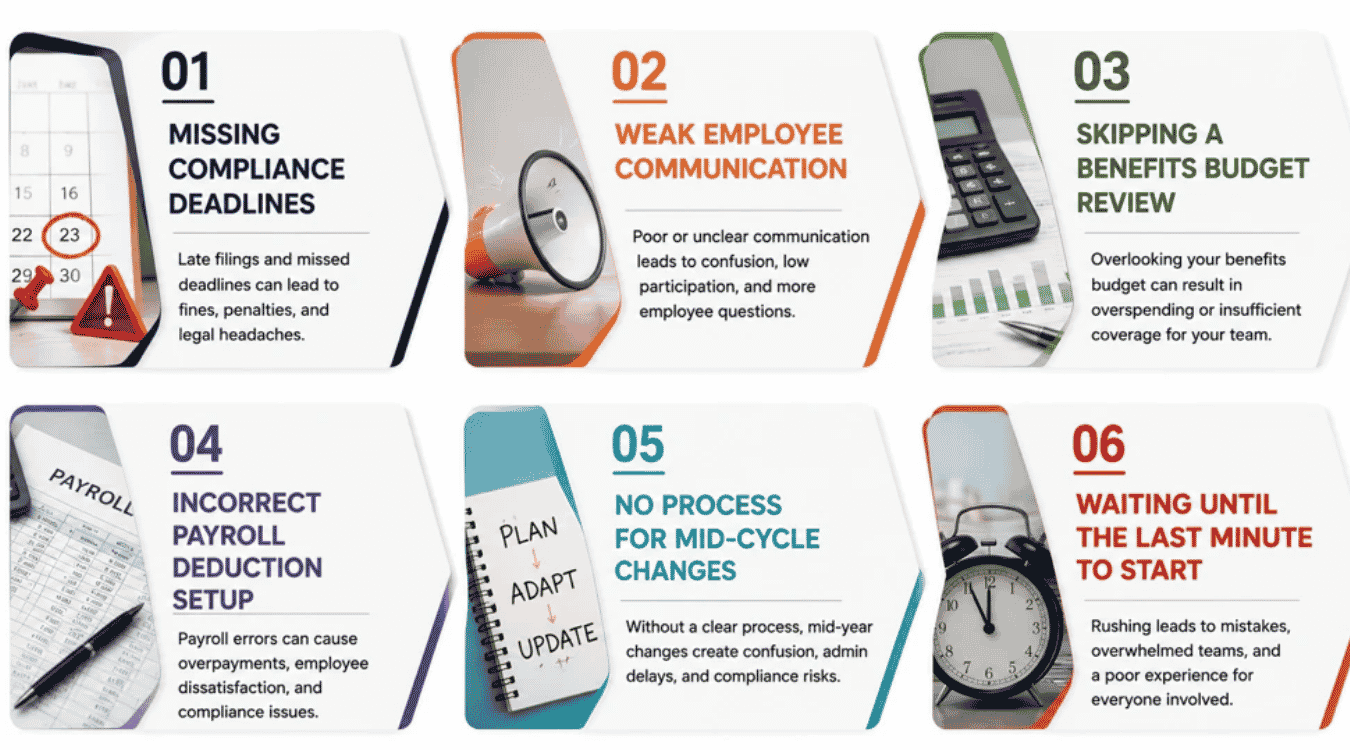
Even well-meaning employers slip up during open enrollment, and small mistakes here rarely stay small. Here are the most common ones, along with what they actually cost.
Missing Compliance Deadlines
Federal rules around employee benefits don't flex for small businesses without a dedicated HR team. Using payroll compliance software alongside your benefits process can help track deadlines and filings so no required notice about coverage or medical services slips past unnoticed.
Confirm every notice date well ahead of time and treat federal requirements the same way you'd treat a tax deadline. A summary of what's due and when, checked off as you go, protects you far more than trying to remember it all from memory.
Weak Employee Communication
When employees don't fully understand their insurance options, they either pick the wrong plan or skip enrolling entirely. Vague explanations about health coverage, network access, or what a plan actually includes leave people guessing at decisions that affect their whole year.
Clear, repeated communication fixes most of this. Confirm employees know which providers are in-network, what their deductible looks like, and how dependents factor into their coverage before asking them to decide anything.
Skipping A Benefits Budget Review
Renewing the same plan without checking the numbers is an easy trap. Premiums shift every year, and if employers don't confirm what they can actually afford, costs can affect payroll in ways nobody planned for.
A quick budget review before open enrollment starts prevents surprises later. Compare what you contribute now against last year's numbers, and adjust before rates lock in rather than after the first invoice arrives.
Incorrect Payroll Deduction Setup
Every election eventually becomes a payroll deduction, and mismatched setup is one of the most common post-enrollment errors. Implementing payroll automation software reduces these mismatches by handling calculations and updates automatically. An employee's contribution amount not matching their actual election can go unnoticed until a paycheck looks wrong.
These mistakes are avoidable with a simple cross-check. Regular payroll audit strategies that compare deductions against final elections before the next pay cycle runs are especially important for anyone who added dependents or changed coverage.
No Process For Mid-Cycle Changes
Life doesn't pause for the plan year. Without a clear process for other requirements like qualifying life events, employers scramble each time someone needs to add a dependent or update coverage outside the normal window.
Setting up a simple mid-cycle process ahead of time saves that scramble. Decide now how employees should request changes and what documentation you'll need, so the answer is ready before someone actually asks.
Waiting Until The Last Minute To Start
Starting open enrollment too close to the deadline leaves no room for mistakes. Rushed employers skip steps, and services meant to protect both the business and its people, like proper notices and full disclosures, get pushed aside, much like when teams rush HR tech rollouts and repeat the same HR software mistakes.
Starting 60 to 90 days ahead fixes most of this. It gives you time to confirm details, fix errors, and make sure open enrollment runs the way it was intended, while also reducing the risk of costly payroll mistakes that tend to happen under deadline pressure.
Open Enrollment Checklist At A Glance
Review your current benefits plans and confirm what's changing before setting your enrollment dates 60 to 90 days out. Prepare required compliance notices early, then communicate any benefit changes clearly across more than one channel so nothing gets missed by your team.
Once enrollment opens, collect and record employee elections in one clear place, double-checking each submission against eligibility. Set a firm cutoff date, and update payroll deductions as soon as elections are final to avoid mismatched paychecks. Wrap up by confirming every record is accurate and sending confirmation notices to employees. Keep this checklist handy each year, since running the same steps in order is what keeps open enrollment simple instead of stressful.